
Omni AI Video: Powerful Multimodal Video Generator

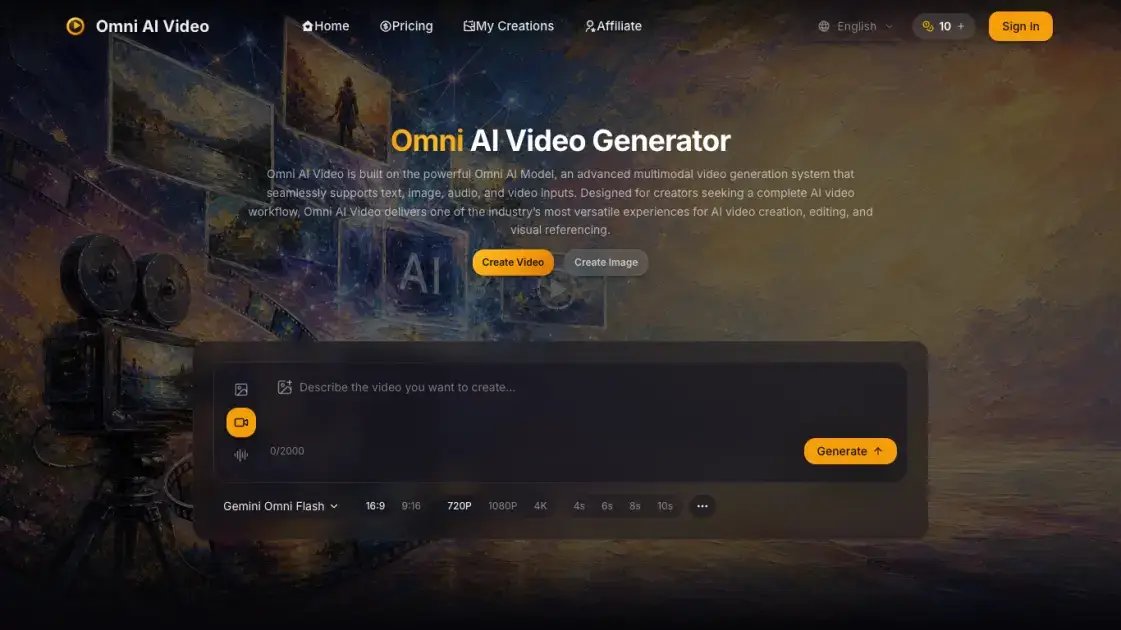
What is Omni AI Video
Omni AI Video is a multimodal AI video generator built on the Omni AI Model, supporting text, image, audio, and video inputs within a single unified workspace. The platform enables creators to produce video content through text-to-video, image-to-video, and reference-to-video generation without switching between separate tools. The Omni AI Model processes mixed inputs — combining natural-language prompts, visual references, and audio cues — to produce coherent video output suitable for social media content, advertisements, product showcases, and commercial projects. The generator walks users through a streamlined workflow: open the workspace, describe a scene with text and optional reference media, select a model, and generate. With support for iteration from prompt to preview to final export, Omni AI Video positions itself as an end-to-end solution for AI-driven video production. Community support is available through Discord, and direct assistance via email.
How does Omni AI Video work
The Omni AI Model operates as a unified multimodal pipeline. A user opens the generator workspace and provides a natural-language prompt describing the desired scene. Optionally, a reference image, audio clip, or video segment can be uploaded to guide visual style, subject appearance, or motion cues. The selected model processes all inputs together — text, image, audio, and reference — in a single generation pass. The system outputs a video draft that can be previewed within the workspace. If the result meets requirements, the user exports the final video directly from the same interface.
Benefits of Omni AI Video
Omni AI Video consolidates multiple video creation modes — text-to-video, image-to-video, and reference-to-video — into one workspace, reducing workflow fragmentation for creators. The multimodal input system allows combining text, images, audio, and reference clips in a single generation pass, producing cohesive output without manual compositing. Output is formatted for immediate use in social content, ads, and commercial projects. A free tier is available for evaluation, with community support through Discord and direct email assistance. However, detailed pricing tiers are not published on the homepage, which may make it difficult to assess cost before committing. Social media presence beyond Discord appears limited.
Pros and Cons of Omni AI Video
Pros
- Unified generator eliminates tool-switching for multiple creation modes
- Multimodal input accepts text, images, audio, and video together
- Free tier available for evaluation before purchase
- Production-ready output suitable for commercial use
- Iterative workflow from prompt to preview to export
Cons
- Detailed pricing not published on the homepage
- Limited social media presence beyond Discord
- No information on video resolution or length limits
- No public API or integration documentation visible
Core Features of Omni AI Video
Unified Generator
Text-to-video, image-to-video, and reference-to-video operate within a single generator, eliminating the need to switch between multiple tools for different video creation modes.
Multimodal Input Support
The Omni AI Model processes text, images, audio, and reference video clips simultaneously, enabling mixed inputs to produce coherent video output.
Text-to-Video Generation
Natural-language prompts are converted into cinematic videos with clear motion, composition, and visual direction, driven by the Omni Video Model.
Image-to-Video Animation
Reference images are animated into dynamic video sequences while preserving the subject, style, and creative intent across every frame.
Reference-to-Video
Visual references and audio cues can be combined with text prompts to guide video generation, providing granular creative control over the final output.
Production-Ready Output
Generated video is formatted for immediate use in social media content, advertisements, product showcases, and commercial applications without additional post-processing.
Iterative Workflow
Creators can move from prompt to preview to final export within the same workspace, refining output at each stage before committing to the final render.
Use Cases of Omni AI Video
- Social Media Content: Generate short-form videos for platforms using text prompts or reference images as starting points.
- Advertising: Produce product advertisement videos from written briefs and visual references without filming.
- Product Showcases: Create dynamic product demonstration videos by animating static product images with realistic motion.
- Commercial Video Production: Generate client-ready video content combining text direction, brand imagery, and audio references.
- Creative Prototyping: Rapidly iterate on video concepts by testing multiple prompts and reference inputs before final production.
FAQs of Omni AI Video
What is Omni AI Video?
Omni AI Video is a multimodal AI video generator powered by the Omni AI Model. It supports text, image, audio, and video inputs for creating, editing, and referencing video content within a single unified workspace.
Who is Omni AI Video designed for?
The platform targets creators who need AI-generated video for social media content, advertisements, product showcases, and commercial projects. It is built for users who want a single tool for multiple video creation workflows.
How do I create a video on Omni AI Video?
Navigate to the generator on omniaivideo.ai, write a text prompt describing the desired scene, optionally upload a reference image or audio clip, select a model, and click generate. The result can be previewed and exported from the same workspace.
What types of input does the Omni AI Model support?
The Omni AI Model accepts text prompts, images, audio clips, and reference video segments. These can be combined in a single generation pass to produce cohesive output that reflects all provided inputs.
What are the advantages of Omni AI Video over other AI video generators?
The primary advantage is its unified approach: text-to-video, image-to-video, and reference-to-video all operate within one generator and one model, eliminating tool-switching. Multimodal input support also allows mixing media types in a single prompt.
Is there a free tier available?
Omni AI Video offers a free tier for users to evaluate the platform. Paid plans are available as well, though specific pricing details are not listed on the homepage.
How can I get support?
Support is available through the Omni AI Video Discord community and via direct email at support@omniaivideo.ai.
How to use Omni AI Video
- Open the Generator — Navigate to the AI video generator on omniaivideo.ai, which provides a unified workspace built around the Omni AI Model for all video creation modes.
- Describe Your Scene — Write a text prompt, upload an optional reference image, and select the model variant that best fits the intended shot or style.
- Generate and Export — Initiate the generation process, preview the resulting video within the workspace, and export the final output once it meets the desired quality.
Omni AI Video Website Traffic Analysis
Latest traffic information
- Monthly Visits33.02K
- Bounce Rate38.08%
- Pages Per Visit1.93
- Visit Duration00:00:37
- Global Rank903.72K
- Country/Region Ranking202.87K
Top Keywords
| Keyword | Traffic | Volume | Cost Per Click |
|---|---|---|---|
| omni video factory | 2.11K | 8.15K | $0.23 |
| elevenlabs | 1.9K | 3.27M | $0.2 |
| omni ai | 730 | 25.56K | $2.44 |
| omni ai video | 250 | 560 | -- |
| omni ai video generator | 120 | 810 | -- |
Top Regions
| Region | Percentage |
|---|---|
| India | 29.64% |
| United States | 11.52% |
| Brazil | 10.21% |
| Mexico | 7.52% |
| United Kingdom | 6.29% |
Omni AI Video Alternatives
Seedance 3.0 preview page: planned multi-shot continuity, scene editing and audio-visual sync for AI video, while the on-page generator runs Seedance 2.5.
Browser workspace for AI image generation, reference photo editing, and short video drafts, aimed at creators, marketers, and product teams.
Black Forest Labs' multimodal model with a web generator for text-to-video, image-to-video and image editing with native audio, for creators and marketers.
Wan API is an independent platform for Wan and Seedance video models. Compare specs and rates, generate clips in the Playground, or call them through one API.
Seedance 3.0 turns text, images, video clips, and audio into videos with sound, and edits one part of a clip without regenerating the rest.
Wery is a virtual AI studio that routes one goal to specialist agents for video, images, music and documents, keeping characters and project assets consistent.

AI video and image studio with text-to-video, image-to-video and keyframe control across Seedance, Kling, Wan and Vidu — all on one credit balance.
Browser studio for AI video, image and music generation with Grok Imagine, Kling and GPT Image models. Free daily credits, no sign-up required.
SeaMove AI is an AI video and image generation platform offering Seedance 2.0 and Seedance 2.5 models for text-to-video, image-to-video, and reference-based creation. Features multi-shot continuity, director-level control, and audio-visual sync for creators and studios.
Turns two separate portraits into a 15-second vertical rap duet video on an orange stage with a shared microphone and the original soundtrack. Free 480P preview available.
Mareel is an all-in-one AI video and image generation workspace giving creators, marketers, and ecommerce teams 40+ leading models and one shared credit balance.
Kinovi is a REST API that runs published video, image, and audio AI models from one endpoint. Send a model ID to createTask, poll recordInfo, and pay per use from one shared credit balance.