
Nano AI FAQs
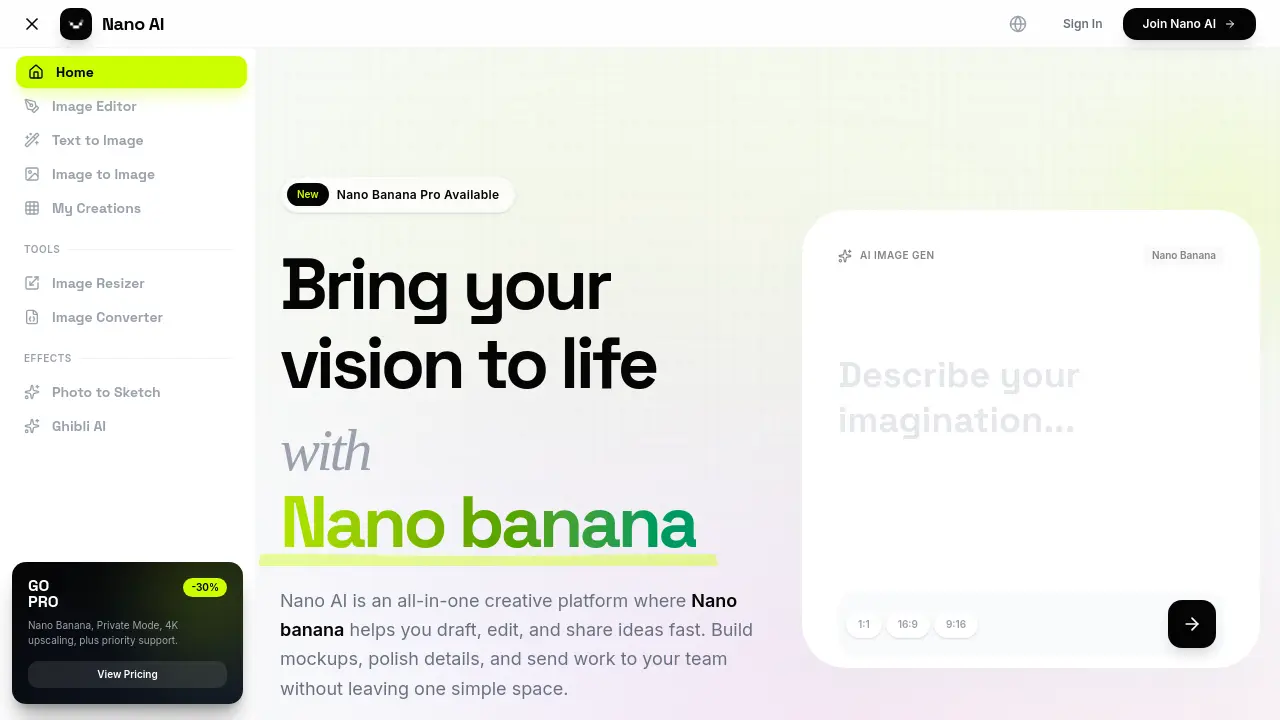
Nano AI is an all‑in‑one creative platform that lets designers, marketers, and artists generate, edit, and share AI‑powered images instantly using the Nano Banana model.

FAQs of Nano AI
What is Nano AI?
Nano AI is an all-in-one creative platform designed to streamline the process of generating and editing images. It integrates various tools like text-to-image generation, image-to-image transformation, and utility editors into a single workspace, aiming to help users bring their visual concepts to life quickly.
What makes Nano AI different from other generators?
This platform distinguishes itself by combining high-speed orchestration with the Nano Banana AI model, enabling it to deliver finished renders in under ten seconds. The system is built to maintain high fidelity to complex, layered instructions, allowing creators to explore ideas without significant waiting time.
What is Nano Banana?
Nano Banana is the user-friendly name for the advanced Gemini 2.5 Flash AI model that powers Nano AI's core generation features. It is designed for efficiency and an intuitive understanding of natural language, allowing users to generate high-quality visuals from descriptive prompts without needing specialized technical skills.
How fast can Nano AI deliver results?
The platform's architecture aims for sub-10-second generation times for most prompts. By optimizing the pipeline between the user interface and the Nano Banana model, Nano AI significantly reduces traditional rendering delays, which is ideal for rapid brainstorming or client-facing work.
Do I need deep prompt-engineering skills to use Nano AI?
No, extensive prompt engineering is not required. The platform is designed for accessibility, allowing users to describe the scene or style they envision in plain, descriptive language. The Nano Banana model interprets these casual descriptions to achieve complex and nuanced visual outputs.
Can I rely on the outputs for commercial work?
Yes. Images created on Nano AI's Pro or Studio subscription plans are provided with full commercial rights. This allows professionals and businesses to confidently use the generated visuals in marketing campaigns, product designs, and other commercial applications.
Does Nano AI support multilingual prompting?
Absolutely. The platform accepts prompts in multiple languages, including English, Spanish, and Portuguese, among others. The underlying Nano Banana model is built to respect user intent and stylistic cues even when different languages are mixed within a single prompt.
Is there an API available for automation?
Yes, Nano AI Studio accounts provide access to a comprehensive API, including dedicated endpoints for the Nano Banana model. This allows teams to integrate AI image generation directly into their own applications, workflows, and automated systems for greater efficiency.
How does Nano AI handle user data and privacy?
According to its policy, Nano AI encrypts user uploads and prompt logs to ensure security. The system only trains its models on user-provided data if the user explicitly opts in, meaning proprietary images and creative concepts can remain private.
Is 4K Neural Upscaling available?
An advanced 4K Neural Upscaling feature is in development, slated for a future release. This tool is designed to intelligently add believable detail and texture for high-resolution outputs, making small images suitable for large-scale formats like billboards without losing quality.
How to use Nano AI
- Users can start by signing up for a free Nano AI account or logging in via the homepage.
- Navigate to the Text to Image tab to begin the primary image generation workflow.
- Enter a descriptive prompt in the provided text field, detailing the desired subject, style, and mood.
- Select the "Nano Banana" model for rapid, nuanced image generation.
- Click the GENERATE button, which typically yields AI image results in under ten seconds.
- Choose the most suitable generated image from the available options for further editing.
- Initiate an image-to-image transformation by uploading a source image to the relevant section.
- Provide a text prompt that describes the necessary modifications to the source image.
- Utilize the "Magic Edit" feature by highlighting specific regions and describing desired changes with natural language.
- Once satisfied with the creation, download the final image or save it to "My Creations" for later use.
- Review and interpret the generated visuals to assess how well the prompts were translated into the desired style and composition.
- Explore additional tools like the Image Resizer or Image Converter to optimize assets for various platforms.
- Refine subsequent prompts based on previous results to improve style consistency and output quality for specific campaigns.
