
Nano Banana 2 FAQs
Nano Banana 2 is a browser-based AI image editor and generator for designers, enabling background replacement, lighting correction, text editing, and creation of crisp 2K/4K visuals with 20 free credits.

FAQs of Nano Banana 2
What is Nano Banana 2?
Nano Banana 2 is an AI-powered image editor and generator that operates directly in a web browser. It allows users to replace image backgrounds, adjust lighting, edit text within visuals, and produce high-resolution 2K or 4K images without downloading any software.
Is Nano Banana 2 free to use?
Nano Banana 2 provides a free tier with 20 initial credits upon account creation, requiring no credit card. These credits enable the generation of approximately one high-quality image. Continued use beyond the free credits requires subscribing to one of its paid plans.
How does Nano Banana 2 compare to Gemini or Flux models?
Nano Banana 2 is built upon Google's Gemini 3 Pro Image model, differentiating it from other models like standard Gemini or Flux. It is specifically optimized for enhanced text-in-image rendering, multilingual support, and production-grade visual quality with advanced cinematic controls.
What are the key improvements in Nano Banana 2 compared to the original version?
Significant upgrades in Nano Banana 2 include drastically improved multilingual text clarity, native support for 2K/4K output, superior subject consistency across multiple images, and advanced creative controls for lighting and camera angles. It also incorporates search grounding for more accurate real-world details.
How can I access the Nano Banana model?
Access to both Nano Banana and Nano Banana 2 is available through their official website at nano-banana-2.dev. Users can start with a free account containing 20 credits or select a paid subscription plan for expanded features and higher credit allowances.
What types of image editing tasks can Nano Banana 2 handle?
Nano Banana 2 performs various editing tasks such as AI background removal, lighting correction, in-image text editing, object removal, color adjustment, face retouching, and style transfers (e.g., Ghibli or Pixar filters). It also generates new images from text prompts or reference photos.
Is Nano Banana related to Google's Gemini AI?
Yes, Nano Banana 2 is powered by Google's Gemini 3 Pro Image model. The preceding Nano Banana model utilized the Gemini 2.5 Flash architecture. This foundation provides the AI capabilities for its in-browser image generation and editing functions.
What are the limitations of the Nano Banana AI model?
While powerful, Nano Banana 2 has a higher credit cost per image compared to the original Nano Banana. Its advanced model also results in slightly longer generation times. The free tier is limited to about one high-quality image, and extremely abstract prompts may yield unpredictable results.
How does Nano Banana 2 render text in generated images?
Nano Banana 2 employs AI-driven precision to produce crisp, legible text within images. It handles diverse typography styles and maintains clarity even with small fonts or complex layouts, making it effective for creating posters, diagrams, and product mockups with professional-grade lettering.
What multilingual capabilities does Nano Banana 2 offer?
The model supports clear text generation in numerous languages, including English, Chinese, Japanese, Korean, Spanish, and Arabic. It can translate and modify existing text in an image while preserving the original lighting, spacing, and overall visual composition for international branding needs.
What are the best use cases for Nano Banana 2?
Nano Banana 2 excels in producing brand advertisements, cross-language marketing materials, high-resolution print visuals, omni-channel campaign assets, and technical diagrams. Its strength in maintaining consistency makes it suitable for virtual IPs and multi-asset projects.
How does the credit system work on Nano Banana 2?
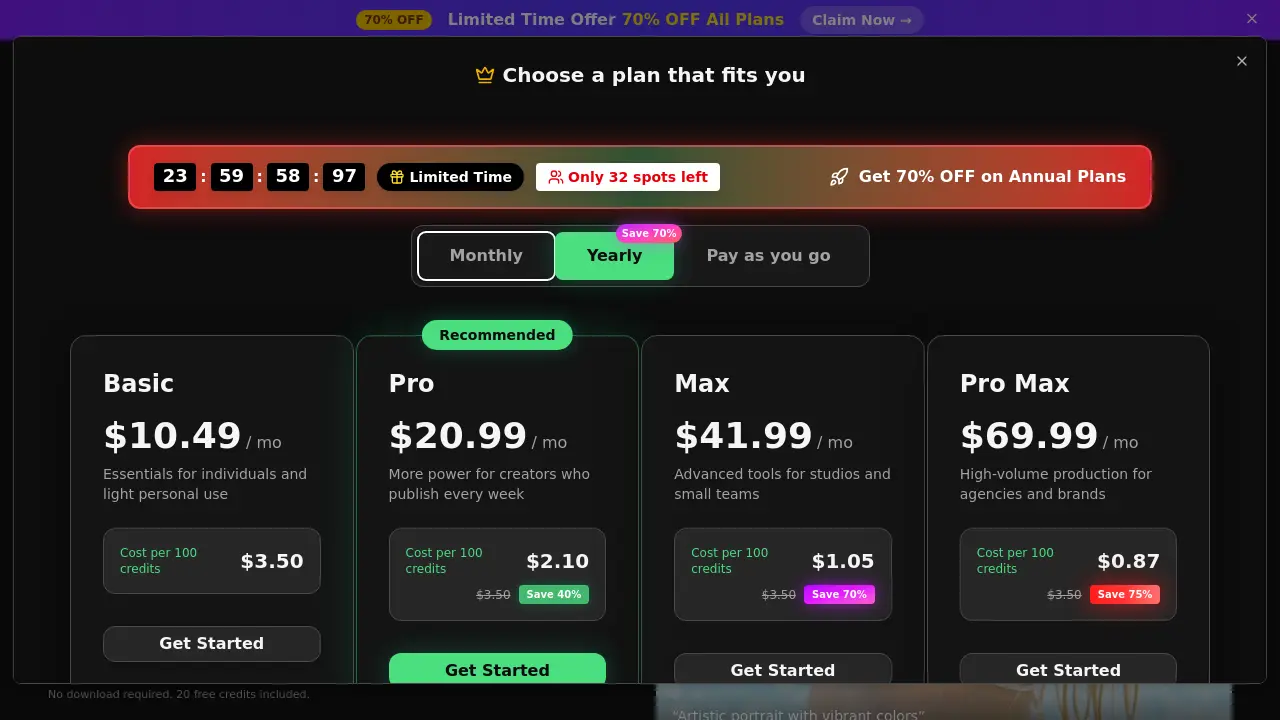
Users consume credits for each image generation or advanced edit. On the free plan, one standard HD image costs 15 credits. Paid subscription plans offer monthly credit pools ranging from 300 to 8000, with lower costs per image at higher tiers. Credits do not roll over month-to-month.
What resolution outputs can Nano Banana 2 generate?
Nano Banana 2 natively supports generating images at 2K and 4K resolutions. It includes an AI upscaler to enhance lower-resolution images to these standards, ensuring sharp details and professional clarity suitable for print media, presentations, and high-resolution digital campaigns.
How to use Nano Banana 2
Nano Banana 2 is a browser-based AI image editor and generator, functioning as a creation workbench. Its main functions include text-to-image generation, image editing (background replacement, object removal), and high-resolution upscaling to 4K. The tool emphasizes accurate text rendering, multilingual support, and maintaining subject consistency across multiple images.
- Navigate to the Nano Banana 2 web interface at the provided source URL. The main dashboard presents the AI creation workbench.
- Select "Nano Banana 2" from the model toggle menu to ensure you are using the enhanced version for best quality results.
- Enter a descriptive text prompt in the input field. For editing, upload a source image using the designated upload button.
- Optionally upload reference images to guide style, composition, or subject consistency for more precise generations.
- Expand the "Advanced Options" panel to adjust parameters like aspect ratio, image count, or specific editing instructions.
- Click the "Generate" button to initiate the AI process. This consumes credits from your account balance.
- Wait for the generated image to render in the preview pane, typically within seconds depending on server load.
- Review the output image for quality, text legibility, and adherence to your prompt's instructions.
- Use the "Upscale" function if a higher resolution (2K/4K) is required for print or professional use.
- Click the "Download" button to save the final image file to your local device in the selected format.
- Analyze the generated result against your project goals. If necessary, refine your prompt with more specific details and regenerate.
- Monitor your remaining credits in the account dashboard to manage usage across multiple editing or generation tasks.
- Explore preset tools like "AI Background Remover" or "Headshot Generator" for common, one-click editing workflows.
- For complex projects, use the multi-reference image upload feature to maintain character or brand consistency across a series of visuals.
- The results can be directly applied to marketing materials, social media content, or design prototypes without additional software.
Interpret the results by assessing the core metrics: text clarity, image resolution, and fidelity to the prompt. High-quality outputs will show legible typography, sharp details at the target resolution, and accurate representation of described scenes or edits. Use the generated assets directly in your workflows, such as for advertisement visuals, multilingual document design, or product mockups. The integrated tools streamline tasks like background removal and color correction, reducing the need for external software. Manage credit consumption strategically for high-volume tasks by leveraging batch processing features available on higher-tier plans.
