
Motion Control AI
Motion Control AI – Free online video motion transfer tool

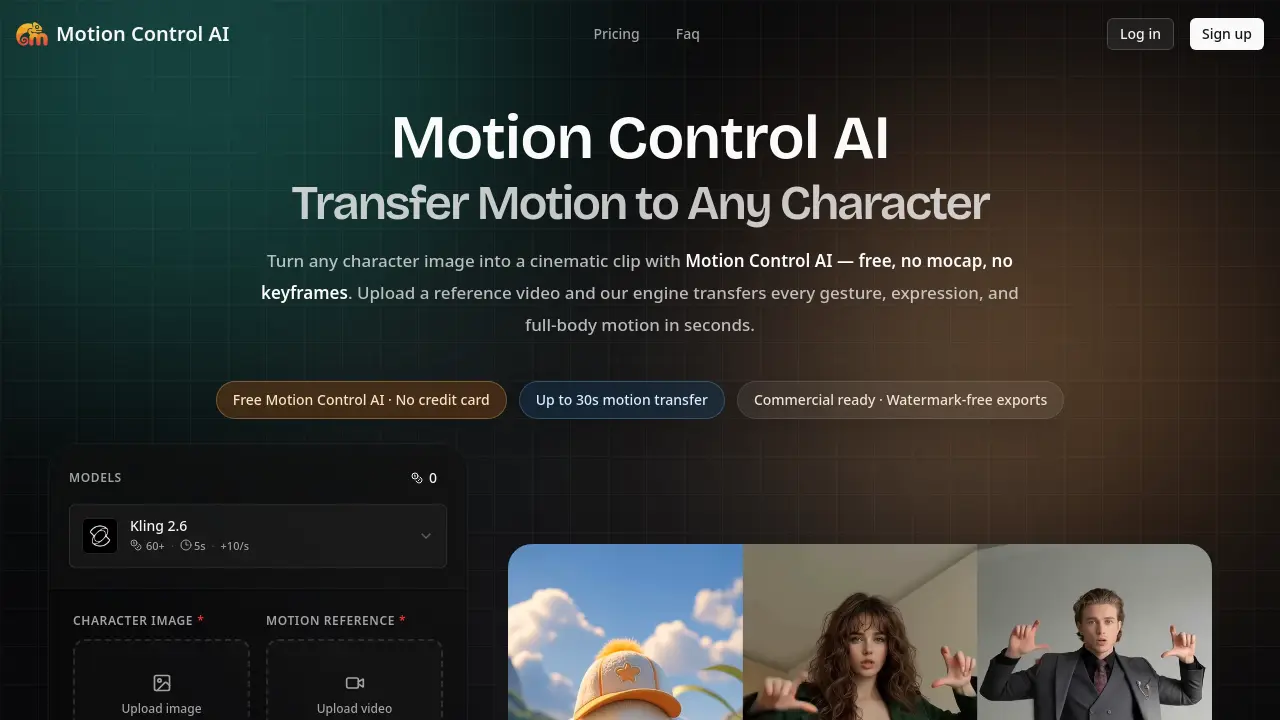
What is Motion Control AI
Motion Control AI is a browser‑based video generator that transfers full‑body, hand, and facial motion from any reference clip onto a static character image. Users upload a JPEG/PNG (minimum 300 px) and a 3–30 second video; the engine extracts the skeleton, retargets the pose, and renders a 720 p or 1080 p clip in 1–3 minutes. The service preserves character identity, avoiding the drift common in text‑to‑video models, and requires no mocap suit, keyframing, or external software. A free tier provides watermark‑free exports up to 30 seconds, while paid plans increase monthly credits and generation limits. Outputs are owned outright, cleared for commercial use, and all uploads are deleted within 24 hours, ensuring privacy and compliance for creators, marketers, and indie filmmakers.
How does Motion Control AI work
Motion Control AI operates as a browser‑based video generator that extracts a skeleton from a reference video, then retargets the full‑body, hand, and facial motions onto any uploaded character image. Users upload a PNG/JPG/WEBP portrait or avatar and a 3‑30 second clip; the engine automatically detects pose, timing, and camera movement, aligns the character orientation, and renders the output at 720p or 1080p within one to three minutes. The process eliminates mocap hardware, keyframe rigging, and external rendering farms, delivering watermark‑free, commercially usable clips while preserving the character’s identity across frames.
Benefits of Motion Control AI
Motion Control AI lets creators transfer full‑body, hand, and facial motion from any short video onto a still character image—all within a web browser and without mocap suits, keyframes, or separate software. Upload a PNG/JPG image and a 3‑30 second reference clip, then receive a watermark‑free 720p or 1080p video in 1–3 minutes, with the character’s identity locked throughout. The free tier provides up to 30 seconds of motion transfer, while paid plans add more credits, faster queues, and commercial‑ready rights, making it a practical alternative to costly motion‑capture pipelines for ads, social content, and indie previs.
Pros and Cons of Motion Control AI
Pros
- Free tier allows 30‑second motion transfers.
- No mocap hardware or keyframe rigging required.
- Identity lock keeps faces and outfits consistent.
- Browser‑based; works on desktop and mobile.
- Commercial‑ready, watermark‑free exports on paid plans.
Cons
- Maximum clip length limited to 30 seconds.
- Paid plans required for high‑volume credit packs.
- Output quality depends on reference video similarity.
- Complex poses may produce distortions.
- No dedicated desktop app; fully online only.
Core Features of Motion Control AI
Full‑body Motion Transfer
Extracts skeletal data from a reference video and retargets every step, jump, and dance move onto any uploaded character image, eliminating manual rigging.
Hand, Gesture & Facial Precision
Captures finger poses, micro‑expressions, and lip‑sync in a single pass, enabling accurate hand movements and realistic facial animation for stylized avatars.
Character Identity Lock (30‑second clips)
Maintains consistent faces, outfits, and proportions across the entire clip, preventing drift in portrait, landscape, or square formats at 720p or 1080p.
Browser‑based Upload & Generation Workflow
Allows users to upload a character image and a 3‑30 second reference video, then generates a watermark‑free video in 1–3 minutes without additional software.
Commercial‑ready, Privacy‑first Output
Provides royalty‑free, watermark‑free videos with full commercial usage rights, while automatically deleting uploads within 24 hours and never training on user content.
Use Cases of Motion Control AI
- TikTok creators: Generate 30‑second dance clips by transferring viral choreography onto custom avatar images using Motion Control AI.
- Brand marketers: Produce watermark‑free product ads by applying real‑world motion to mascot illustrations in minutes.
- Indie filmmakers: Pre‑visualize scenes with full‑body motion transfer, reducing storyboard iteration time before filming.
- Educators: Create engaging avatar‑led explainer videos by animating facial expressions and gestures from reference clips.
- VTuber developers: Sync live avatar movements to reference performances without mocap rigs, streamlining content workflow.
FAQs of Motion Control AI
What is Motion Control AI?
Motion Control AI is a browser‑based video generator that transfers full‑body motion, gestures, and facial expressions from a reference video onto any uploaded character image. The service preserves character identity across all frames, ensuring faces, outfits, and proportions remain consistent throughout the clip.
Is Motion Control AI really free?
Yes. Users can claim free trial credits without providing a credit card, allowing the engine to be tested before any paid subscription is required. The free tier supports motion transfers up to 30 seconds and includes watermark‑free exports for qualifying trials.
How long does Motion Control AI take to generate a video?
Typical generations complete in 1–3 minutes on the standard queue. Users on the Pro plan benefit from a priority queue that often returns results in under 60 seconds, while longer 30‑second clips add roughly an extra 30 seconds of processing time.
How do I use Motion Control AI?
The workflow consists of three steps: (1) upload a character image (PNG, JPG, or WEBP larger than 300 px), (2) upload a reference video of 3–30 seconds, and (3) click “Generate.” The platform automatically extracts pose, timing, and camera motion, then renders the output without the need for rigging, keyframing, or additional software.
What can I create with Motion Control AI?
Motion Control AI is suited for creating controllable image‑to‑video clips such as animated ads, social‑media shorts, product showcases, storyboards, and educational explainer videos. By describing the desired motion direction in an optional prompt, creators can fine‑tune the visual style while retaining precise motion fidelity.
How does Motion Control AI compare to traditional mocap or keyframe animation?
Traditional motion capture requires expensive hardware ($10 K+), studio time, and extensive cleanup, while keyframe animation demands weeks of manual work. Motion Control AI delivers comparable motion quality in minutes, eliminates hardware costs, and avoids the labor‑intensive rigging process, making it a cost‑effective alternative for rapid content production.
What are the pricing plans and credit limits?
Motion Control AI offers three subscription tiers: Basic ($15.9/month, 1,200 credits, up to 20 videos), Pro ($29.9/month, 3,000 credits, up to 50 videos), and Max ($69.9/month, 8,000 credits, up to 133 videos). Credits can also be purchased as one‑time top‑ups, and yearly billing provides a 30 % discount.
Can I export videos without a watermark?
All paid plans generate watermark‑free videos ready for commercial distribution. The free trial also provides watermark‑free exports as long as the user remains within the allocated credit limits for that tier.
Is the content I upload private and not used for training?
Yes. Uploaded images and reference videos are processed solely for the purpose of motion generation and are automatically deleted within 24 hours. Motion Control AI does not retain user data for model training or share it with third parties, ensuring privacy and compliance with commercial‑use rights.
What resolutions are available for the output video?
Motion Control AI supports export at 720 p and 1080 p resolutions, with aspect ratios of 9:16, 16:9, or 1:1. Users can select the desired quality before generation, balancing file size and visual fidelity according to the intended platform.
How to use Motion Control AI
Motion Control AI converts a static character image into a short animated clip by transferring full‑body, hand, and facial motion from a user‑supplied reference video.
Upload a clear PNG/JPG/WEBP character image (minimum 300 px) using the “Upload image” button; the platform stores it for repeated reuse.
Add a 3–30 second MP4, MOV, or MKV reference video that matches the character’s orientation; the engine automatically detects pose, timing, and camera movement.
Select output resolution (720p or 1080p) and optionally enter a prompt to refine visual style, then click Generate now to start processing.
After 1–3 minutes, review the generated video preview; download the watermark‑free file or request additional generations using remaining credits.
Analyze the result by comparing transferred gestures, facial expressions, and motion fidelity against the source video; adjust image orientation or reference footage for improved alignment if needed.
Motion Control AI Website Traffic Analysis
Latest traffic information
- Monthly Visits13.44K
- Bounce Rate34.3%
- Pages Per Visit3.14
- Visit Duration00:00:18
- Global Rank1.44M
- Country/Region Ranking194.8K
Top Keywords
| Keyword | Traffic | Volume | Cost Per Click |
|---|---|---|---|
| motion control ai | 720 | 4.42K | $0.34 |
| free motion control sin censura | 140 | 450 | -- |
| killing ai motion control hugging free | 60 | 170 | -- |
| motion controlai | 60 | 100 | -- |
| motion controll fully free | 50 | 110 | -- |
Top Regions
| Region | Percentage |
|---|---|
| Indonesia | 26.22% |
| United States | 23.81% |
| Brazil | 15.56% |
| India | 13.5% |
| Vietnam | 10.67% |
Motion Control AI Alternatives
Seedance 3.0 preview page: planned multi-shot continuity, scene editing and audio-visual sync for AI video, while the on-page generator runs Seedance 2.5.
Browser workspace for AI image generation, reference photo editing, and short video drafts, aimed at creators, marketers, and product teams.
Black Forest Labs' multimodal model with a web generator for text-to-video, image-to-video and image editing with native audio, for creators and marketers.
Wan API is an independent platform for Wan and Seedance video models. Compare specs and rates, generate clips in the Playground, or call them through one API.
Seedance 3.0 turns text, images, video clips, and audio into videos with sound, and edits one part of a clip without regenerating the rest.
Wery is a virtual AI studio that routes one goal to specialist agents for video, images, music and documents, keeping characters and project assets consistent.

AI video and image studio with text-to-video, image-to-video and keyframe control across Seedance, Kling, Wan and Vidu — all on one credit balance.
Browser studio for AI video, image and music generation with Grok Imagine, Kling and GPT Image models. Free daily credits, no sign-up required.
SeaMove AI is an AI video and image generation platform offering Seedance 2.0 and Seedance 2.5 models for text-to-video, image-to-video, and reference-based creation. Features multi-shot continuity, director-level control, and audio-visual sync for creators and studios.
Turns two separate portraits into a 15-second vertical rap duet video on an orange stage with a shared microphone and the original soundtrack. Free 480P preview available.
Mareel is an all-in-one AI video and image generation workspace giving creators, marketers, and ecommerce teams 40+ leading models and one shared credit balance.
Kinovi is a REST API that runs published video, image, and audio AI models from one endpoint. Send a model ID to createTask, poll recordInfo, and pay per use from one shared credit balance.