
Magi 2 AI Video Generator: 1080p Video with Native Audio

What is Magi 2
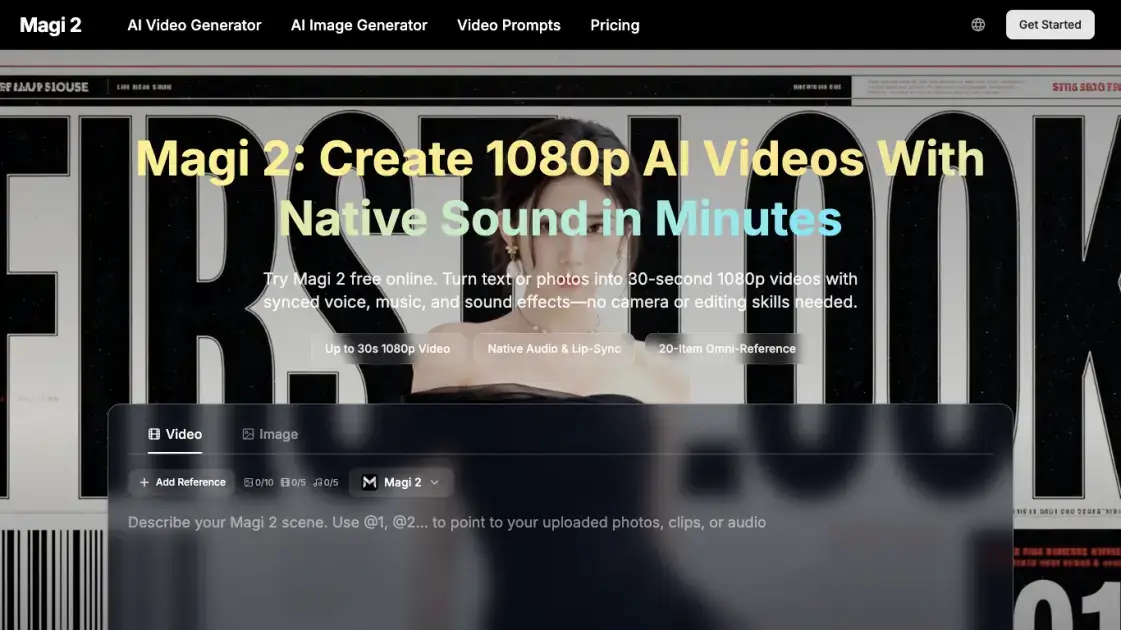
Magi 2 converts short descriptions, still photos, and reference clips into 1080p videos with synced sound inside a browser-based studio. Text-to-video, image-to-video, and AI image generation share one workspace, allowing a draft image to become an animated scene without switching platforms. Social media creators, marketing teams, online sellers, teachers, and independent filmmakers use the service when camera gear or editing suites are impractical. Rendering happens on cloud servers, and new accounts receive starter credits to test prompts before selecting a subscription.
How does Magi 2 work
Magi 2 applies a Multi-Head Latent Mixture-of-Experts model trained on 4 trillion tokens to interpret scene descriptions, reference assets, and camera cues. One generation pass creates picture and audio together, so lip-synced speech, foley, ambience, and music align with the visual timeline. Creators can supply up to 20 reference files to hold character appearance, product shape, and style steady across a sequence. Cloud servers handle rendering, and the finished clip appears in the history panel for preview and MP4 download.
Benefits of Magi 2
Keeping picture and sound in one generation pass removes the need for separate sound editors and reduces timing mismatches between dialogue and action. Cloud rendering keeps local hardware requirements low and finishes a clip in roughly a minute. Reference assets and camera controls give teams a repeatable way to maintain brand consistency across many short videos, including 9:16 social posts and 16:9 ads. Free starter credits plus downloadable commercial licenses on paid plans let small teams test a concept before committing budget.
Pros and Cons of Magi 2
Pros
- Native lip-synced audio in one pass
- 30-second 1080p output in six aspect ratios
- Up to 20 reference assets for consistency
- Cloud rendering with no software downloads
- Watermark-free exports and commercial licenses on paid plans
Cons
- Free access limited to starter credits
- Private generation restricted to paid plans
- Concurrent jobs capped at one to ten by tier
- Online access required for rendering
Core Features of Magi 2
480B-Parameter MoE Engine
Built on a 480B-parameter Mixture-of-Experts foundation, the engine interprets complex scenes, realistic physics, and subtle human motion without sacrificing speed.
Up to 30 Seconds in 1080p
Single-pass clips reach 30 seconds at 1080p Full HD and render across six aspect ratios, including 16:9 and 9:16.
Native Audio Generation
Picture, lip-synced dialogue, foley, room ambience, and background music are produced together in one pass. Separate audio editing becomes unnecessary for speech or sound effects.
Omni-Reference Control
Images, short videos, audio clips, and start-to-end keyframes can be attached as up to 20 reference files to keep faces, outfits, logos, and art styles stable between shots.
Camera and Timeline Direction
Plain-language cues control zoom speed, drone paths, tripod shots, and hard cuts. Built-in editing swaps objects, outfits, or backgrounds while preserving the original camera path.
Image Studio with 4K Output
Text-to-image and image-to-image options produce files up to 4K with no watermark, alongside templates for posters, thumbnails, and product photos. Paid tiers add commercial licensing.
Use Cases of Magi 2
- Social media creators: Produce vertical Reels, Shorts, and TikTok clips with built-in sound and smooth transitions.
- Marketing and ad teams: Test several hooks, lighting moods, and product scenes before booking a studio shoot.
- E-commerce sellers: Animate phone photos of shoes, skincare, or mugs into showcase clips with studio lighting and clean motion.
- Teachers and students: Turn history topics, science concepts, and book reports into short visual lessons.
- Indie filmmakers: Pre-visualize camera angles, lens movement, and multi-shot pacing before stepping onto a set.
FAQs of Magi 2
How long can a single Magi 2 clip be?
A single run produces up to 30 seconds of 1080p footage, with six aspect ratios available including 9:16 for vertical posts.
Can generation start from a photo?
Yes. Image to Video mode animates an uploaded still, and an optional end frame can steer how the scene resolves.
Does the studio create dialogue and sound?
Audio is generated with the picture, covering lip-synced speech, foley, ambience, and background music, so no separate sound editor is needed.
How does Magi 2 keep a character consistent?
Images, short videos, audio tracks, and keyframes can be supplied as references; the model uses them to preserve faces, clothing, and logos between shots.
Are outputs usable in ads and client work?
Paid Pro, Ultra, and qualifying credit packs include commercial licensing, with a certificate available from the account dashboard.
What is needed to run the studio?
Rendering takes place on cloud servers, so a standard browser on desktop or mobile is sufficient and no software installation is required.
How to use Magi 2
- Choose Text to Video for a brand-new scene or Image to Video to upload a starting photo, an optional end frame, and reference clips.
- Describe the action, lens movement, and appropriate sounds in the prompt, then set duration, resolution, and an aspect ratio such as 16:9 or 9:16.
- Toggle Native Audio so dialogue, foley, and music render alongside the picture.
- Click Create and let cloud servers produce the 1080p clip, typically within about 60 seconds.
- Preview the result in the history panel, generate another variation if needed, and download the finished MP4.
Magi 2 Alternatives
Viral Video AI turns text, photos, or a video reference into short clips for TikTok, Reels, and Shorts. Explore trend templates and download MP4 videos.
Turn a static logo into an animated video with Logo Animation AI. Upload a logo, pick a style or describe the motion, and export MP4 or transparent WebM.
MV Creator turns songs, photos and lyrics into downloadable music videos with lip-sync, slideshow, lyric, karaoke and visualizer tools for musicians.

Tavoa is an all-in-one AI creation platform for images, videos, music, and voice. Create production-ready content with leading AI models in one studio.
Happy Wan builds cinematic video from text, images, clips and audio direction, with @-tag references, scene extension and multi-shot continuity for creators.
Kling 4.0 turns text prompts or first and last frames into 5–30 second clips with optional audio, letting creators direct and refine scenes in one workspace.
UniRoute gives developers one API and one pay-as-you-go USD balance for Claude, GPT, Gemini, Seedance and Suno text, image, video and audio models.
TokLab puts AI image, video, language and audio models behind one API key and one prepaid USD balance, with live listed prices and no subscription.
Photo-to-video studio that turns portraits into Hello 2027 climb, Goodbye 2026 and Lunar New Year clips with fixed Wan templates. No prompts, 6-15s MP4s.
Multimodal AI video generator that turns text prompts, reference images, and clips into cinematic multi-shot sequences with consistent characters.
Seedance 3.0 preview page: planned multi-shot continuity, scene editing and audio-visual sync for AI video, while the on-page generator runs Seedance 2.5.
Browser workspace for AI image generation, reference photo editing, and short video drafts, aimed at creators, marketers, and product teams.