
ImagePixelArt
ImagePixelArt: Free online image to pixel art converter.
| Added on: | Sep 20, 2025 |
| Monthly Visits: | -- |
| Social & Email: | -- |

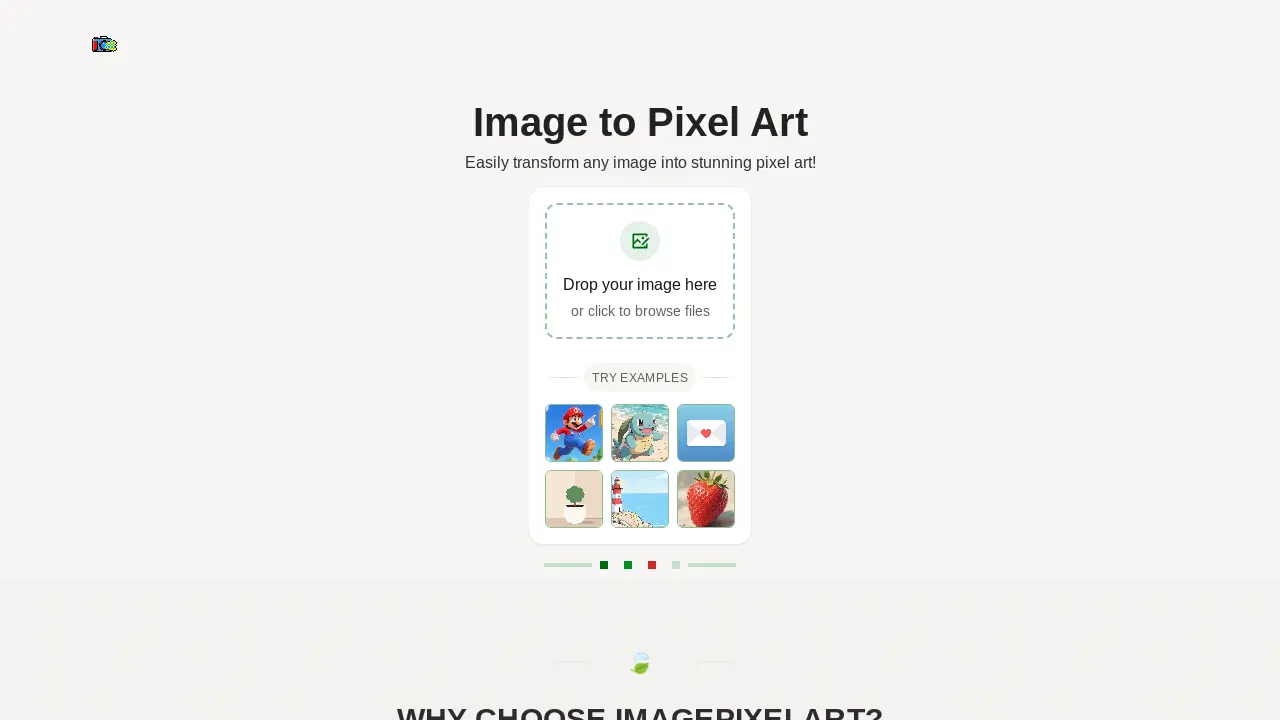
What is ImagePixelArt
ImagePixelArt offers an online solution for transforming standard images into pixel art. This image pixel art converter operates entirely within the user's browser, ensuring privacy as images are never uploaded to external servers. The tool provides multiple pixel styles, including classic, Game Boy, and Minecraft effects. Users can fine-tune parameters such as pixel size, brightness, contrast, and saturation, with real-time preview functionality. It supports various image formats like JPEG, PNG, and WebP, generating high-quality PNG pixel art. The service is free, requires no registration, and supports high-resolution outputs.
How does ImagePixelArt work
ImagePixelArt functions as an image pixel art converter, locally processing user-uploaded images directly within the browser, ensuring privacy. This online generator supports various formats like JPEG and PNG. Users can select multiple pixel styles, including classic, Game Boy, and Minecraft, or fine-tune professional parameters such as pixel size, brightness, and contrast. A real-time preview displays instant effects before a one-click download of the high-quality pixel art result, such as image pixel art noir et blanc or image pixel art 32x32.
Benefits of ImagePixelArt
ImagePixelArt offers an efficient online image pixel art converter, allowing users to transform images into various pixel styles like classic, Game Boy, and Minecraft. This tool ensures privacy by processing all images locally in the browser, eliminating uploads. Users benefit from a real-time preview feature, enabling instant parameter adjustments for pixel size, brightness, and contrast. Supporting formats like JPEG and PNG, it provides a simple, free-to-use solution for generating high-quality image pixel art without registration, catering to diverse creative needs, from image pixel art noir et blanc to image pixel art brawl stars.
Pros and Cons of ImagePixelArt
Pros
- Local processing ensures privacy.
- Multiple pixel styles are available.
- Real-time preview with adjustable parameters.
- Supports various image formats.
- Free and requires no registration.
Cons
- Recommended image size under 50MB.
- Output limited to PNG format.
Core Features of ImagePixelArt
Image to Pixel Art Conversion
Transforms various image formats like JPEG and PNG into distinct pixel art, enabling users to create retro-style graphics effortlessly.
Localized Image Processing
Ensures user privacy by processing all images directly within the browser, without any server uploads, thereby protecting sensitive data.
Multiple Pixelation Styles
Offers diverse pixel art styles, including classic, Game Boy, Minecraft, and neon, allowing for varied aesthetic outcomes in image pixelation.
Real-time Customization and Preview
Provides instant visual feedback as users adjust parameters like pixel size, brightness, and contrast, facilitating precise artistic control.
Use Cases of ImagePixelArt
- Graphic Designers: Convert images to pixel art for retro design projects or game asset creation, utilizing various pixel styles.
- Content Creators: Generate unique image pixel art for social media, blogs, or digital content, enhancing visual appeal.
- Artists: Transform personal photos into distinct image pixel art, experimenting with brightness, contrast, and saturation.
- Game Developers: Create 32x32 image pixel art sprites or textures efficiently using the image pixel art generator's features.
- Hobbyists: Convert any image into black and white (noir et blanc) image pixel art for creative personal projects.
FAQs of ImagePixelArt
Are images uploaded to servers by ImagePixelArt?
No, ImagePixelArt operates with complete local processing. All image transformations occur directly within the user's browser, ensuring that images never leave the device and maintaining user privacy. This approach differentiates ImagePixelArt from cloud-based pixel art converters.
Which image formats does ImagePixelArt support?
ImagePixelArt supports a variety of common image formats, including JPEG, PNG, WEBP, and GIF. For optimal performance when converting an image to pixel art, it is recommended that the image size be under 50MB.
What is the output image quality from ImagePixelArt?
The output from ImagePixelArt is provided in PNG format, which offers lossless pixel effects. This guarantees high-quality results for your pixel art, allowing users to achieve detailed and sharp images. Users can also preview the output before final download.
Are there any usage limitations for ImagePixelArt?
ImagePixelArt offers unlimited usage without any restrictions. There is no account registration required, and the service is completely free to use forever. This makes it a highly accessible image pixel art generator for all users.
What pixel art styles are available on ImagePixelArt?
ImagePixelArt provides multiple pixel styles for users to choose from, including classic pixel, Game Boy, Minecraft, and neon effects. These diverse options allow users to transform any image into stunning pixel art with various retro aesthetics.
How does ImagePixelArt ensure privacy and security?
ImagePixelArt prioritizes user privacy by processing all images locally within the browser. This means that images are never uploaded to external servers, providing complete privacy protection and security for user data.
Can users fine-tune pixelation parameters on ImagePixelArt?
Yes, ImagePixelArt offers professional parameters allowing users to fine-tune aspects such as pixel size, brightness, contrast, and saturation. This enables precise control over the pixel art transformation, catering to specific creative requirements.
How to use ImagePixelArt
- Access the ImagePixelArt website, your dedicated image pixel art converter.
- Drag and drop an image file (JPEG, PNG, WEBP, GIF) onto the designated area or click to browse your local files for upload.
- Select a preferred pixel style from available presets like "classic pixel," "game boy," or "minecraft" to achieve desired retro effects.
- Adjust professional parameters such as pixel size, brightness, contrast, and saturation using the sliders for fine-tuning.
- Observe the real-time preview of your image pixel art as you modify settings, ensuring instant visual feedback.
- Once satisfied with the pixelation, download your high-quality result, which will be provided in PNG format.
ImagePixelArt Alternatives
A browser collection of 13 free creative editors for photos, vector art, PDFs, documents, video, audio, and CAD, opening without an account or install.

An online AI photo editor that removes image backgrounds, erases people, objects and text, and upscales photos 4x. Preview every photo free before paying per image.
SpriteGen is an AI sprite creator that turns character descriptions into transparent pixel-art sprite sheets, ready to drop into your game engine.
Meta Image: browser AI studio powered by Muse Image. Edit photos with prompts, remove backgrounds, restore old photos, generate new images.
OmniEnhancer is an AI image enhancer and photo editor that improves photo quality, clarity, color, and resolution online, with free daily credits.
TranslateImage AI translates images to 70+ languages while preserving font, layout, and style. Free online AI image translator for photos and manga.
AI Clothes Changer is an online tool that replaces the clothing in a person photo using either a reference image or a text description.
AI Gazou offers free AI-powered image upscaling to enhance photos, product images, and illustrations. Upscale 2x or 4x with natural detail preservation.
PixMira AI is a free AI photo editor and image generator. Use text prompts for precise edits, style changes, and high-quality results in seconds.
AI Gazou removes image backgrounds for free using AI. Upload photos, products, or logos to get transparent PNGs with clean edges and customizable margins.
AI Image Text Editor lets users replace, remove, translate, and redact text inside finished images while preserving the original font, background, and layout.
Free AI hairstyle changer: upload a portrait and preview bobs, bangs, waves, pixie cuts, and buzz cuts while keeping your face, clothing, and lighting natural.