
Ghibli Style Image Generator FAQs
The Ghibli Style Image Generator uses AI to transform photos into Ghibli-style art. It offers tutorials and a community for creative exploration.

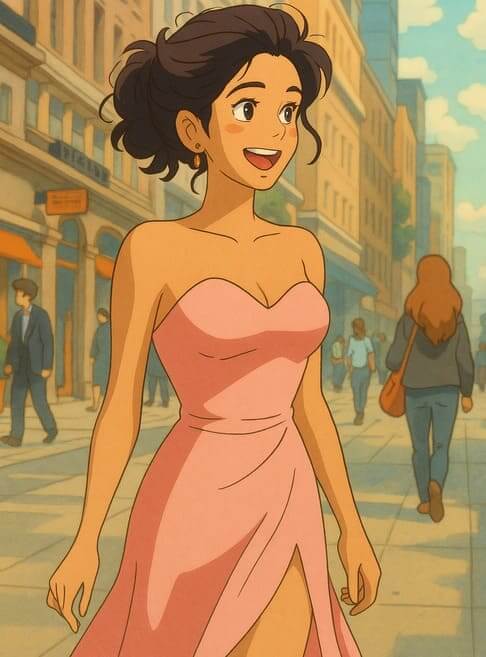
FAQs of Ghibli Style Image Generator
What art style is Studio Ghibli?
Studio Ghibli’s art style combines elements of traditional Japanese animation (anime) with European-inspired aesthetics, such as French and Italian architecture. It prioritizes hand-drawn animation, organic textures, and dynamic compositions. Key traits include exaggerated yet expressive character expressions, meticulous background art, and a focus on natural elements like wind, water, and foliage. The style balances simplicity in character design with complexity in environmental storytelling, often using symbolic motifs like flight or spirits.
How to Turn a Photo into Studio Ghibli Style?
To create a Ghibli style image, first visit the Ghibli-Style-Image website. Then, upload your chosen photo using the "Upload Your File" button, ideally a landscape, nature scene, or softly lit portrait. Click the generate button and the AI will add pastel colors, textures like clouds and greenery, and magical lighting. After 1–3 minutes, preview and download your new Ghibli-style image.
What Exactly is Ghibli Style Image Generation?
Ghibli Style Image Generation uses AI to transform your photos into artworks that resemble the style of Studio Ghibli films. The Ghibli style image generator captures the iconic aesthetic, bringing magical and dreamlike qualities to your images.
How Does the AI Work Its Ghibli Magic?
The AI analyzes your uploaded image and applies stylistic elements characteristic of Studio Ghibli. This includes incorporating soft colors, detailed backgrounds, and a dreamy, atmospheric vibe. The AI ensures that the resulting Ghibli style image retains the essence of your original photo while adding the desired artistic flair.
What Photos Work Best for Ghibli Transformation?
While the Ghibli style image generator can transform any image, landscapes, nature scenes, and architectural shots often produce the most visually stunning results. The AI excels at creating the ethereal, nature-inspired scenes for which Ghibli is renowned. Portraits can also work well, especially those with soft lighting.
Is Ghibli Style Image Generation Free?
The Ghibli Style Image Generator offers both free and premium options. The free tier allows users to experience the magic of Ghibli style transformation. Premium users gain access to benefits such as high-resolution outputs, advanced controls for customizing the style, and batch processing capabilities for generating multiple images at once.
How Do I Get the Best Ghibli Style Results?
To achieve the most impressive Ghibli transformations, it's recommended to start with high-quality images that have good lighting and clear subjects. Nature scenes, cityscapes, and architectural photos tend to work particularly well. Experimenting with different types of images will help you discover what works best with the Ghibli style image generator.
How Do You Ensure the Ghibli Quality?
The AI is trained on a vast dataset of Ghibli frames, enabling it to capture the unique artistic elements of the studio's style. Every generated image undergoes a quality check to ensure that it effectively embodies the Ghibli aesthetic while maintaining respect for the integrity of the original photo.
What Tech Do I Need for Ghibli Image Generation?
The Ghibli style image generator is designed to work within any modern web browser, eliminating the need for specialized software or hardware. For optimal results, upload images in JPG or PNG format with a minimum resolution of 1024x1024 pixels. A stable internet connection is also recommended for a smooth and efficient image generation process.
What file types are supported by the Ghibli Style Image Generator?
The Ghibli Style Image Generator supports JPG and PNG image formats. For the best results, ensure your image is at least 1024x1024 pixels.
How to use Ghibli Style Image Generator
Navigate to the Ghibli Style Image Generator website to begin creating Ghibli-inspired artwork. The platform provides an accessible interface for image transformation.
Upload a photo from your device using the "Upload Your File" option. Landscapes and nature scenes usually yield impressive Ghibli style transformations.
Be aware that due to ongoing development, real-time generation is unavailable. Images are processed and sent to your provided email address.
Let the AI work its magic, infusing the uploaded image with soft colors and detailed backgrounds for an authentic Ghibli aesthetic.
Check your email for the processed Ghibli-style image; download it and share your artwork. The tool ensures quality and respects the original photo.
Explore provided tutorials for guidance on Ghibli style techniques to improve image creation. This enhances the artistic journey with tips and resources.
Consider upgrading to the premium version for high-resolution output and advanced control. This allows for greater creativity when generating Ghibli style images.
Ensure your uploaded photos are of high quality and well-lit to ensure the best Ghibli style results. Images should ideally be 1024x1024 pixels or larger.
