
FacelessVideos
FacelessVideos: AI Video Creator for YouTube & TikTok.

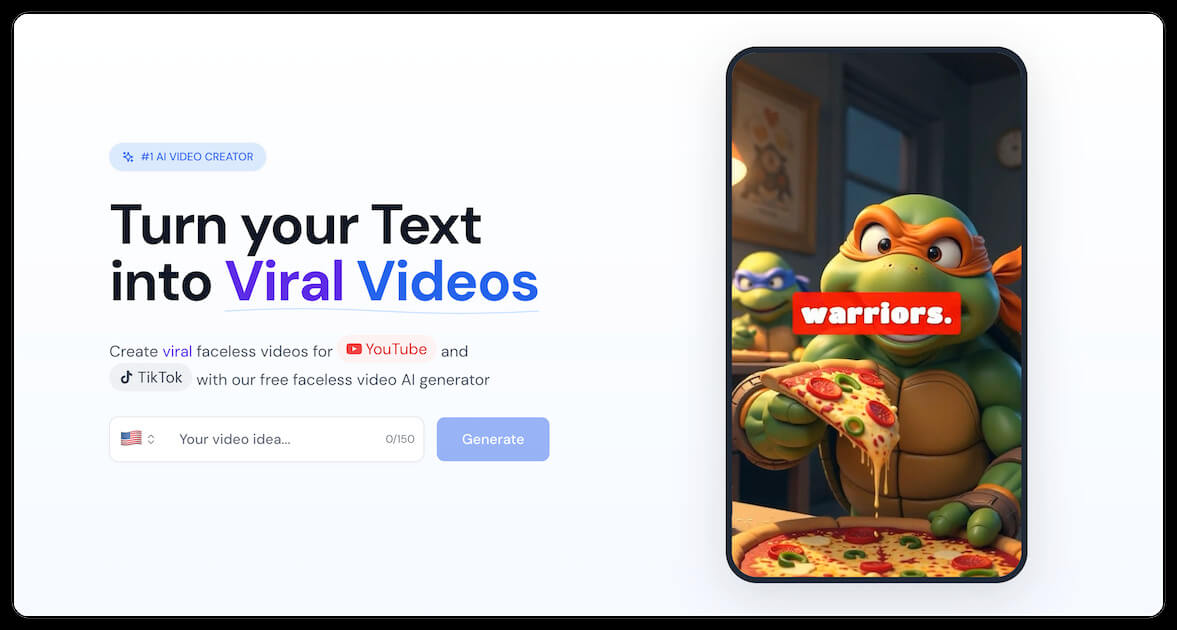
What is FacelessVideos
FacelessVideos.app is an AI-powered platform designed to generate engaging, faceless videos for YouTube and TikTok. This AI video creator allows users to transform text into viral video content, making it ideal for digital marketing and content creation. The platform offers various styles, including animation, pixel art, and cinematic options, ensuring diverse video outputs.
Users can customize their faceless videos with captions, music, and effects, then directly upload them to social media platforms. Supporting over 16 languages and offering a range of AI voices, FacelessVideos caters to a global audience seeking to create faceless videos on auto-pilot.
How does FacelessVideos work
FacelessVideos.app provides an AI-driven platform to generate faceless videos for platforms like YouTube and TikTok. The tool allows users to input text or generate ideas with AI, customize video style with options like animation or pixel art, and add captions and music. The faceless video AI supports multiple languages and voice options. Users can create faceless videos on auto-pilot by scheduling uploads. Different pricing tiers offer varying amounts of faceless videos per month. The platform is promoted as a tool for faceless videos for digital marketing.
Benefits of FacelessVideos
FacelessVideos offers an AI video creator to transform text into engaging faceless videos, suitable for YouTube and TikTok. Users can generate faceless video ideas, customize video styles with animations, captions, and music, and export in multiple formats. This AI-powered tool supports over 16 languages and features various AI voices. Ideal for digital marketing and content creation, FacelessVideos streamlines the production of faceless videos on auto-pilot, enabling users to easily create and share compelling content without showing their face.
Pros and Cons of FacelessVideos
Pros
- AI instantly generates faceless video content.
- Supports multiple languages for global reach.
- Offers diverse video styles and voice options.
- Direct upload to YouTube and TikTok supported.
- Positive user testimonials highlight view increases.
Cons
- Limited free video generation as credits required.
- Pricing plans have limited monthly video output.
- Relies on AI; may lack unique creative input.
- Output quality dependent on AI model.
- 2025 copyright; raises validity question.
Core Features of FacelessVideos
AI-Powered Faceless Video Generation
Transforms text into engaging faceless videos using advanced AI, streamlining content creation for platforms like YouTube and TikTok. This allows for efficient content production without showing a face.
Customizable Video Styles
Offers diverse video styles, including animation and realistic options, alongside customization features like captions, music, and effects. These elements enhance video appeal and brand consistency for diverse audiences.
Multi-Platform Direct Upload
Enables direct publishing of faceless videos to YouTube and TikTok, simplifying the sharing process. This feature helps users efficiently distribute content and reach broader audiences on popular platforms.
Multi-Language Support
Supports over 16 languages for faceless video creation, broadening the potential audience reach globally. This functionality allows content creators to target diverse demographics with localized video content.
Voice Customization
Provides access to over 20 AI voices for narration in faceless videos, offering diverse options. This enhances audience engagement and personalization, which creates a unique brand voice.
Use Cases of FacelessVideos
- Digital Marketers: Create faceless videos for digital marketing campaigns to enhance audience engagement without personal appearances.
- YouTube Content Creators: Produce faceless videos on YouTube all about money or other niches, using AI for efficient content generation.
- TikTok Users: Generate engaging faceless videos on TikTok to broaden reach and experiment with AI-driven content creation.
- Online Educators: Develop faceless video tutorials using AI, ideal for demonstrating concepts without needing to be on camera.
- Social Media Managers: Utilize faceless videos for Instagram reels and other platforms to streamline content creation on auto-pilot.
FAQs of FacelessVideos
How does the FacelessVideos AI generator work?
The FacelessVideos AI generator allows users to transform text into engaging faceless videos suitable for platforms like YouTube and TikTok. Users input a topic, the AI suggests ideas, and then generates a video in a chosen style with customizable captions, music, and effects. The final faceless video can be downloaded in various formats.
What are the best faceless YouTube niches for FacelessVideos?
While the best niches are subjective and depend on trends and audience interest, FacelessVideos can be used to create content for a variety of niches including educational content, tech explainers, recipe videos, product reviews, fitness videos, and more, all without needing to show your face.
How do I create a faceless YouTube channel using FacelessVideos?
Creating a faceless YouTube channel involves using the FacelessVideos AI to generate video content, optimizing the videos for search, and consistently uploading engaging material. Since the videos are faceless, the focus is on the quality of the content, narration, and visual elements.
Can I edit my faceless videos after generation with FacelessVideos?
The context provided does not explicitly state whether faceless videos can be edited after generation within the FacelessVideos platform itself. However, users can download the generated video and use other video editing software to make further adjustments.
What styles are available for faceless videos created with FacelessVideos?
FacelessVideos offers multiple styles for creating faceless videos, including Default, Pixel Art, Anime, Comic, Lego, Cinematic, and Watercolor styles. This allows users to customize the visual appearance of their content to match their brand and target audience.
Are faceless videos free to create with FacelessVideos?
The information suggests there are options for free faceless video creation. However, the platform also offers paid plans with increased features, video limits, and additional credits. The free option likely has limitations compared to the paid subscriptions.
How do I share my faceless videos created with FacelessVideos?
FacelessVideos allows users to directly upload and publish their faceless videos to YouTube and TikTok, streamlining the sharing process. This direct upload feature simplifies content distribution across these popular platforms.
What are faceless videos good for?
Faceless videos are useful for creators who want to produce content without appearing on camera. This approach is suitable for tutorials, educational content, product reviews, and storytelling, allowing the focus to remain on the message and visuals.
Can I monetize my faceless videos created with FacelessVideos?
Yes, faceless videos created with FacelessVideos can be monetized on platforms like YouTube and TikTok, provided they adhere to the platform's monetization policies. Monetization strategies include ad revenue, sponsorships, and affiliate marketing.
What payment methods does FacelessVideos accept?
The context provided does not list specific payment methods accepted by FacelessVideos. Users will likely find accepted payment options during the subscription or purchase process on the FacelessVideos website.
Is there a limit to faceless video length on FacelessVideos?
The pricing plans mention "More than 80min faceless videos" suggesting that is the limitation with the service, and that the video length limit applies across all tiers including the STARTER, BASIC, and EXPERT plans.
Does FacelessVideos offer AI-Powered Faceless Video Generation?
Yes, FacelessVideos provides AI-powered faceless video generation. This advanced AI can transform any topic into engaging faceless video content quickly and efficiently.
How to use FacelessVideos
FacelessVideos is an AI video creator that transforms text into engaging faceless videos for platforms like YouTube and TikTok. It offers customizable styles, AI voices, and direct upload options.
- Begin by entering a topic or idea for your faceless video in the provided text field. Consider trending topics for better engagement.
- Customize your faceless video by selecting a style, like animation or cinematic. Add captions, music, and effects to enhance the video's appeal.
- Utilize the AI voices feature to add narration to your faceless video. Choose from various male and female voice options.
- Download your completed faceless video in multiple formats, optimized for YouTube and TikTok. Ensure the format aligns with the platform's requirements.
- Directly upload your faceless video to YouTube or TikTok through the platform, streamlining your content creation workflow.
- Review viewer engagement metrics on YouTube and TikTok to assess performance. Adjust future faceless videos based on these insights.
- Explore different pricing plans to scale your faceless video production. Select a plan that fits your content volume needs.
- Refer to the FAQ section for guidance on creating faceless videos. Learn about niche selection and monetization strategies for your content.
FacelessVideos Website Traffic Analysis
Latest traffic information
- Monthly Visits3K
- Bounce Rate36.55%
- Pages Per Visit1.16
- Visit Duration00:00:00
- Global Rank6.39M
- Country/Region Ranking3.02M
Top Keywords
| Keyword | Traffic | Volume | Cost Per Click |
|---|---|---|---|
| download subtitles tiktok | 10 | 150 | -- |
| facelessreels | -- | 10.01K | $1.04 |
| captionshroud | -- | 630 | -- |
| se puede sacar subtitulos de un video tiktok | -- | 460 | -- |
| shortmake | -- | 460 | $0.69 |
Top Regions
| Region | Percentage |
|---|---|
| United States | 68.22% |
| Vietnam | 31.78% |
FacelessVideos Alternatives
Seedance 3.0 preview page: planned multi-shot continuity, scene editing and audio-visual sync for AI video, while the on-page generator runs Seedance 2.5.
Browser workspace for AI image generation, reference photo editing, and short video drafts, aimed at creators, marketers, and product teams.
Black Forest Labs' multimodal model with a web generator for text-to-video, image-to-video and image editing with native audio, for creators and marketers.
Wan API is an independent platform for Wan and Seedance video models. Compare specs and rates, generate clips in the Playground, or call them through one API.
Seedance 3.0 turns text, images, video clips, and audio into videos with sound, and edits one part of a clip without regenerating the rest.
Wery is a virtual AI studio that routes one goal to specialist agents for video, images, music and documents, keeping characters and project assets consistent.

AI video and image studio with text-to-video, image-to-video and keyframe control across Seedance, Kling, Wan and Vidu — all on one credit balance.
Browser studio for AI video, image and music generation with Grok Imagine, Kling and GPT Image models. Free daily credits, no sign-up required.
SeaMove AI is an AI video and image generation platform offering Seedance 2.0 and Seedance 2.5 models for text-to-video, image-to-video, and reference-based creation. Features multi-shot continuity, director-level control, and audio-visual sync for creators and studios.
Turns two separate portraits into a 15-second vertical rap duet video on an orange stage with a shared microphone and the original soundtrack. Free 480P preview available.
Mareel is an all-in-one AI video and image generation workspace giving creators, marketers, and ecommerce teams 40+ leading models and one shared credit balance.
Kinovi is a REST API that runs published video, image, and audio AI models from one endpoint. Send a model ID to createTask, poll recordInfo, and pay per use from one shared credit balance.