
AI-Powered Hand-Drawn Explainer Video Generator

What is explain.ink
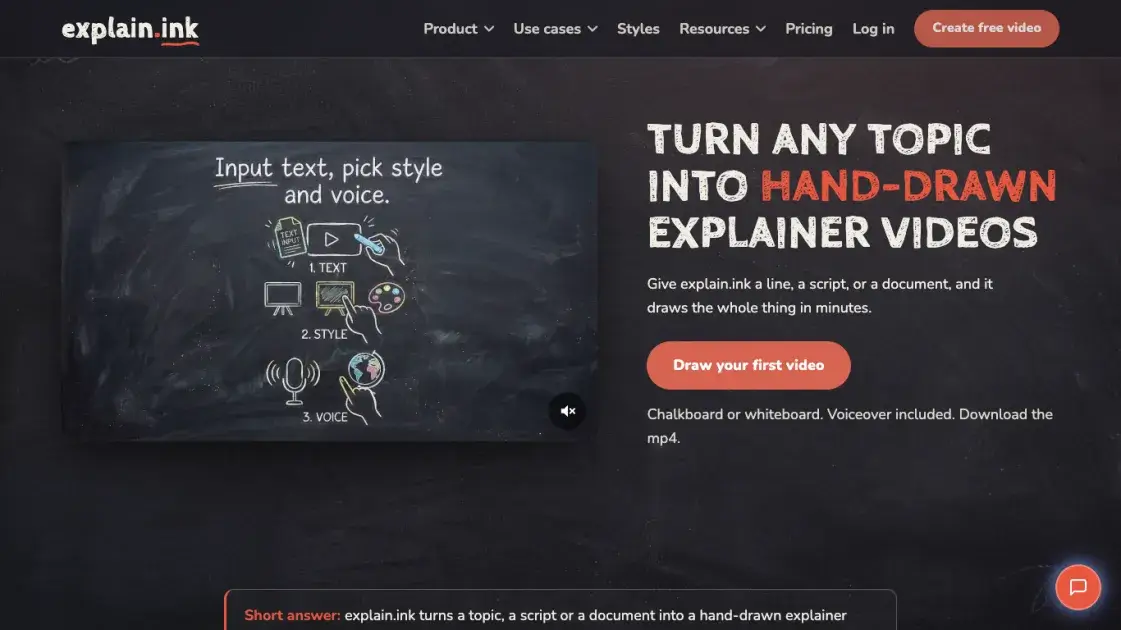
explain.ink is an AI-powered tool that transforms topics, scripts, or documents into hand-drawn explainer videos. The platform writes the story, draws every scene stroke by stroke in one of 18 artistic styles, records narration, and renders an MP4 with no watermark. Users can start from a single line of text, paste an existing script, or upload a document—explain.ink handles the scriptwriting, artwork, and voiceover. The output is a 16:9 video ready for YouTube, TikTok, Instagram, LinkedIn, or presentations.
How does explain.ink work
explain.ink operates in three steps: the user provides a topic, script, or document; selects one of 18 artistic styles; and the system draws each scene stroke by stroke, records narration, and renders an MP4. Topics are expanded into scripts automatically, pasted scripts are preserved verbatim, and uploaded documents are summarized into visual points. The chosen style applies consistently across all scenes, and the complete video typically renders in minutes.
Benefits of explain.ink
No drawing or animation skills are required. The platform handles scriptwriting, scene illustration, and narration recording in a single workflow. A typical explainer video renders in minutes rather than days, making it practical for weekly content schedules. The consistent visual style across all scenes creates a cohesive look for series or branded content. Commercial rights are included with every video, allowing use in client projects, online courses, and monetized channels without additional licensing fees.
Pros and Cons of explain.ink
Pros
- Hand-drawn output without drawing skills
- 18 artistic styles available
- Built-in narration included
- No watermark with commercial rights
- Pay-as-you-go with no subscription
Cons
- Maximum video length is five minutes
- One style per video only
- Some features not yet available
Core Features of explain.ink
Hand-Drawn Artwork
Every scene is generated stroke by stroke rather than assembled from an asset library. The drawing process is visible in the final video, giving each piece a distinctive hand-crafted appearance.
18 Artistic Styles
The platform offers 18 distinct styles—from whiteboard and chalkboard to comic and blueprint. Users select one style per video, and every scene follows it consistently throughout.
Built-In Narration
Voiceover is recorded to match the script automatically. There is no separate recording session or timing adjustments needed after the video renders.
Multiple Input Formats
Users can start from a topic, paste a script, or upload a document. The system adapts to each input type—writing the story from a topic, preserving exact wording from a script, or summarizing and illustrating a document.
HD Output Without Watermark
Videos render as 16:9 MP4 files in high definition. The output includes full commercial rights and no watermark, suitable for client work, courses, and monetized channels.
Pay-As-You-Go Pricing
Users purchase video minutes and are charged only for the length of the finished video. Failed renders cost nothing, and unused minutes remain valid for 12 months.
Use Cases of explain.ink
- Education: Convert lessons into drawn review videos for student retention.
- Marketing: Create landing page explainers and social media ads.
- Onboarding: Transform documents into visual walkthroughs for new employees.
- YouTube: Produce weekly videos with consistent hand-drawn branding.
FAQs of explain.ink
What input does explain.ink require?
A topic, script, or document. One line is enough—the platform writes the story from there. If a script is provided, the wording is preserved exactly as written.
What is the output format?
A 16:9 MP4 video with narration and no watermark, drawn in the selected style. The file is ready to upload, embed, or hand to a client.
Do I need to draw or edit anything?
No. The user chooses the input and style; the script, artwork, and narration are produced automatically.
How long can a video be?
Up to five minutes. Most explainers work best between one and three minutes, as that is how long a single idea typically holds attention.
Can I use the video commercially?
Yes. Every video comes with full commercial rights and no watermark, including for client work, courses, and monetized channels.
How does pricing work?
Users buy video minutes and are charged only for the length of the finished video. A 90-second explainer costs a minute and a half. Failed renders are free, and unused minutes last 12 months.
How to use explain.ink
- Visit explain.ink and click "Create free video" to start a new project.
- Enter a single-line topic, paste an existing script, or upload a PDF or DOCX file.
- Select an artistic style from 18 options such as whiteboard, chalkboard, or comic.
- Click the render button and wait for the system to draw scenes and record narration.
- Download the finished MP4 file, which includes narration and commercial usage rights.
explain.ink Website Traffic Analysis
Latest traffic information
- Monthly Visits1.28K
- Bounce Rate33.7%
- Pages Per Visit1.73
- Visit Duration00:01:20
- Global Rank11.33M
- Country/Region Ranking790.83K
Top Keywords
| Keyword | Traffic | Volume | Cost Per Click |
|---|---|---|---|
| inkexplainer96 | 80 | 290 | -- |
| ink explainer | 20 | 1.11K | -- |
| imagine explainers | -- | 2.04K | $0.11 |
| every [blank] explained format | -- | 590 | -- |
| is ink explainer ai | -- | 350 | -- |
Top Regions
| Region | Percentage |
|---|---|
| India | 100% |
explain.ink Alternatives
Seedance 3.0 preview page: planned multi-shot continuity, scene editing and audio-visual sync for AI video, while the on-page generator runs Seedance 2.5.
Browser workspace for AI image generation, reference photo editing, and short video drafts, aimed at creators, marketers, and product teams.
Black Forest Labs' multimodal model with a web generator for text-to-video, image-to-video and image editing with native audio, for creators and marketers.
Wan API is an independent platform for Wan and Seedance video models. Compare specs and rates, generate clips in the Playground, or call them through one API.
Seedance 3.0 turns text, images, video clips, and audio into videos with sound, and edits one part of a clip without regenerating the rest.
Wery is a virtual AI studio that routes one goal to specialist agents for video, images, music and documents, keeping characters and project assets consistent.

AI video and image studio with text-to-video, image-to-video and keyframe control across Seedance, Kling, Wan and Vidu — all on one credit balance.
Browser studio for AI video, image and music generation with Grok Imagine, Kling and GPT Image models. Free daily credits, no sign-up required.
SeaMove AI is an AI video and image generation platform offering Seedance 2.0 and Seedance 2.5 models for text-to-video, image-to-video, and reference-based creation. Features multi-shot continuity, director-level control, and audio-visual sync for creators and studios.
Turns two separate portraits into a 15-second vertical rap duet video on an orange stage with a shared microphone and the original soundtrack. Free 480P preview available.
Mareel is an all-in-one AI video and image generation workspace giving creators, marketers, and ecommerce teams 40+ leading models and one shared credit balance.
Kinovi is a REST API that runs published video, image, and audio AI models from one endpoint. Send a model ID to createTask, poll recordInfo, and pay per use from one shared credit balance.