
Eklipse.gg - AI-Edit: Enhance Gaming Clips with Memes, SFX, VFX
| Added on: | May 18, 2024 |
| Monthly Visits: | 316.43K |
| Social & Email: | -- |

What is Eklipse.GG
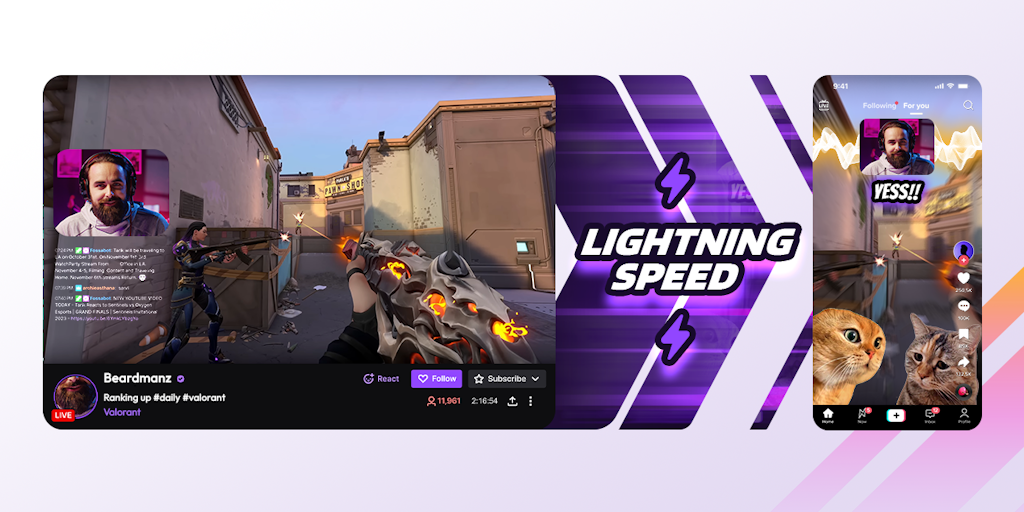
Eklipse.GG is an AI gaming highlights clipper. The tool is designed for Twitch streamers who want to create short, engaging clips for TikTok, Reels, and YouTube Shorts. It uses AI to automatically detect the best moments in your Twitch stream and turn them into high-quality clips. Eklipse.GG is a free tool that can help you grow your audience and share your content on different platforms. It’s simple to use and just like that, you can automatically create a TikTok video from your Twitch clips. You can then share these clips on other platforms like Instagram Reels and YouTube Shorts, saving you time and effort!
Core Features of Eklipse.GG
Convert Twitch Clips to TikTok, Reels, & Shorts
Eklipse.GG is an AI gaming highlights clipper that can convert your best Twitch stream clips to TikTok, Reels, and YouTube Shorts.
Edit Your Clips
Eklipse.GG allows you to edit your clips, so you can easily share them on social media.
Share Your Clips
Eklipse.GG lets you share your clips on TikTok, Reels, and YouTube Shorts.
Free to Use
Eklipse.GG is free to use. You can even join their Discord server for support!
FAQs of Eklipse.GG
What is Eklipse.GG?
Eklipse.GG is an AI gaming highlights clipper. It helps you convert, edit, and share your best Twitch stream clips to TikTok, Reels, and YouTube Shorts. You can easily make your stream clips shorter and more engaging, and share them on social media platforms to reach a wider audience.
How does Eklipse.GG work?
You can connect your Twitch account to Eklipse.GG, and then the AI will automatically detect and clip your best moments. You can then edit the clips using Eklipse.GG's built-in editor, add music, and share them on social media.
What makes Eklipse.GG different from other tools?
Eklipse.GG uses AI to automatically detect and clip your best moments, which saves you time and effort. Eklipse.GG also has a built-in editor that lets you easily edit your clips, add music, and share them on social media. It's free to use, making it a great option for streamers who want to easily share their best moments with their audience.
How do I start using Eklipse.GG?
You can create a free account on the Eklipse.GG website. Once you're signed in, you can connect your Twitch account and start clipping your best moments!
Can I use Eklipse.GG on mobile?
Yes, you can use Eklipse.GG on your phone by logging into the website. Eklipse.GG's mobile-friendly interface allows you to easily navigate and manage your clips.
I am having trouble connecting my Twitch account, what should I do?
You can reach out to the Eklipse.GG team on their Discord server for help. They are always there to assist you with any questions or issues.
Can I use Eklipse.GG for other platforms besides Twitch?
Currently, Eklipse.GG primarily supports Twitch, but they are working on expanding to other platforms in the future.
What platforms can I share my clips to?
You can easily share your clips on TikTok, Instagram Reels, and YouTube Shorts directly from Eklipse.GG.
Where can I find the Eklipse.GG app?
Eklipse.GG is currently a web-based service, but they are working on releasing mobile apps in the future.
Eklipse.GG Website Traffic Analysis
Latest traffic information
- Monthly Visits316.43K
- Bounce Rate43.07%
- Pages Per Visit3.51
- Visit Duration00:02:39
- Global Rank129.22K
- Country/Region Ranking71.05K
Top Keywords
| Keyword | Traffic | Volume | Cost Per Click |
|---|---|---|---|
| eklipse | 12.85K | 17K | $2.46 |
| twitch vod downloader | 4.04K | 27.91K | $0.1 |
| eklipse gg | 1.49K | 1.99K | $4.05 |
| twitch vods | 1.14K | 10.55K | $0.41 |
| twitch archive | 630 | 1.81K | -- |
Top Regions
| Region | Percentage |
|---|---|
| United States | 35.38% |
| Brazil | 9.19% |
| Germany | 5.43% |
| Indonesia | 4.93% |
| United Kingdom | 4.66% |
Eklipse.GG Alternatives
Scribix is an AI video clipper that cuts podcasts and interviews into captioned vertical shorts, then publishes them to YouTube, TikTok and LinkedIn.
Katto turns long videos and podcasts into scored, captioned 9:16 clips. It ranks clips by viral potential and exports them to 7 platforms from one place.
Gemini Omni is an online AI video generator and editor that turns a text prompt or reference image into a video, then refines each shot through conversational edits while keeping characters and the scene consistent.
Remove image backgrounds, video watermarks, burned-in subtitles and video backgrounds with Rmark AI. Upload a file, preview, then download a clean copy.

TikTok Name Generator creates scored username ideas with a free Fast mode or an AI agent that researches real creators and competitors for evidence-backed names.
AI video production for courses and training. Create editable, reviewable videos from a topic or source material—one video or a chapter-based series.
Video Editor AI automatically turns long videos into viral shorts with AI highlight detection, smart captions, and auto reframe. Free, no sign-up required.
Faceless Reels creates ready-to-post faceless short videos from a topic, with AI scripts, voiceover, captions, and music for TikTok and Reels.
VidBG Remover uses AI to remove video backgrounds and export transparent footage with an alpha channel. Supports MP4, MOV, WebM with stable edges.
Medeo creates professional AI videos via chat. Supports text, image, and URL inputs with AI editing and character consistency for ads, explainers, and shorts.
Remove hardcoded subtitles from short videos with NanoPhoto.AI. Upload MP4, MOV, or WebM, let AI clean burned-in text, and download a clean subtitle-free MP4.
Image to Video AI is an online AI video generator that enables marketers and content creators to animate product photos, portraits or AI art into short clips by adding simple motion prompts, previewing results, and exporting with free credits.