
DeepPDF is an AI research assistant for deep learning.

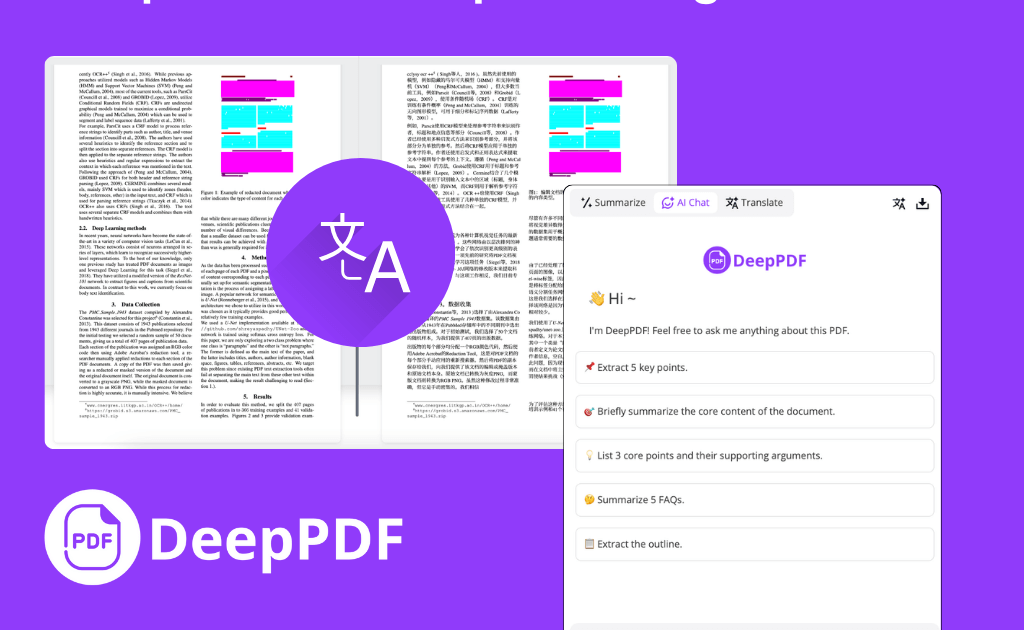
What is DeepPDF
DeepPDF is an AI-powered research assistant designed for interacting with PDF documents. It offers a suite of functionalities including AI PDF translation with bilingual comparison, AI PDF summarization for long documents, and an AI chat feature for asking questions directly to the PDF content. DeepPDF also supports image understanding, formula analysis, and various file conversions, including PDF to Markdown. Its OCR capabilities convert scanned PDFs into editable text, and it integrates an AI PDF reader for seamless document review. This platform serves researchers, students, and professionals by streamlining PDF management and analysis.
How does DeepPDF work
DeepPDF operates as an AI-powered research assistant, facilitating deep learning analysis of PDF documents. Users upload PDFs, then leverage features like AI PDF Translator for bilingual viewing across 100+ languages, and AI PDF Summarizer for extracting key information. The platform also enables interactive Chat PDF functionalities, allowing users to ask questions, understand images and formulas, and receive AI-driven explanations. DeepPDF further supports multi-format conversion, OCR for scanned documents, and integrates with scholarly search for academic recommendations.
Benefits of DeepPDF
DeepPDF is an AI research assistant designed to enhance PDF interaction for deep learning and general academic use. It offers an AI PDF translator with bilingual view supporting over 100 languages, alongside an AI PDF summarizer for quick content comprehension. The platform also features Chat PDF for interactive questioning, image understanding, formula analysis, and robust multi-format file conversion, including OCR. DeepPDF simplifies document management and analysis, improving efficiency for students, researchers, and professionals.
Pros and Cons of DeepPDF
Pros
- AI-powered chat interaction with PDFs.
- Supports 100+ languages for translation.
- Summarizes long PDF documents efficiently.
- Analyzes images and formulas within PDFs.
- Offers multi-format file conversion.
Cons
- Max upload limit of 200MB.
- Not a full-fledged document editor.
- Limited information on pricing structure.
- Specific limitations on editing are not detailed.
- OCR feature location is inconsistent.
Core Features of DeepPDF
AI PDF Translation and Bilingual Comparison
Provides instant, accurate translations of PDF documents into over 100 languages with a side-by-side bilingual view, effectively bridging language gaps.
AI-Powered Chat PDF
Enables users to interact with PDF documents through AI chat, asking questions, extracting specific information, and receiving detailed explanations for deeper understanding.
AI PDF Summarization
Automatically extracts key points and generates concise summaries from lengthy PDF documents, helping users quickly grasp essential information without reading the entire text.
Comprehensive PDF Tool Suite
Offers various utilities for managing PDFs, including compression, merging, splitting pages, adding watermarks, document signing, and online text editing for complete control.
Multi-Format File Conversion
Facilitates the conversion of PDFs to and from various formats like Word, Excel, PowerPoint, and PNG, ensuring document compatibility and integration with different workflows.
PDF Image Understanding and Formula Analysis
Utilizes AI to interpret images, charts, and complex formulas within PDFs, making scientific papers and design documents more accessible and understandable.
Use Cases of DeepPDF
- Researchers: Utilize DeepPDF for AI PDF summarizer and AI academic search recommendations to quickly analyze research papers.
- Business Professionals: Leverage DeepPDF's AI PDF translator and document conversion to efficiently manage international business documents.
- Students: Employ DeepPDF to chat with PDFs and summarize lengthy study materials, enhancing deep learning and comprehension.
- Lawyers: Expedite legal document review by using DeepPDF's chat PDF and annotation features for rapid analysis.
- Content Creators: Improve writing quality with DeepPDF's AI-powered text rewriting and enhancement tools for clearer content.
FAQs of DeepPDF
What is DeepPDF?
DeepPDF is an AI research assistant designed for deep learning, offering a comprehensive suite of tools for interacting with PDF documents. It acts as an AI PDF companion, enhancing the PDF experience by simplifying various tasks. This platform aims to provide deeper insights and better learning through AI-powered functionalities.
What are the core features of DeepPDF?
DeepPDF offers a range of AI-powered features, including Chat PDF for interactive questioning, an AI PDF Translator with bilingual comparison, an AI PDF Summarizer for extracting key points, and tools for PDF Image Understanding and Formula Analysis. It also provides PDF Annotation, Word Interpretation, AI-Powered PDF Text Rewriting, Multi-Format File Conversion, PDF OCR, and a seamless AI PDF Reader.
How does DeepPDF facilitate PDF translation?
DeepPDF facilitates PDF translation through its AI PDF Translator. This feature allows users to instantly translate documents into over 100 languages, providing a side-by-side bilingual view while preserving the original meaning. This makes it an efficient solution for bridging language gaps in various documents.
Can DeepPDF summarize lengthy PDF documents?
Yes, DeepPDF can effectively summarize long PDF documents. The AI PDF Summarizer extracts key points and essential information from extensive content, such as research papers or reports, generating concise summaries. This allows users to quickly grasp the main ideas without reading the entire document, improving efficiency for tasks requiring rapid information absorption.
What types of files can DeepPDF convert?
DeepPDF offers multi-format file conversion capabilities, allowing users to convert PDFs into various formats like Word, Excel, and PowerPoint. Conversely, it can also transform Word and other file formats into PDFs, ensuring document compatibility across different applications and workflows. This feature is crucial for managing diverse document requirements.
How does DeepPDF ensure the security of sensitive documents?
DeepPDF prioritizes the security and privacy of user documents. All uploaded files are processed securely, and the platform does not store documents after a session concludes. User data is not shared, and DeepPDF adheres to industry standards to safeguard user information, making it a reliable choice for handling both personal and professional documents.
Does DeepPDF offer OCR functionality?
Yes, DeepPDF includes OCR (Optical Character Recognition) capabilities. This feature allows the conversion of scanned, image-based PDFs into searchable and editable text documents. This is particularly beneficial for digitizing printed content, making it easier to interact with and extract information from documents that were originally images.
How can DeepPDF benefit researchers and academics?
DeepPDF helps researchers and academics by enabling quick extraction, analysis, and summarization of academic papers. Features like Chat PDF, AI PDF Summarizer, and AI Scholar & Academic Search Recommendations streamline research workflows, allowing for efficient understanding of complex topics and the discovery of relevant scholarly articles.
Can DeepPDF help with understanding images and formulas in PDFs?
DeepPDF enhances understanding of images and formulas within PDFs through its AI-based interpretation capabilities. It analyzes graphical content, charts, and equations, breaking down complex visual data to make it more accessible and comprehensible. This is especially useful for scientific papers and technical documents.
How to use DeepPDF
- Navigate to the DeepPDF website and locate the upload section for PDF documents.
- Upload your desired PDF file by dragging it into the designated area or clicking the "Upload PDF" button.
- After uploading, select your required function from the menu, such as "Chat PDF," "AI PDF Translator," or "AI PDF Summarizer."
- For chat functionality, type your question into the chat interface to query the document content.
- For translation, choose the target language and observe the side-by-side bilingual view for accurate PDF translation.
- For summarization, request a summary, and the AI PDF Summarizer will extract key points from the document.
- Explore additional features like AI-powered image understanding, formula analysis, or text rewriting to enhance your document interaction.
- If converting, select your desired output format (e.g., Word, PNG) to transform your PDF.
- Review the AI-generated output or translated document to ensure it meets your specific research or learning objectives.
DeepPDF Website Traffic Analysis
Latest traffic information
- Monthly Visits36.65K
- Bounce Rate38.71%
- Pages Per Visit1.49
- Visit Duration00:00:12
- Global Rank910.58K
- Country/Region Ranking837.32K
Top Keywords
| Keyword | Traffic | Volume | Cost Per Click |
|---|---|---|---|
| comment utiliser ia pour creer doc word a partir de pdf | 180 | 400 | -- |
| deeppdf | 170 | 180 | $4.3 |
| pdftobrainrot free | 140 | 150 | -- |
| конвертировать в пдф онлайн | 130 | 540 | -- |
| ai a word de pdf a word | 130 | 390 | -- |
Top Regions
| Region | Percentage |
|---|---|
| United States | 18.42% |
| Russia | 11.95% |
| India | 10.57% |
| Peru | 8.29% |
| China | 7.09% |
DeepPDF Alternatives
Translate raw manga, manhwa, manhua and webtoons into 50+ languages with AI, keeping artwork, speech bubbles and panel layout intact across full chapters.
Free invoice maker for freelancers and small businesses on Web, iOS and Android. Create unlimited PDF invoices, manage clients and companies, and bill from AI assistants via MCP.

Translate Now is a browser-based AI voice translator for real-time speech translation, live transcription, and replayable bilingual audio transcripts.
ScanPDF AI is a free online PDF scanner that turns photos and scans into clean PDFs, OCR searchable text, and receipt-to-Excel data in your browser.
OpenSubs is a free in-browser AI subtitle generator that transcribes speech with Whisper, translates into 20 languages and burns captions into video.
MeeLang is a Chrome extension that provides real-time AI translation subtitles for Google Meet, supporting over 30 languages with sub-second latency.
MenuForma turns any PDF, photo, or website menu into a digital QR menu with online ordering, 70+ languages, and AI food photos for restaurants.
Fuu AI is an AI presentation maker that turns text, PDFs, and documents into professional PPT slides in minutes, powered by Claude Opus 4.7.
Memo Card turns live or recorded lectures into AI lecture notes with transcription, real-time translation, bilingual captions, quizzes, and replay.
TranslateImage AI translates images to 70+ languages while preserving font, layout, and style. Free online AI image translator for photos and manga.
AI-powered PDF to Markdown converter with OCR for scanned pages. Get clean, structured Markdown from any PDF in seconds online.
Viblo AI YouTube MP3 Downloader inspects public videos and lists available M4A or WebM audio formats with size, duration, and temporary direct links.