
Cowork AI: AI coworker for design, implementation, iteration

What is Cowork AI
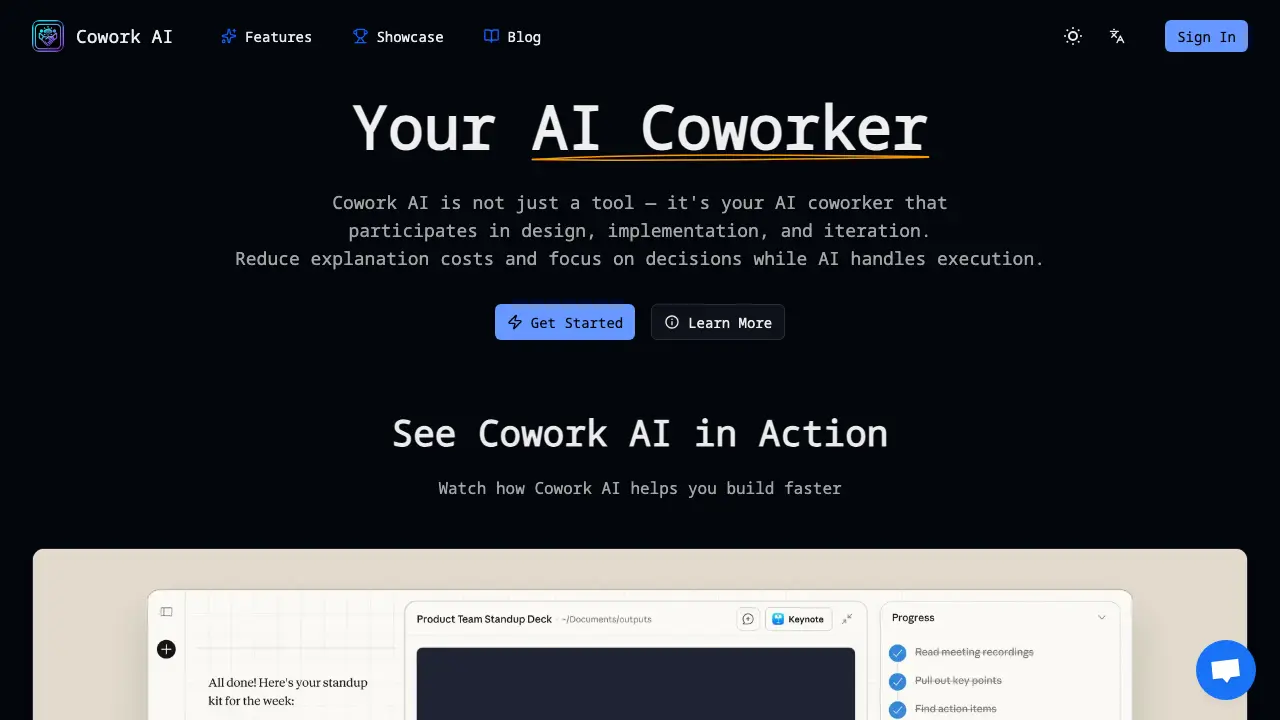
Cowork AI is an AI coworker that integrates into engineering workflows, automatically remembering project context and reducing repetitive communication. By participating in design discussions, code implementation, and iterative refinement, it allows teams to focus on decision‑making rather than explanation. The tool maintains a project context memory, writes and reviews code following team conventions, and generates technical documentation aligned with the codebase. It also decomposes complex features into actionable tasks and adapts to individual coding styles through continuous learning. Available 24/7, Cowork AI supports multiple programming languages and can be accessed via web or open‑source implementations. It streamlines collaboration, shortens development cycles, and enhances productivity for developers and product teams.
How does Cowork AI work
Cowork AI functions as an AI coworker that maintains continuous project context memory, enabling it to participate in design discussions, code implementation, and iterative refinement. It accesses local files and the development environment, writes, reviews, and refactors code while adhering to project conventions. The system records task breakdowns, generates technical documentation, and adapts to user preferences over time. By reducing repetitive explanations, it streamlines communication and allows developers to focus on decision‑making. The platform operates 24/7, integrating with common tools, supporting multiple programming languages, and can be used in coworking environments.
Benefits of Cowork AI
Cowork AI functions as an AI coworker that participates in design, implementation, and iteration of engineering projects. It maintains project context memory, reducing repetitive explanations and communication overhead. The tool writes, reviews, and refactors code while aligning with team conventions, and it can decompose complex features into actionable tasks. With continuous learning, it adapts to individual coding styles and generates technical documentation. Available 24/7, Cowork AI supports a full engineering workflow, from design collaboration to deployment, helping teams focus on decision‑making rather than repetitive tasks. Its open‑source implementations, such as Open Cowork, allow integration with local models and third‑party APIs, giving users control over data privacy.
Pros and Cons of Cowork AI
Pros
- Seamless project context memory reduces repetitive explanations.
- 24/7 AI coworker supports design and code implementation.
- Continuous learning adapts to coding style over time.
- Generates technical documentation aligned with codebase.
- Supports iterative refinement and task breakdown.
Cons
- Limited to supported programming languages only.
- Requires internet for cloud models, privacy concerns.
- Subscription cost may be high for small teams.
- Integration with existing tools not fully documented.
- User reviews indicate occasional misinterpretation of prompts.
Core Features of Cowork AI
Project Context Memory
Maintains a persistent understanding of the entire codebase, architecture decisions, and project history, allowing the AI coworker to recall relevant details without repeated explanations.
Code Implementation
Writes, reviews, and refactors code following project conventions, automatically generating functions, unit tests, and documentation, thereby accelerating development cycles and reducing manual coding effort.
Design Collaboration
Participates in system design discussions, evaluates architectural trade‑offs, and proposes scalable solutions, enabling teams to iterate on design decisions efficiently.
Task Breakdown
Decomposes complex features into actionable, manageable tasks, assigns priorities, and tracks progress, helping teams maintain clear roadmaps and deliverables.
Documentation Generation
Automatically creates and updates technical documentation aligned with the codebase, ensuring consistency and reducing the need for manual documentation maintenance.
File System Access
Grants the AI permission to read, edit, and create files within specified local folders, enabling automated file organization, data manipulation, and integration with desktop workflows.
Desktop Organization
Automates desktop organization by moving, sorting, and managing files and applications, freeing users from manual file management and improving workspace efficiency.
Presentation Generation
Generates professional PowerPoint presentations from prompts, assembling slides, layouts, and content, allowing non‑technical users to produce polished decks quickly.
App Integration
Connects to over 500 third‑party applications (e.g., Gmail, Slack, Notion) on demand, enabling the AI to perform cross‑app actions within a single workflow.
Continuous Learning
Adapts to user preferences and coding style over time, refining suggestions and improving collaboration quality through iterative feedback loops.
Use Cases of Cowork AI
- Software Developers: Automate code reviews and refactoring with Cowork AI, reducing repetitive communication and accelerating delivery.
- Product Managers: Use Cowork AI to decompose features into actionable tasks, maintaining project context and reducing overhead.
- Technical Writers: Generate and update documentation aligned with codebase using Cowork AI, ensuring consistency across releases.
- Remote Teams: Collaborate on design discussions with Cowork AI, evaluating architectural trade-offs without repeated context explanations.
- Coworking Space Operators: Cowork AI integrates with coworking space management tools, automating booking and resource allocation.
FAQs of Cowork AI
What is Cowork AI?
Cowork AI is a virtual engineering assistant that participates in design, implementation, and iterative refinement of software projects. It maintains project context, writes and reviews code, and generates documentation, enabling teams to focus on decision‑making rather than repetitive communication.
How is Cowork AI different from other AI coding tools?
Unlike generic code generators, Cowork AI continuously remembers the entire codebase, architecture decisions, and project history. It adapts to a team’s coding style, supports multi‑language projects, and integrates with existing workflows such as version control and CI/CD pipelines.
What is Claude Cowork?
Claude Cowork is a specific implementation of Cowork AI that leverages Claude’s language model to perform tasks such as file manipulation, web browsing, and code generation. It can be accessed through the Cowork AI interface or via API, offering a consistent experience across platforms.
How does Cowork AI understand project context?
Cowork AI ingests repository metadata, commit history, and documentation to build a contextual model. It updates this model in real time as new commits are made, allowing the assistant to reference prior decisions and maintain coherence across iterations.
Can Cowork AI work with any programming language?
Cowork AI supports all major programming languages that are commonly used in software development, including JavaScript, Python, Java, C#, Go, and Rust. It adapts its code generation and review patterns to the conventions of each language.
How do I download and open Cowork AI?
The Cowork AI application can be downloaded from the official website or GitHub repository. After downloading, users run the installer or execute the binary, then sign in with their credentials to access the web or desktop interface.
How to use Claude Cowork features?
Once logged in, users can invoke Claude Cowork by selecting the “Claude” tab, entering a prompt, and granting file‑system or browser access as needed. The assistant will then perform the requested action, such as editing a file or generating a presentation.
Is Cowork AI free to use?
Cowork AI offers a free tier with limited usage and a paid tier that unlocks higher token limits, priority support, and advanced features. Pricing details are available on the official pricing page.
What makes the Cowork app unique?
The Cowork app uniquely combines continuous project memory, real‑time code review, and multi‑language support within a single interface. It also allows local model deployment for privacy‑sensitive projects, distinguishing it from cloud‑only solutions.
What data does Cowork AI store and how is privacy handled?
Cowork AI stores only the data necessary for context retention, such as code snippets and commit messages. All data is encrypted at rest and in transit, and users can opt to run the model locally to keep sensitive information on their own infrastructure.
Can Cowork AI integrate with existing CI/CD pipelines?
Yes, Cowork AI exposes APIs that can be called from CI/CD scripts. It can automatically run code reviews, generate changelogs, or trigger tests as part of the deployment workflow.
Does Cowork AI support local model deployment for privacy?
Cowork AI can be deployed locally using compatible open‑source models. This configuration keeps all data on the user’s machine, eliminating the need to transmit code or documents to external servers.
How does Cowork AI handle version control and code reviews?
Cowork AI can read the repository’s history, suggest pull‑request changes, and comment on diffs. It can also generate review summaries and highlight potential issues before code is merged.
What are the system requirements to run Cowork AI locally?
Running Cowork AI locally requires a modern CPU with at least 8 GB RAM, a GPU for accelerated inference (optional), and a 64‑bit operating system. Detailed installation instructions are provided in the official documentation.
How to use Cowork AI
- Cowork AI serves as an AI coworker that participates in design, implementation, and iteration, reducing explanation costs and enabling focused decision‑making within engineering workflows.
- Users access the platform by signing in through the web interface, where authentication establishes a secure session for project context management.
- After login, users create or import a project, allowing Cowork AI to ingest codebase, architecture diagrams, and documentation for contextual awareness.
- Granting the AI permission to specific folders enables it to read, edit, and create files, facilitating automated task execution.
- Users issue natural language prompts, such as “Generate a PowerPoint presentation on project milestones,” which Cowork AI interprets and executes.
- The AI returns generated artifacts or logs; users review the content, verify accuracy, and provide feedback for refinement.
- Based on feedback, Cowork AI refines outputs, allowing iterative improvement until the deliverable meets project standards.
- Users export finalized files to version control or cloud storage, integrating AI‑generated assets into the existing workflow.
- Cowork AI provides execution logs and performance metrics, helping teams assess efficiency gains and identify bottlenecks.
- Teams use insights to adjust prompts, file permissions, or project structure, continuously enhancing productivity and reducing repetitive communication.
Cowork AI Website Traffic Analysis
Latest traffic information
- Monthly Visits1.37K
- Bounce Rate35.77%
- Pages Per Visit2.16
- Visit Duration00:00:44
- Global Rank10.25M
- Country/Region Ranking4.05M
Top Keywords
| Keyword | Traffic | Volume | Cost Per Click |
|---|---|---|---|
| ai cowork free | 160 | 170 | -- |
| cowork ai | 60 | 1.6K | $10.04 |
| eigent | 10 | 5.91K | $3.94 |
| claude cowork download | 10 | 3.36K | $2.9 |
| claude cowork | -- | 314.57K | $1.61 |
Top Regions
| Region | Percentage |
|---|---|
| United States | 100% |
Cowork AI Alternatives
Open-source AI coworker for Slack and Lark that runs Claude Code, Codex or Pi on your own machine with the plan or API key you already pay for.
Wery is a virtual AI studio that routes one goal to specialist agents for video, images, music and documents, keeping characters and project assets consistent.

Free invoice maker for freelancers and small businesses on Web, iOS and Android. Create unlimited PDF invoices, manage clients and companies, and bill from AI assistants via MCP.
Relay App turns plain-language instructions into AI workflows that connect 200+ apps, run reliable automations, and pause for human approval.
AtAt runs Claude Code, Codex, or local models in the text field you are typing in, no app-switching. It adds TabTab autocomplete, screenshots, and clipboard history.
Dash is an AI teammate in Slack and Microsoft Teams that connects 3,000+ tools, automates workflows and completes tasks in your channel.
Git-native task management for AI coding agents: track intent, status, blockers, dependencies, history, and commit evidence in Git.
Always free browser that shares your logged-in Chrome state with AI agents like Claude Code and Codex, running browser automation up to 3.45x faster.
Ritto AI learns from one real demonstration of your work, finds the repeated tasks, and completes them the same way. Join the beta for early access.
Aldena creates isolated rooms where AI agents handle client work with real roles, shared memory, and human approval gates.
AI project scheduling tool that generates editable Gantt charts from prompts, templates, or imported files, checking dependencies and revision impact.
Taskly is an AI-native task manager where teams describe work in plain English and Otto drafts, prioritizes, and organizes tasks with your approval every step.