
AvatarCraft AI – AI Talking Avatar Video Generator

What is AvatarCraft AI
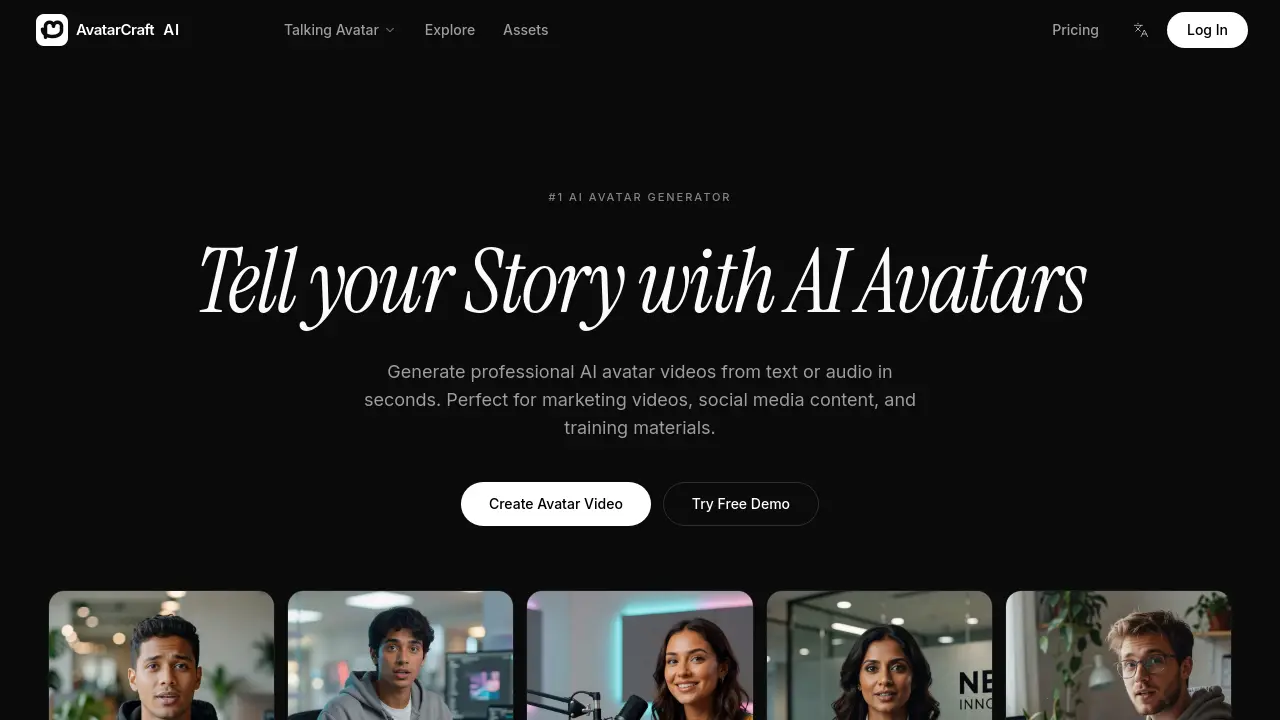
AvatarCraft AI is an AI‑driven avatar generator that transforms text or audio scripts into high‑quality talking‑avatar videos within seconds. The platform offers realistic lip‑sync and expressive facial animation across more than 30 languages, allowing creators to reach global audiences without studio resources. Users can select from a library of 50+ pre‑built avatars—including professional presenters, marketing spokespeople, educators, and social‑media influencers—or upload personal footage to create a custom digital twin. Integrated tools provide voice generation from 100+ natural AI voices, automatic subtitle creation, and a suite of ready‑made video templates for marketing, education, and short‑form content. Export options include HD downloads and direct publishing to YouTube, TikTok, and Instagram. AvatarCraft AI’s all‑in‑one workflow streamlines video production for marketers, educators, and content creators seeking efficient, scalable avatar‑based videos.
How does AvatarCraft AI work
AvatarCraft AI operates as a cloud‑based AI avatar generator that converts written scripts or audio inputs into full‑length talking‑avatar videos. Users select a pre‑designed avatar or upload personal footage, after which the platform’s speech synthesis engine produces a natural voice from a library of 100+ languages or a cloned voice model. Synchronized lip‑sync and facial animation algorithms map the generated speech onto the avatar’s mouth and expressions, while optional subtitles and video templates streamline post‑production. The entire workflow runs on the platform’s backend, delivering HD video files ready for direct export to social or corporate channels.
Benefits of AvatarCraft AI
AvatarCraft AI delivers a streamlined workflow for creating professional talking‑avatar videos directly from text or audio, eliminating the need for recording studios. Its advanced voice synthesis and precise lip‑sync generate lifelike facial expressions across more than 30 languages, supporting global outreach. Users can select from 100+ natural AI voices, upload personal footage to build custom avatars, and apply pre‑made templates for marketing, education, or social media content. Automatic subtitle generation and HD export simplify distribution to platforms such as YouTube, TikTok, and Instagram, while character references ensure visual consistency across multiple productions.
Pros and Cons of AvatarCraft AI
Pros
- Generates talking avatar videos from text instantly.
- Supports 30+ languages and 100+ AI voices.
- Offers custom avatar creation from user video.
- Includes automatic subtitle generation.
- Provides HD export and direct social media publishing.
Cons
- No explicit pricing details on the landing page.
- Limited information on file format compatibility.
- Advanced lip‑sync quality may vary across avatars.
- Reliance on internet connection for video rendering.
- Custom avatar cloning may require higher-tier plans.
Core Features of AvatarCraft AI
Text‑to‑Avatar Video Generation
Transforms written scripts or audio into professional talking‑avatar videos instantly, eliminating recording studios and streamlining content creation for marketing, social media, and training.
Custom Avatar Creation
Allows users to upload personal footage to generate a digital twin that mimics their appearance and voice, enabling fully personalized spokesperson videos.
Voice Generation & Cloning
Offers a library of 100+ natural AI voices and the option to clone a user’s own voice, ensuring consistent audio identity across avatar productions.
Realistic Lip‑Sync & Facial Animation
Applies advanced lip‑sync algorithms and expressive facial rigging to produce lifelike mouth movements and gestures that match spoken dialogue.
Multilingual Support
Provides AI‑generated speech in 30+ languages, facilitating global distribution and localized content without additional dubbing or translation work.
Subtitle Generation
Automatically creates accurate captions in supported languages, improving accessibility and engagement for viewers across platforms.
Video Templates & Editing Tools
Delivers pre‑designed templates for marketing, education, and short‑form social content, accelerating production while maintaining brand consistency.
Export, Share, and Platform Integration
Enables HD downloads and direct publishing to YouTube, TikTok, Instagram, and other channels, simplifying distribution and audience reach.
Use Cases of AvatarCraft AI
- Marketing teams: Produce multilingual product promo videos instantly using AI talking avatars with automated lip‑sync.
- Educators: Convert lecture scripts into professional AI presenter videos, adding auto‑generated subtitles for accessibility.
- YouTube creators: Generate faceless channel hosts at scale, leveraging prebuilt templates and voice cloning for rapid content turnover.
- Corporate trainers: Create consistent employee onboarding videos across 30+ languages, maintaining brand avatars through character reference.
- Social media managers: Design short‑form TikTok or Instagram Reels using expressive avatar influencers, exporting directly to platforms.
FAQs of AvatarCraft AI
What is an AI avatar generator?
An AI avatar generator is a cloud‑based platform that converts text or audio scripts into realistic talking‑avatar videos. AvatarCraft AI uses neural voice synthesis and lip‑sync algorithms to produce professional‑quality presenter clips without traditional recording equipment.
How does the talking avatar work?
The talking avatar combines a pre‑trained facial animation model with a text‑to‑speech engine. When a script is submitted, the system generates speech in a selected voice, then maps phonemes to precise mouth movements and facial expressions, creating smooth lip sync and natural eye‑gaze.
Can I create my own avatar?
Yes, AvatarCraft AI offers a custom avatar feature that lets users upload a short video of themselves. The platform extracts facial geometry and voice characteristics, producing a digital twin that can speak any future script in the same style and tone.
What languages are supported?
AvatarCraft AI currently supports more than 30 languages, including English, Spanish, Mandarin, French, German, Japanese, Korean, Portuguese, Arabic, and Hindi. Each language provides a selection of natural‑sounding AI voices, enabling global audiences to receive content in their native tongue.
Can I use the videos commercially?
All videos generated on AvatarCraft AI are licensed for commercial use, provided the user complies with the platform’s terms of service. Creators may publish the output on marketing campaigns, YouTube, TikTok, corporate training portals, or any other commercial channel without additional royalties.
How long does it take to produce a video?
Typical turnaround time ranges from a few seconds to two minutes, depending on script length and rendering queue. The platform’s “Text to Avatar” workflow is optimized for rapid processing, allowing creators to publish videos almost instantly after script entry.
What export options are available?
Videos can be downloaded in HD (1080p) MP4 format or streamed directly to social platforms via built‑in publishing tools. Users may also export subtitles in SRT format for any supported language, facilitating accessibility and SEO optimization.
Is there a free trial or demo?
AvatarCraft AI offers a free demo where users can generate a short avatar clip without charge. The demo provides access to a limited set of voices and templates, allowing prospective customers to evaluate quality before selecting a paid plan.
How to use AvatarCraft AI
AvatarCraft AI serves as a text‑to‑avatar video generator, converting scripts or audio into lifelike talking avatar clips for marketing, education, and social media content.
Register or log in, then navigate to Create Avatar Video; upload a custom avatar (optional) or select a pre‑built model from the +50 available options.
Input the desired script or audio file, choose a language and voice from the 30+ supported selections, and click Generate to start the AI rendering process.
While processing, monitor the progress bar; upon completion, preview the video to verify lip‑sync accuracy, facial expressions, and subtitle generation.
Export the finished avatar video in HD or publish directly to platforms such as YouTube, TikTok, or Instagram using the built‑in sharing tools.
Analyze view metrics and audience feedback; adjust script length, voice tone, or avatar style to improve engagement and achieve specific communication goals.
AvatarCraft AI Website Traffic Analysis
Latest traffic information
- Monthly Visits12.35K
- Bounce Rate36.6%
- Pages Per Visit2.53
- Visit Duration00:00:23
- Global Rank1.67M
- Country/Region Ranking230.3K
Top Keywords
| Keyword | Traffic | Volume | Cost Per Click |
|---|---|---|---|
| ai singing photo | 70 | 580 | $1.23 |
| ai photo singer | 50 | 120 | -- |
| ai upload picture sing | 40 | 60 | -- |
| sadtalker | 30 | 10.93K | $0.73 |
| picture singing ai | 30 | 150 | -- |
Top Regions
| Region | Percentage |
|---|---|
| United States | 40.45% |
| United Kingdom | 20.46% |
| India | 14.88% |
| Pakistan | 13% |
| Brazil | 11.21% |
AvatarCraft AI Alternatives
Seedance 3.0 preview page: planned multi-shot continuity, scene editing and audio-visual sync for AI video, while the on-page generator runs Seedance 2.5.
Browser workspace for AI image generation, reference photo editing, and short video drafts, aimed at creators, marketers, and product teams.
Black Forest Labs' multimodal model with a web generator for text-to-video, image-to-video and image editing with native audio, for creators and marketers.
Wan API is an independent platform for Wan and Seedance video models. Compare specs and rates, generate clips in the Playground, or call them through one API.
Seedance 3.0 turns text, images, video clips, and audio into videos with sound, and edits one part of a clip without regenerating the rest.
Wery is a virtual AI studio that routes one goal to specialist agents for video, images, music and documents, keeping characters and project assets consistent.

AI video and image studio with text-to-video, image-to-video and keyframe control across Seedance, Kling, Wan and Vidu — all on one credit balance.
Browser studio for AI video, image and music generation with Grok Imagine, Kling and GPT Image models. Free daily credits, no sign-up required.
SeaMove AI is an AI video and image generation platform offering Seedance 2.0 and Seedance 2.5 models for text-to-video, image-to-video, and reference-based creation. Features multi-shot continuity, director-level control, and audio-visual sync for creators and studios.
Turns two separate portraits into a 15-second vertical rap duet video on an orange stage with a shared microphone and the original soundtrack. Free 480P preview available.
Mareel is an all-in-one AI video and image generation workspace giving creators, marketers, and ecommerce teams 40+ leading models and one shared credit balance.
Kinovi is a REST API that runs published video, image, and audio AI models from one endpoint. Send a model ID to createTask, poll recordInfo, and pay per use from one shared credit balance.