
Anyvids Introduction
Anyvids.ai is an all-in-one AI platform for video and image generation, offering top models like Veo 3.1, Kling 3.0, and Flux 2 with credit-based pricing.

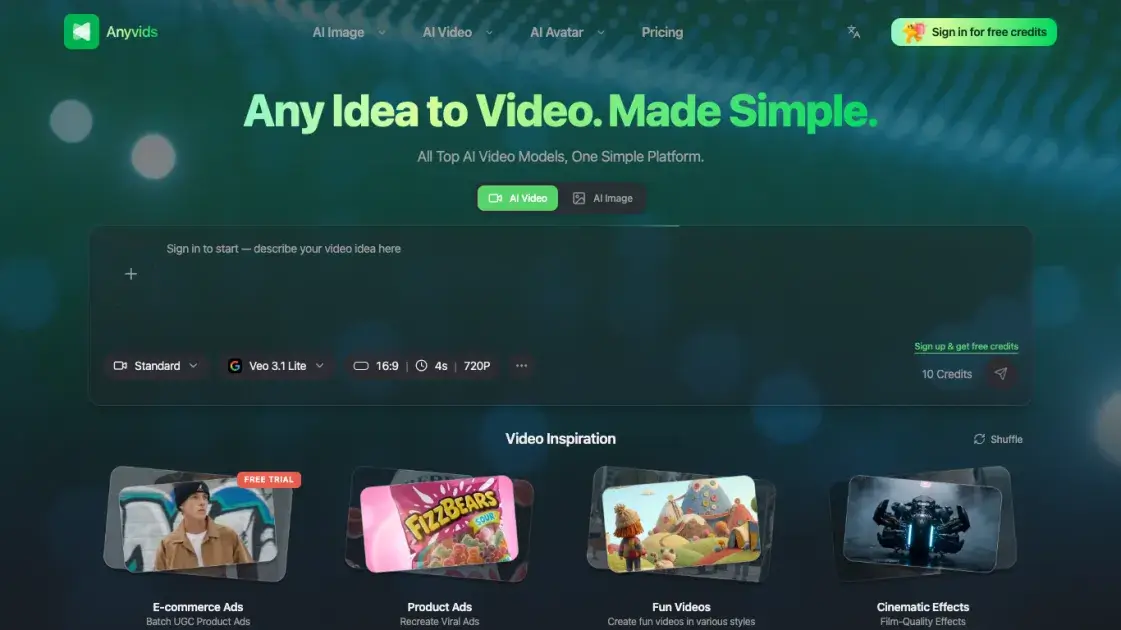
What is Anyvids
Anyvids.ai is a web-based platform that consolidates multiple AI video and image generation models into a single interface. Instead of subscribing to separate tools for text-to-image, text-to-video, or image-to-video tasks, users access 14 models — including GPT Image 2, Flux 2, Veo 3.1, Kling 3.0, and Wan 2.7 — through one dashboard. The platform operates on a credit-based system, where users purchase credits or subscribe to annual plans to generate content. A four-step workflow guides users from tool selection through to downloading or sharing their creations, with no software installation required.
How does Anyvids work
Anyvids.ai operates as a cloud-based platform, meaning all AI processing happens on remote servers rather than on the user's device. When a user selects a creative tool — such as text-to-video or text-to-image — and enters a prompt, the request is sent to the chosen AI model's backend infrastructure. The model interprets the prompt, generates the visual content (a video clip or image), and returns the result to the platform. The user can then preview, download, or share the output directly from their browser. No local installation, GPU, or specialized hardware is needed; the entire workflow runs through a standard web browser with an internet connection.
Benefits of Anyvids
Anyvids.ai eliminates the need to juggle multiple AI subscriptions by centralizing 14 video and image generation models in one place. Users save time by comparing outputs from different models within a single interface, rather than signing up for separate platforms to test each one. The credit-based pricing model means costs scale with actual usage — there are no mandatory monthly fees for users who generate content infrequently. The web-based setup requires no installation or hardware upgrades, making it accessible from any device with a browser. For teams and freelancers, having one tool handle both image and video generation reduces context-switching and simplifies the creative workflow.
Pros and Cons of Anyvids
Pros
- Access to 14 AI models in a single platform
- Credit-based pricing with no mandatory monthly commitment
- No software installation or hardware requirements
- Supports both image and video generation
- Free credits available for initial testing
Cons
- Free tier is limited to a small number of generations
- Support is email-only with no live chat option
- Annual plans require upfront payment for the full year
- Model output quality varies and may require prompt tuning
