
Anyvids FAQs
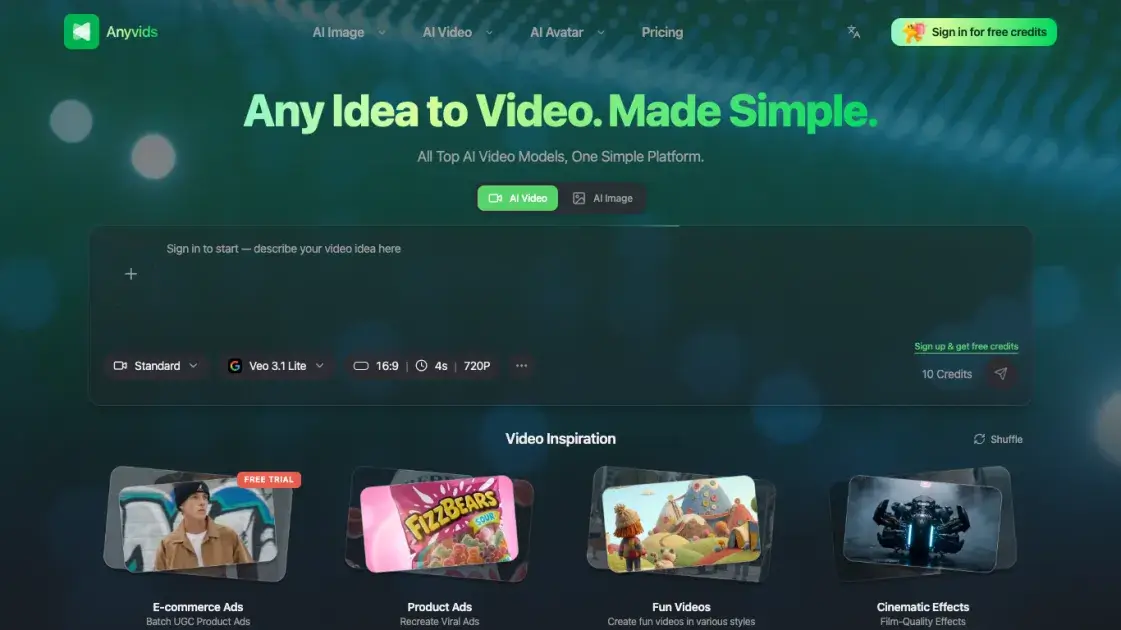
Anyvids.ai is an all-in-one AI platform for video and image generation, offering top models like Veo 3.1, Kling 3.0, and Flux 2 with credit-based pricing.

FAQs of Anyvids
What is Anyvids.ai?
Anyvids.ai is an all-in-one web platform for generating AI videos and images. It aggregates 14 different AI models — including Veo 3.1, Kling 3.0, Flux 2, and GPT Image 2 — into a single interface, allowing users to create visual content without switching between multiple tools.
Who is Anyvids.ai designed for?
The platform targets content creators, marketers, small business owners, and anyone who needs AI-generated video or image content but does not want to manage multiple subscriptions or learn different tools. It is also suitable for hobbyists experimenting with AI-generated art and animation.
How does pricing work on Anyvids.ai?
Anyvids.ai operates on a credit-based system. Users can buy one-time credit packs starting from $30, or subscribe to annual plans (Lite, Pro, Premium) that include monthly credit allocations. Each AI generation consumes a certain number of credits, and users can monitor their usage through the dashboard.
What AI models does Anyvids.ai support?
The platform currently supports 14 models for image and video generation, including GPT Image 2, Flux 2, Veo 3.1, Kling 3.0, Wan 2.7, and Gemini Omni. Users can switch between models freely to compare results and find the best fit for their specific project requirements.
Is there a free plan?
Anyvids.ai provides a limited number of free credits upon registration, allowing new users to test the platform before committing to a paid plan. The free credits are sufficient for a small number of generations, after which users must purchase additional credits or upgrade to a subscription.
Can I use generated content commercially?
Content generated on Anyvids.ai can be used for commercial purposes, including marketing materials, social media posts, and client projects. Users should review the platform's terms of service for specific licensing details and any model-specific usage restrictions.
What kind of support does Anyvids.ai offer?
Support is available via email at support@anyvids.ai. The platform provides documentation and guides for getting started, though it does not currently offer live chat or phone support.
How to use Anyvids
- Visit anyvids.ai and create a free account to receive initial test credits.
- Select a creative tool from the dashboard, such as text-to-image, text-to-video, or image-to-video, depending on the desired output format.
- Choose an AI model from the available options — each model has different strengths, so users may want to experiment with several to find the best match.
- Enter a descriptive prompt explaining what to generate, then submit the request and wait for the model to process it.
- Preview the generated output, and if satisfied, download the file or share it directly from the platform.
- Monitor credit usage in the dashboard, and purchase additional credit packs or upgrade to an annual plan when needed.
