
veo 4 AI Video Generator creates 4K cinematic clips from text

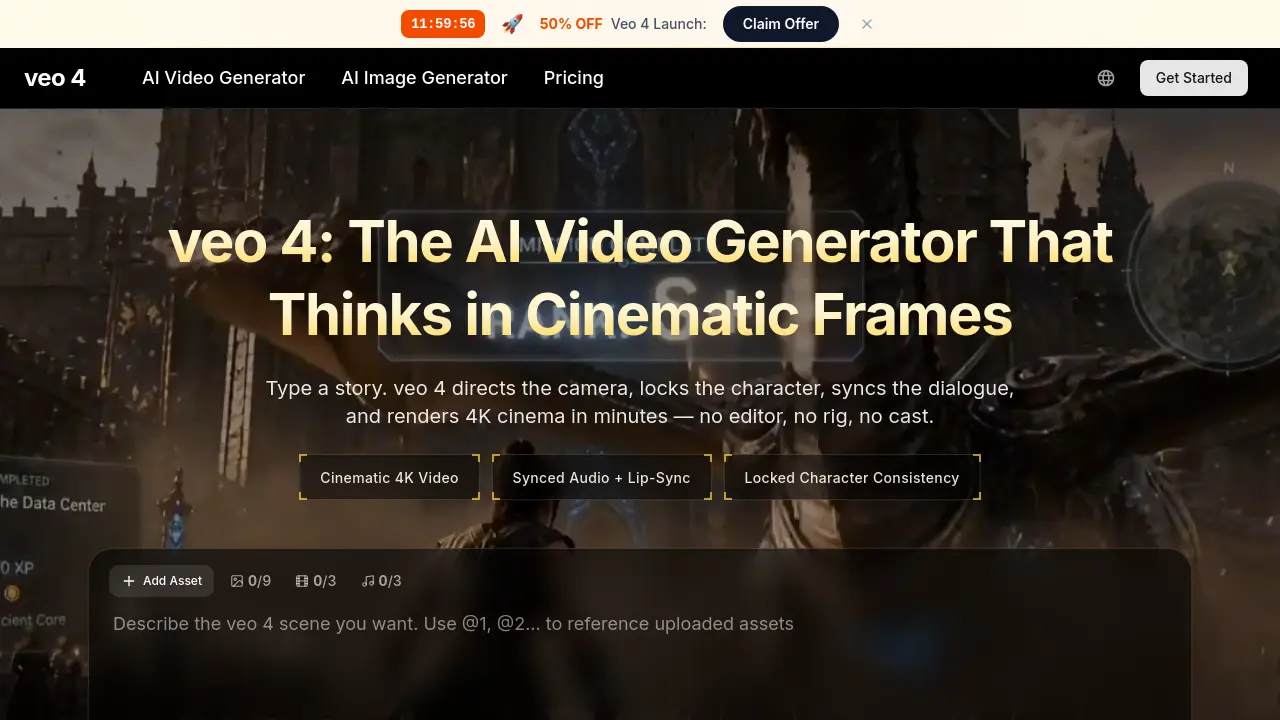
What is veo 4
veo 4 is an AI‑driven video generator that transforms a text prompt or reference image into a 4K cinematic clip with fully synced dialogue, Foley and ambient sound. The platform incorporates a built‑in camera controller that understands directing terminology—dolly, crane, rack focus, whip pan—and applies realistic motion physics across multi‑shot sequences. Character anchoring keeps the protagonist’s appearance, wardrobe and facial features consistent throughout every cut, while the overlay editor allows post‑render adjustments without re‑generating the entire clip. Rendering speed is roughly 40 % faster than the previous Veo 3 model, delivering a 30‑second video before the user finishes a coffee. Available to independent filmmakers, marketers, e‑commerce teams and educators, veo 4 bundles video generation, audio synthesis and AI image creation under a single prompt box, offering commercial licenses and private generation options.
How does veo 4 work
Veo 4 operates as an end‑to‑end AI video generator that transforms a textual prompt—or a combination of text and reference images—into a 4K cinematic clip. The system parses directing language (dolly, crane, rack focus), then a unified model produces synchronized dialogue, Foley and ambient sound while automatically lip‑syncing the locked character across multiple shots. Internally, an optimized inference pipeline drives the camera controller, character anchor and audio engine, enabling multi‑shot storyboarding and on‑the‑fly overlay edits without full re‑generation. Output files include embedded SynthID watermarks and commercial‑ready rights, allowing creators to download ready‑to‑publish video in seconds.
Benefits of veo 4
veo 4 is an AI video generator that creates 4K cinematic clips directly from text or image prompts, handling camera moves, character anchoring, lip‑synced dialogue and matching Foley in a single workflow. The model supports multi‑shot storyboarding, director‑style camera language (dolly, crane, rack focus, etc.), and delivers videos up to two minutes long 40 % faster than its predecessor. Built‑in commercial licensing, private generation and no watermark let creators—from independent filmmakers to e‑commerce teams—produce market‑ready ads, product reels, educational demos, and narrative shorts without traditional filming or post‑production tools.
Pros and Cons of veo 4
Pros
- Generates 4K cinematic video directly from text prompts.
- Built‑in synced audio with lip‑sync and Foley.
- Maintains character consistency across multiple shots.
- Supports multi‑shot storyboarding and camera language.
- Offers fast rendering—30‑second clips in minutes.
Cons
- Maximum clip length limited to about 2 minutes.
- Highest resolution capped at 1080p despite “4K” marketing.
- Advanced features require credit‑based pricing plans.
- No native support for VR or 360° video formats.
- Editing flexibility limited after initial render.
Core Features of veo 4
Cinematic Camera Language
Interprets directing terminology (dolly, crane, rack focus, etc.) and renders realistic camera movements, enabling users to script professional‑grade shots directly from text prompts.
Synced Audio and Lip‑Sync
Generates dialogue, Foley, and ambient soundscapes natively, aligning mouth movements and sound effects precisely with on‑screen action for film‑like audio fidelity.
Character Anchoring
Maintains consistent facial features, wardrobe, and identity of characters across multiple shots, aspect ratios, and reshoots, ensuring brand or actor continuity.
Multi‑Shot Storyboarding
Allows definition of wide, medium, and close‑up shots in a single workflow, automatically preserving continuity between cuts to produce seamless sequences.
Director’s Overlay Editor
Provides post‑render control over camera paths, motion intensity, and focal points without re‑generating the entire clip, accelerating iterative refinement.
Fast Rendering Engine
Optimized inference pipelines deliver 30‑second 4K clips in minutes—approximately 40 % faster than the previous generation—supporting rapid production cycles.
Image‑to‑Video Conversion
Accepts reference images (single or multiple) alongside text prompts, translating still visuals into dynamic, cinematic video content matching the user’s vision.
Integrated AI Image Generator
Includes an AI image creation module within the same prompt interface, allowing users to produce assets and video frames without switching tools.
Use Cases of veo 4
- Independent filmmakers: Produce storyboard sequences with cinematic camera language and locked character continuity in minutes.
- Performance marketers: Generate multiple vertical and square video hooks with native audio sync for rapid A/B testing.
- E‑commerce teams: Create 4K product reels with synchronized Foley and ambient sound without studio shoots.
- Educators and course creators: Illustrate scientific or historical scenes with frame‑perfect narration and lip‑synced dialogue.
- Solo founders: Build investor pitch videos featuring consistent brand mascots and realistic audio in a single prompt.
FAQs of veo 4
What is veo 4?
veo 4 is an AI‑powered video generator that creates 4K cinematic clips from a single text prompt or reference image. It combines a neural video model, an audio engine, a camera controller, character anchoring, and an overlay editor, allowing users to produce fully rendered scenes with synced dialogue, Foley, and realistic motion without traditional filming equipment.
How is veo 4 different from earlier AI video generators?
Compared with previous generations, veo 4 adds native audio synthesis, cinematic camera language, and character anchoring that preserve a subject’s appearance across multiple shots. The system also supports multi‑shot storyboarding, director‑style overlay editing, and faster inference—rendering a 30‑second clip up to 40 % quicker than its predecessor, Veo 3.
Can veo 4 generate audio with the video?
Yes. veo 4 produces synchronized dialogue, ambient soundscapes, and Foley effects directly within the video file. The lip‑sync aligns with the generated speech, and environmental sounds such as footsteps, fabric rustle, and room tone are automatically matched to the visual actions, eliminating the need for external audio post‑production.
How long can a single veo 4 clip be?
veo 4 supports video lengths up to two minutes per clip without the need for stitching. The platform is optimized for rapid rendering, so even longer sequences are delivered quickly, making it suitable for ads, short films, or educational demos.
Does veo 4 support image‑to‑video?
Yes. Users can upload a single reference image or multiple images alongside a text prompt. The model interprets the visual input to animate the scene, applying the specified camera movements and audio, effectively turning static artwork into moving 4K video.
Can veo 4 keep the same character across multiple shots?
The character anchoring feature locks a subject’s face, wardrobe, and identity across every shot, aspect ratio, and reshoot. This ensures continuity throughout multi‑shot sequences, allowing creators to maintain a consistent brand mascot or actor throughout a campaign.
Can I use veo 4 videos commercially?
All paid veo 4 plans include a commercial license that grants unrestricted rights to use generated clips in advertising, product demos, educational material, or any revenue‑generating context. The license also covers commercial distribution on platforms such as YouTube, TikTok, or broadcast media.
What aspect ratios does veo 4 support?
veo 4 offers several common aspect ratios, including 16:9 (standard widescreen), 1:1 (square for social feeds), and 21:9 (ultrawide cinematic). Users select the desired ratio during the generation step, and the model automatically composes frames to match the chosen format.
How fast does veo 4 render?
Rendering speed varies with clip length and plan tier, but a typical 30‑second video is completed in under a minute on the Pro plan. The Ultra plan provides the fastest throughput, supporting up to ten concurrent generations and delivering near‑instant results for high‑volume workflows.
What pricing options are available for veo 4?
veo 4 offers three subscription tiers: Lite (400 credits/month), Pro (1,500 credits/month), and Ultra (4,400 credits/month). Credits are consumed per generation, with discounts applied for yearly billing and credit‑pack purchases. All plans include commercial licensing, private generation, and water‑mark‑free output.
How does the credit system work?
Each video render consumes a number of credits based on resolution, length, and concurrency level. For example, generating a 1080p 30‑second clip typically uses a fixed credit amount; higher‑resolution or longer clips require more credits. Unused credits roll over within the billing cycle, and users can purchase additional packs at any time.
What support resources are provided to usuarios?
veo 4 customers can contact support via email at support@aiveo4.org, access a public FAQ, and consult the Prompt Gallery for inspiration. Paid plans also receive priority support and a dedicated account manager for enterprise‑level assistance, ensuring fast resolution of technical or workflow questions.
How to use veo 4
Veo 4 is an AI video generator that creates 4K cinematic clips from text prompts, supporting synchronized audio, lip‑sync, and character anchoring for streamlined film‑style production.
Open the Veo 4 web interface, locate the prompt box, and either type a detailed scene description or upload reference images to define camera moves, characters, and mood.
Choose desired aspect ratio, clip length (up to two minutes), and enable audio generation; the platform automatically applies cinematic camera language and scene‑consistent lighting.
Click “Generate” and wait for the optimized inference pipeline; a 30‑second clip typically renders in under a minute, after which a preview appears with embedded audio.
Review the rendered video, checking camera framing, character continuity, and audio‑visual sync; use the overlay editor to adjust camera paths or motion intensity without re‑rendering the entire scene.
Download the final MP4 file, which includes 4K resolution and native audio, then integrate it directly into marketing assets, presentations, or social media without additional grading.
Analyze performance metrics such as viewer engagement or click‑through rates after publishing; compare multiple generated variations to identify the most effective visual hook.
Iterate by modifying the original prompt or adjusting control sliders, leveraging Veo 4’s rapid turnaround to test new storyboards or ad copies within the same production cycle.
veo 4 Alternatives
Seedance 3.0 preview page: planned multi-shot continuity, scene editing and audio-visual sync for AI video, while the on-page generator runs Seedance 2.5.
Browser workspace for AI image generation, reference photo editing, and short video drafts, aimed at creators, marketers, and product teams.
Black Forest Labs' multimodal model with a web generator for text-to-video, image-to-video and image editing with native audio, for creators and marketers.
Wan API is an independent platform for Wan and Seedance video models. Compare specs and rates, generate clips in the Playground, or call them through one API.
Seedance 3.0 turns text, images, video clips, and audio into videos with sound, and edits one part of a clip without regenerating the rest.
Wery is a virtual AI studio that routes one goal to specialist agents for video, images, music and documents, keeping characters and project assets consistent.

AI video and image studio with text-to-video, image-to-video and keyframe control across Seedance, Kling, Wan and Vidu — all on one credit balance.
Browser studio for AI video, image and music generation with Grok Imagine, Kling and GPT Image models. Free daily credits, no sign-up required.
SeaMove AI is an AI video and image generation platform offering Seedance 2.0 and Seedance 2.5 models for text-to-video, image-to-video, and reference-based creation. Features multi-shot continuity, director-level control, and audio-visual sync for creators and studios.
Turns two separate portraits into a 15-second vertical rap duet video on an orange stage with a shared microphone and the original soundtrack. Free 480P preview available.
Mareel is an all-in-one AI video and image generation workspace giving creators, marketers, and ecommerce teams 40+ leading models and one shared credit balance.
Kinovi is a REST API that runs published video, image, and audio AI models from one endpoint. Send a model ID to createTask, poll recordInfo, and pay per use from one shared credit balance.