
AI Image to Video
AI Image to Video: Free Online Image‑to‑Video AI Generator

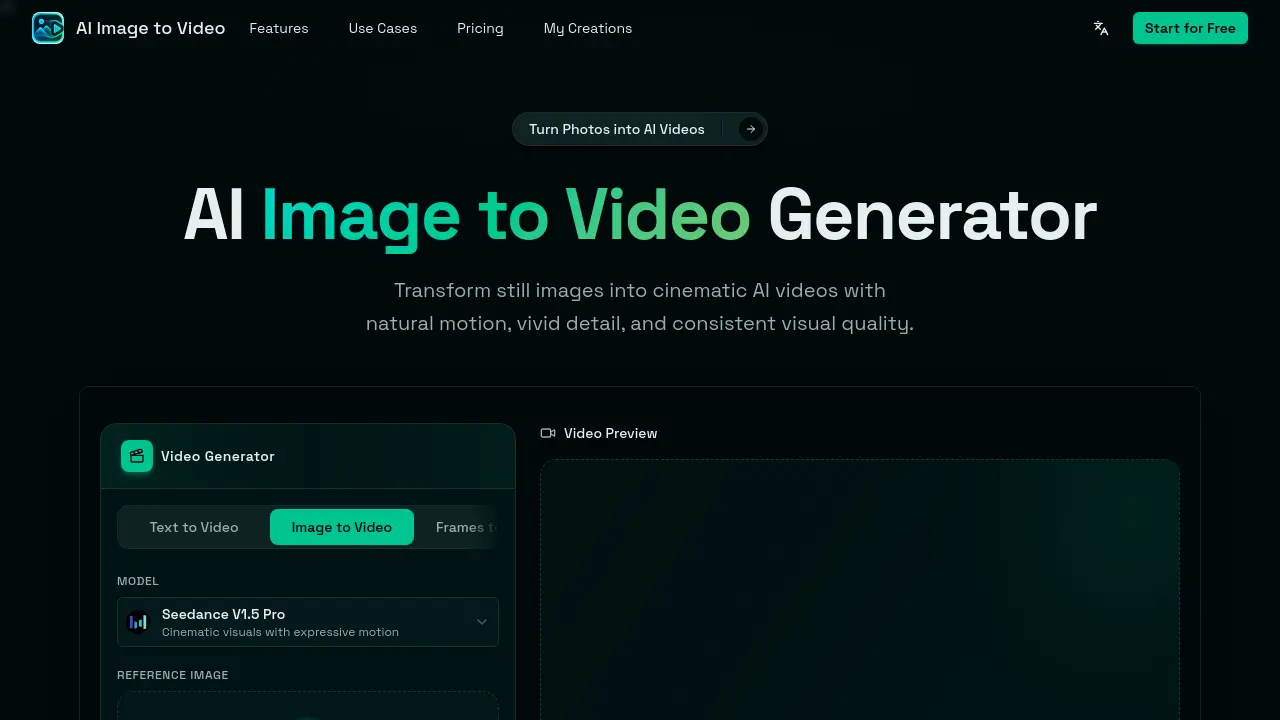
What is AI Image to Video
AI Image to Video is an online generator that converts a single still image into a short cinematic video. By uploading a photo, product shot, portrait, anime illustration, or pet picture (max 5 images, 10 MB each) and entering a natural‑language motion prompt, the Seedance V1.5 Pro model adds realistic camera moves, depth motion, lighting changes, and subject‑preserving animation. The workflow requires no installation, local GPU, or video‑editing expertise: upload, prompt, generate, then download the result in common aspect ratios (1:1, 9:16, 16:9, etc.). Designed for creators, marketers, and ecommerce owners, the tool quickly produces social‑media clips, product promos, and visual storytelling assets suitable for TikTok, Instagram Reels, YouTube Shorts, and ad campaigns. A free tier enables immediate experimentation, with optional paid credits for higher‑resolution outputs or extended durations.
How does AI Image to Video work
The AI Image to Video service operates through a browser‑based workflow that accepts a single uploaded image (up to 5 files, 10 MB each) and a text‑based motion prompt. The platform’s Seedance V1.5 Pro model interprets the visual content as a base frame, then synthesizes consecutive frames by applying the described camera movements, subject dynamics, and lighting changes, producing a short video with consistent subject identity and cinematic depth. Users can select aspect ratio, resolution, and duration, optionally generating matching audio, after which the video is rendered online and available for download, enabling rapid creation of social‑media clips, product promos, and animated portraits without external editing software.
Benefits of AI Image to Video
AI Image to Video lets users convert a single still image into a short cinematic video directly in the browser, eliminating the need for editing software or local GPU resources. By uploading a photo, product shot, illustration, or pet picture and adding a natural‑language motion prompt, the platform generates smooth camera movements, subject animation, and optional matching audio within minutes. The tool maintains the original subject’s recognizability, supports multiple aspect ratios and resolutions, and produces videos ready for TikTok, Reels, Shorts, ads, or e‑commerce pages. Its free‑to‑start model offers a fast, low‑skill workflow for creators, marketers, and designers.
Pros and Cons of AI Image to Video
Pros
- Free to start, browser‑based generation.
- Single image sufficient for video creation.
- Motion prompts allow textual control of camera and effects.
- Produces short, social‑media ready clips quickly.
- No video editing expertise required.
Cons
- Limited to short video durations.
- Output quality depends on uploaded image resolution.
- Advanced customization options are minimal.
- Potential watermark or credit limits on free tier.
- Requires credits for higher‑quality or longer renders.
Core Features of AI Image to Video
Still Image Animation
Transforms a static photo into a moving video, adding subject motion, environmental shifts, and depth cues to create dynamic visual storytelling.
Cinematic Camera Control
Applies zooms, pans, orbit shots, and parallax depth, giving the generated video realistic camera movement and professional‑grade framing.
Motion Prompt Control
Allows users to describe desired motion with natural‑language prompts, guiding camera behavior, lighting, background action, and overall video mood.
Subject Consistency
Ensures the primary subject—person, product, pet, or character—remains recognizable throughout the animation, preserving visual identity while adding motion.
Fast Online Generation
Processes image‑to‑video conversion directly in the browser without local software or GPU requirements, delivering results within minutes.
Short‑Form Video Output
Exports compact videos optimized for TikTok, Instagram Reels, YouTube Shorts, and other social platforms, facilitating immediate sharing and marketing use.
Use Cases of AI Image to Video
- Social media managers: Generate short, platform‑optimized video clips from product photos for TikTok and Instagram Reels.
- E‑commerce owners: Animate product images with cinematic camera pans to create engaging ad videos without editing software.
- Graphic design students: Transform storyboard sketches or anime panels into dynamic video sequences using motion prompts.
- Content creators: Add subtle zoom and background motion to portrait selfies for personalized video intros.
- Marketing teams: Produce quick promotional videos from brand posters, maintaining visual identity while adding expressive motion.
FAQs of AI Image to Video
What is AI Image to Video?
AI Image to Video is a free, browser‑based generator that converts a single still image into a short cinematic video. Users upload an image, add a motion prompt, and the service creates natural‑looking motion, camera movement, and optional audio without the need for local GPU resources or video‑editing software.
Is AI Image to Video free to use?
The core functionality of AI Image to Video is free, allowing unlimited uploads and basic video generation. Higher‑quality outputs, longer durations, or watermark‑free versions may require credits or a paid plan, as described on the pricing page.
Can I generate a video from only one image?
Yes. The platform is designed to work with a single image—photo, product shot, illustration, anime artwork, or pet picture. After uploading the image and describing the desired motion, the AI adds dynamic elements and renders a video clip.
How does the motion‑prompt system work?
Users type natural‑language instructions such as “slow zoom in,” “orbit camera around the product,” or “add floating particles.” The AI interprets these prompts to control camera paths, subject animation, lighting changes, and background movement, producing a video that matches the specified direction.
What types of images are supported?
Any high‑resolution still image up to 10 MB can be used, including portraits, selfies, product photos, fashion shots, food images, landscape or travel photos, anime illustrations, pet pictures, and graphic designs. The system works best with clear subjects and sufficient detail.
Are any technical skills required to create videos?
No technical expertise is needed. The workflow consists of four simple steps: upload an image, write a motion prompt, click “Generate,” and download the resulting video. All processing occurs in the cloud, eliminating the need for editing software or GPU knowledge.
Can the generated videos be used for commercial purposes?
Generated clips may be used in marketing, advertising, e‑commerce, or social‑media campaigns, subject to the platform’s terms of service. Users should review the licensing agreement to ensure compliance with any attribution or usage restrictions for commercial projects.
Which social‑media formats are supported?
AI Image to Video offers aspect‑ratio options such as 1:1, 9:16, 16:9, 3:4, and 4:3, making the output suitable for TikTok, Instagram Reels, YouTube Shorts, X posts, and other short‑form platforms. Users can select the appropriate ratio before generation.
How long does it take to render a video?
Rendering typically completes within a few minutes, depending on server load, selected resolution, and video duration. The interface displays a loading indicator, and users receive a preview once the generation process finishes.
Is it possible to add audio to the AI‑generated video?
Yes. By enabling the “Generate Audio” option, the AI creates a matching soundtrack that aligns with the visual motion and mood described in the prompt. Audio generation consumes additional credits but integrates seamlessly with the final video file.
How to use AI Image to Video
- AI Image to Video converts a single still image into a short cinematic AI video, offering motion prompts, camera animation, and optional audio generation for social or promotional use.
- Upload one image (photo, product shot, portrait, anime artwork, etc.) by clicking or dragging into the designated area; accepted formats are up to 10 MB each, max 5 images.
- Select the desired aspect ratio and resolution, then type a motion prompt describing the intended movement, such as “slow zoom‑in” or “orbit camera around the product.”
- Adjust additional settings like video duration, generate‑audio toggle, and credit consumption before clicking Ready to Generate to start the AI processing.
- While the model renders, monitor the loading indicator; upon completion a video preview appears, showing the applied cinematic motion and subject consistency.
- Review the preview to ensure the animation matches the prompt; if needed, tweak the motion description or aspect ratio and regenerate for a refined result.
- Once satisfied, click Download to save the MP4 file; the output is optimized for TikTok, Instagram Reels, YouTube Shorts, or product landing pages.
- Use the downloaded video in marketing campaigns, social media posts, or portfolio showcases, leveraging the AI‑generated motion to boost engagement and visual storytelling.
AI Image to Video Alternatives
Seedance 3.0 preview page: planned multi-shot continuity, scene editing and audio-visual sync for AI video, while the on-page generator runs Seedance 2.5.
Browser workspace for AI image generation, reference photo editing, and short video drafts, aimed at creators, marketers, and product teams.
Black Forest Labs' multimodal model with a web generator for text-to-video, image-to-video and image editing with native audio, for creators and marketers.
Wan API is an independent platform for Wan and Seedance video models. Compare specs and rates, generate clips in the Playground, or call them through one API.
Seedance 3.0 turns text, images, video clips, and audio into videos with sound, and edits one part of a clip without regenerating the rest.
Wery is a virtual AI studio that routes one goal to specialist agents for video, images, music and documents, keeping characters and project assets consistent.

AI video and image studio with text-to-video, image-to-video and keyframe control across Seedance, Kling, Wan and Vidu — all on one credit balance.
Browser studio for AI video, image and music generation with Grok Imagine, Kling and GPT Image models. Free daily credits, no sign-up required.
SeaMove AI is an AI video and image generation platform offering Seedance 2.0 and Seedance 2.5 models for text-to-video, image-to-video, and reference-based creation. Features multi-shot continuity, director-level control, and audio-visual sync for creators and studios.
Turns two separate portraits into a 15-second vertical rap duet video on an orange stage with a shared microphone and the original soundtrack. Free 480P preview available.
Mareel is an all-in-one AI video and image generation workspace giving creators, marketers, and ecommerce teams 40+ leading models and one shared credit balance.
Kinovi is a REST API that runs published video, image, and audio AI models from one endpoint. Send a model ID to createTask, poll recordInfo, and pay per use from one shared credit balance.