
AI Audio Translator FAQs
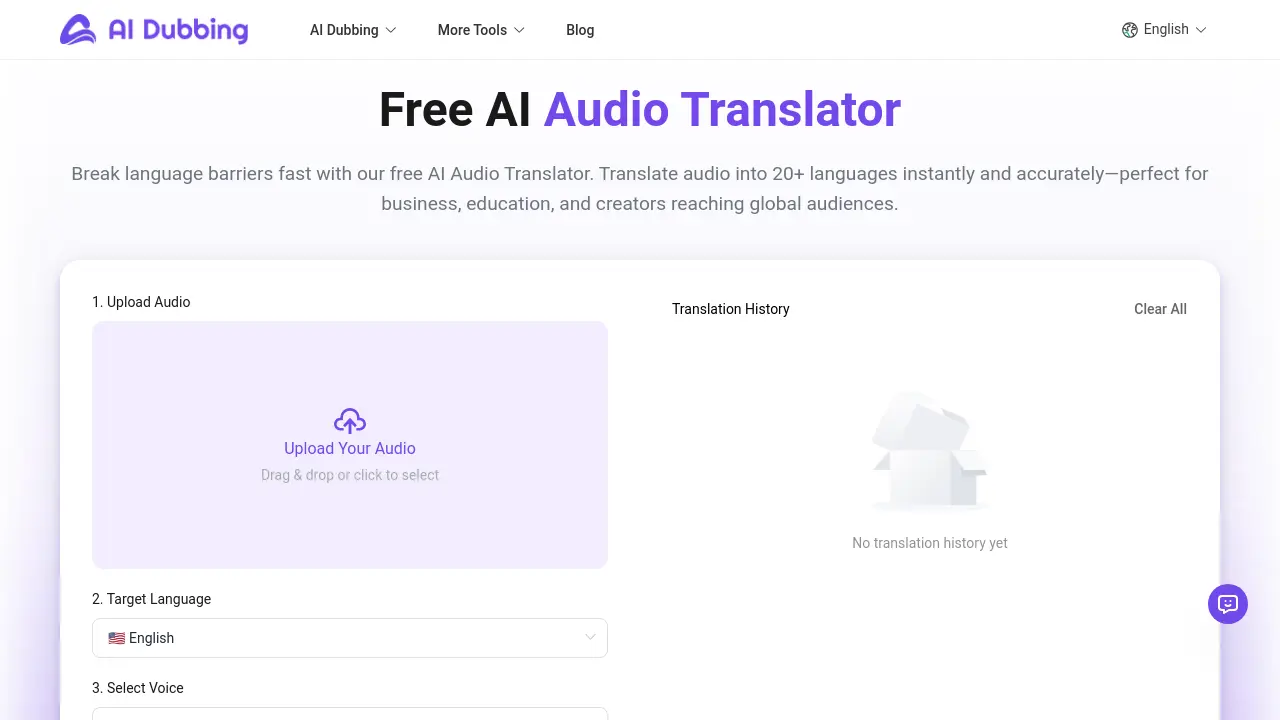
AI Audio Translator is a free in‑browser tool that translates audio into 20+ languages with 100+ lifelike AI voices, for creators and marketers to publish quickly.

FAQs of AI Audio Translator
Is AI Audio Translator free to use?
AI Audio Translator is available for free, with no subscription, credit‑card requirement, or hidden usage limits. Users can translate, download, and test all core features without cost.
How many languages are supported in the AI Audio Translator?
The service supports translation into more than 20 widely‑used languages, including English, Chinese, Japanese, Korean, German, French, Spanish, Italian, Portuguese, Russian, Arabic, and Hindi. Expansion of the language library is ongoing.
How long does audio translation take?
Typical processing time for a one‑minute file is 2–3 minutes. Variables such as audio clarity, background noise, and target language complexity can slightly influence the duration.
Can I translate voice recordings into different AI voices?
Yes, the translator can generate output in a variety of AI voices or preserve the original speaker’s tone. The system maintains natural pronunciation while adapting to the chosen voice style.
What formats are supported for audio translation?
Currently only MP3 uploads are accepted. Each file must not exceed 30 MB and be 0–300 seconds long. Other audio formats are not supported at this time.
Do the AI voice translator support voice preservation?
The translator can maintain the speaker’s vocal characteristics in the translated output, offering a more authentic listening experience while ensuring message clarity.
Can the AI Audio Translator handle multi‑speaker recordings that switch languages mid‑session?
The model processes entire audio chunks uniformly; if speakers switch languages, the system may interpret the spoken language based on overall context, potentially causing occasional mismatches in translation.
Is there a daily or monthly usage limit for AI Audio Translator?
No explicit quota is enforced. Users can submit multiple files in sequence, but extremely high‑volume usage may experience temporary slowdown due to server load management.
How does the service protect user data during translation?
All audio files are processed in the browser. Once the translation is complete, the original file and generated output are deleted from the server, ensuring no long‑term storage of user data.
What accuracy can be expected for low‑resource languages such as Hindi or regional dialects?
Accuracy for major languages is high; for low‑resource languages, the model may still perform reasonably but may occasionally produce less fluent phrasing or misinterpret idiomatic expressions. Continuous updates aim to improve these cases.
How to use AI Audio Translator
- The AI Audio Translator converts spoken audio into another language, supporting over 20 languages and 100+ lifelike voices, and is available free online with no subscription.
- To begin, upload your MP3 file via the drag‑and‑drop area; the file must be 0‑300 seconds long and not exceed 30 MB.
- Next, select the target language from the list; popular options include Spanish, French, German, and Indian local languages like Hindi.
- Choose a voice: keep the original, pick a professional style, or emulate the original speaker using the ‘Original Voice’ setting for consistent tone.
- Click ‘Start Translation’; the browser processes the audio, typically 2‑3 min for a one‑minute clip, and renders a preview once finished.
- Use the preview slider to listen; verify intelligibility, pronunciation accuracy, and whether the chosen voice aligns with your audience or platform needs.
- If satisfied, hit ‘Download’; the file saves in MP3 format and can be added to YouTube, TikTok, or corporate training videos.
- Analyze the output by comparing it to the original transcript; use the built‑‑in ‘Transcription’ feature to confirm word‑for‑word accuracy.
- For YouTube localization, upload the translated audio as a separate track; the platform’s auto‑captioning will generate subtitles in the target language.
- Repeat the process for batch projects; the free AI Audio Translator’s web UI makes it efficient to localize multiple short clips without code.
