
Free AI Baby Dancer generates baby dance videos from photos

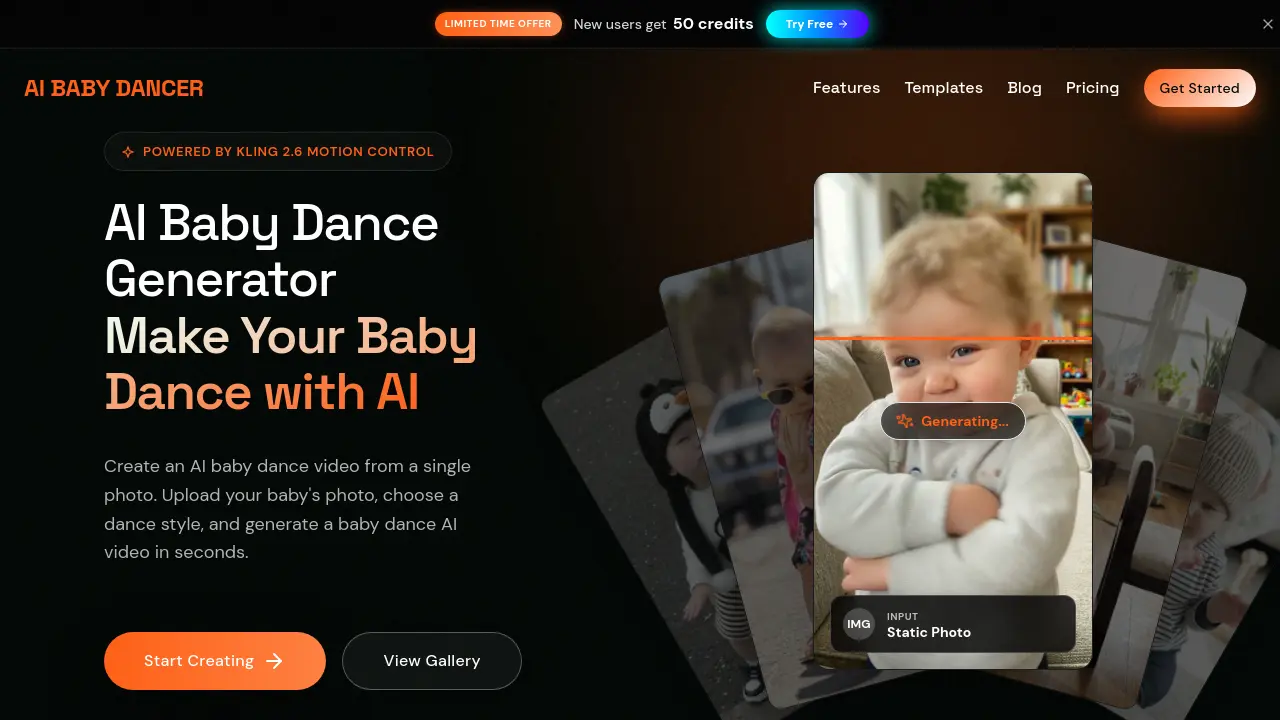
What is AI Baby Dancer
AI Baby Dancer is an AI-powered video generator that transforms a single static photo of a baby into a short, dancing video. Leveraging Kling 2.6 motion control technology, the tool allows users to upload an image, select a predefined dance template (such as "Motorcycle Dance" or "Happy Dance"), or provide a custom motion reference video to control the output. The process requires no editing skills and produces vertical (9:16) clips optimized for platforms like TikTok, Instagram Reels, and YouTube Shorts. A key feature is its privacy-centric design, as creations are private by default. The service operates on a credit-based system, offering a free tier with 50 monthly credits for new users to test the generation process before considering paid plans for higher resolution, longer durations, and watermark removal.
How does AI Baby Dancer work
The AI Baby Dancer operates as a photo-to-video generator utilizing Kling 2.6 motion control technology. Users upload a static baby photo, select a predefined dance template or upload a custom motion reference video, and the system synthesizes a short, vertical (9:16) video clip. The AI animates the still image according to the chosen motion, producing outputs optimized for platforms like TikTok and Instagram Reels. Credit consumption, visible before generation, depends on selected duration and quality. All creations are private by default, with optional sharing to a community gallery. The service employs a freemium model with tiered subscription plans offering increased credits, longer durations, and watermark removal.
Benefits of AI Baby Dancer
AI Baby Dancer converts a single baby photo into a dance video using Kling 2.6 motion control. The process is straightforward: upload a photo, select a style from 15 templates or provide custom motion, and generate a share-ready clip in seconds. A free trial includes 50 credits with no credit card needed, and all creations are private by default. Outputs are optimized for platforms like TikTok and YouTube Shorts. Transparent pricing, from free to enterprise tiers, displays credit costs before generation, providing a predictable and secure tool for creating AI-generated baby dance content.
Pros and Cons of AI Baby Dancer
Pros
- Free trial includes 50 credits without payment details.
- Private by default ensures user data protection.
- Utilizes advanced Kling 2.6 motion control.
- Extensive template library and community content.
- Outputs optimized for TikTok and Reels.
Cons
- Free tier outputs include watermarks.
- Credit consumption may lead to unexpected costs.
- Optimal results require motion reference input.
- Specifically designed for baby content only.
- Privacy concerns despite default private settings.
Core Features of AI Baby Dancer
AI Photo-to-Video Generation
Converts a single baby photograph into a short dance video using Kling 2.6 motion control AI. Produces animated clips in seconds with minimal user input.
Template and Custom Motion Application
Provides a library of dance templates and permits uploading personal motion reference videos. Enables control over dance style, duration, and video quality settings.
Privacy and Security Management
Ensures all user-created videos are private by default. Uploads use secure, time-limited links, and sharing requires explicit user action, addressing child safety concerns.
Credit Estimation and Usage Tracking
Displays real-time credit cost before video generation. Integrates with a monthly credit allowance and purchasable packs, allowing users to monitor and manage their balance.
Social Media Video Formatting
Generates videos in vertical 9:16 format optimized for platforms like TikTok, Instagram Reels, and YouTube Shorts. Ensures compatibility and visual appeal on mobile feeds.
Use Cases of AI Baby Dancer
- Parents: Create private AI baby dance videos from photos using motion control for family sharing.
- TikTok creators: Generate viral baby dance clips with pre-built templates to boost engagement on TikTok.
- YouTube Shorts creators: Produce algorithm-friendly vertical AI baby dance videos to grow channel viewership.
FAQs of AI Baby Dancer
What is an AI baby dance generator?
AI BABY DANCER is an AI-powered tool that creates dancing baby videos from a single photo. It leverages Kling 2.6 motion control technology to apply realistic dance movements based on selected templates or custom motion inputs, producing share-ready clips in seconds.
Is it safe to upload my baby's photo?
Yes, uploading baby photos is secure. The service employs time-limited upload links and direct storage, with all creations private by default. Users retain full control over sharing, and additional privacy safeguards are detailed in the Parents Safety Guide.
Will my videos be public or show up on Google?
Videos remain private unless the user intentionally shares them. Public uploads may appear in the Community section, but search engine indexing is separately controlled and can be disabled site-wide to prevent Google visibility.
What dance styles are available?
AI BABY DANCER provides multiple dance styles such as Hip-hop, Ballet, K-pop, Breakdance, and Salsa. New templates are frequently added, inspired by trending dances on TikTok and Instagram to keep content fresh and engaging.
How long does video generation take?
Generation duration depends on video length. Standard 5-second clips usually complete in 30 to 60 seconds, while longer videos up to 15 seconds may take 2 to 3 minutes, influenced by server load and complexity.
Can I share AI baby dance videos on social media?
Yes, all generated videos are optimized for platforms like TikTok, Instagram Reels, and YouTube Shorts. Pro plan subscribers can download high-definition versions without watermarks for seamless social media posting.
Is AI BABY DANCER free to try?
Yes, new users receive 50 free monthly credits to test the service without a credit card. This allows initial video generation to experience the core features before considering paid plans for more credits.
Do you offer refunds?
Refund requests are assessed individually. Contact the Help Center with your account email and order details for evaluation. Policies apply to recent purchases, with decisions based on usage and specific circumstances.
How does Kling 2.6 motion control technology enhance video generation?
Kling 2.6 motion control enables precise animation by using either a static image or a reference video to drive dance movements. This results in smoother, more realistic motions compared to text-based methods, ensuring high-quality, natural-looking outputs.
What file formats are supported for uploads and downloads?
Photo uploads accept JPG and PNG files up to 10MB. Generated videos are output in standard high-definition formats, typically MP4, optimized for vertical displays and compatibility with major social media platforms.
How does the credit system work for generating videos?
Credits are deducted based on video duration and quality settings. Standard quality consumes fewer credits than Pro, and longer videos require more. A live credit estimate is displayed before generation to help users manage their balance efficiently.
Can I use AI Baby Dancer on mobile devices and what browsers are supported?
The service is fully optimized for both desktop and mobile web browsers, accessible on smartphones and tablets without app installation. It supports modern browsers such as Chrome, Safari, and Firefox for seamless usage across devices.
What is the difference between image-led and video-led motion control modes?
Image-led mode uses only a static photo to generate dance motion, ideal for simple animations. Video-led mode requires an uploaded motion reference video, allowing for more customized and specific movement replication in the final video.
How to use AI Baby Dancer
AI Baby Dancer is an AI-powered video generator that transforms a static baby photograph into a short dance clip. It utilizes Kling 2.6 motion control technology to apply selected dance templates or custom motion references to the input image. The service operates on a credit-based system and produces vertical videos optimized for social media platforms. User-created content remains private by default.
- Navigate to the AI Baby Dancer web application and locate the primary upload interface for the photo-to-video function.
- Select a clear, full-body image of a baby in JPG or PNG format, ensuring the file size does not exceed the 10MB limit.
- Choose a predefined dance template from the available library or upload a custom motion reference video to guide the AI's movement generation.
- Select the desired video quality setting, noting that standard quality conserves credits while pro quality may offer enhanced details.
- Configure motion control preferences, such as image-led or video-led processing, and decide whether to retain any original audio from the reference.
- Review the estimated credit cost displayed before generation, which varies based on template duration and chosen quality settings.
- Initiate the video generation process by clicking the generate button, then wait for the system to process the request and render the output.
- Upon completion, preview the generated AI baby dance video, which will be in a 9:16 vertical format suitable for platforms like TikTok and Reels.
- Download the final clip if a paid plan was used to remove watermarks, or share the private creation link directly with intended viewers.
- Manage your remaining credit balance through the user dashboard, understanding that new users receive an initial allocation of free credits upon registration.
- For higher volume or professional use, evaluate the subscription-based pricing tiers that provide increased credits, longer durations, and API access.
- Consult the integrated help center or blog guides for troubleshooting common issues, such as suboptimal results from low-quality source images.
AI Baby Dancer Website Traffic Analysis
Latest traffic information
- Monthly Visits2.52K
- Bounce Rate35.19%
- Pages Per Visit2.13
- Visit Duration00:00:26
- Global Rank5.84M
- Country/Region Ranking2.27M
Top Keywords
| Keyword | Traffic | Volume | Cost Per Click |
|---|---|---|---|
| ai baby dance | 70 | 350 | -- |
| ai baby danceing | 10 | 530 | -- |
| ai dance generator | -- | 3.08K | $1.6 |
| fifth gen best dancer ai mode | -- | 360 | -- |
| ai baby dancing reels | -- | 50 | -- |
Top Regions
| Region | Percentage |
|---|---|
| United States | 76.05% |
| India | 23.95% |
AI Baby Dancer Alternatives
Seedance 3.0 preview page: planned multi-shot continuity, scene editing and audio-visual sync for AI video, while the on-page generator runs Seedance 2.5.
Browser workspace for AI image generation, reference photo editing, and short video drafts, aimed at creators, marketers, and product teams.
Black Forest Labs' multimodal model with a web generator for text-to-video, image-to-video and image editing with native audio, for creators and marketers.
Wan API is an independent platform for Wan and Seedance video models. Compare specs and rates, generate clips in the Playground, or call them through one API.
Seedance 3.0 turns text, images, video clips, and audio into videos with sound, and edits one part of a clip without regenerating the rest.
Scribix is an AI video clipper that cuts podcasts and interviews into captioned vertical shorts, then publishes them to YouTube, TikTok and LinkedIn.
Wery is a virtual AI studio that routes one goal to specialist agents for video, images, music and documents, keeping characters and project assets consistent.

AI video and image studio with text-to-video, image-to-video and keyframe control across Seedance, Kling, Wan and Vidu — all on one credit balance.
Browser studio for AI video, image and music generation with Grok Imagine, Kling and GPT Image models. Free daily credits, no sign-up required.
SeaMove AI is an AI video and image generation platform offering Seedance 2.0 and Seedance 2.5 models for text-to-video, image-to-video, and reference-based creation. Features multi-shot continuity, director-level control, and audio-visual sync for creators and studios.
Turns two separate portraits into a 15-second vertical rap duet video on an orange stage with a shared microphone and the original soundtrack. Free 480P preview available.
Katto turns long videos and podcasts into scored, captioned 9:16 clips. It ranks clips by viral potential and exports them to 7 platforms from one place.