
Weke AI FAQs
Weke AI is a browser‑based AI creative platform for designers, marketers and content creators, providing text‑to‑image, text‑to‑video and audio generation, editing tools, and unified access to 20+ leading AI models via a single credit balance.

FAQs of Weke AI
What is Weke AI?
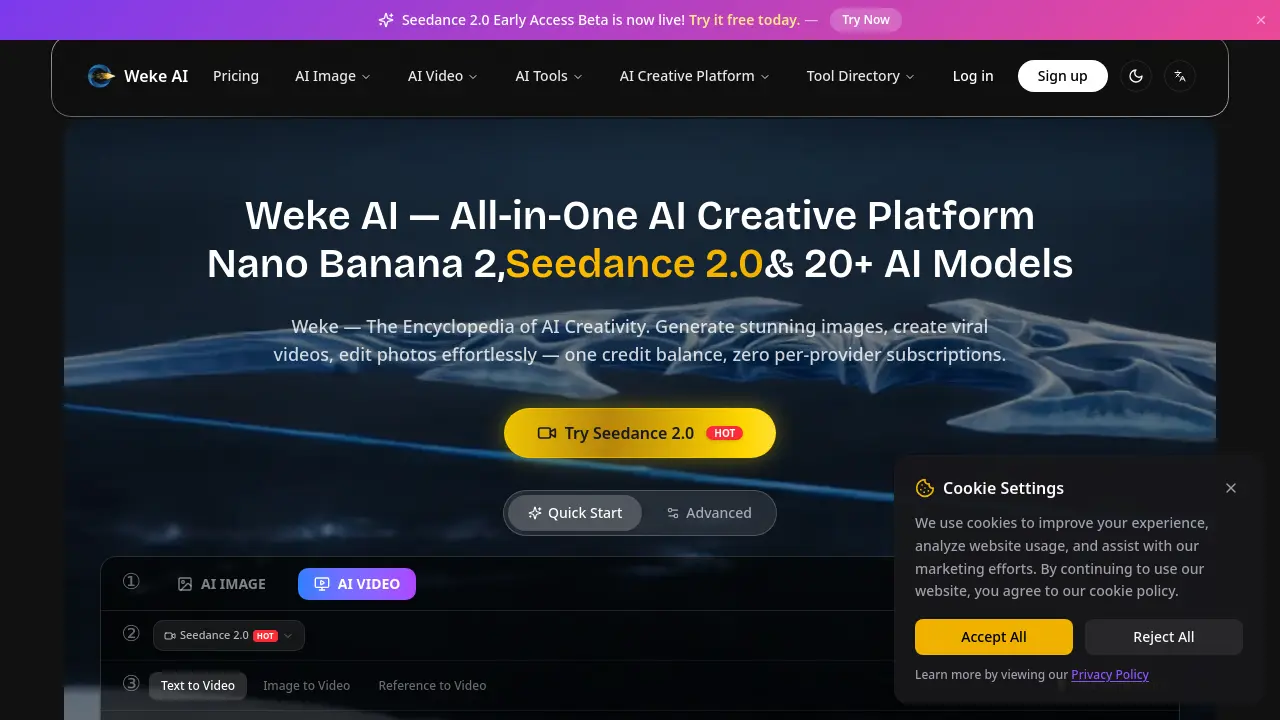
Weke AI is an all‑in‑one AI creative platform that consolidates more than 20 AI models for image generation, video production, and a suite of editing tools. Users work with a single credit balance instead of multiple subscriptions, enabling seamless creation of photos, cinematic videos, and audio‑enhanced content from a unified dashboard.
What does “Weke” mean?
The name “Weke” is derived from the concept of a “knowledge encyclopedia” for AI creativity. It reflects the platform’s goal of providing a comprehensive, searchable repository of AI models and tools that empower creators to explore, experiment, and produce high‑quality visual and audio media in one place.
How does Weke AI pricing work?
Weke AI operates on a credit‑based subscription model. Plans—Basic, Pro, and Max—provide a monthly allotment of credits that are consumed per generation according to the selected model (e.g., Nano Banana 2 credits per image, Seedance 2.0 6 credits per 720p video). Credits roll over if unused, and users can choose monthly or yearly billing, ensuring predictable costs without per‑tool fees.
What AI models are available on Weke AI?
The platform hosts a diverse lineup, including Nano Banana (Gemini 2.5 Flash), Nano Banana Pro (Gemini 3 Pro), GPT‑4o, Flux, Seedance 2.0 (ByteDance), Kling 2.6, Veo 3.1, Midjourney, Stable Diffusion, DALL·E 3, and many others. All models are accessed through official APIs, allowing creators to switch between image, video, and audio generators without leaving the interface.
What is Nano Banana AI? How is it different from Nano Banana Pro?
Nano Banana AI (Gemini 2.5 Flash) focuses on fast, cost‑effective image generation and basic editing, costing 2 credits per image. Nano Banana Pro (Gemini 3 Pro) offers higher resolution outputs (1K–4K), advanced prompt‑based local edits, multi‑image fusion, and superior detail preservation, with credit costs ranging from 6 credits for 1K images up to 16 credits for 4K renders.
How does Seedance 2.0 enhance AI video creation?
Seedance 2.0, powered by ByteDance, provides dual‑branch audio‑visual co‑generation, native sound sync, and up to 2K resolution output. The model supports text‑to‑video, image‑to‑video, and reference‑based workflows, enabling creators to produce cinematic clips with accurate lip‑sync and immersive audio in seconds, all within the Weke AI credit system.
Can I use Weke AI without a subscription?
Weke AI offers a free early‑access tier for Seedance 2.0 that grants a limited number of credits to test the platform. Users can generate images and short videos without a paid plan, but credit replenishment and access to higher‑resolution models (e.g., 4K video) require a subscribed credit package.
What formats and resolutions are supported for exported media?
The platform supports JPG, PNG, WebP, and high‑definition video formats such as MP4. Image resolutions range from standard HD up to 4K for Nano Banana Pro and Veo 3.1, while video outputs include 480p, 720p, 1080p, and up to 4K, selectable in the generation settings.
How does batch generation work for videos?
Enterprise‑level (Max) and Pro plans include a batch generation feature that allows users to queue 1–100 videos simultaneously. Credits are deducted per video based on selected resolution and duration, and the system processes the batch in parallel, reducing overall turnaround time compared to single‑render requests.
How to use Weke AI
Define Weke AI’s purpose: an all‑in‑one AI creative platform that generates images, videos, and edits using models like Seedance 2.0, Nano Banana, and GPT‑4o, all managed by a single credit balance.
Log in or create an account, then select the desired module—AI Image, AI Video, or AI Tools—from the main dashboard, ensuring sufficient credits are available for the chosen model.
Input a text prompt (or upload a reference image) in the Prompt field, adjust settings such as aspect ratio, resolution, and duration, and click Generate to start the AI rendering process.
Monitor the generation progress; once completed, the platform displays a preview thumbnail, a download link, and optional options like “Return Last Frame” or “Remove Watermark” for paid users.
Analyze the output by comparing visual fidelity, audio sync (for videos), and style adherence against the original prompt, noting credit consumption per model to optimize future projects.
Export the final media in the required format (JPG/PNG for images, MP4 for videos) and apply any additional AI tools—background remover, upscaler, or lip‑sync—directly within Weke AI to refine results.
