
VoicePen - Native Speech-to-Text, Clear Notes, Posts, Anything AI
| Added on: | Jun 20, 2024 |
| Monthly Visits: | -- |
| Social & Email: | -- |

What is VoicePen
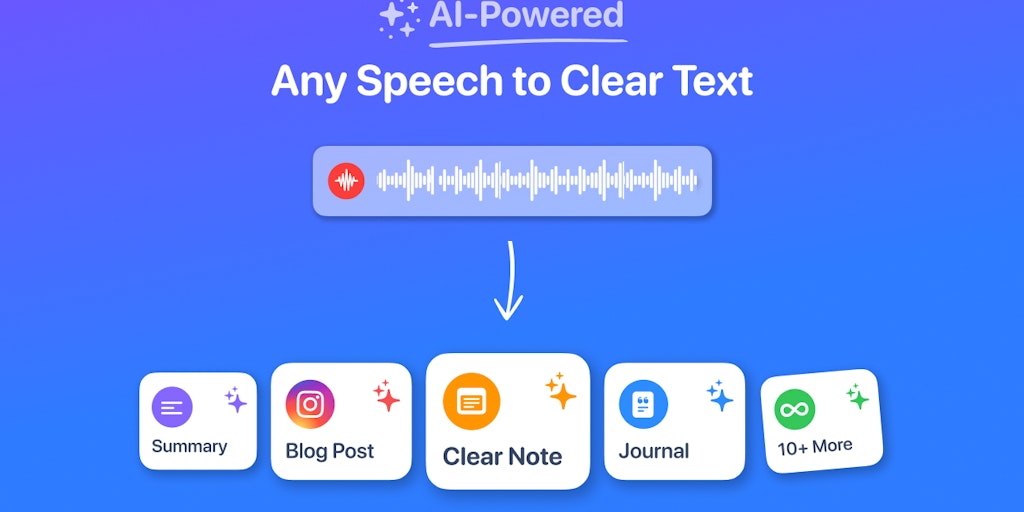
VoicePen is an AI-powered speech-to-text app available on the App Store. It's designed for anyone who wants to quickly and easily transcribe audio, whether it's from a meeting, lecture, or podcast. VoicePen uses advanced AI to convert your voice recordings into text, which you can then edit, share, or save. You can also import audio from files, WhatsApp, and other apps. It's really useful for taking notes, creating summaries, writing emails and messages, or even drafting blog posts.
Core Features of VoicePen
Voice Recording and Transcription
VoicePen can record audio from your device's microphone or import audio files from various sources, including WhatsApp and other applications. It then transcribes the audio into text using AI-powered speech recognition.
Text Editing and Formatting
The transcribed text can be edited and formatted within the app. Users can adjust the text, add punctuation, and make corrections. VoicePen also offers various formatting options for making the text more readable, including bolding, italics, and bullet points.
Text Output
The transcribed and edited text can be exported in different formats, including notes, summaries, emails, messages, and blog posts. Users can also easily copy and paste the text into other applications.
Language Support
VoicePen supports a wide range of languages, allowing users to transcribe audio in different languages.
Offline Transcription
The app also offers offline transcription capabilities, which means that users can transcribe audio even without an internet connection. However, offline transcription may not be as accurate as online transcription.
FAQs of VoicePen
What is VoicePen?
VoicePen is an AI-powered speech-to-text app that can turn your voice into text. It can be used for a variety of tasks, such as taking notes, writing summaries, composing emails, crafting messages, and creating blog posts.
How do I use VoicePen?
VoicePen is easy to use. You just have to open the app, start recording your voice, and then the app will automatically transcribe your speech into text. The app also has a feature that allows you to import audio from files, WhatsApp, and other apps.
What are the benefits of using VoicePen?
VoicePen is a great tool for anyone who wants to save time and effort when writing. The app can help you to quickly and easily transcribe your thoughts and ideas, whether you're brainstorming a new project or taking notes in a meeting. You can also use VoicePen to create transcripts of lectures, interviews, and other audio recordings.
How accurate is VoicePen?
VoicePen uses advanced AI technology to ensure high accuracy in its transcriptions. However, the accuracy of the transcriptions can vary depending on the quality of the audio recording, the accent of the speaker, and the background noise.
How does VoicePen compare to other speech-to-text apps?
VoicePen is one of the best speech-to-text apps available. It offers a number of features that are not found in other apps, such as the ability to import audio from files, WhatsApp, and other apps. VoicePen also has a user-friendly interface and a variety of customization options.
Is VoicePen free?
No, VoicePen is not free. It's available for purchase on the App Store. There is a free trial available for you to try out the features before purchasing.
VoicePen Alternatives
Free AI caption and subtitle generator that transcribes speech in 100+ languages, styles every word and exports MP4, SRT, VTT or TXT files in the browser.
Translate Now is a browser-based AI voice translator for real-time speech translation, live transcription, and replayable bilingual audio transcripts.

VoiceScriber turns speech into text in 100+ languages using on-device AI on your iPhone. Works completely offline with no uploads for total privacy.
Petti Chat is an AI-powered web tool that lets pet owners capture short pet sounds, interpret likely intent in human language, and reply with calm, pet‑friendly audio, ensuring privacy and real‑time interaction.
GPT Realtime 2 is an AI voice generator for developers and product teams, offering realtime speech‑to‑speech interaction, low‑latency audio, prompt control, tool handoffs and downloadable session recordings.
GPT Realtime is an AI voice generator platform for developers and product teams, offering low‑latency speech‑to‑speech, image‑aware prompts, SIP call support, API workflow planning and reusable cache for rapid voice‑app prototyping.
Mumble AI is a Mac voice‑first app that captures meeting recordings, voice notes and dictation, offering on‑device privacy or cloud AI for fast transcription, live speaker‑labeled transcripts and automatic summaries.
This AI transcription tool converts video and audio files into text with speaker labels, timestamps, and support for 99 languages, ideal for subtitles, meetings, and content creation.
LiveTalk Translate offers AI-powered two-way voice translation with low latency, supporting 50+ languages directly in your browser without any app download.
This churn intelligence platform engages canceling B2B SaaS customers in AI voice calls, delivering structured insights on reasons, sentiment, and save opportunities directly to Slack.
FastScribe delivers AI‑powered audio and video transcription with up to 98% accuracy, fast and secure conversion for podcasters and researchers.
Rekam AI is a free all‑in‑one voice platform providing text‑to‑speech, speech‑to‑text, voice cloning, and AI music with human‑like quality.