
Veo 4 AI – Free online AI video generator for cinematic clips

What is Veo 4 AI
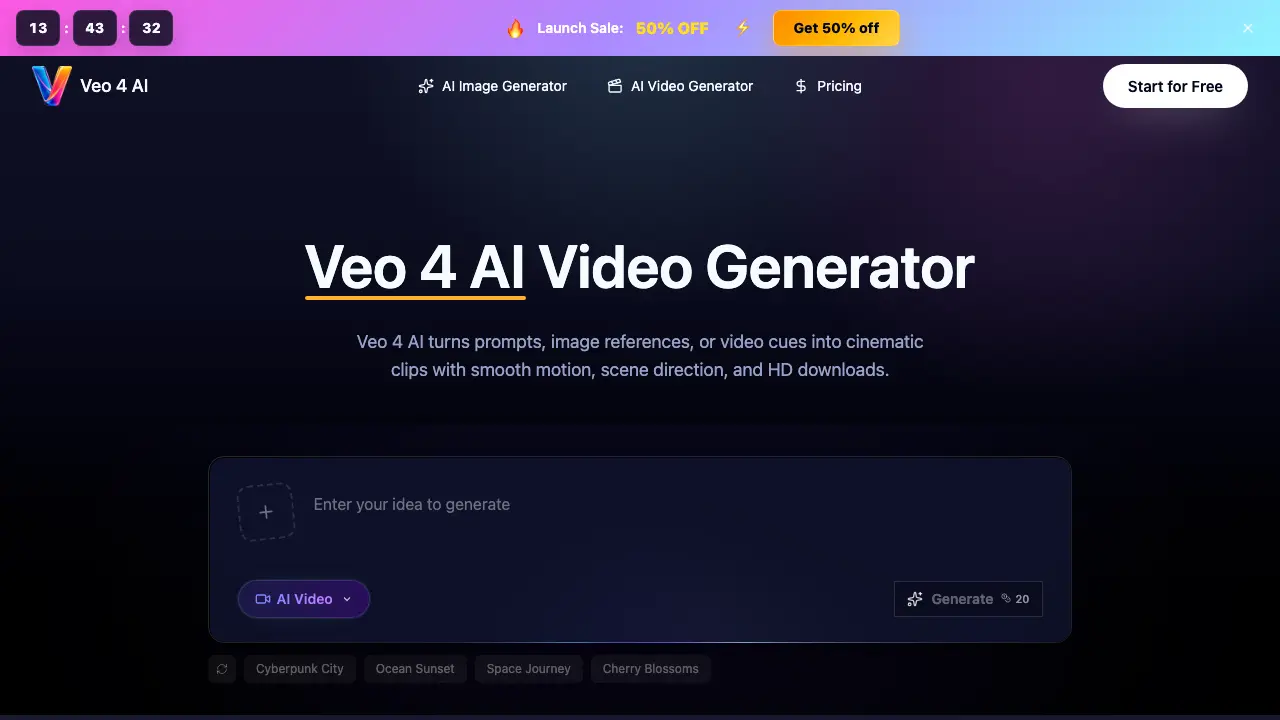
Veo 4 AI is a browser‑based workspace that converts text prompts, reference images, or short video cues into HD cinematic clips. Users describe subjects, actions, camera moves, lighting, and mood in a single prompt, then select duration, aspect ratio, and quality before generation. The platform supports image‑to‑video workflows, ensuring consistent subject identity, wardrobe, and lighting across multiple shots, which is useful for product teasers, social ads, storyboards, and ecommerce videos. A built‑in preview lets creators compare prompt versions, adjust references, and download watermark‑free footage for client reviews or internal testing. Pricing tiers provide monthly credits, priority queues, and commercial‑use licenses, catering to hobbyists, professional creators, and enterprise teams seeking rapid visual iteration without traditional production costs.
How does Veo 4 AI work
Veo 4 AI operates as a browser‑based workspace that converts text prompts, reference images, or short video clips into HD cinematic drafts. The user enters a detailed brief—subject, action, setting, camera move, lighting, mood and duration—then selects parameters such as aspect ratio and output quality. Behind the scenes, a generative‑AI model interprets the prompt, aligns visual elements with any uploaded references, and synthesizes frame‑by‑frame motion, including pans, tracking and slow‑motion effects. Once the rendering completes, a preview is shown and the final clip can be downloaded for use in ads, storyboards, e‑commerce showcases or client presentations.
Benefits of Veo 4 AI
Veo 4 AI is a browser‑based workspace that converts text prompts, image references, or video cues into cinematic HD clips with smooth camera moves and consistent lighting. It supports image‑to‑video workflows, enabling creators to preserve subject identity, wardrobe, and composition across multiple drafts. The tool streamlines review cycles by letting users compare prompt variations, adjust references, and download ready‑to‑use videos for social ads, ecommerce teasers, storyboards, or client pitches. With a simple three‑step process—enter prompt, set parameters, generate and download—Veo 4 AI offers practical, on‑demand video drafts without the need for a full production shoot.
Pros and Cons of Veo 4 AI
Pros
- Browser‑based, no software installation required.
- Supports text, image, and video reference inputs.
- Generates HD video clips with cinematic motion.
- Credit system allows pay‑as‑you‑go flexibility.
- No watermark on exported videos.
Cons
- Limited to short promotional or storyboard clips.
- Higher‑tier plans required for faster generation speed.
- Advanced editing features not included.
- Credit consumption can rise with longer or higher‑quality videos.
- Learning curve for detailed prompt structuring.
Core Features of Veo 4 AI
Prompt‑to‑Video Generation
Transforms detailed text prompts, optionally augmented with image or video references, into fully rendered cinematic clips, enabling rapid visual concept testing and storyboarding.
Image‑to‑Video Conversion
Uses a supplied reference image to guide subject identity, composition, lighting, and motion, producing controlled video drafts that maintain visual fidelity to the source.
Cinematic Motion & Camera Control
Applies specified camera moves—pans, pushes, tracking, slow‑motion—and action cues, delivering smooth, film‑like motion for characters, products, and environments.
Consistency Management Across Shots
Keeps subject appearance, wardrobe, lighting, background tone, and framing stable between related clips, facilitating easy side‑by‑side comparison for campaigns or presentations.
Review Workflow & Credit Management
Allows version comparison, reference adjustments, preview within the browser, and credit‑based usage tracking, streamlining feedback cycles for solo creators and teams.
HD Export & Download Options
Generates high‑definition video files ready for immediate download, supporting various aspect ratios and durations for social ads, ecommerce showcases, and pitch decks.
Use Cases of Veo 4 AI
- Marketing teams: Generate quick video teasers and social ad drafts to evaluate concepts before full production.
- Product designers: Convert static catalog images into animated ecommerce clips for landing page testing.
- Storyboard artists: Create cinematic previsualizations with controlled camera moves and lighting from text prompts.
- Educators: Produce short instructional video snippets using image-to-video references for engaging lesson content.
- Freelance creators: Iterate multiple scene variations with consistent subject identity and pacing for client presentations.
FAQs of Veo 4 AI
What is Veo 4 AI?
Veo 4 AI is a browser‑based AI video generation workspace that transforms text prompts, reference images, or short video clips into cinematic HD drafts. It is designed for quick concept testing, storyboarding, product teasers, and social media videos without the need for a full production shoot.
What can I create with Veo 4 AI?
Users can generate product teasers, social media ads, ecommerce showcase clips, cinematic storyboards, launch trailers, concept scenes, and client preview videos. The platform supports a wide range of genres, from fashion portraits to futuristic cityscapes, allowing creators to explore multiple visual directions rapidly.
Does Veo 4 AI support image‑to‑video conversion?
Yes. By uploading a reference image, Veo 4 AI uses the visual characteristics—such as subject shape, lighting, composition, and style—to guide motion and generate a coherent video sequence that maintains the original image’s identity throughout the clip.
How should I write an effective Veo 4 AI prompt?
An optimal prompt includes the subject (person, product, or object), desired action, setting, specific camera movement (pan, push‑in, tracking), lighting conditions, mood, duration, aspect ratio, and any reference media. Keeping the description concrete and adjusting one variable at a time helps the model produce more predictable and comparable results.
What types of cinematic motion can Veo 4 AI produce?
The generator can simulate walking, fabric flutter, water flow, vehicle tracking, sports action, slow‑motion sequences, and complex camera rigs such as push‑ins or orbit shots. These motion presets are combined with the textual brief to create smooth, continuous camera drifts and realistic scene dynamics.
How do credits work in Veo 4 AI?
Credits are deducted based on selected model settings, video length, resolution, and quality. Each generation consumes a specific number of credits, while failed or aborted jobs are automatically refunded. Plans provide a monthly credit allowance, and additional usage can be purchased on a pay‑as‑you‑go basis.
Can I download the videos produced by Veo 4 AI?
After a generation finishes, users can preview the clip directly in the workspace and download the HD version without watermarks. Downloaded files can be used for internal reviews, client presentations, or final publishing, provided the user’s license permits commercial use.
What is the recommended workflow for using Veo 4 AI?
The typical workflow involves three steps: (1) enter a detailed prompt and optionally attach image/video references, (2) select parameters such as duration, aspect ratio, and output quality, and (3) click generate, review the preview, and download the final HD video once the rendering is complete.
Which pricing plan is best for occasional creators?
The Starter plan at $9.90 per month (or $118.80 annually) offers 1,200 credits per month, suitable for hobbyists and occasional creators who need limited text‑to‑video and image‑to‑video generation without a watermark and with a commercial use license.
How does Veo 4 AI help marketing teams?
Marketing teams can quickly produce multiple ad variations, test vertical and horizontal formats, create product motion studies, and generate storyboard drafts for campaign pitches. This rapid prototyping shortens review cycles, reduces reliance on costly shoot setups, and enables data‑driven creative decisions.
How to use Veo 4 AI
Veo 4 AI functions as a browser‑based AI video generator, converting text prompts, image references, or video cues into cinematic HD clips for marketing, storyboarding, and product previews.
Begin by drafting a concise prompt that specifies subject, action, setting, camera movement, lighting, mood, duration, and aspect ratio, optionally attaching reference media for visual guidance.
Select desired video parameters—including length, aspect ratio, and output quality—within the settings panel, then confirm the configuration before initiating generation.
Click the generate button; the platform processes the request, displays a preview thumbnail, and notifies when the HD video is ready for download.
Review the rendered clip, comparing motion smoothness, consistency of subject identity, lighting continuity, and pacing against the original brief to assess alignment.
Export the final video via the download link, then integrate it into ads, social posts, or pitch decks, using the insights to refine future prompts or reference selections.
