
TrackerJam
TrackerJam - Time Tracking and Productivity Insights
| Added on: | May 25, 2024 |
| Monthly Visits: | -- |
| Social & Email: | -- |

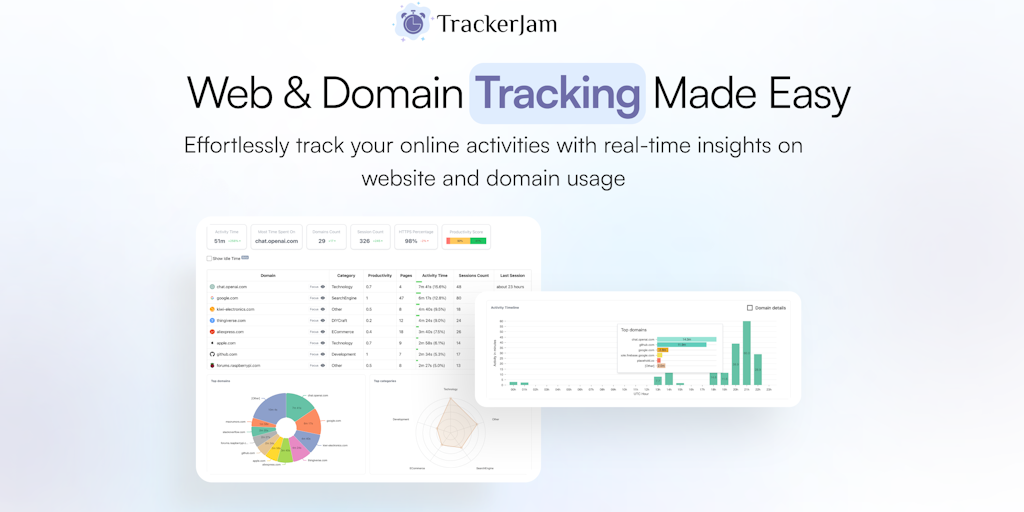
What is TrackerJam
TrackerJam is a web time tracking tool that helps teams improve their productivity by analyzing their browser activity. It's available as a Chrome extension and an Edge extension. It's designed for teams that want to get a better understanding of how their time is spent on the web. TrackerJam can help you understand your team's web browsing habits and improve your team's overall productivity. TrackerJam uses an algorithm to analyze your browsing activity and generate detailed reports. It can tell you how much time you spend on different websites, how many times you visit each website, and how long you spend on each page. This information can be helpful for identifying areas where your team might be wasting time, and for coming up with strategies to improve productivity. TrackerJam can also help you track your progress over time. It provides you with reports that show you how your team's productivity has changed over time. This can help you identify areas where your team is making progress, and areas where your team needs to improve. TrackerJam is a useful tool for teams that want to improve their productivity and get a better understanding of how their time is spent on the web. It's also a great tool for managers who want to track their team's progress and identify areas where they can improve.
Core Features of TrackerJam
Analyze Browser Activity
TrackerJam analyzes your team's web browser activity to provide insights into time metrics and productivity.
Generate Reports
The tool generates reports that detail time spent on various websites and tasks.
Track Time Automatically
TrackerJam automatically tracks time spent on different websites and tasks.
Monitor Productivity
The tool helps monitor team productivity by analyzing time spent on specific websites and tasks.
Chrome Extension
The tool is available as a Chrome extension.
Edge Extension
The tool is also available as a Microsoft Edge extension.
FAQs of TrackerJam
What is TrackerJam?
TrackerJam analyzes your team's web browser activity, providing detailed insights into core time metrics and essential productivity reports. It helps you understand how your team spends their time online and identify areas for improvement.
How does TrackerJam work?
TrackerJam is a browser extension that runs in the background and tracks your activity on websites. It records the time you spend on each site, the pages you visit, and the actions you take. This data is then used to generate reports that provide insights into your team's productivity.
How can TrackerJam help my team?
TrackerJam can help your team by:
- Providing insights into how your team spends their time online.
- Identifying areas for improvement in terms of productivity.
- Helping you to track your progress over time.
- Making it easier to identify and resolve issues that are impacting productivity.
What are the benefits of using TrackerJam?
TrackerJam offers several benefits, including:
- Improved productivity: By understanding how your team spends their time, you can identify areas for improvement and make changes that boost productivity.
- Increased accountability: TrackerJam provides a transparent view of how your team is spending their time, which can help to increase accountability and motivation.
- Better decision-making: The insights provided by TrackerJam can help you make better decisions about how to allocate resources and manage your team.
- Reduced costs: By improving productivity, you can potentially reduce your overall costs.
What are the key features of TrackerJam?
TrackerJam includes several features, including:
- Detailed website time tracking: TrackerJam records the time you spend on each website you visit.
- Productivity reports: TrackerJam generates reports that provide insights into your team's productivity.
- Customizable tracking: You can customize the settings to track specific websites or activities.
- Team management: You can manage multiple teams and track their progress.
How do I get started with TrackerJam?
You can get started with TrackerJam by downloading the browser extension from the Chrome Web Store or the Microsoft Edge Add-ons Store.
Is TrackerJam compatible with all browsers?
TrackerJam is currently compatible with Chrome and Edge. We're working on adding support for other browsers in the future.
Is TrackerJam secure?
Yes, TrackerJam takes your privacy seriously. We never share your data with third parties and all data is encrypted.
What is the pricing for TrackerJam?
TrackerJam offers a free plan with limited features. We also offer paid plans with more features, including team management and advanced reporting. You can find more information about our pricing on our website.
