
Seedance 2.0
Seedance 2.0 AI Video Generator: Text and Image to Video
| Added on: | Feb 17, 2026 |
| Monthly Visits: | -- |
| Social & Email: | -- |

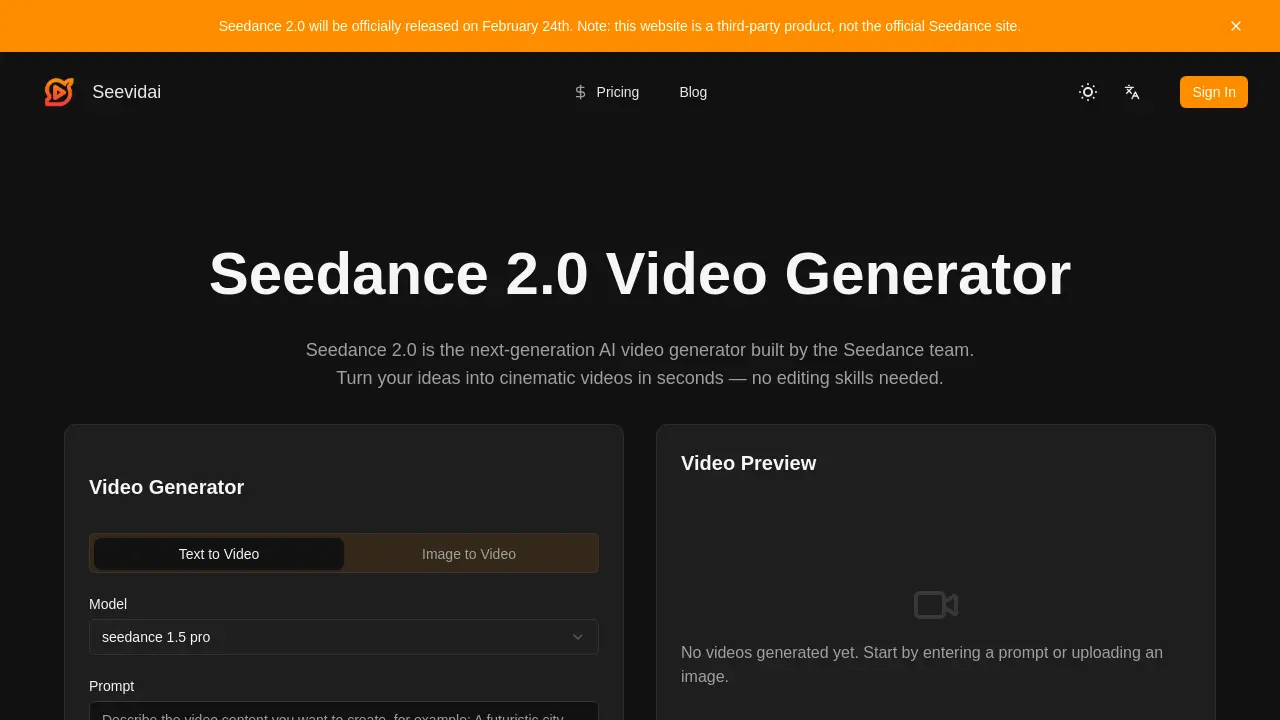
What is Seedance 2.0
Seedance 2.0 is a next‑generation AI video generator that transforms text prompts, reference images, and audio cues into cinematic clips within seconds. Built on a ground‑up engine, it delivers realistic physics—gravity, momentum, fabric draping, and water splashes—while maintaining smooth, natural human motion. The model interprets detailed prompts, allowing precise control over camera angles, lighting, emotional tone, and scene transitions. Consistency is preserved across frames, preventing facial morphing or style drift, and the system supports multi‑shot sequences and story continuation. Users can generate high‑resolution videos (480p–1080p) with adjustable aspect ratios and durations, then download watermark‑free outputs ready for social media or commercial use. Seedance 2.0 offers a streamlined workflow that eliminates manual editing, making professional‑quality video creation accessible to creators without technical expertise.
How does Seedance 2.0 work
Seedance 2.0 operates as a multimodal AI video generator that ingests text prompts, reference images, audio cues, and style references, processing all inputs simultaneously to produce coherent cinematic clips. The underlying engine applies physics simulation for gravity, momentum, and fabric draping, while a motion model ensures smooth, natural character movement and consistent facial features across frames. Users specify camera angles, lighting, and emotional tone in plain language, and the system maintains visual style uniformity throughout the sequence. Generated videos are rendered in seconds at selectable resolutions, ready for download or direct sharing.
Benefits of Seedance 2.0
Seedance 2.0 is a next‑generation AI video generator that turns text, images, or audio prompts into cinematic clips in seconds. It delivers realistic physics, natural human motion, and consistent facial features across frames, eliminating common glitches such as morphing faces or robotic actions. The engine supports precise prompt control, allowing users to specify camera angles, lighting, and emotional tone, while maintaining a locked visual style throughout the video. With ready‑made templates, smooth scene extensions, and accurate audio sync, the tool enables quick production of professional‑looking videos without editing skills.
Pros and Cons of Seedance 2.0
Pros
- Fast video generation, seconds.
- Realistic physics, natural motion.
- Consistent style across frames.
- Supports multimodal inputs.
- No editing skills required.
Cons
- Limited resolution options.
- Requires credits for usage.
- Third‑party site, not official.
- May lack advanced customization.
- Potential privacy concerns.
Core Features of Seedance 2.0
Multimodal Generation
Combines text prompts, reference images, audio cues, and style references into a single coherent video, ensuring voice, visuals, and story synchronize from the start.
Realistic Physics & Natural Motion
Applies accurate gravity, momentum, fabric draping, and water splashes, producing characters and objects that move with believable weight transfer and cinematic camera dynamics.
Precise Prompt Understanding
Interprets detailed camera angles, subject counts, lighting, emotional tone, and scene transitions in plain language, following complex, layered instructions without ignoring half the prompt.
Style Consistency
Maintains selected visual style—colors, textures, art direction—across every frame and clip, preventing random style shifts and ensuring uniform aesthetic throughout.
Face & Character Consistency
Locks facial features, clothing, and body proportions across the entire clip, preventing morphing and ensuring the same identity from first to last frame.
Controllable Camera & Motion
Allows users to direct pan, tilt, zoom, tracking shots, and subject motion paths through prompts, enabling complex choreography and high-difficulty movements.
Creative Templates & Complex Effects
Provides ready‑made templates for transitions, split screens, and cinematic effects, rendering complicated visual effects accurately without manual compositing.
Story Continuation & Scene Expansion
Extends starting scenes with logical progression, adding follow‑up shots or suggesting creative directions while maintaining narrative thread consistency.
Lifelike Voice & Audio Sync
Generates audio with natural tone and timbre, synchronizing voices, sound effects, and music beats to match on‑screen action precisely.
Shot Continuity & Emotional Expression
Ensures smooth cuts between shots, with characters conveying realistic emotions through facial expressions and body language that older models cannot capture.
Use Cases of Seedance 2.0
- University students: Create lecture visual aids with AI video generation, realistic physics, and consistent style for engaging presentations.
- Marketing teams: Produce product demo videos quickly using multimodal prompts, seamless scene transitions, and natural motion.
- Content creators: Generate short‑form cinematic clips for TikTok with natural motion, audio sync, and style consistency.
- Game developers: Prototype cinematic cutscenes using text‑to‑video and reference images for rapid iteration and consistent character continuity.
- Film students: Storyboard scenes with AI‑generated video sequences that maintain character continuity and emotional expression.
FAQs of Seedance 2.0
What is Seedance 2.0?
Seedance 2.0 is a next‑generation AI video generator that converts text prompts, reference images, audio cues, and style references into cinematic videos. It offers realistic physics, natural motion, and consistent visual style across all frames, enabling users to create professional‑looking videos without manual editing.
How does the video generator work?
The generator processes multimodal inputs—text, images, and audio—through the Seedance 2.0 engine. It interprets prompts, applies physics simulation, and renders high‑quality video frames in seconds, automatically handling camera movements, lighting, and character animation.
Can I use Seedance 2.0 for free?
Seedance 2.0 offers a free tier with limited credits and lower resolution options. Full access, higher resolution, and extended duration videos require a paid plan, which can be purchased via the website’s pricing page.
How long does it take to generate a video?
Video generation time depends on length, resolution, and selected model. Typical 6‑second clips at 1080p resolve in approximately 40 seconds, while longer or higher‑resolution videos may take a few minutes.
Can I use generated videos for commercial purposes?
Yes, videos produced with Seedance 2.0 can be used commercially, provided the user has the appropriate license and credits. Commercial usage is permitted under the terms of service, but users should review the license details for specific restrictions.
What is the difference between Seedance and Seedance 2.0?
Seedance 2.0 builds upon the original Seedance engine with enhanced physics, smoother character motion, improved prompt comprehension, and stronger style consistency. It also supports multimodal inputs and offers a broader range of specialized models for different visual styles.
Can Seedance 2.0 generate audio and sync it to video?
Seedance 2.0 can generate voice audio with natural timbre and synchronize it to on‑screen actions. It also supports adding sound effects and music that align with the video’s beats and movements.
What types of videos can I create with Seedance 2.0?
Users can produce product demos, storytelling clips, promotional reels, animated sequences, and cinematic scenes. The engine supports various genres such as drama, science, cartoon, and realistic cinematic styles.
How does Seedance 2.0 handle video extensions and edits?
The model can extend existing clips by predicting logical story progression, maintaining character consistency and visual style. It also allows seamless cuts and transitions, preserving motion continuity and emotional expression across edits.
Is my content private when I use Seedance 2.0?
Seedance 2.0 stores user inputs and generated videos securely. The platform’s privacy policy states that content is not shared with third parties without consent, and users retain ownership of their creations.
What video resolutions are supported?
Seedance 2.0 offers 480p, 720p, and 1080p resolutions. Users can select the desired resolution during the generation process, balancing quality and rendering time.
What input formats are accepted for reference images?
Reference images can be uploaded in common formats such as JPEG, PNG, and GIF. The system processes the image alongside the text prompt to guide visual style and composition.
How many credits are required for a video?
A standard 6‑second video at 1080p requires 18 credits. Credit usage scales with video length, resolution, and chosen model; detailed credit tables are available on the pricing page.
Can I customize the aspect ratio?
Yes, users can choose from predefined aspect ratios, including 9:16 for vertical formats. Custom ratios can be specified in the prompt or via the interface settings.
What are the system requirements for using the web interface?
The web interface runs in modern browsers (Chrome, Firefox, Edge) on any device with internet access. No additional software or hardware is required beyond a stable connection and a supported browser.
How to use Seedance 2.0
- Seedance 2.0 is an AI video generator that transforms text prompts, images, and audio into cinematic videos, offering realistic physics, consistent style, and precise prompt adherence.
- The interface presents a model selector; the user chooses a specialized model such as cinematic, anime, or 3D, tailoring rendering style to the project.
- The user enters a descriptive prompt or uploads a reference image, specifying setting, lighting, mood, and desired camera angle to guide the AI engine.
- Clicking the generate button initiates rendering; the engine processes inputs, applies realistic physics, and produces a high‑resolution video preview within seconds.
- After previewing, the user downloads the watermark‑free clip and can directly upload it to platforms like YouTube, TikTok, or Instagram for audience engagement.
- The preview displays frame‑consistent characters, stable lighting, and synchronized audio; discrepancies indicate prompt refinement or model adjustment to achieve desired cinematic quality.
- By iterating prompts and leveraging style templates, creators can produce polished product demos, storytelling clips, or marketing reels that maintain visual coherence across scenes.
