
Seedance 2.0 FAQs
Seedance 2.0 AI video generator creates cinematic videos from text or images, solving common issues like face consistency and motion problems with realistic physics and style control.

FAQs of Seedance 2.0
What is Seedance 2.0?
Seedance 2.0 is a next‑generation AI video generator that converts text prompts, reference images, audio cues, and style references into cinematic videos. It offers realistic physics, natural motion, and consistent visual style across all frames, enabling users to create professional‑looking videos without manual editing.
How does the video generator work?
The generator processes multimodal inputs—text, images, and audio—through the Seedance 2.0 engine. It interprets prompts, applies physics simulation, and renders high‑quality video frames in seconds, automatically handling camera movements, lighting, and character animation.
Can I use Seedance 2.0 for free?
Seedance 2.0 offers a free tier with limited credits and lower resolution options. Full access, higher resolution, and extended duration videos require a paid plan, which can be purchased via the website’s pricing page.
How long does it take to generate a video?
Video generation time depends on length, resolution, and selected model. Typical 6‑second clips at 1080p resolve in approximately 40 seconds, while longer or higher‑resolution videos may take a few minutes.
Can I use generated videos for commercial purposes?
Yes, videos produced with Seedance 2.0 can be used commercially, provided the user has the appropriate license and credits. Commercial usage is permitted under the terms of service, but users should review the license details for specific restrictions.
What is the difference between Seedance and Seedance 2.0?
Seedance 2.0 builds upon the original Seedance engine with enhanced physics, smoother character motion, improved prompt comprehension, and stronger style consistency. It also supports multimodal inputs and offers a broader range of specialized models for different visual styles.
Can Seedance 2.0 generate audio and sync it to video?
Seedance 2.0 can generate voice audio with natural timbre and synchronize it to on‑screen actions. It also supports adding sound effects and music that align with the video’s beats and movements.
What types of videos can I create with Seedance 2.0?
Users can produce product demos, storytelling clips, promotional reels, animated sequences, and cinematic scenes. The engine supports various genres such as drama, science, cartoon, and realistic cinematic styles.
How does Seedance 2.0 handle video extensions and edits?
The model can extend existing clips by predicting logical story progression, maintaining character consistency and visual style. It also allows seamless cuts and transitions, preserving motion continuity and emotional expression across edits.
Is my content private when I use Seedance 2.0?
Seedance 2.0 stores user inputs and generated videos securely. The platform’s privacy policy states that content is not shared with third parties without consent, and users retain ownership of their creations.
What video resolutions are supported?
Seedance 2.0 offers 480p, 720p, and 1080p resolutions. Users can select the desired resolution during the generation process, balancing quality and rendering time.
What input formats are accepted for reference images?
Reference images can be uploaded in common formats such as JPEG, PNG, and GIF. The system processes the image alongside the text prompt to guide visual style and composition.
How many credits are required for a video?
A standard 6‑second video at 1080p requires 18 credits. Credit usage scales with video length, resolution, and chosen model; detailed credit tables are available on the pricing page.
Can I customize the aspect ratio?
Yes, users can choose from predefined aspect ratios, including 9:16 for vertical formats. Custom ratios can be specified in the prompt or via the interface settings.
What are the system requirements for using the web interface?
The web interface runs in modern browsers (Chrome, Firefox, Edge) on any device with internet access. No additional software or hardware is required beyond a stable connection and a supported browser.
How to use Seedance 2.0
- Seedance 2.0 is an AI video generator that transforms text prompts, images, and audio into cinematic videos, offering realistic physics, consistent style, and precise prompt adherence.
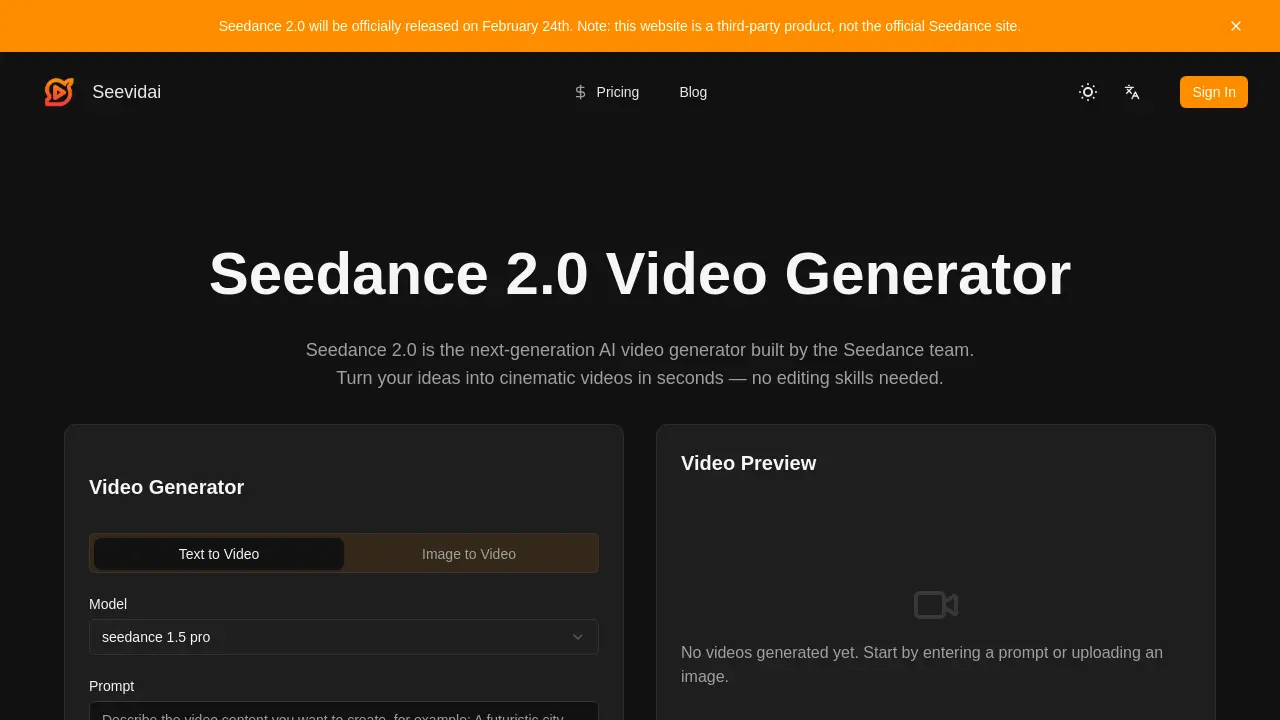
- The interface presents a model selector; the user chooses a specialized model such as cinematic, anime, or 3D, tailoring rendering style to the project.
- The user enters a descriptive prompt or uploads a reference image, specifying setting, lighting, mood, and desired camera angle to guide the AI engine.
- Clicking the generate button initiates rendering; the engine processes inputs, applies realistic physics, and produces a high‑resolution video preview within seconds.
- After previewing, the user downloads the watermark‑free clip and can directly upload it to platforms like YouTube, TikTok, or Instagram for audience engagement.
- The preview displays frame‑consistent characters, stable lighting, and synchronized audio; discrepancies indicate prompt refinement or model adjustment to achieve desired cinematic quality.
- By iterating prompts and leveraging style templates, creators can produce polished product demos, storytelling clips, or marketing reels that maintain visual coherence across scenes.
