
Seedance FAQs
Seedance is an AI video generator from ByteDance that lets content creators, marketers and educators produce 5‑ to 10‑second videos from text prompts or uploaded images, offering Lite for speed or Pro for multi‑shot narratives with up to 1080p resolution.

FAQs of Seedance
What is Seedance and how does its AI video generation work?
Seedance is ByteDance’s AI video generation platform that converts text prompts or uploaded images into short videos. The engine processes the input, applies advanced semantic understanding and cinematic camera control, and outputs high‑quality footage up to 1080p at 24 fps, making professional‑grade video creation accessible without traditional filming equipment.
What types of videos can I create with Seedance?
Users can produce 5‑second or 10‑second clips in a range of visual styles—including realistic, artistic, vintage, or modern—using either text‑to‑video or image‑to‑video modes. The platform is suited for social‑media posts, advertising spotlights, educational explainers, and other short‑form content that benefits from rapid AI‑driven production.
How long does Seedance AI video generation take?
Typical generation times range from two to three minutes, depending on the selected resolution, duration, and complexity of the prompt. Seedance 1.0 Lite prioritizes speed for simpler projects, while Seedance 1.0 Pro may require slightly longer processing to deliver multi‑shot narrative capabilities and finer semantic detail.
Can I download my Seedance videos?
All generated videos are downloadable directly from the user dashboard. Lite‑plan users may receive videos with a watermark, whereas Pro and Max subscribers obtain high‑resolution, watermark‑free files ready for immediate use in personal or commercial projects.
Do I own the content I create with Seedance?
Premium subscriptions grant full commercial rights to the videos produced on the platform. Users may incorporate Seedance‑generated footage into marketing campaigns, product demos, or any other commercial application without additional licensing fees, provided they adhere to the platform’s terms of service.
What video quality does Seedance produce?
Seedance supports output resolutions of 480p, 720p, and 1080p, each rendered at 24 fps with rich color grading and cinematic lighting. The engine optimizes every frame for both mobile screens and larger displays, ensuring a professional visual standard across all supported formats.
What is the difference between the Lite, Pro, and Max plans?
The Lite plan offers a cost‑effective entry point with basic speed and a limited credit pool, suitable for occasional creators. The Pro plan adds higher credit allowances, priority processing, advanced multi‑shot features, and commercial licensing. The Max tier provides the largest credit allocation, the highest priority queue, dedicated account management, and the most extensive set of premium AI tools for enterprise‑level production.
Which image file formats are accepted for image‑to‑video conversion?
Seedance accepts PNG, JPG, JPEG, and WEBP files up to 10 MB in size. Uploaded images are analyzed for composition and content, then animated with realistic motion, lighting, and camera effects based on the selected model and user‑defined parameters.
How does the credit pricing structure work?
Each plan allocates a yearly credit bundle (e.g., 7 200 credits for Basic, 25 200 for Pro, 54 000 for Max). Video generation consumes credits based on resolution, duration, and model complexity; higher‑resolution or longer videos use more credits. Unused credits roll over within the subscription year, allowing flexible budgeting for varying production needs.
Is there a free trial or demo version of Seedance?
Seedance provides a limited‑time free trial that grants a small number of credits for first‑time users to test text‑to‑video and image‑to‑video features. The trial showcases core functionality without watermarks, after which users can choose a paid plan to continue generating videos with full commercial rights.
How to use Seedance
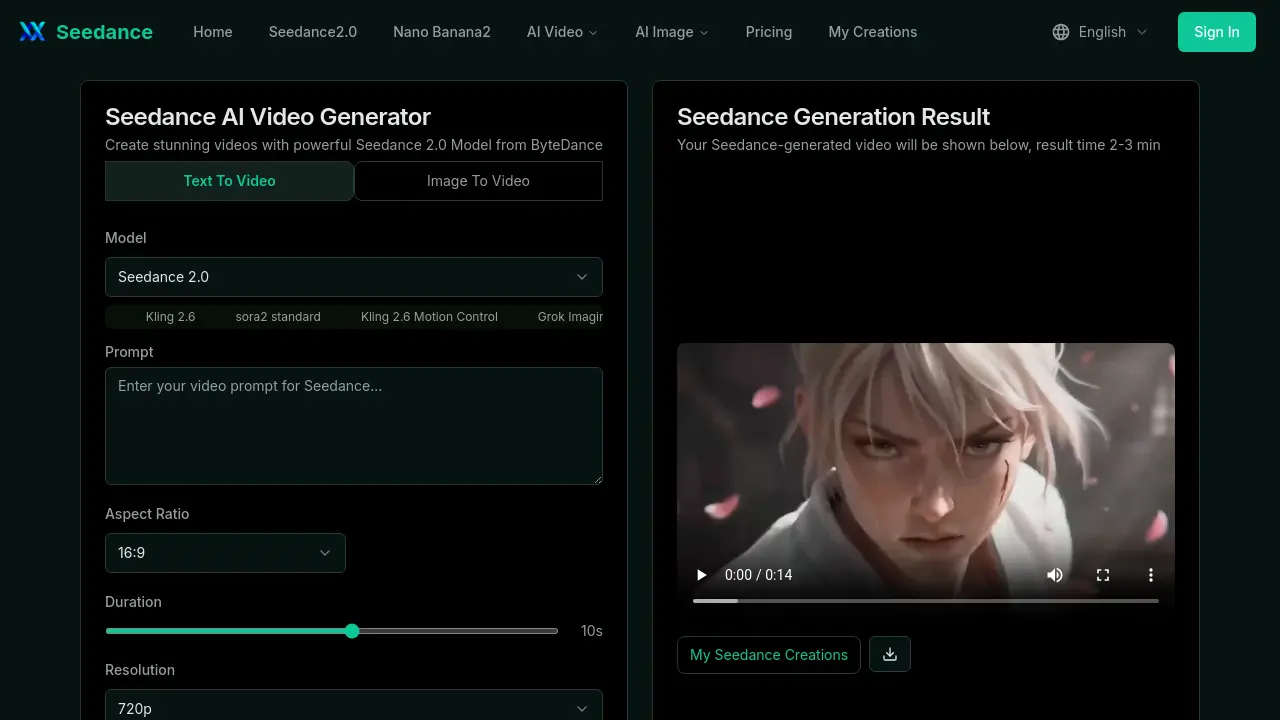
Seedance is an AI video generator that converts text prompts or static images into short‑form, high‑resolution videos, supporting both Seedance Lite and Pro models for flexible creative output.
Select the desired creation mode—Text‑to‑Video or Image‑to‑Video—by clicking the corresponding tab on the generator interface, then confirm the choice.
Provide input: type a descriptive prompt for Text‑to‑Video, or upload a PNG/JPG/WEBP image (max 10 MB) for Image‑to‑Video; optionally use the AI Prompt JSON generator for detailed parameters.
Choose model version (Lite for speed, Pro for multi‑shot narratives), set resolution (480p/720p/1080p) and duration (5 s/10 s), then press Generate Video to start processing.
After generation completes (typically 2–3 minutes), review the preview pane; download the video file and note resolution, frame rate, and any watermarks indicating the subscription tier.
Analyze the result against the original prompt: assess visual fidelity, motion smoothness, and semantic alignment; use insights to refine prompts or adjust camera‑motion settings for subsequent iterations.
