
RemoveWatermark FAQs
RemoveWatermark delivers AI-powered Sora watermark removal for creators, providing instant clean MP4 downloads from share links in under 3 seconds without uploading.

FAQs of RemoveWatermark
How do I get a Sora share link?
To obtain a Sora share link, open the video in the Sora app, tap the Share button, then select Copy Link. Paste that copied URL into the remover’s input field; the service will fetch the video directly from the public source.
How long does Sora watermark removal take?
Typical removal times range from 2 to 10 seconds for standard‑resolution Sora videos. The speed depends on the file size and current server load, but most clips finish within a few seconds, enabling almost instant downloads.
Is this a free Sora watermark remover?
Yes. The baseline Free tier allows up to two removals per day with standard processing speed. Additional usage requires a Pro or Unlimited plan, which provide higher limits and priority speed.
Do I need to sign up or provide an email?
No account registration or email address is necessary for the free removal process. If you wish to upgrade to Pro or Unltd, you can sign in with a simple email, but downloading a watermark‑free video does not require any signup.
Is there a usage limit?
The free tier limits you to two removals per day. Pro plans offer 100 removals per day, while the Unlimited plan removes the cap. You can purchase additional credits if you need more than the plan allows.
Do you store my videos or metadata?
The system never stores uploaded or shared videos on long‑term servers. Only minimal processing logs and the original video URL are kept temporarily to ensure the job is completed and to mitigate abuse; personal metadata such as email is saved only when an account is created for paid plans.
What if the video fails to process?
If the removal fails, you’ll receive an error message with a brief description. Common causes include unsupported file formats or network interruptions. Retry after a short wait or contact support via the provided email if the issue persists.
How do I remove the Sora watermark?
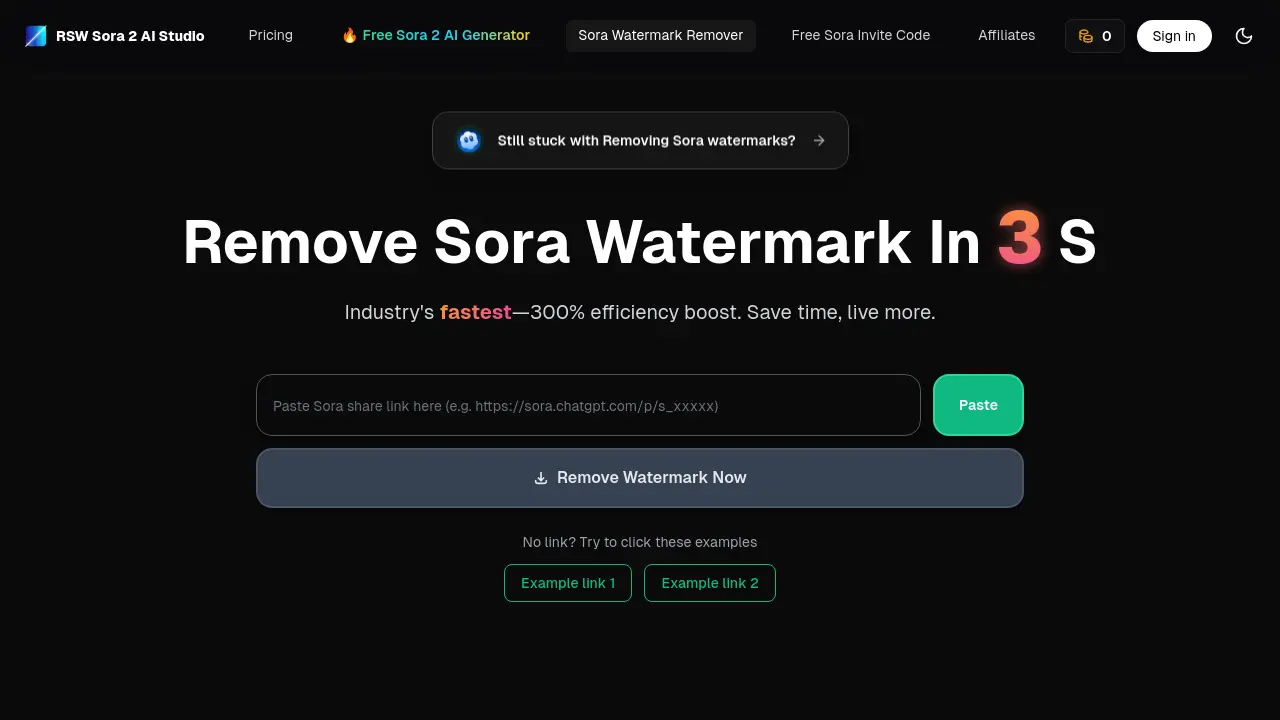
Copy the public share link, paste it into the Paste Your Share Link field on the remover page, and click the Remove Sora Watermark button. The AI‑powered API automatically processes the clip; once done you can preview and download the cleansed video.
How do I download a Sora video without watermark?
After processing completes, the preview window will display the watermark‑free clip. Click the Download button adjacent to the preview, and the video will be saved locally. No additional steps are needed.
How do I remove watermark from Sora if I use the free tier?
With the default free tier you can remove the watermark on two videos each day without signing up. Simply paste the share link, click remove, and download the resulting file. For more removals, upgrade to Pro or Unlimited.
Can I remove a watermark from a video created in Sora or ChatGPT Plus?
Both Sora and ChatGPT Plus use the same generated watermarks. The remover is specifically designed to strip Sora watermarks from any public share link, regardless of whether the video originates from Sora or ChatGPT’s platform.
How are the watermarks in Sora ChatGPT applied?
Sora embeds a semi‑transparent, timestamped watermark in a corner of each generated video during rendering. This watermark indicates the source and helps prevent unauthorized redistribution. The AI remover reconstructs the underlying frames to eliminate this overlay while preserving visual quality.
Are there any other file types that this tool can process?
The current RemoveWatermark service is optimized for video files (specifically Sora‑generated clips). Support for formats such as PDF, images, or PPTs is not available at this time; future updates may extend capabilities to those media types.
Is there an API available for bulk watermark removal?
An API endpoint is under development to support automated bulk processing. However, it is not yet publicly released. Users wishing to integrate automated removal into workflows should monitor the official website or contact support for updates.
How is my privacy protected during processing?
All watermark removal occurs on a secure, on‑premises server. No video is stored beyond the short-term processing window. Only aggregate usage statistics and non‑personal metadata are retained to monitor system health and prevent abuse; user data is never shared with third parties.
Can the remover handle compressed or low‑resolution videos?
Yes. The AI model can operate on a wide range of resolutions and compression settings typical of Sora outputs. While lower‑resolution videos may exhibit slightly slower processing or minor quality degradation, the tool still removes the watermark while maintaining the best possible visual fidelity.
Does the remover support watermarks added by other platforms?
The removal algorithm is tailored for the standard Sora watermark. While it may partially reduce visible artifacts from other similar overlays, it is not guaranteed to fully remove all watermark types from non‑Sora videos. For those cases, a platform‑specific tool should be used.
How to use RemoveWatermark
- RemoveWatermark is an online tool that removes Sora watermarks from videos, images, PDFs, and Word documents using AI, enabling clean media quickly.
- To start, visit the website and enter a public share link into the input field; no sign‑in is required for the free tier.
- Click the 'Remove Sora Watermark' button; the AI API processes the video automatically, removing the watermark within seconds during the operation the tool optimizes the frame to maintain visual fidelity.
- After processing, preview the cleaned video in the embedded player and compare to the original with watermark to verify quality.
- Click the download button; an instant download link appears, and confirm that the download opens normally in your media player.
- Ensure the video resolution matches the original, with no quality loss; check consistency of color and audio.
- For PDFs or images, paste a file link or upload; use the free tier up to two removals per day, upgrade for higher limits.
