
Video Compressor
Free online video compressor, no upload, GPU‑fast

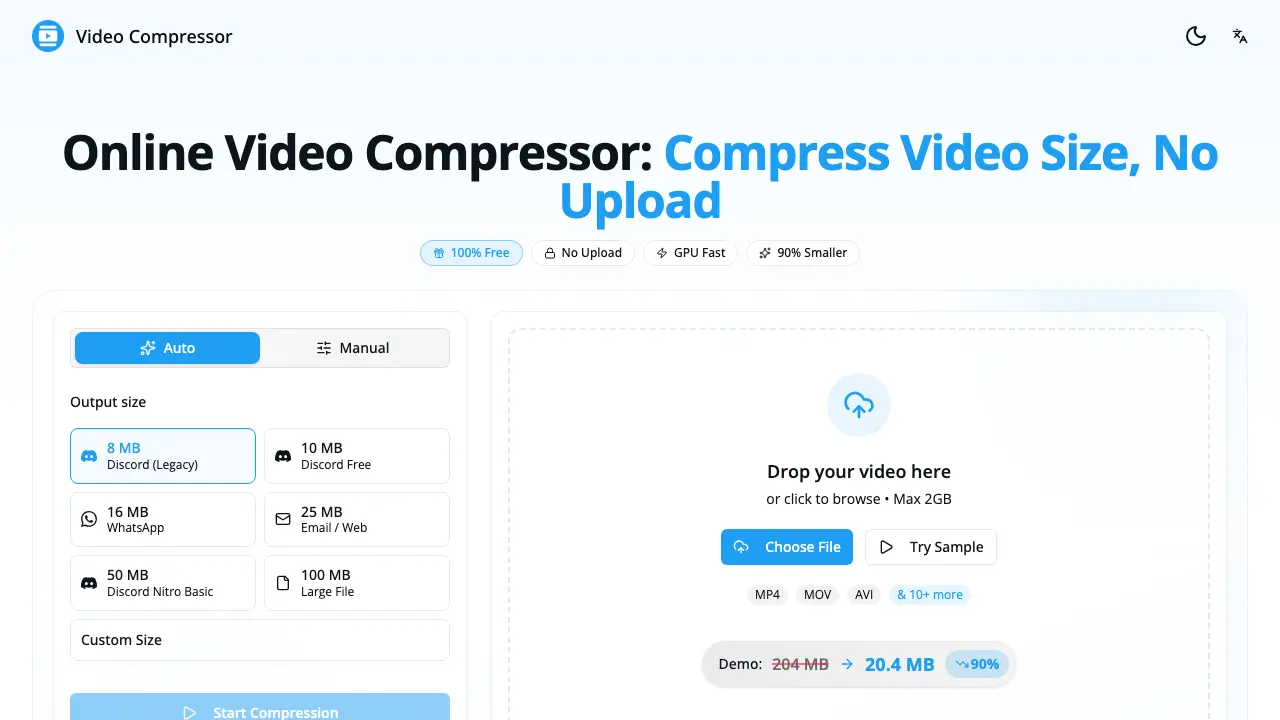
What is Video Compressor
Video Compressor is a browser‑based utility that reduces video file size by up to 90 % without uploading any data. The entire compression process runs locally, leveraging the device’s GPU through the WebCodecs API for speeds up to ten times faster than CPU‑only methods. Users can drop an MP4, WebM, MOV, MKV, AVI or other common format into the interface, select a preset (Discord, WhatsApp, Email, etc.) or fine‑tune resolution, bitrate and frame rate, and download the optimized MP4/H.264 output in seconds. Because no server interaction occurs, privacy is guaranteed—files never leave the user’s device and no watermarks are added. The tool is free, requires no registration, works on modern browsers across desktop and mobile, and supports unlimited file sizes, making it suitable for creators, gamers, and anyone needing quick, secure video compression.
How does Video Compressor work
The Video Compressor runs entirely in the user’s browser, loading the source file, then applying WebCodecs‑based GPU acceleration to re‑encode the video into an H.264 MP4 output. After the file is dropped or selected, the tool reads the media stream locally, adjusts resolution, bitrate and frame rate according to a preset (Discord, WhatsApp, Email) or custom targets, and processes the data on the device’s graphics hardware, achieving compression up to 90 % faster than CPU‑only methods. Once encoding finishes, the compressed file is offered for download, with no server upload, ensuring privacy and unlimited use.
Benefits of Video Compressor
The Video Compressor provides a completely browser‑based solution that reduces file size by up to 90 % while keeping visual quality intact. Because all processing occurs locally, no data is uploaded, ensuring 100 % privacy and eliminating watermarks. GPU acceleration makes compression up to ten times faster than CPU‑only tools, and the WebCodecs API supports a wide range of formats—including MP4, WebM, MOV, MKV, and AVI—with automatic H.264 output. Users can select presets for Discord, WhatsApp, Email, or fine‑tune resolution, bitrate, and frame rate, all without registration or file‑size limits.
Pros and Cons of Video Compressor
Pros
- No file uploads, full local privacy.
- GPU acceleration yields up to 10× faster compression.
- Supports all major video formats (MP4, WebM, MOV, MKV, etc.).
- Unlimited free use, no watermarks or registration.
- Built‑in presets for Discord, WhatsApp, email, and custom settings.
Cons
- Quality depends on user‑selected bitrate; aggressive settings may degrade.
- Performance limited on devices without modern GPU or WebCodecs support.
- Browser‑based processing may consume significant RAM on large files.
- No offline desktop application for batch processing.
- Lacks advanced editing features such as trimming or audio control.
Core Features of Video Compressor
Local Video Compression
Processes files entirely within the browser, ensuring 100 % privacy by never uploading data to external servers, which protects sensitive content during compression.
GPU‑Accelerated Compression
Utilizes the device’s GPU via the WebCodecs API to achieve up to 10× faster processing compared with CPU‑only methods, reducing wait times.
Multi‑Format Support
Accepts major video containers (MP4, WebM, MOV, MKV, AVI, etc.) and outputs optimized MP4/H.264 files, guaranteeing broad compatibility across platforms.
Preset and Custom Settings
Provides ready‑made presets for Discord, WhatsApp, Email, and allows manual adjustment of resolution, bitrate, and frame rate for fine‑tuned results.
Unlimited Free Usage & No Watermarks
Offers unrestricted compression without registration, fees, or watermarking, enabling users to compress any number of videos at any size.
Quality Preservation Algorithms
Applies smart bitrate and scaling techniques that maintain visual clarity while achieving significant size reductions, minimizing perceptible quality loss.
Use Cases of Video Compressor
- University students: Reduce lecture recordings to email‑friendly sizes while preserving clarity for peer review.
- Content creators: Optimize video assets for Discord and social media using GPU‑accelerated presets, avoiding upload delays.
- Mobile users: Compress iPhone videos locally to meet WhatsApp or Telegram limits without sacrificing visual quality.
- Remote teams: Prepare project demos for cloud storage by shrinking files 80% on‑device, ensuring data privacy.
- Educators: Generate lightweight video lectures for LMS platforms, eliminating bandwidth constraints for students.
FAQs of Video Compressor
How to compress video online?
The online video compressor works entirely in the browser: users upload or drag‑and‑drop a file, select a target size or preset, start the compression, and then download the reduced file. All processing is performed locally, so no data is transmitted to external servers.
How to compress video file size without losing quality?
To maintain visual quality while shrinking file size, the tool’s “Auto” mode automatically balances bitrate and resolution. Users can also keep the original resolution, choose the H.264 codec, and set a bitrate between 5–8 Mbps for high quality or 2–4 Mbps for moderate quality.
How to reduce video size on iPhone?
iPhone users open the site in Safari, tap “Choose File,” select a video from the Photos library, pick a preset such as “25 MB Email” or “16 MB WhatsApp,” start compression, and finally save the compressed video back to the device.
Is there a file size limit?
There is no imposed file‑size ceiling; the compressor can handle videos from a few megabytes up to several gigabytes. The only practical limitation is the amount of RAM available on the user’s device, because all processing occurs locally.
Do I need to download or install anything?
No installation is required. The compressor runs in any modern web browser (Chrome, Safari, Firefox, Edge) on desktop or mobile platforms. Users simply navigate to the website and begin compressing immediately.
What video formats are supported?
The service accepts a wide range of containers, including MP4, WebM, MOV, MKV, AVI, WMV, and FLV. Output files are generated as MP4 encoded with H.264 to ensure broad compatibility across devices and platforms.
How long does video compression take?
Compression time varies with video length, resolution, and hardware. With GPU acceleration, a typical 5‑minute 1080p video finishes in 30–60 seconds on a modern computer; longer clips or older devices may require additional processing time.
Can I compress videos for Discord?
Yes. The compressor provides built‑in Discord presets such as 8 MB for legacy uploads, 25 MB for Nitro Basic, and larger sizes up to 100 MB for Nitro users, ensuring videos meet the platform’s file‑size restrictions.
Why is my compressed video still too large?
If a result exceeds the desired size, users should try a smaller preset, lower the resolution (e.g., from 1080p to 720p), reduce the bitrate, or trim unnecessary footage before running the compression again.
Is it safe to compress videos online? Is my video private?
The tool guarantees privacy by performing all operations locally in the browser; no video data is uploaded to external servers, stored, or accessed by the service. Consequently, the process is safe and fully private for every user.
How to use Video Compressor
The Video Compressor provides offline, GPU‑accelerated compression, reducing file size up to 90 % while preserving visual quality; it supports MP4, WebM, MOV, MKV and other common formats.
Drag and drop the source video onto the web interface or click Choose File; the file loads locally, guaranteeing 100 % privacy with no server upload.
Select a preset such as Discord 8 MB, WhatsApp 16 MB, or define a custom target size, bitrate, and resolution to match the intended platform or storage constraint.
Click Start Compression; the GPU‑powered engine processes the video in the browser, delivering the compressed output within seconds for typical 1080p clips.
After processing, preview the compressed video alongside the original size indicator (e.g., 145 MB → 29 MB, –80 %); verify that resolution and frame rate meet the required quality level.
Download the resulting MP4 file, then upload it to the target service (Discord, email, social media) or replace the original to free local storage, confirming the size reduction matches the preset goal.
Video Compressor Website Traffic Analysis
Latest traffic information
- Monthly Visits16.13K
- Bounce Rate44.52%
- Pages Per Visit1.76
- Visit Duration00:00:26
- Global Rank1.56M
- Country/Region Ranking1.41M
Top Keywords
| Keyword | Traffic | Volume | Cost Per Click |
|---|---|---|---|
| 视频压缩 | 640 | 26.01K | $0.33 |
| video compressor | 280 | 553.28K | $0.19 |
| 動画圧縮 10gb | 160 | 170 | -- |
| 動画圧縮 1gb 以上 | 160 | 170 | -- |
| mp4 軽量化 web上 安全 | 120 | 260 | -- |
Top Regions
| Region | Percentage |
|---|---|
| Taiwan | 34.19% |
| United States | 18.95% |
| Brazil | 7.69% |
| United Kingdom | 7.52% |
| Vietnam | 7.23% |
Video Compressor Alternatives
Create AI videos from clips, images, and prompts with vid2vid. Generate video to video remixes, image to video animations, and text to video shots for campaigns and creative projects.
Face AI, a free AI video face swap tool, enables users to replace one or multiple faces in videos up to 15 seconds, delivering 4K, watermark‑free results.
Video Prompt Generator is a free online tool for creators, marketers and editors that analyses YouTube or MP4 videos into shot‑by‑shot scripts, camera notes, audio cues and ready‑to‑use AI prompts.

Happy Horse-1.0 is the world's top AI video generator with Elo 1333 on Artificial Analysis, producing cinematic text-to-video with unmatched motion quality for commercial use.
This AI-powered video generation platform transforms product ideas, page content, and creative briefs into ad-ready videos, enabling faster testing and scaling for ecommerce teams.
MotionControlAI offers professional video creators advanced motion control via Kling 3.0 and 2.6 for character consistency, nuanced expressions, and dynamic cameras.
Video Text Remover: AI tool for creators to remove subtitles, logos, and watermarks from videos online, providing clean results for social media publishing.
CreatOK enables TikTok e-commerce sellers to generate and clone viral sales videos with AI, using 7 top models, no watermarks, and direct API publishing.
DubVid provides AI-powered video dubbing into any language using stock or cloned voices with optional lip-sync for creators and teams to expand global audience reach affordably.
VidFlux AI turns text, images, or reference videos into professional MP4s in under a minute, letting marketers, creators, and educators produce videos quickly with Veo 3 and Sora 2.
This AI video generation tool transforms ad themes and scripts into broadcast-ready TV commercials with a simple four-step process.
This video trimmer application provides instant, lossless cutting for multiple formats (MP4, WebM, MOV). It features negative end time trimming and copy mode for fast processing.