
NanoBiBi: AI Batch Image Editor for Bulk Background Removal

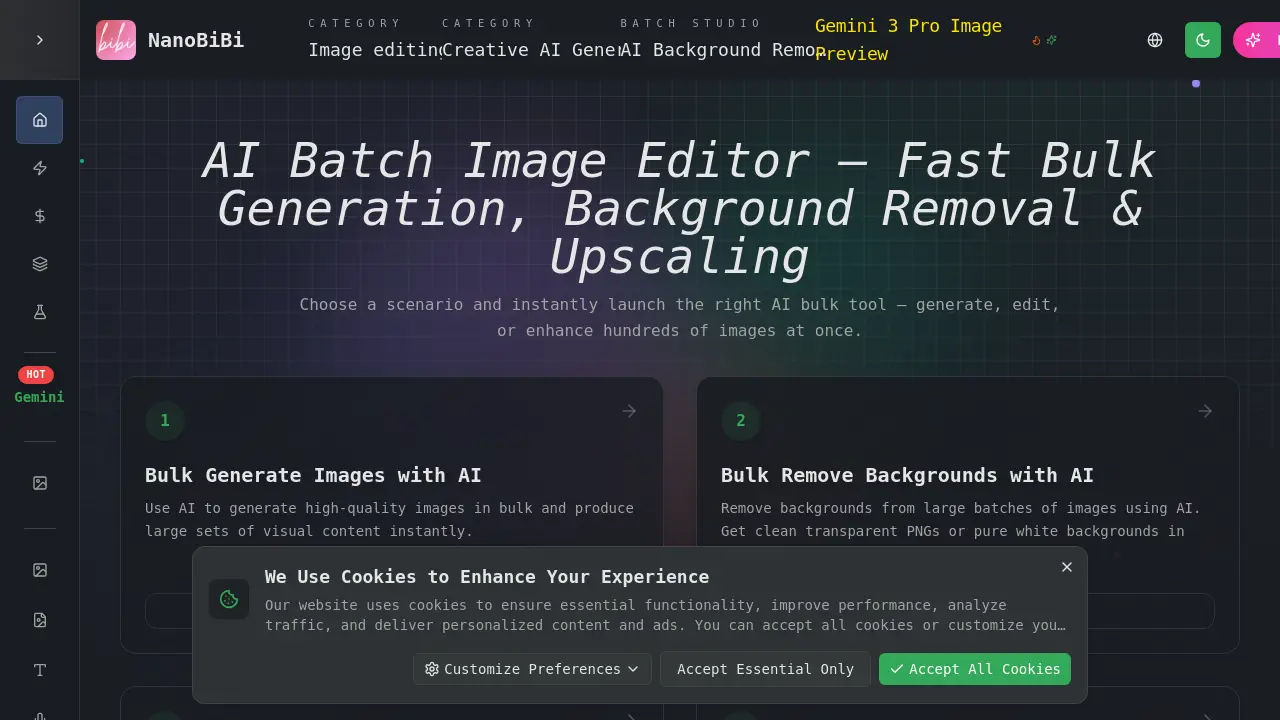
What is NanoBiBi
NanoBiBi is an AI creation platform that unites multiple generative and editing tools under one interface. By leveraging models such as Gemini, the platform delivers text‑to‑image, image‑to‑image, and video generation, allowing creators to translate prompts into realistic graphics or animated sequences. Integrated batch utilities support background removal, upscale to 4K, recolor, style transfer, and object removal, making it suitable for e‑commerce listings, marketing assets, and product catalogs. The workflow engine organizes assets with auto‑renaming and multi‑format export, while prompt templates accelerate repetitive tasks. Designed for designers, marketers, and content developers, NanoBiBi streamlines asset creation and optimization without manual Photoshop intervention.
How does NanoBiBi work
NanoBiBi presents an AI‑creation platform that streamlines image‑based workflows. Users deploy the Gemini 3 Pro model to generate content from text or image prompts, and to execute bulk tasks such as background removal, upscaling, recoloring, and style transfer. The platform also offers an in‑painting tool for repairing damaged areas and an object‑removal feature that erases watermarks or unwanted elements. By automating these steps, NanoBiBi enables creators to produce high‑resolution, brand‑consistent assets for e‑commerce or digital marketing efficiently, and video generation capabilities.
Benefits of NanoBiBi
NanoBiBi (also branded as nano bibi or nano bibel) is an AI‑creation platform that lets students generate and edit images, videos, and text with machine‑learning tools. Users can batch‑process assets for e‑commerce, apply background removal, style‑transfer, or 4K upscaling, and create prompts that drive text‑to‑image or video output. The platform also supports technical workflows for nanobiotix‑style projects, enabling high‑precision segmentation and automated content manipulation, or related nanobit tools. NanoBiBi’s straightforward interface and cloud‑based pipelines make complex AI editing accessible for research, daily, design, and rapid prototyping.
Pros and Cons of NanoBiBi
Pros
- Unified AI engine for text-to-image and image enhancements.
- Bulk processing reduces manual editing time.
- High‑precision background removal for e‑commerce.
- Free entry‑level tier accessible to beginners.
- Continuous updates via active community.
Cons
- Pricing details unclear from site.
- UI may overwhelm new users.
- No on‑device processing; internet required.
- Limited multilingual support.
- Documentation could be more comprehensive.
Core Features of NanoBiBi
NanoBiBi AI Image Generation
Generate realistic or stylized images from text prompts, or transform existing imagery using Gemini-based models to meet creative advertising, branding, or design needs.
NanoBiBi AI Image Editing
Edit image batches with AI‑driven background removal, upscaling, recoloring, object replacement, and style consistency, streamlining e‑commerce and marketing workflows.
NanoBiBi Batch AI Workflows
Automate repetitive tasks—generate, upscale, recolor, replace, and export images in bulk—through modular pipelines for shop owners, agencies, and internal teams.
NanoBiBi AI Audio Production
Convert text scripts into natural‑sounding speech using AI voices, supporting content creators and marketing teams in producing podcasts, narrations, and ad copy efficiently.
NanoBiBi AI Video Generation
Animate static images or AI‑generated visuals into video clips or cinematic overlays, enabling quick production of dynamic marketing and storytelling media.
Use Cases of NanoBiBi
- E-commerce Managers: Automate background removal for nano bibi baby bottle catalog images, streamlining listings across Amazon and Shopify.
- Designers: Upscale nanobebe silicone bottle photos to 4K, preserving detail for marketing brochures.
- Marketing Teams: Generate stylized promotional images of nanobebe pacifiers, consistent with brand identity, via AI style transfer.
- Photographers: Batch replace backgrounds on nanobebe bottle warmer photos, showcasing products in lifestyle settings.
- Content Creators: Create infographics featuring nanobit assay data using AI-image-to-image tools, enhancing scientific articles.
FAQs of NanoBiBi
What is NanoBiBi?
NanoBiBi is an all‑in‑one AI creation platform that offers text‑to‑image generation, image editing, background removal, and bulk processing workflows. It enables individuals and businesses to produce high‑quality visual content with minimal technical skill.
Which AI tools are available on NanoBiBi?
The platform bundles several AI models: Gemini‑based image generators for artistic and realistic outputs, automated background remover, upscaler, recolor, style‑transfer, and object‑replacement tools. Users can launch these tools via web UI or scripted API endpoints.
How do I get started with NanoBiBi?
Begin by creating an account on the NanoBiBi website. Once logged in, navigate to the “Maker” section to access the prompt editor, or visit “Bulk” for batch tasks. No prior coding experience is required.
What pricing plans does NanoBiBi offer?
NanoBiBi provides a free tier with limited usage quotas and paid plans that scale by credit packs. Each plan grants a specific number of image generations, background removals, or upscale operations per month. Detailed pricing can be viewed in the “Pricing” page.
How do I set up a bulk AI workflow?
In the “Bulk” section, choose one of the pre‑built pipelines—such as “Remove Background”, “Upscale”, or “Style Guide”. Upload your images, configure parameters, and launch the job to process entire folders automatically.
How is my upload data protected during processing?
All uploads are encrypted in transit (HTTPS) and stored in secure data centers with GDPR‑compliant controls. Files are automatically deleted from the server after the job completes, and no AI model can access user‑specific visual content beyond the immediate job.
Is there an API for integrating NanoBiBi into my software?
Yes, NanoBiBi offers a RESTful API that exposes model endpoints for generation, editing, and batch processing. Developers can request an API key via the account dashboard and integrate it into web or mobile applications.
Which languages and platforms are supported by the NanoBiBi UI?
The web interface is fully responsive and available in multiple languages, including English, Spanish, French, German, and Chinese. It supports all major browsers (Chrome, Firefox, Safari) and mobile browsers with touch‑friendly prompts.
How can I export processed images in different formats?
During batch job configuration, choose the desired output format (PNG, JPEG, WebP, GIF, or TIFF). Size, resolution, and color‑profile options can also be set, allowing direct export to cloud storage or local download.
What makes NanoBiBi’s background removal more accurate than typical tools?
NanoBiBi uses a deep‑segmentation model trained on thousands of annotated datasets, achieving near‑pixel‑perfect masks. It handles complex edges, small details, and transparent overlays out of the box, delivering clean transparent or solid‑color backgrounds.
How to use NanoBiBi
- NanoBiBi is an AI creation platform offering text‑to‑image, image‑to‑image, and bulk AI editing tools, enabling creators to generate and transform visuals quickly.
- After visiting https://nanobibi.com/, users must log in or sign up, then navigate to the “Maker” tab to access core generative functions.
- Select a tool (e.g., Text to Image), enter a concise prompt, choose desired image size, then click “Generate” to launch the AI model.
- For bulk editing, open the “Bulk” menu, pick a pipeline such as Background Removal or Upscale, upload image sets, and configure batch parameters before execution.
- Examine the generated image preview; assess color fidelity, resolution, and prompt adherence, then export in preferred formats (PNG, JPG, HD) for downstream use.
- Apply results by embedding images in presentations, augmenting web content, or refining them with further AI edits to align with branding or project objectives.
NanoBiBi Alternatives
A browser collection of 13 free creative editors for photos, vector art, PDFs, documents, video, audio, and CAD, opening without an account or install.

An online AI photo editor that removes image backgrounds, erases people, objects and text, and upscales photos 4x. Preview every photo free before paying per image.
Meta Image: browser AI studio powered by Muse Image. Edit photos with prompts, remove backgrounds, restore old photos, generate new images.
Remove image backgrounds, video watermarks, burned-in subtitles and video backgrounds with Rmark AI. Upload a file, preview, then download a clean copy.
Koozee turns a single clothing image into AI product photos, model try-on images, and marketing videos for apparel sellers, cutting costs by up to 99%.
OmniEnhancer is an AI image enhancer and photo editor that improves photo quality, clarity, color, and resolution online, with free daily credits.
TranslateImage AI translates images to 70+ languages while preserving font, layout, and style. Free online AI image translator for photos and manga.
AI Clothes Changer is an online tool that replaces the clothing in a person photo using either a reference image or a text description.
AI Gazou offers free AI-powered image upscaling to enhance photos, product images, and illustrations. Upscale 2x or 4x with natural detail preservation.
PixMira AI is a free AI photo editor and image generator. Use text prompts for precise edits, style changes, and high-quality results in seconds.
AI Gazou removes image backgrounds for free using AI. Upload photos, products, or logos to get transparent PNGs with clean edges and customizable margins.
AI Image Text Editor lets users replace, remove, translate, and redact text inside finished images while preserving the original font, background, and layout.