
Nano Banana 2 Pro FAQs
Nano Banana 2 Pro is a Google Gemini‑powered image generator for creators and marketers, offering prompt creation, reference‑led edits, Search grounding, 1K/2K/4K output.

FAQs of Nano Banana 2 Pro
What is Nano Banana 2 Pro?
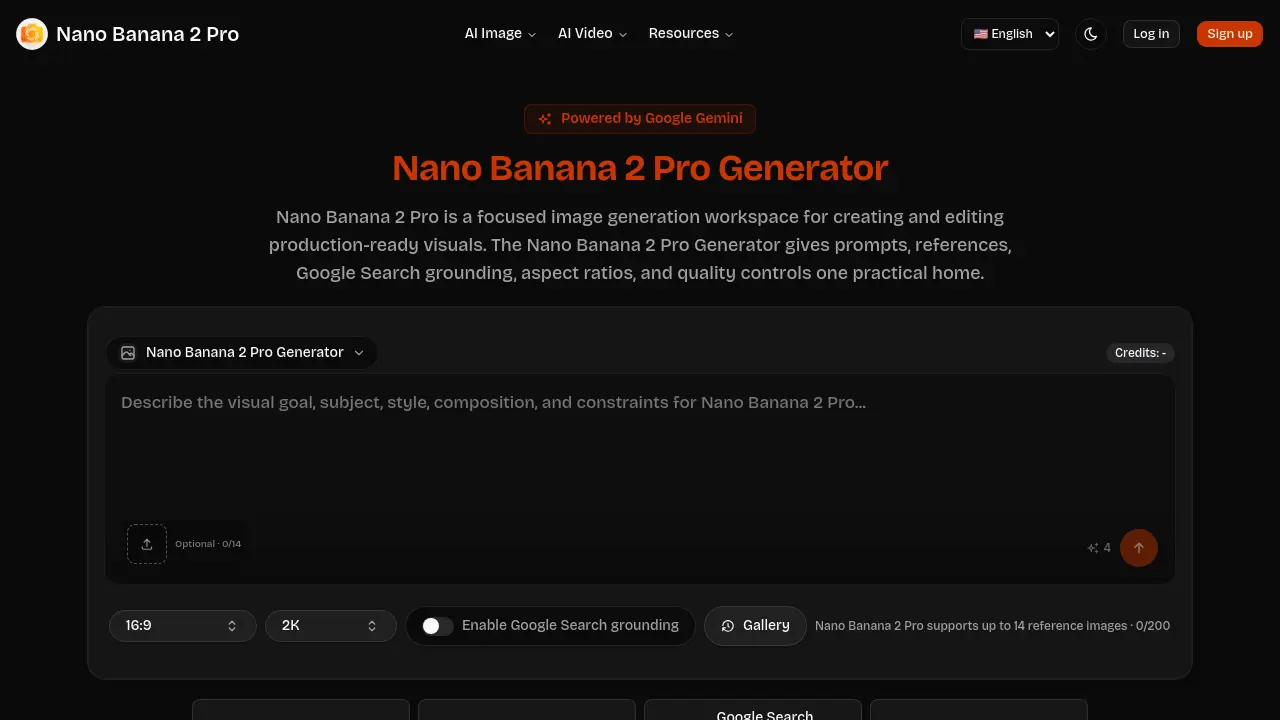
Nano Banana 2 Pro is a focused image‑generation workspace built on the Nano Banana 2 backend. It combines prompt‑first creation, reference‑based editing, Google Search grounding, and selectable output resolutions (1K, 2K, 4K) into a single interface designed for creators, marketers, and product teams who need production‑ready visuals quickly.
What can I make with Nano Banana 2 Pro Generator?
Users can generate a wide range of assets such as landing‑page hero images, product mock‑ups, social‑media thumbnails, advertising concepts, editorial illustrations, and educational graphics. The tool supports both fresh prompts and reference‑driven edits, making it suitable for marketing campaigns, SaaS launch visuals, explainer diagrams, and creator content pipelines.
When should I enable Google Search grounding?
Enable Google Search grounding whenever the prompt references real‑world entities, brand names, specific locations, or current events that require factual accuracy. Grounding supplies the generation engine with up‑to‑date context, reducing the need for manual correction and improving relevance for marketing, education, or product‑launch imagery.
Does Nano Banana 2 Pro support image editing?
Yes. Nano Banana 2 Pro allows users to upload up to 14 reference images and perform reference‑led edits. By providing visual anchors for subject identity, palette, or composition, the system can modify existing concepts while preserving prompt text, aspect ratio, and quality settings within the same workspace.
How should teams control cost and quality?
Teams manage cost by selecting the appropriate resolution tier: 1K for rapid exploration, 2K for internal reviews, and 4K for final delivery. Each tier consumes a proportional amount of credits, so adjusting the quality level to the stage of the workflow helps keep expenses predictable while still meeting visual fidelity requirements.
Can I reuse generated assets across multiple projects?
Generated images can be downloaded directly or saved to the built‑in gallery for later reuse. The gallery lets teams create a repository of approved visuals, enabling consistent branding and faster turnaround when the same assets are needed in future campaigns or product updates.
How many reference images can I upload per session?
The Nano Banana 2 Pro Generator accepts up to 14 reference images per generation request, with a total size limit of 20,000 pixels per image. This capacity allows detailed control over subject, style, and composition without overwhelming the model’s processing resources.
Is there a credit system, and how are credits allocated?
Nano Banana 2 Pro operates on a credit‑based model where each generation consumes credits based on the chosen resolution (1K, 2K, or 4K) and the number of reference images used. Credits are tracked in the user’s account dashboard, ensuring transparent usage and easy budgeting for teams.
What format are the exported images delivered in?
Exported assets are provided as high‑resolution PNG files by default, suitable for both web and print workflows. Users may also request JPEG outputs for lighter file sizes, though PNG remains the recommended format for preserving detail and color fidelity.
How to use Nano Banana 2 Pro
Nano Banana 2 Pro serves as a focused AI image generation workspace, offering prompt‑first creation, reference‑led edits, Google Search grounding, and selectable 1K‑4K quality outputs for production‑ready visuals.
Begin by entering a concise asset brief: specify channel, target audience, and visual role (e.g., landing‑page hero, social‑post thumbnail) directly in the Generator’s prompt field.
If existing visual cues are required, upload up to 14 reference images—one for subject identity, another for palette, and a third for composition—to guide the model’s edit direction.
Activate Google Search grounding when the prompt involves real‑world names, products, or current contexts; the engine then incorporates verified information before image synthesis.
Select the appropriate quality tier—1K for quick exploration, 2K for intermediate review, or 4K for final delivery—to balance detail, credit usage, and project deadlines.
Click the generate button; the system processes the prompt, references, and grounding settings, then displays the resulting image alongside a download option in the gallery.
Examine the output for alignment with the brief, reference fidelity, and visual quality; use the preview to decide whether to download, refine the prompt, or add new references for iteration.
Download the approved asset for immediate deployment or feed it back into the showcase flow, creating a reusable template that streamlines future Nano Banana 2 Pro production cycles.
