
Nano Banana Editor
Nano Banana Editor is an AI-powered image editing platform.

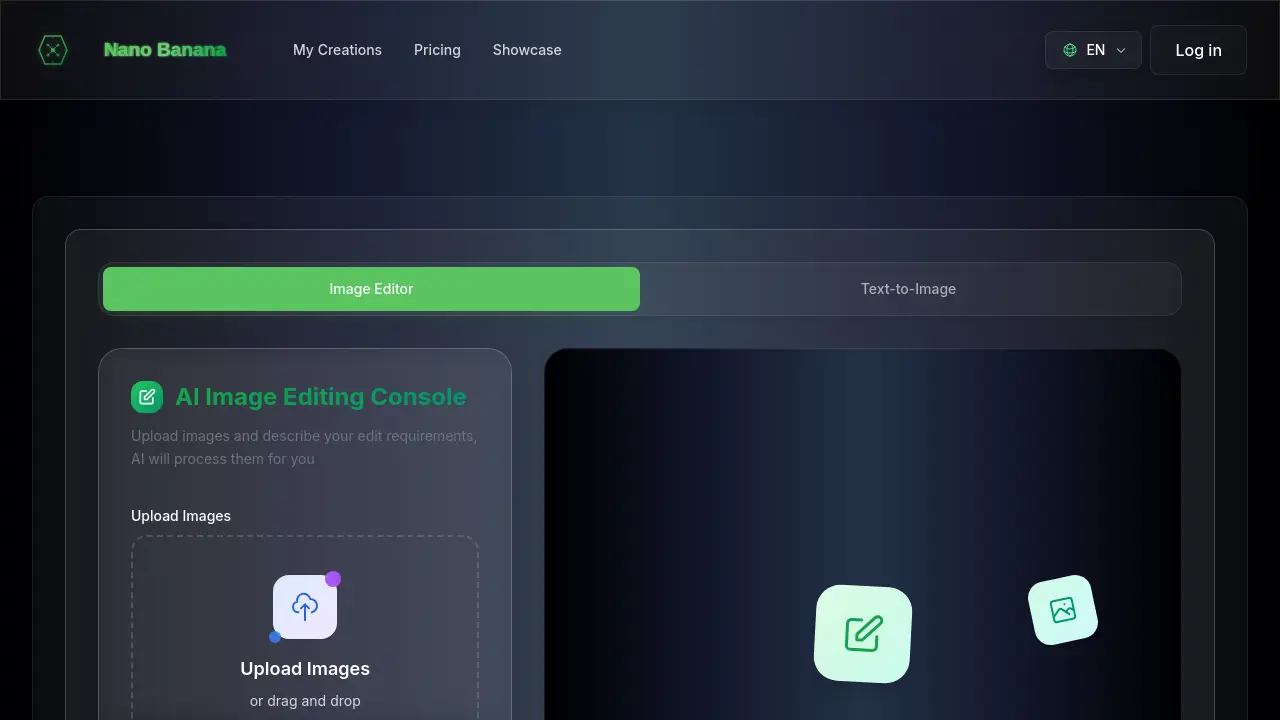
What is Nano Banana Editor
The Nano Banana Editor is an AI-powered image editing console designed to streamline creative workflows. It allows users to upload images and describe desired edits, which the AI then processes. Key functionalities include smart scene transformation for background replacement, one-click style transfer to apply artistic effects, and atmospheric lighting enhancement. The tool also features intelligent color optimization, AI age transformation, and multi-image AI editing, enabling simultaneous processing of up to five images. It serves as a comprehensive nano banana ai photo editor and image editor, offering robust nano editor alternative options for various creative needs.
How does Nano Banana Editor work
The Nano Banana Editor functions as an AI-powered image editing console, allowing users to upload images and specify desired edits via text prompts. This nano banana editor online platform leverages advanced AI to perform various transformations, including background replacement, style transfer, color optimization, and age transformation. Additionally, it supports multi-image AI editing, where up to five images can be processed simultaneously to create new content. The system operates on a credit basis, consuming four credits per edit, providing a robust solution for diverse nano banana edit image requirements.
Benefits of Nano Banana Editor
The Nano Banana Editor offers an AI image editing console, enabling users to upload images and apply complex edits via text prompts. Key features include intelligent background replacement for product photography and scene changes, one-click style transfer to transform photos into various art forms, and atmospheric lighting enhancement for cinematic effects. Additionally, it provides intelligent color optimization, AI age transformation, and multi-image AI editing for creative synthesis, making the nano banana editor a versatile tool for diverse creative workflows.
Pros and Cons of Nano Banana Editor
Pros
- Offers diverse AI image editing features.
- Provides fast processing and high accuracy.
- Supports multi-image editing simultaneously.
- Includes commercial license with plans.
- Emphasizes user privacy and data security.
Cons
- Requires credit consumption for edits.
- Limited free trial options, primarily paid.
- Maximum 5 file uploads per session.
- Subscription needed for full features.
- No explicit mention of mobile application.
Core Features of Nano Banana Editor
AI-Powered Background Replacement
Enables users to seamlessly separate subjects from original backgrounds and replace them with new, creative scenes, optimizing images for various purposes like product photography.
Artistic Style Transfer
Transforms images into various art styles such as oil painting or anime using advanced neural networks, allowing for the creation of unique and engaging content.
Atmospheric Lighting Enhancement
Applies professional lighting effects to photos, ranging from soft glows to dramatic cinematic lighting, enhancing mood and atmosphere with realistic AI understanding of physics.
Intelligent Color Optimization
Automatically enhances photo colors to make them more vibrant and appealing through AI-powered analysis, simplifying professional color correction for various needs.
AI Age Transformation
Modifies portraits to depict different age stages, from childhood to elderly, offering creative project possibilities and entertainment while ensuring privacy-focused processing.
Multi-Image AI Editing
Allows users to upload and simultaneously edit up to five images with text prompts, enabling the AI to analyze and combine elements for stunning, collaboratively generated new images.
Use Cases of Nano Banana Editor
- Product Photographers: Utilize Nano Banana Editor's AI background replacement for professional e-commerce product images efficiently.
- Content Creators: Apply artistic style transfer with Nano Banana Editor to transform photos into unique social media content.
- Digital Artists: Leverage Nano Banana AI photo editor for multi-image editing and creative synthesis from diverse inputs.
- Professional Photographers: Enhance lighting and perform intelligent color optimization using Nano Banana Editor's AI image editor.
- Creative Agencies: Implement AI age transformation for concept visualization and engaging portrait editing projects.
FAQs of Nano Banana Editor
What are the 6 core AI features of Nano Banana Editor?
Nano Banana Editor specializes in 6 powerful AI capabilities: Smart Scene Transformation (background replacement like grassland to mountain road), Artistic Style Transfer (photo to oil painting, anime style), Professional Lighting Enhancement (soft glow, dramatic lighting), Color Optimization (vibrant colors, vintage tones), AI Age Transformation (7 to 60 years progression), and Multi-Image AI Editing (analyzing 5 images to create new ones). Each feature is designed to deliver professional results while maintaining visual consistency for various image editing tasks.
How accurate are Nano Banana Editor's AI transformations?
Nano Banana Editor's AI delivers exceptional accuracy across all transformations. Its advanced algorithms understand lighting physics, color theory, and composition to create realistic results. Whether users are transforming backgrounds, applying artistic styles, or adjusting lighting, Nano Banana Editor maintains image quality and consistency, as demonstrated by real examples on its showcase page.
Can Nano Banana Editor really change backgrounds like grassland to mountain road?
Yes, Nano Banana Editor excels at background replacement and scene transformation. Its AI intelligently separates subjects from backgrounds and creates seamless new environments. The grassland-to-mountain road transformation is merely one example; Nano Banana Editor can convert office settings to beaches, urban scenes to nature, and many other creative scenes, offering a versatile nano banana edit image tool.
How does Nano Banana Editor's multi-image editing work?
Nano Banana Editor's multi-image capability allows users to upload up to 5 photos and utilize text prompts to create entirely new images. The AI analyzes elements from all sources and intelligently combines them according to the user's creative vision. This collaborative AI approach enables Nano Banana Editor to understand relationships between images and synthesize them in ways not achievable with single-image editing, offering advanced nano banana editing capabilities.
How does Nano Banana Editor's credit system work?
Nano Banana Editor operates on a straightforward credit system where both Image Editor and Text-to-Image functions consume 4 credits per generation or edit. Users can purchase credit packages through subscription plans: Starter (200 credits/month), Pro (700 credits/month), or Ultimate (2000 credits/month). This transparent system allows for effective usage planning and budget management while accessing Nano Banana Editor's powerful features.
What payment methods does Nano Banana Editor accept?
Nano Banana Editor accepts all major credit cards, debit cards, and digital payment methods through its secure Stripe integration. All transactions are processed with enterprise-grade security, ensuring user financial data protection. Users can manage their subscription, view credit usage, and download invoices directly from their account dashboard.
How does Nano Banana Editor ensure consistent results across multiple edits?
Nano Banana Editor's advanced AI architecture understands context and preserves essential elements throughout the editing process, making it a reliable nano banana ai photo editor. When users upload multiple reference images, Nano Banana Editor learns from all inputs to maintain character identity, scene composition, and artistic style while applying requested modifications, ensuring consistent and high-quality output for their nano banana ai image editor needs.
Is my data and image content secure with Nano Banana Editor?
Yes, Nano Banana Editor prioritizes user privacy and data security. All uploaded images and generated content are processed securely, with the implementation of industry-standard encryption and protection measures. User creative work remains confidential and is not utilized for training purposes without explicit consent, assuring privacy for nano banana ai editor users.
Does Nano Banana Editor offer a free trial or free version?
While the context mentions "Try Nano Banana Editor Free," specific details about a permanent free tier or trial duration are not provided. Users are encouraged to visit the Nano Banana Editor website to explore any current free options or promotional offers for using this nano banana editor free.
What kind of results can I expect from Nano Banana Editor?
Nano Banana Editor leverages professional AI technology to transform ordinary images into stunning works, offering features like background replacement, lighting adjustment, style transfer, color adjustment, and age transformation. Users can expect amazing before-and-after results, as showcased with examples like "vast grassland background" transformations. The platform aims for a 99% accuracy rate and 8x faster processing, providing high-quality output for any nano banana edit prompt.
How to use Nano Banana Editor
Nano Banana Editor is an AI-powered image editing console designed to transform visual content. It enables users to upload images and describe desired edits, which the AI then processes. This tool offers diverse functionalities like background replacement, style transfer, lighting enhancement, color optimization, age transformation, and multi-image editing for creative synthesis.
- Navigate to the Nano Banana Editor website to begin your AI image editing process.
- Upload your desired images; the system supports up to 5 PNG, JPG, or WebP files simultaneously.
- Input your specific edit requirements in the "Edit Prompt" text area, clearly describing the desired AI transformation.
- Initiate the AI processing, allowing the tool to apply the requested edits to your uploaded images.
- Review the transformed images, utilizing features like background replacement or style transfer.
- Interpret the results to refine your visual content, leveraging capabilities such as lighting adjustments or color optimization.
- Utilize the enhanced images for various creative projects, benefiting from the AI age transformation or multi-image synthesis.
Nano Banana Editor Alternatives
AI co-director that turns an idea or script into shot-by-shot storyboard panels for indie filmmakers, with real film shot references and PDF board export.
A browser collection of 13 free creative editors for photos, vector art, PDFs, documents, video, audio, and CAD, opening without an account or install.

Kinovi is a REST API that runs published video, image, and audio AI models from one endpoint. Send a model ID to createTask, poll recordInfo, and pay per use from one shared credit balance.
An online AI photo editor that removes image backgrounds, erases people, objects and text, and upscales photos 4x. Preview every photo free before paying per image.
Coralflavor offers uncensored AI chats without safety filters, plus burn-mode retention, web search, image generation, and an OpenAI-compatible API for U.S. adults.
SpriteGen is an AI sprite creator that turns character descriptions into transparent pixel-art sprite sheets, ready to drop into your game engine.
Meta Image: browser AI studio powered by Muse Image. Edit photos with prompts, remove backgrounds, restore old photos, generate new images.
Create and edit images with Image 2.5 by GPT. Sunburst for precision, Flare for speed, up to 4K, 6 quality modes, and transparent PNG/WebP output.
Generate and edit AI images with Nano Banana Pro. Blend up to 14 images, render crisp text, and create 4K visuals online with studio controls.
Remove image backgrounds, video watermarks, burned-in subtitles and video backgrounds with Rmark AI. Upload a file, preview, then download a clean copy.
OmniEnhancer is an AI image enhancer and photo editor that improves photo quality, clarity, color, and resolution online, with free daily credits.
SeiSei AI is a free, no-sign-up AI image generator turning text prompts into AI illustrations and realistic photos with no watermark, 5 free images daily.