
Kling 5 Introduction
Kling 5 video generator allows creators to test text-to-video and image-to-video workflows online with limited free generations, suitable for ads and social media content.

What is Kling 5
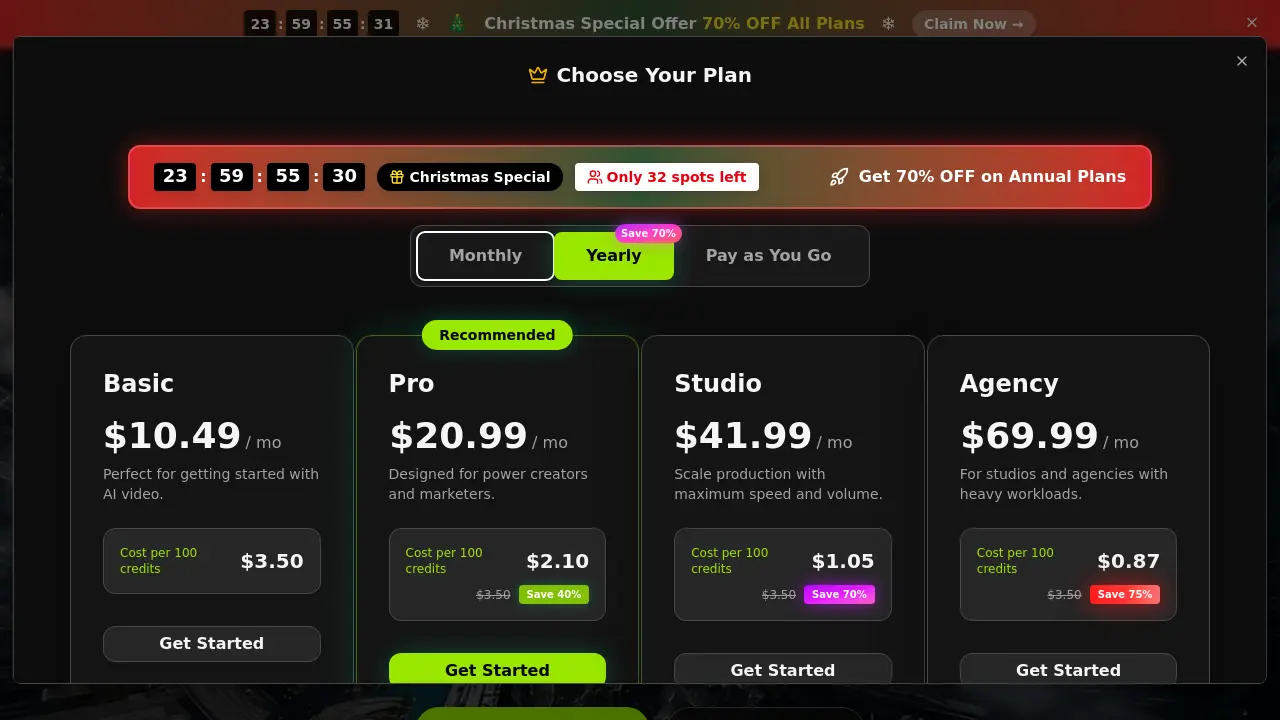
Kling 5 is an unofficial, browser-based video generator that provides accessible testing for AI-powered text-to-video and image-to-video workflows. The tool integrates currently available models, specifically Kling 5 and Kling 2.5 Turbo, allowing users to generate short-form clips for concept validation. Key features include selectable aspect ratios (16:9, 9:16, 1:1), resolution options up to 1080p, and a straightforward credit-based system. It is tailored for rapid prototyping of advertisements, social media content, and storyboards, though image-to-video functions may reject photorealistic people. Limited free testing is offered, with structured paid plans (Basic, Pro, Studio, Agency) providing increased credits, commercial rights, and priority processing. This independent workspace enables evaluation of AI video generation capabilities without requiring an official API key.
How does Kling 5 work
The Kling 5 Free Video Generator is an unofficial, browser-based workspace for testing Kling-powered video generation workflows. It operates by allowing users to input text prompts or upload reference images to produce short-form videos. The tool provides a choice between the Kling 5 and Kling 2.5 Turbo models, with configurable output settings including aspect ratio (16:9, 9:16, 1:1), duration (5s or 10s), and resolution (720p or 1080p). Video generation consumes credits from a user's plan, with limited free tests available and paid upgrades for higher volume. This setup supports rapid iteration for concepts like ads and social clips, though output rights and model availability depend on the selected subscription plan.
Benefits of Kling 5
The Kling 5 Free Video Generator is an unofficial, browser-based workspace for testing Kling-powered video workflows. It enables rapid prototyping through both text-to-video and image-to-video generation, with immediate access to models like Kling 5 and Kling 2.5 Turbo. Users can create short-form clips (5-10 seconds) in 720p or 1080p, using common aspect ratios for social media and ads. Limited free generations allow initial concept validation, while paid plans (starting at $10.49/month) provide increased credits, commercial rights, no watermarks, and priority processing. This tool is designed for creators needing quick, low-commitment trials before deeper production.
Pros and Cons of Kling 5
Pros
- Browser-based Kling video generator with no API key needed.
- Supports both text-to-video and image-to-video inputs.
- Access to current Kling models including Kling 5.
- Commercial use allowed with no watermarks on exports.
- Free credits available for initial testing and iteration.
Cons
- Not the official Kling website; unofficial tool.
- Image-to-video may fail with photorealistic people images.
- Limited free generations; paid plans for higher usage.
- Credit-based pricing could be expensive for large projects.
- Maximum video duration is only 10 seconds.
