
Imgezy: Instantly edit and enhance images online with AI.

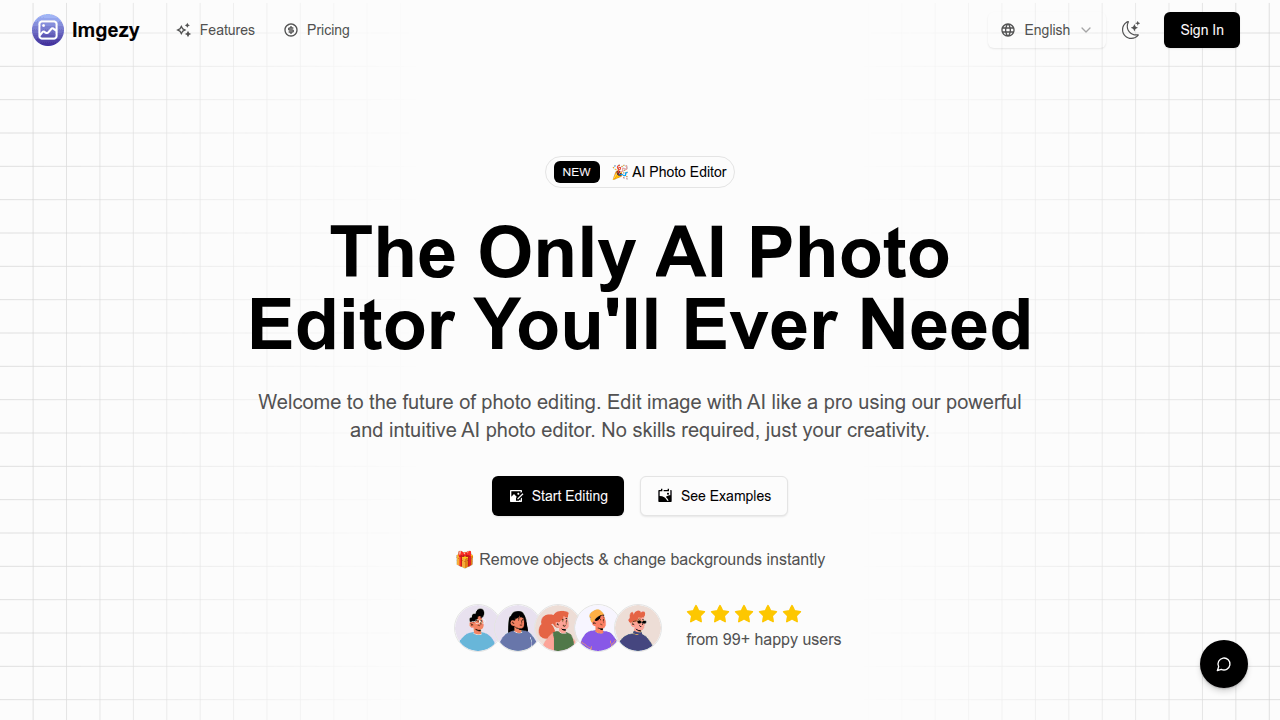
What is Imgezy
Imgezy is an AI photo editor designed for streamlined image synthesis and manipulation. This tool allows users to efficiently remove objects, change backgrounds, and enhance photos using artificial intelligence. It supports popular image formats like JPG, PNG, and WebP, and delivers high-quality output. Key features include precise object removal, instant background replacement, and smart repair functionalities, enabling users to achieve professional results without extensive photo editing experience. The platform aims to simplify complex image tasks, offering instant results and supporting various creative and commercial applications.
How does Imgezy work
Imgezy functions as an AI photo editor, enabling users to modify images using artificial intelligence. The platform employs advanced algorithms for tasks like object removal, background replacement, and image enhancement. Users upload an image, describe desired edits via text input (e.g., "Remove the person," "Change background to beach"), and the system processes these instructions, generating professional-quality edits. This process simplifies complex image synthesis and editing, providing instant results without requiring specialized design skills, thereby streamlining digital image manipulation.
Benefits of Imgezy
Imgezy offers an AI photo editor designed for effortless image editing. This tool enables users to remove unwanted objects, change backgrounds instantly, and enhance images with professional-grade results. Its AI-powered capabilities simplify complex edits, requiring no prior design skills. Users can achieve quick, high-quality output for various image synthesis needs, from fixing old photos to preparing e-commerce product shots, streamlining tasks efficiently.
Pros and Cons of Imgezy
Pros
- AI-powered object removal and background change.
- User-friendly, requires no design skills.
- Provides instant, professional-quality image edits.
- Supports common image formats up to 4K.
- Offers batch processing for multiple image edits.
Cons
- Free plan limits to one image edit.
- Batch editing feature is currently pending.
- Pricing may be a barrier for casual users.
- Advanced edits can take slightly longer.
Core Features of Imgezy
AI-Powered Object Removal
Imgezy intelligently identifies and removes unwanted objects, distractions, or photobombers from images, then reconstructs the background with high accuracy, leaving no trace.
Instant Background Replacement
Users can instantly change photo backgrounds to various scenes or solid colors, providing flexibility for diverse image compositions and creative expression.
Automated Photo Enhancement
This function automatically enhances image quality by adjusting colors, lighting, and sharpness, making photos visually appealing with minimal effort.
High-Quality Output
The product ensures that edited photos can be downloaded in full resolution, maintaining professional-grade quality without any loss in clarity or detail.
Smart Repair
Imgezy can automatically repair damaged or blurry areas within images, helping to restore clarity and improve the overall condition of photos.
Use Cases of Imgezy
- E-commerce businesses: Generate professional product images by using AI to remove objects and change backgrounds.
- Content creators: Enhance social media posts and visuals through AI-powered image synthesis and photo enhancement.
- Photography hobbyists: Repair and improve old or damaged photos with the smart repair and object removal features.
- Marketing agencies: Efficiently create diverse marketing materials with AI picture editor capabilities and batch processing.
FAQs of Imgezy
What is Imgezy?
Imgezy is an AI-powered image editor designed to simplify photo editing. It allows users to remove unwanted objects, change backgrounds, and enhance images using artificial intelligence, making professional-quality edits accessible without requiring advanced design skills or prior experience.
What are the main features of Imgezy?
Imgezy offers several key features, including AI-powered object removal to eliminate distractions, instant background replacement for diverse settings, and automatic photo enhancement to improve colors, lighting, and sharpness. It also supports batch processing and provides high-quality output for full-resolution downloads.
How does Imgezy protect photo privacy?
Imgezy prioritizes user privacy by securely processing images. Uploaded files are solely used for executing the user's edit request and are automatically deleted from the servers within 24 hours, ensuring that personal photos are not stored or used for any other purpose.
Can Imgezy be used for commercial projects?
Yes, Imgezy is suitable for commercial purposes. Businesses, e-commerce stores, marketing agencies, and content creators can utilize the AI photo editor to generate professional product images, marketing materials, and other visual content, potentially reducing photography costs and enhancing sales.
What image formats does Imgezy support?
Imgezy's AI picture editor is compatible with most common image formats, including JPG, PNG, HEIC, and WebP. For optimal performance and quality, it is recommended to upload images with a resolution of up to 4K.
What is the typical editing time for a photo in Imgezy?
Most photo edits using Imgezy are completed within a quick timeframe of 5-10 seconds. More intricate edits, such as those involving multiple object removals or complex background changes, may require up to 30 seconds to process.
What are the pricing options for Imgezy?
Imgezy offers a free plan for editing one image. For more extensive editing needs, there are "Monthly Pro" and "Annual Pro" subscription plans. Both include unlimited image editing, access to the latest AI models (Flux Pro, Flux Max), priority processing, and 24/7 support, with the Annual Pro plan offering a cost saving.
How to use Imgezy
Imgezy is an AI-powered image editor designed to simplify photo manipulation. It enables users to remove objects, change backgrounds, and enhance images with artificial intelligence, requiring no advanced design skills.
- Initiate the process by uploading your chosen image; compatible formats include JPG, PNG, and WebP for optimal performance.
- Clearly articulate your desired edit using simple text instructions, such as "remove the person on the left" or "change the background to a sunny beach."
- Allow the AI to process your request; edits are typically completed within a few seconds, leveraging advanced image synthesis.
- Preview the high-resolution output generated by the AI image editor to ensure it meets your specifications.
- Download your newly edited image, utilizing the power of AI to achieve professional-grade photo enhancements.
Imgezy Website Traffic Analysis
Latest traffic information
- Monthly Visits4K
- Bounce Rate34.52%
- Pages Per Visit1.2
- Visit Duration00:00:00
- Global Rank4.76M
- Country/Region Ranking2.44M
Visits Over Time
Top Keywords
| Keyword | Traffic | Volume | Cost Per Click |
|---|---|---|---|
| 8k resolution converter | 50 | 160 | -- |
| seedream 4.5 free | 30 | 820 | -- |
| imgezy | 30 | 30 | -- |
| seedream 4.5 | 20 | 26.85K | $0.87 |
| 在线鱼眼效果网站 | 20 | 40 | -- |
Top Regions
| Region | Percentage |
|---|---|
| United States | 73.25% |
| India | 26.75% |
