
Imgen Studio: GPT Image 2 Generation, Editing & Enhancement

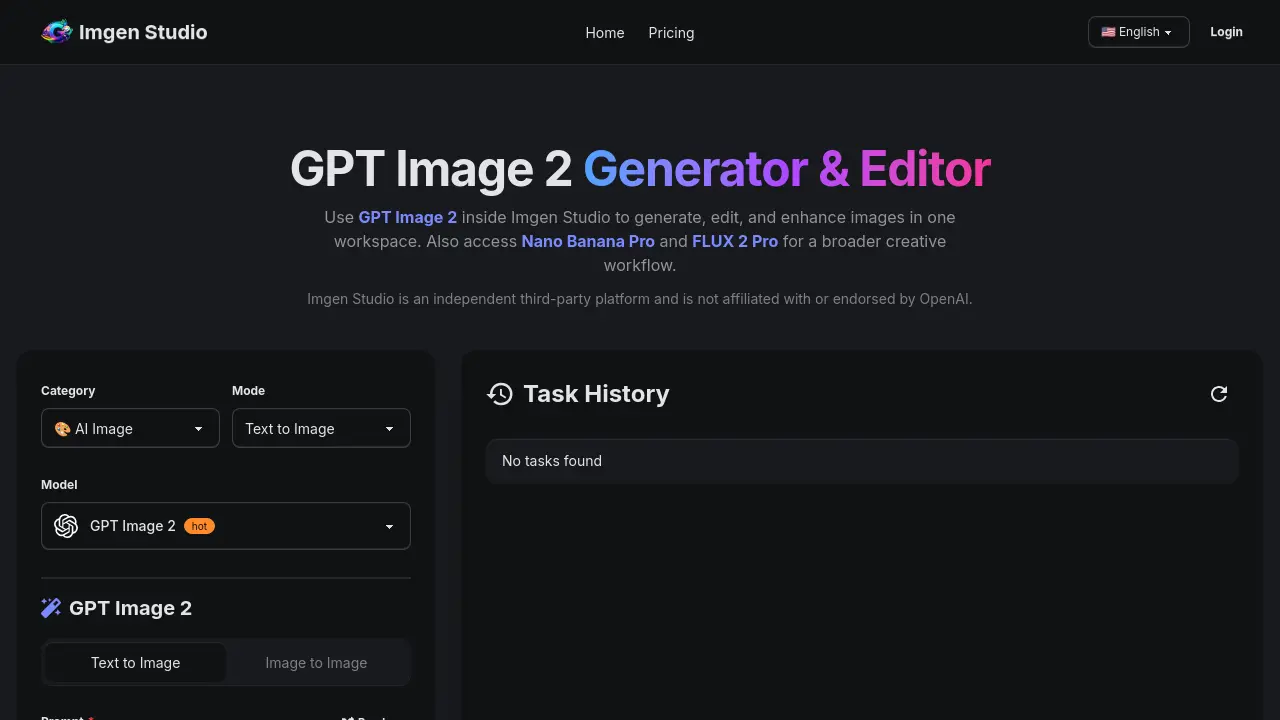
What is Imgen Studio
Imgen Studio is a web‑based AI platform that combines text‑to‑image generation, image‑to‑image editing, and post‑processing tools within a single workspace. Powered by the GPT Image 2 model and supplemented with Nano Banana Pro and FLUX 2 Pro, the service lets users create high‑resolution visuals from plain‑language prompts, refine them with inpainting, background removal, or upscaling to 4K, and export the results in PNG, JPG, or WebP formats. The interface supports multiple aspect ratios, batch variants, and quick switching between models, making it suitable for e‑commerce product shots, UI mockups, posters, anime avatars, and other text‑heavy or photorealistic assets. Free daily credits are available on sign‑up, while paid plans provide unlimited commercial rights and priority access. Imgen Studio operates entirely in the browser, requiring no local installation or API configuration.
How does Imgen Studio work
Imgen Studio provides a browser‑based workspace where GPT Image 2 generates, edits, and enhances visuals without installing software. Users submit a text prompt, select size and variant settings, and the model produces high‑resolution images in seconds; the same interface then allows image‑to‑image adjustments, in‑painting, background removal, and 4K upscaling. Integrated switchable models—Nano Banana Pro and FLUX 2 Pro—let creators compare styles within the same session, while built‑in export options (PNG, JPG, WebP) support commercial workflows. Free daily credits enable testing, and paid plans grant commercial rights and higher‑resolution outputs.
Benefits of Imgen Studio
Imgen Studio consolidates AI‑powered image generation, editing, and upscaling into a single browser‑based workspace. Using GPT Image 2, Nano Banana Pro, or FLUX 2 Pro, users can create text‑heavy visuals, photoreal product shots, or stylized concepts without switching tools. The platform offers one‑click background removal, in‑painting/out‑painting, and 4K upscaling, while free daily credits let new users test the workflow before subscribing. Commercial rights are included in paid plans, and all outputs can be exported as PNG, JPG, or WebP, making Imgen Studio suitable for e‑commerce, marketing, and creative prototyping.
Pros and Cons of Imgen Studio
Pros
- Unified generation, editing, and upscaling in one workspace.
- Free daily credits for trial without credit card.
- Access to multiple models (GPT Image 2, Nano Banana Pro, FLUX 2).
- Full commercial rights included in paid plans.
- Fast photorealistic output for product and marketing images.
Cons
- Subscription starts at $9.99 / month.
- Free credits are limited; heavy users need paid plan.
- No downloadable desktop application; requires internet browser.
- Output quality varies across different AI models.
- Restricted content policy limits certain creative uses.
Core Features of Imgen Studio
Text‑to‑Image Generation with GPT Image 2
Creates high‑resolution images from natural‑language prompts, supporting various aspect ratios and quick credit‑based rendering for marketing, editorial, and creative projects.
Image‑to‑Image Editing and Inpainting/Outpainting
Uploads existing visuals and applies descriptive edits, object swaps, or canvas expansion, enabling precise refinements without leaving the Imgen Studio workspace.
One‑Click Background Removal and Replacement
Automatically isolates subjects, removes messy backgrounds, and inserts new backdrops or gradients, streamlining e‑commerce product shots and compositing tasks.
4K Upscaling and Export Options
Enhances generated or edited images to 4K resolution and offers PNG, JPG, or WebP exports, delivering production‑ready assets for print and digital use.
Multi‑Model Switching (Nano Banana Pro, FLUX 2 Pro)
Allows seamless transition between GPT Image 2, Nano Banana Pro, and FLUX 2 Pro within the same interface, matching model strengths to specific visual requirements.
Integrated Generation‑Edit‑Enhance Workflow
Combines text‑to‑image creation, editing tools, and enhancement features in a single workspace, eliminating the need for multiple subscriptions or external applications.
Commercial Rights and Daily Free Credits
Provides daily free credits for trial use and includes full commercial usage rights in paid plans, supporting professional and business‑level content creation.
Use Cases of Imgen Studio
- E‑commerce teams: Convert raw product photos into polished listings using GPT Image 2 text overlay and background removal.
- Marketing designers: Generate photorealistic ad creatives with rapid layout control and in‑app upscaling to 4K.
- UI/UX researchers: Produce signage and mockup visuals from plain prompts, then edit directly without switching tools.
- Content creators: Transform sketches or selfies into finished avatars and illustrations via image‑to‑image editing workflow.
- Video producers: Create storyboard panels with consistent characters by iterating GPT Image 2 outputs in a single workspace.
FAQs of Imgen Studio
What is GPT Image 2?
GPT Image 2 is an AI‑driven image generation model integrated into Imgen Studio. It allows users to create, edit, and enhance visuals directly within a single browser‑based workspace, eliminating the need for separate tools or API configuration.
Can I use GPT Image 2 online in Imgen Studio?
Yes. GPT Image 2 is accessible through the Imgen Studio web interface, so users can generate images from any device with an internet connection. No local installation or API keys are required.
Is GPT Image 2 free to try?
New users receive daily free credits after signing up, which enable them to test GPT Image 2 and the accompanying editing features without any upfront payment. Credits refresh each day while the free tier remains active.
When should I choose GPT Image 2 over other models in Imgen Studio?
GPT Image 2 excels at text‑heavy prompts, such as signage, posters, UI mockups, and general‑purpose generation. It also offers fast photorealistic results and seamless editing, making it ideal when a single workflow is preferred over switching between multiple models.
Can I use GPT Image 2 outputs for commercial purposes?
Paid subscriptions grant commercial usage rights for images generated with GPT Image 2, provided users comply with Imgen Studio’s Terms of Service, Acceptable Use Policy, and any model‑specific restrictions. Free‑tier outputs remain limited to non‑commercial testing.
How do subscriptions and cancellations work for GPT Image 2 access?
Subscribers manage their plan through the Billing section of their Imgen Studio account. Cancellations take effect at the end of the current billing cycle, and access continues until that period expires. No additional penalties are imposed.
What content is prohibited when using GPT Image 2?
Imgen Studio forbids generating NSFW material, sexual content involving minors, deepfakes, impersonation, harassment, copyright or trademark infringement, fraudulent content, or any other illegal activity. Users must adhere to the platform’s Acceptable Use Policy at all times.
How fast is image generation with GPT Image 2?
Generation speed varies with image size, selected aspect ratio, and current server load. Typically, standard requests complete within seconds to a few minutes, while larger or high‑resolution tasks may require additional processing time.
Which file formats and resolutions are supported?
GPT Image 2 outputs can be exported as PNG, JPG, or WebP. The platform offers multiple aspect ratios and includes an upscaling feature that can increase resolution up to 4K for production‑level assets.
Do I need to install any software to use GPT Image 2?
No installation is required. GPT Image 2 runs entirely in the browser via Imgen Studio, providing a plug‑and‑play experience that works on most modern operating systems and devices.
How to use Imgen Studio
Imgen Studio provides an integrated workspace for GPT Image 2 generation, image‑to‑image editing, background removal, upscaling, and model switching, enabling rapid visual prototyping.
Sign up for a free Imgen Studio account via Google or email, then locate the GPT Image 2 model selector within the “Mode” panel.
Enter a concise prompt describing the desired image, choose aspect‑ratio and variant settings, and click Generate; the system returns one or two high‑resolution results instantly.
Review the thumbnail grid, select a generated image, and use the built‑in editor to apply inpainting, background removal, or model swap for iterative refinement.
Apply the Upscale to 4K option if higher resolution is required, then export the final asset in PNG, JPG, or WebP for downstream use.
Evaluate the output by checking visual fidelity, text accuracy, and layout consistency; incorporate the polished image into ecommerce listings, ads, or creative projects as needed.
Imgen Studio Website Traffic Analysis
Latest traffic information
- Monthly Visits179
- Bounce Rate36.88%
- Pages Per Visit1.19
- Visit Duration00:00:00
- Global Rank7.31M
- Country/Region Ranking--
Top Keywords
| Keyword | Traffic | Volume | Cost Per Click |
|---|---|---|---|
| imgen | -- | 670 | -- |
Top Regions
| Region | Percentage |
|---|---|
| United States | 100% |
Imgen Studio Alternatives
AI co-director that turns an idea or script into shot-by-shot storyboard panels for indie filmmakers, with real film shot references and PDF board export.
A browser collection of 13 free creative editors for photos, vector art, PDFs, documents, video, audio, and CAD, opening without an account or install.

Kinovi is a REST API that runs published video, image, and audio AI models from one endpoint. Send a model ID to createTask, poll recordInfo, and pay per use from one shared credit balance.
An online AI photo editor that removes image backgrounds, erases people, objects and text, and upscales photos 4x. Preview every photo free before paying per image.
Coralflavor offers uncensored AI chats without safety filters, plus burn-mode retention, web search, image generation, and an OpenAI-compatible API for U.S. adults.
SpriteGen is an AI sprite creator that turns character descriptions into transparent pixel-art sprite sheets, ready to drop into your game engine.
Meta Image: browser AI studio powered by Muse Image. Edit photos with prompts, remove backgrounds, restore old photos, generate new images.
Create and edit images with Image 2.5 by GPT. Sunburst for precision, Flare for speed, up to 4K, 6 quality modes, and transparent PNG/WebP output.
Generate and edit AI images with Nano Banana Pro. Blend up to 14 images, render crisp text, and create 4K visuals online with studio controls.
Remove image backgrounds, video watermarks, burned-in subtitles and video backgrounds with Rmark AI. Upload a file, preview, then download a clean copy.
Koozee turns a single clothing image into AI product photos, model try-on images, and marketing videos for apparel sellers, cutting costs by up to 99%.
OmniEnhancer is an AI image enhancer and photo editor that improves photo quality, clarity, color, and resolution online, with free daily credits.