
ImagineX: AI video and image generator for creators

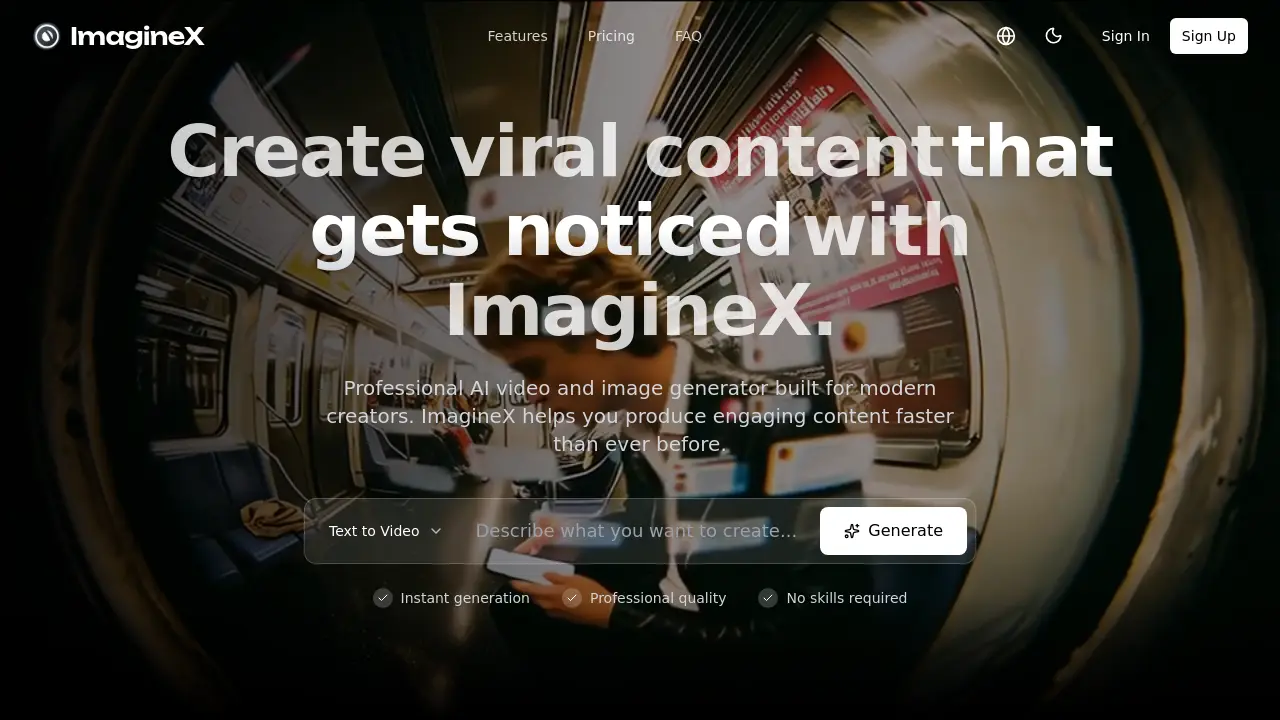
What is ImagineX
ImagineX, a product by Imaginex Management Co. Ltd., delivers AI‑driven text‑to‑image and text‑to‑video generation for creators who require professional‑quality visuals without technical barriers. Powered by an autoregressive image model and a frame continuity system, the platform offers photorealistic images up to 1024×1024 pixels and short‑form videos that can be infinitely extended. Native multimodal input support allows image‑to‑image edits and style transfer, while a multi‑model ensemble optimizes video fidelity. Creators can batch‑process projects, leverage unlimited model access in the Pro and Ultra plans, and benefit from commercial licensing across all usage rights. The solution is ideal for individual artists, marketing teams, and enterprises seeking rapid, high‑resolution visual production. The platform is available via the Imaginex outlet and supports users in Imaginex Hong Kong.
How does ImagineX work
ImagineX is an AI‑driven content creation platform that converts text and image prompts into high‑resolution photographs produced by the imaginext model and short‑form videos. At its core, an autoregressive model stitches image tokens sequentially, while a frame‑continuity system ensures smooth motion across video frames. The platform hosts multiple specialized models that collectively optimize quality in diverse domains—from portraits to logos to branded graphics—allowing batch processing and infinite video extension. Users issue prompts, receive credit‑based outputs, and export results for social media or commercial use. The service is part of the imaginex group and supports multimodal inputs.
Benefits of ImagineX
ImagineX is a cloud‑based AI platform that lets creators generate high‑quality images and short‑form videos directly from text prompts. The system uses an autoregressive image model and a multi‑model ensemble, delivering photorealistic portraits, logos, and artwork at up to 1024×1024 pixels. Video outputs include synchronized audio and frame‑continuity modeling, allowing users to extend clips indefinitely for longer stories or tutorials. With credit‑based pricing, batch processing, and priority queues, teams can manage workflow efficiently while preserving commercial licensing rights. The interface supports both text and image inputs, and style transfer tools enable quick visual refinement.
Pros and Cons of ImagineX
Pros
- Instant AI video generation from text prompts.
- Unlimited video extension for longer storytelling.
- Batch processing boosts team workflow efficiency.
- Included commercial license supports unrestricted usage.
- ImagineX AI delivers photorealistic image quality.
Cons
- High price per credit may deter small creators.
- Basic plan stores assets only for 7 days.
- Free tier lacks premium AI models.
- Support response times can lag during high demand.
- Credit usage unclear for complex video tasks.
Core Features of ImagineX
Text-to-Image Generation
Generates photorealistic images from textual prompts using an autoregressive AI engine, enabling quick production of logos, portraits, artwork, and domain‑specific visuals.
Short-Form Video Creation (Text-to-Video)
Transforms descriptive text into dynamic short videos with synchronized audio, offering infinite‑length extension for social media and professional storytelling experiences.
High-Quality Image Generation
Produces high‑resolution images up to 1024 × 1024 pixels across multiple domains, delivering realistic portraits, logos, and artistic styles with precise detail rendering.
Video Extension & Infinite-Length Generation
Extends any generated short video seamlessly, allowing creators to produce longer content without limits for tutorials, storytelling, and professional productions.
Batch Processing & Workflow Management
Processes multiple videos simultaneously, supporting agency and production team workflows for efficient turnaround and resource optimization.
Multimodal Input & Image-to-Image Editing
Enables text and image inputs with advanced editing features, allowing users to upload existing visuals for targeted edits, style transformations, or quality enhancements.
Frame Continuity & Style Transfer
Utilizes frame‑to‑frame modeling for seamless motion and applies precise style transfer, preserving content integrity while adding artistic effects.
Use Cases of ImagineX
- Content Creators: Use ImagineX to generate high‑resolution, photorealistic image assets for imaginext dinosaurs, enhancing social media impact.
- E‑commerce Marketers: Employ ImagineX to produce short‑form videos featuring imaginext batman toys, increasing product page conversions.
- Educational Institutions: Integrate ImagineX explainers to create visual demonstrations for complex scientific concepts, supporting remote learning.
- Marketing Agencies: Leverage ImagineX's batch processing to deliver consistent branding visuals across imaginex brands, ensuring quick turnaround.
- UX Designers: Utilize ImagineX's photorealistic rendering to prototype realistic product placements for imaginext castle toy line.
FAQs of ImagineX
What defines this innovation ecosystem?
ImagineX is an AI‑driven content creation platform that integrates advanced image and video generation engines. The ecosystem combines autoregressive image models, a frame continuity system for seamless video motion, and a multi‑model ensemble that optimizes quality across domains. Together, these technologies provide a cohesive studio where creators can generate professional‑grade visuals without requiring deep technical expertise.
How does content synthesis function?
Content synthesis on ImagineX starts with a textual or image prompt. The platform’s multimodal input pipeline passes the prompt to specialized AI models (e.g., Nano Banana Pro for images, Grok Video for clips). The models generate tokens sequentially, rendering high‑resolution (up to 1024×1024 pixels) images or short‑form videos. Users can iterate instantaneously, adjusting prompts and previewing changes in real time.
How long does video generation take?
Average generation time for a short‑form video (≤30 s) ranges from 30 seconds to 90 seconds, depending on the selected model and queue priority. Higher‑tier plans grant priority queues, reducing wait times. Batch processing allows concurrent creation of multiple videos, but each still requires its individual render cycle.
Can I extend my videos to make them longer?
Yes. ImagineX’s “Unlimited Video Extension” feature automatically prolongs a generated clip by predicting additional frames that maintain the original motion and style. The extended segment can be integrated into longer stories, tutorials, or professional productions without manual reconstruction.
Are enterprise applications authorized?
Enterprise‑level workflows are supported through the Pro and Ultra plans. These plans provide unlimited model access, priority queueing, and enterprise‑grade support (chat and email). Enterprise customers can also request dedicated SLAs and custom feature integration via the ImagineX consulting channel.
How are credits calculated and consumed?
Credits are the unit of usage across all ImagineX plans. A video clip consumes credits equal to its length in seconds multiplied by the model’s credit rate (e.g., 1 credit per second for standard models). Images cost a flat rate, typically 1 credit per 1024×1024 render. Credits reset monthly. When credits are exhausted, generation pauses until new credits are purchased or the monthly cycle refreshes.
How do I manage subscription preferences?
Subscription preferences are edited in the user dashboard under “Account Settings.” Creators can upgrade or downgrade plans, adjust billing frequency, and view credit balances. A “Cancel Subscription” option is available but requires confirmation to ensure accidental cancellations are avoided. All changes reflect immediately on the next billing cycle.
What are the asset storage limits for each plan?
Asset storage spans the duration an account keeps generated files; Basic stores assets for 7 days, Enthusiast for 15 days, Pro for 30 days, and Ultra for 90 days. After the retention period, files are automatically purged, freeing disk space and ensuring compliance with data‑management policies.
Can I use generated content commercially?
All subscription tiers grant a commercial license by default. This means you may use generated images or videos for personal or business purposes, including marketing materials, product demos, and social media campaigns. No attribution to ImagineX is required, though it is encouraged when appropriate.
Which file formats are supported for import and export?
ImagineX accepts common image formats (JPEG, PNG, WEBP, TIFF) and images for edit or style transfer. Video exports are available in MP4 (H.264) format with configurable resolution up to 1024 × 1024 pixels. Audio tracks can be added via the “Audio Generation” tool.
Is customer support available 24/7?
Email support is available for all plans, with priority email service for Enthusiast, Pro, and Ultra tiers. Chat support is live during business hours (usually 9 AM–5 PM GMT+8). Knowledge base articles and tutorials are accessible at any time for self‑service assistance.
How does the platform handle data privacy and security?
User data—including prompts, generated content, and account information—is encrypted at rest and in transit using industry‑standard protocols (TLS 1.3). Access controls enforce least‑privilege permissions. ImagineX complies with GDPR and stores data in regionally‑specified data centers. User uploads are not retained after the task completes unless elected to store for the plan‑specified duration.
How to use ImagineX
- ImagineX is a professional AI platform for generating high‑quality videos and images from text, providing text‑to‑image, short‑form video creation, and multi‑domain image quality features.
- Create an account or sign in to access the dashboard, choose a pricing plan, and obtain the necessary credits for generation tasks.
- Select the appropriate Image or Video model from the model library, e.g., Nano Banana Pro for image or Sora 2 for video, to match content style.
- Input a descriptive text prompt or upload an existing image; use concise language to convey desired style, lighting, and composition.
- Click the 'Generate' button to initiate instant processing; the AI engine creates high‑resolution visuals automatically, showing a progress bar and preview as it builds.
- Once rendering completes, view the generated media in the gallery, use the preview window to inspect detail, and export in desired formats or resolution.
- Utilize built‑in editing tools such as AI Image Editor or Video Edit to refine cuts, apply filters, or adjust color balance before final export.
- Download the finished asset in MP4 or PNG, or directly share to social platforms using the built‑in export links, ensuring proper resolution for each channel.
- Analyze visual quality, frame continuity, and audio synchronization noted in the preview; adjust prompt detail or model selection to meet branding or educational objectives.
- Track credit usage in the account dashboard; pre‑purchase additional credits or switch plans if frequent usage exceeds monthly allotment to accommodate growth.
ImagineX Website Traffic Analysis
Latest traffic information
- Monthly Visits256.13K
- Bounce Rate36.7%
- Pages Per Visit5.94
- Visit Duration00:07:06
- Global Rank136.41K
- Country/Region Ranking29.75K
Visits Over Time
Traffic Sources
- Direct: 67.83%
- Referrals: 18.87%
- Organic Search: 5.81%
- Organic Social: 3.41%
- Generative AI: 1.28%
- Paid Search: 1.15%
Top Keywords
| Keyword | Traffic | Volume | Cost Per Click |
|---|---|---|---|
| imaginex | 2.09K | 3.25K | $0.3 |
| seedance | 800 | 797.75K | $0.45 |
| nano banana 2 | 500 | 651.52K | $2 |
| gpt image 2 | 370 | 453.1K | $0.76 |
| imagine.x | 320 | 280 | -- |
Top Regions
| Region | Percentage |
|---|---|
| Japan | 13.77% |
| Russia | 10.6% |
| Indonesia | 9.77% |
| United States | 9.36% |
| South Korea | 7.38% |