
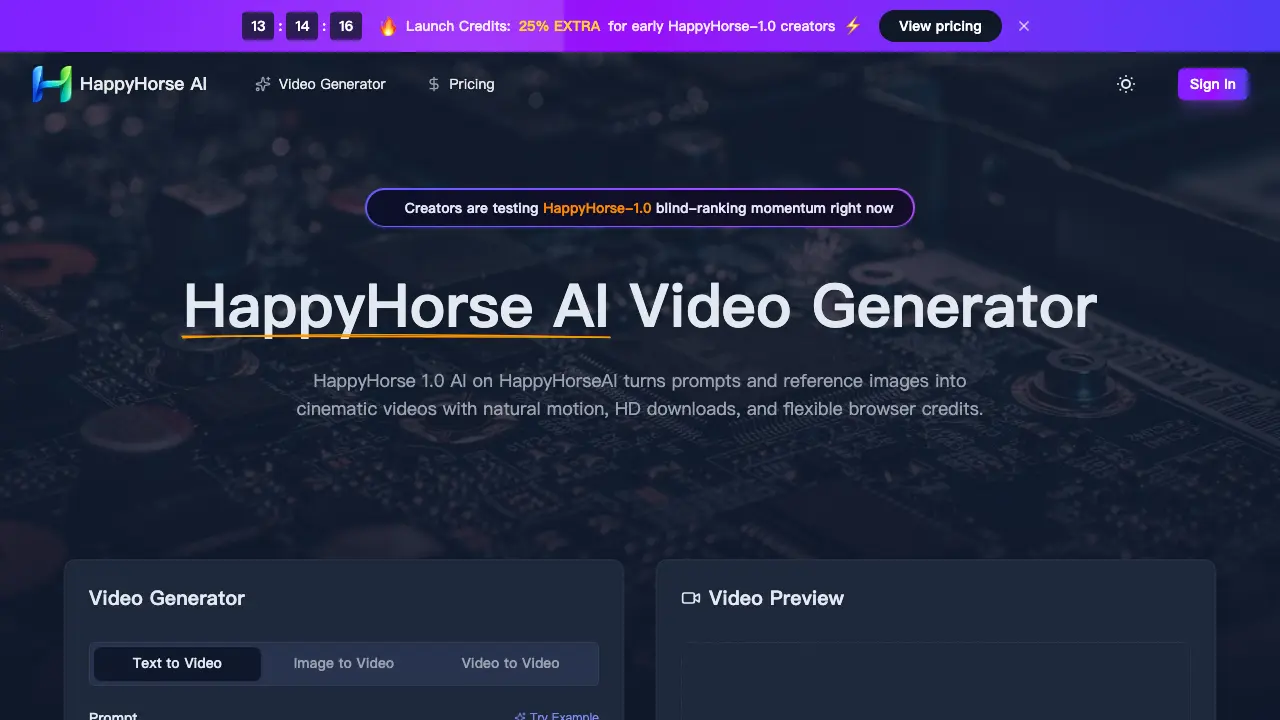
HappyHorse AI video generator creates HD text-to-video and image-to-video content in browser.

What is HappyHorse AI
HappyHorse-AI is a browser-based platform for generating cinematic videos from text prompts and reference images. The 1.0 AI model supports text-to-video, image-to-video, and video-to-video workflows, producing HD clips with natural motion and configurable aspect ratios. Users can download finished videos quickly and apply them to ads, social loops, storyboards, or concept trailers. Credits power each generation, with monthly, yearly, or pay-as-you-go plans available. The system is ranked in user blind tests for motion quality and reference image consistency, often praised for calm camera drifts and steady scene composition. The platform also includes commercial licensing and priority support options for teams producing client work.
How does HappyHorse AI work
HappyHorse 1.0 AI is an AI-powered video generation tool accessible via the HappyHorseAI web platform. It transforms text prompts and reference images into cinematic video clips with natural motion, incorporating features such as customizable aspect ratios (16:9, 9:16, 1:1, 4:3, 3:4, 21:9) and resolutions (480p, 720p, 1080p). Users can also add audio tracks and select generation lengths (up to 5 seconds per clip). The core model leverages advanced algorithms to produce smooth camera movements and coherent scene transitions, demonstrated in public AI competition benchmarks where HappyHorse-1.0 scored Elo ratings of 1333 for text-to-video and 1392 for image-to-video. Credits control usage, with 35 credits per video generation, and subscribers can purchase credits through monthly, yearly, or pay-as-you-go plans that include commercial licenses and HD downloads. Outputs are watermark-free and suitable for ads, social media, product demonstrations, and creative storyboards.
Benefits of HappyHorse AI
HappyHorse 1.0 AI is a browser-based video generator praised for natural motion and scene coherence. It excels at text-to-video and image-to-video creation, producing cinematic clips with smooth camera drift and stable subject follow. Users benefit from flexible plans offering pay-as-you-go or subscription credits, HD downloads, and commercial use rights. Ideal for ads, social loops, product demos, and storyboards, it delivers polished results quickly without watermarks. Fan reviews highlight its intuitive workflow and strong reference adherence, making it a practical tool for creators seeking high-quality, professional video content directly in the browser.
Pros and Cons of HappyHorse AI
Pros
- Generates cinematic videos with natural motion.
- Offers image-to-video reference following capabilities.
- Provides flexible pricing plans with commercial use licenses.
Cons
- Limited number of free credits available.
- No audio support in current testing mode.
- Only supports short video durations.
Core Features of HappyHorse AI
Text to Video Generation
Converts written prompts into short, cinematic videos with natural motion and HD download options.
Image to Video Generation
Transforms uploaded reference images into animated clips while maintaining composition and framing stability.
Video to Video Generation
Edits and enhances existing videos into new cinematic sequences with improved motion quality and scene continuity.
Cinematic Motion Quality
Produces videos with natural camera drift, smooth body movement, and atmospheric depth that feel less rigid than typical AI outputs.
Flexible Aspect Ratio and Resolution
Supports multiple aspect ratios (16:9, 9:16, 1:1, 4:3, 3:4, 21:9) and resolutions (480p, 720p, 1080p) for various use cases.
Reference Image Workflow
Uses uploaded images as visual references to guide composition, subject follow, and style consistency throughout generated videos.
Browser-Based Platform
Provides web access for testing prompts, comparing references, and downloading HD clips without requiring software installation.
Credit-Based Usage
Operates on a pay-per-generation model with flexible monthly, yearly, or pay-as-you-go credit packages starting at $9.9/month.
Commercial Use License
Grants paid subscribers permission to use generated content for business purposes, including ads, product showcases, and client presentations.
Use Cases of HappyHorse AI
- Filmmakers: Create concept trailers with HappyHorse-1.0 by generating short cinematic sequences from storyboards.
- Marketing Teams: Produce branded video ads from script prompts using HappyHorse AI's cinematic motion and HD export features.
- UX Researchers: Animate still product concepts or interfaces to test user interaction flows with the image-to-video tool.
- Concept Artists: Experience character concept visualizations via animation of stills into walking and gesturing sequences using HappyHorse1.
- Game Developers: Develop teaser trailers with realistic motion from environmental prompts using HappyHorse-1.0 style quality.
FAQs of HappyHorse AI
What is HappyHorse AI?
HappyHorse AI is a video generator that uses the HappyHorse 1.0 AI model to turn text and image prompts into cinematic videos with natural motion, HD downloads, and flexible browser-based credits.
How does HappyHorse 1.0 AI work?
HappyHorse 1.0 AI allows users to input text prompts and optionally upload reference images or videos. The AI then generates short cinematic videos with customizable settings like duration, aspect ratio, and resolution.
What makes HappyHorse-1.0 different from other AI video generators?
HappyHorse-1.0 is noted for its strong user preference in blind rankings, natural motion quality, and effective reference image following, making it stand out for cinematic and portrait animations compared to other tools.
Can I use HappyHorse-1.0 for commercial projects?
Yes, paid plans include commercial-use licenses, allowing businesses and creators to use the generated videos for ads, social campaigns, and client work, though users should ensure prompt and reference compliance.
How do credits work in HappyHorse AI?
Credits are consumed based on the generation mode and settings chosen. Users can select from monthly, yearly, or pay-as-you-go plans, with bulk yearly options offering better value per credit.
Is HappyHorse AI available on mobile devices?
Yes, since HappyHorseAI is browser-based, it is accessible on both desktop and mobile devices, allowing users to review prompts, previews, downloads, and manage credits from anywhere.
What video formats and quality can I export with HappyHorse-1.0?
HappyHorse 1.0 AI supports HD exports in various resolutions such as 480p, 720p, and 1080p, and aspect ratios including 16:9, 9:16, 1:1, 4:3, 3:4, and 21:9, catering to different social and cinematic needs.
What are the pricing tiers for HappyHorse plans?
HappyHorse offers Starter, Premium, and Advanced plans, ranging from $9.90/month (with 800 credits monthly) to $49.90/month (with 6,000 credits monthly), plus pay-as-you-go and yearly savings options.
Does HappyHorse-1.0 handle video-to-video generation?
Currently, the platform supports text-to-video and image-to-video workflows, allowing creators to animate static images or generate from prompts, but video-to-video is not highlighted as a primary feature.
Is this the official HappyHorse website?
No, this is a fan site dedicated to HappyHorse AI and is not the official platform. It provides information, showcases, and a third-party interface for exploring the model’s capabilities.
How to use HappyHorse AI
- Access HappyHorse AI at https://happyhorseai.net/ and sign in or create an account to begin.
- Select the "Text to Video" or "Image to Video" option for your desired video generation mode.
- Input a detailed prompt describing the video content you want HappyHorse 1.0 AI to create, up to 2,500 characters.
- Optionally upload a reference image or video to guide HappyHorse-1.0's composition and motion output.
- Choose video settings: duration (up to 5s), aspect ratio (16:9, 9:16, 1:1, 4:3, 3:4, or 21:9), and resolution (480p, 720p, or 1080p).
- Click "Generate" to start HappyHorse 1.0 AI processing your request; monitor credit balance if applicable.
- Preview the generated video, then download the HD clip once satisfied with the results.
- Review HappyHorse AI's pricing options and select a plan that matches your usage needs for future generations.
HappyHorse AI Website Traffic Analysis
Latest traffic information
- Monthly Visits31.9K
- Bounce Rate54.5%
- Pages Per Visit2.32
- Visit Duration00:03:17
- Global Rank831.86K
- Country/Region Ranking34.94K
Visits Over Time
Traffic Sources
- Direct: 50.27%
- Organic Search: 27.99%
- Referrals: 16.7%
- Organic Social: 5.04%
Top Keywords
| Keyword | Traffic | Volume | Cost Per Click |
|---|---|---|---|
| happyhorse | 6.22K | 166.27K | $0.4 |
| happy horse | 980 | 133.21K | $0.61 |
| happy horse ai | 720 | 34.2K | -- |
| happyhorse-1.0 | 280 | 27.56K | -- |
| happyhorse-1.0下载 | 270 | -- | -- |
Top Regions
| Region | Percentage |
|---|---|
| China | 95.59% |
| Japan | 2.04% |
| Hong Kong | 0.99% |
| Singapore | 0.79% |
| United States | 0.61% |
