
Happy Horse Video Generator
Happy Horse creates cinematic videos from text or images.
| Added on: | Apr 17, 2026 |
| Monthly Visits: | -- |
| Social & Email: | -- |

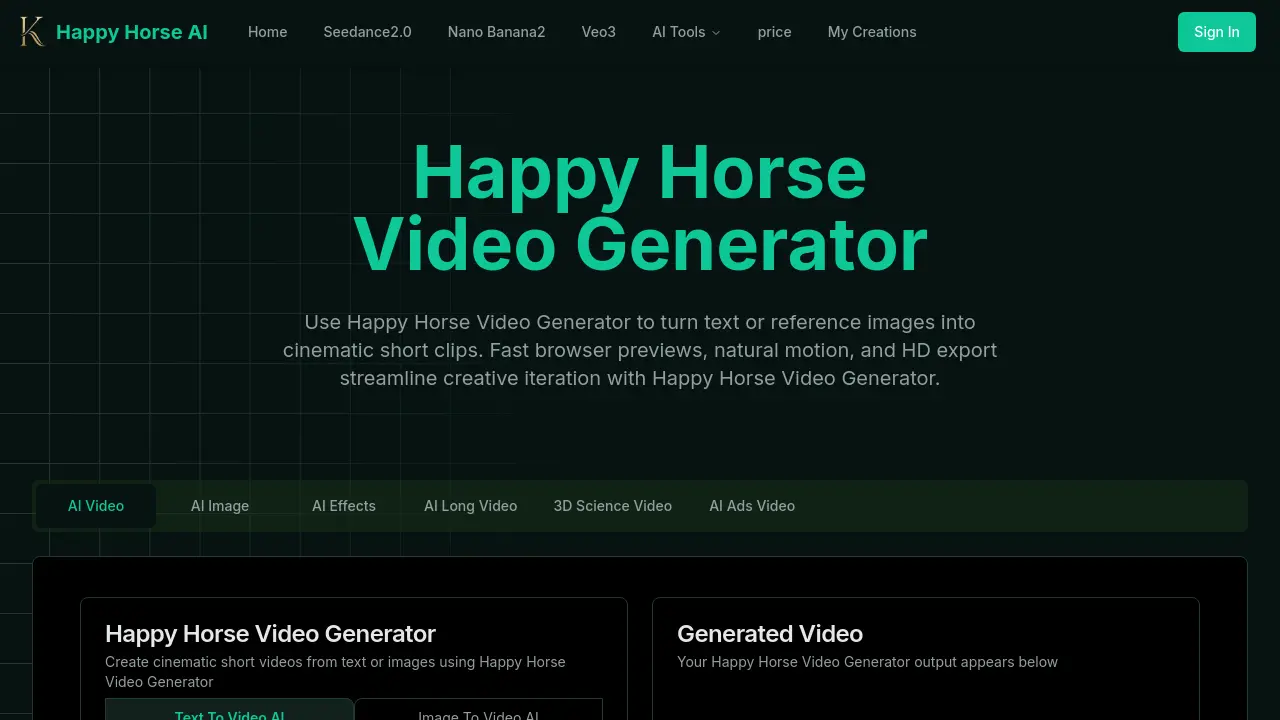
What is Happy Horse Video Generator
Happy Horse Video Generator is an AI‑driven web tool that converts short text prompts or reference images into cinematic video clips. Leveraging motion‑aware models such as Happy Horse 1.0 and Veo 3.1, the service creates natural camera movements, reliable subject follow‑through, and customizable pacing. Users compose a prompt, optionally upload an image or brief clip, set aspect ratio and duration, and receive an in‑browser preview within minutes. Finished videos can be exported in HD resolutions (480p‑1080p) for social media, promotional material, or product showcases. Additional features include avatar lip‑sync, stylized or photoreal presets, and fine‑grained control over drift, zoom, and dolly settings. The fast preview workflow and credit‑based scaling make the platform suitable for creators, marketers, and small production teams seeking rapid, high‑quality video iterations.
How does Happy Horse Video Generator work
Happy Horse Video Generator processes short text prompts or reference images through a motion‑aware pipeline that automatically determines scene composition, camera drift, and pacing. The system first interprets the input, then employs the Happy Horse 1.0 or Veo 3.1 models to synthesize coherent frames, applying natural micro‑movements such as handheld sway or dolly‑in effects. Frames are rendered in the browser, allowing previews within minutes, after which users can export HD clips in common resolutions. Integrated avatar lip‑sync and style presets further support marketing, social, or product‑focused videos, streamlining creative iteration and collaborative review.
Benefits of Happy Horse Video Generator
Happy Horse Video Generator transforms short text prompts or reference images into cinematic video clips with natural camera motion and reliable subject tracking. The platform offers fast in‑browser previews, allowing creators to tweak pacing, drift, and style before exporting HD‑quality videos suitable for social media, marketing or product showcases. Built‑in presets support photoreal, stylized, and editorial looks, while avatar and lip‑sync tools enable believable character dialogue. Credits and preset workflows speed scaling, and simple download options facilitate collaboration and client review, making the tool an efficient solution for rapid, high‑quality video production.
Pros and Cons of Happy Horse Video Generator
Pros
- Fast in‑browser previews for quick iteration.
- Natural camera motion with reliable subject follow.
- HD export supports 480p‑1080p resolutions.
- Text‑to‑video and image‑to‑video pipelines.
- Flexible style presets for photoreal or stylized output.
Cons
- Resolution limited to 1080p maximum.
- Credit‑based pricing may increase costs at scale.
- Advanced editing features are absent.
- Longer videos require significantly more processing time.
- Commercial licensing terms vary by plan.
Core Features of Happy Horse Video Generator
Text‑to‑Video Generation
Transforms short textual prompts into cohesive, cinematic clips using a motion‑aware pipeline, delivering natural framing and camera movement suitable for marketing or social media.
Image‑to‑Video Animation
Animates still images or reference clips with reliable subject follow and smooth motion, enabling product showcases, portrait videos, and visual storytelling.
Fast Browser Preview Workflow
Provides in‑browser preview generation within minutes, allowing rapid prompt iteration, setting adjustments, and immediate visual feedback before final export.
High‑Definition Export & Download
Exports polished videos in HD resolutions (480p‑1080p) with consistent framing, ready for distribution, client review, or social platform publishing.
Motion & Reference Control
Utilizes reference images and motion‑control models to maintain consistent subject tracking, natural camera drift, and customizable pacing across frames.
Avatar Creation & Lip‑Sync
Generates speaking characters with realistic expressions and precise lip‑sync, supporting character‑driven scenes and interactive content creation.
Use Cases of Happy Horse Video Generator
- Marketing teams: Produce short promotional clips from product descriptions, ensuring natural camera motion and HD quality.
- Educators: Convert lecture outlines or textbook images into cinematic explainer videos for engaging online courses.
- Social media creators: Generate eye‑catching story videos from simple text prompts, leveraging fast browser previews for rapid iteration.
- Game developers: Animate concept art into short motion sequences, maintaining subject follow and consistent framing.
- Animation students: Practice avatar lip‑sync and stylized scene control by turning scripts into polished video drafts.
FAQs of Happy Horse Video Generator
What is the Happy Horse Video Generator and how does it function?
Happy Horse Video Generator is an AI‑powered tool that transforms short text prompts or reference images into cinematic video clips. It automatically plans scene composition, generates natural camera motion, and renders the result in the browser, delivering fast previews and HD‑ready exports for creative projects.
What types of videos can I create?
Users can produce a variety of short‑form content, including marketing promos, social‑media reels, explanatory animations, concept trailers, and image‑to‑video animations. The platform’s flexible style presets let creators achieve photorealistic, stylized, or editorial looks without additional software.
How long does it take to process videos?
Preview clips are typically generated within a few minutes, depending on the chosen duration, resolution, and any additional effects. Full‑resolution HD exports may require extra processing time, but the credit‑based workflow is designed to keep turnaround fast for iterative work.
Can I download the videos I create?
Yes. After a preview is approved, users can download the final video in HD formats such as 720p or 1080p. Paid subscription tiers provide higher‑resolution options and commercial‑use licensing, while free accounts may be limited to lower‑resolution outputs.
Do I own the content I generate?
Content ownership depends on the selected plan. Generally, users retain rights to the generated video for personal, educational, or commercial use, subject to Happy Horse’s terms of service. Review the licensing agreement in the pricing section to confirm specific usage rights.
What video quality options are available?
Happy Horse Video Generator supports common resolutions including 480p, 720p, and 1080p. Users can select a preset that balances speed and visual fidelity, and higher‑resolution downloads are accessible through premium plans that include extended credit allocations.
How does the “Camera Motion Type” setting affect the final video?
The Camera Motion Type option lets users choose preset motion patterns—such as slow handheld push‑in, smooth drone flyby, or Steadicam dolly—or let the AI generate motion automatically. Selecting a specific type guides the underlying motion‑aware pipeline, ensuring consistent framing and realistic camera dynamics throughout the clip.
Is it possible to animate a still image with Happy Horse Video Generator?
Yes. By uploading a reference image, the platform applies its motion‑aware algorithms to create natural subject follow and dynamic background movement. This image‑to‑video feature is useful for product showcases, portrait animations, and turning artwork into short motion pieces.
What kind of creative control do I have over pacing and style?
Users can adjust pacing, camera drift, and overall style through intuitive sliders and dropdown menus. Options include photorealistic, stylized, or editorial looks, as well as fine‑tuning of scene timing to match music, narration, or specific storytelling beats.
How to use Happy Horse Video Generator
- Happy Horse Video Generator converts text prompts or reference images into short cinematic clips, offering natural camera motion, fast browser previews, and HD export for rapid creative iteration.
- Open the web interface, sign in, and select either “Text‑to‑Video” or “Image‑to‑Video” mode; the appropriate input fields appear automatically.
- Enter a concise description in the prompt box or upload a reference image; optional AI‑generated prompt can be activated for richer detail.
- Choose camera motion type, aspect ratio, and duration from the preset menus; these settings control framing, pacing, and output size.
- Click “Create with Happy Horse Video Generator”; the system processes the request, generating a low‑resolution preview within minutes.
- Review the preview directly in the browser; assess subject follow, motion smoothness, and overall cinematic quality against project goals.
- If adjustments are needed, modify the prompt, motion type, or timing, then regenerate the preview to refine the result.
- Once satisfied, select the HD export option, confirm resolution (480p‑1080p), and download the final video file for distribution or further editing.
- Store the downloaded clip in the “My Creations” library; use the platform’s sharing link to collaborate with teammates or clients.
- Analyze exported metrics such as playback smoothness and frame consistency to ensure the video meets promotional or storytelling objectives.