
Girl Generator FAQs
Girl Generator is a free AI image generator that lets artists and creators produce anime, realistic, chibi, cyberpunk and other girl styles from text prompts in seconds, offering multiple styles, fast HD output and daily free credits.

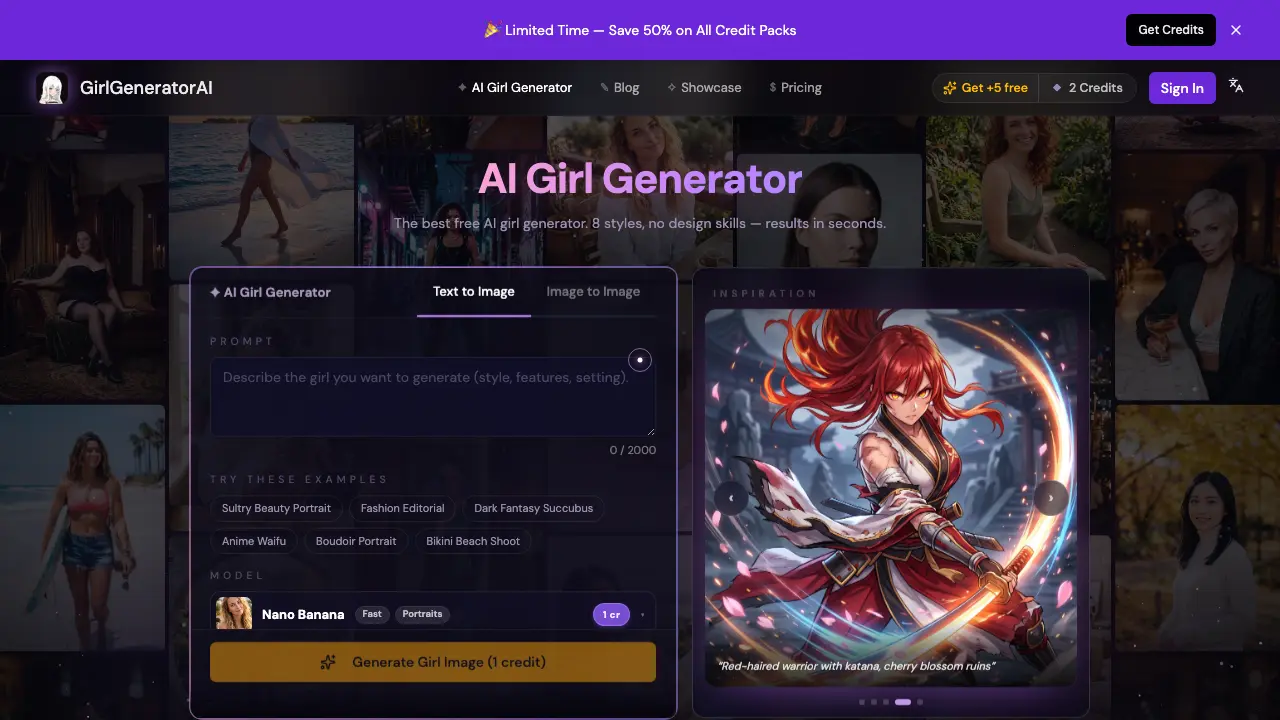
FAQs of Girl Generator
What is an AI girl generator?
An AI girl generator is a web‑based tool that converts a textual description into a unique image of a girl. Users type prompts that specify style, clothing, setting, or mood, and the system creates a brand‑new illustration in seconds without any drawing skills.
Is Girl Generator free to use?
Yes. Girl Generator offers two free generations without requiring an account. After signing up, users receive five bonus credits and can earn two additional credits daily through the check‑in feature. Paid credit packs start at $6.99, and a subscription option begins at $9.99 per month for higher‑volume usage.
How does the text‑to‑image process work?
The platform employs a text‑to‑image model that interprets the prompt and synthesizes an original image from scratch. In image‑to‑image mode, a reference picture is uploaded; the AI uses that visual as a base while applying the textual instructions, allowing detailed style refinements or pose changes.
Which artistic styles can be generated?
Girl Generator supports eight primary styles, including realistic portraits, anime, cyberpunk, watercolor, sketch, chibi, HD‑resolution photography, and 3D renders. Users simply add style keywords such as “anime” or “realistic” to their prompt, and the engine adapts the output accordingly.
Can the generated images be used commercially?
Yes. Images produced by Girl Generator may be used for personal projects, social media, games, and commercial applications. Users should verify local copyright regulations, as AI‑generated works may have varying legal status in different jurisdictions.
How long does it take to generate an image?
Generation speed depends on the selected model. The fastest “Z‑Image” model renders a draft in roughly 5 seconds, while higher‑quality models like Nano Banana Pro require 25–70 seconds for a full‑resolution output.
What is the image‑to‑image mode and when should I use it?
Image‑to‑image mode lets you upload a reference picture alongside your text prompt. The AI preserves elements such as pose, composition, or existing style from the reference while incorporating the new description. This mode is useful for iterating on character concepts, converting photos to anime, or blending multiple visual ideas.
Are there any daily limits for free users?
Free users receive two generation credits per day without signing in. Creating an account grants five additional free credits and two extra credits each day through the daily check‑in. Once the free credits are exhausted, users must purchase additional credit packs or subscribe.
How can I control the aspect ratio of the output?
Before generating, users can select from preset aspect ratios (e.g., 1:1, 4:3, 16:9) or enter a custom ratio. The chosen aspect ratio determines the canvas dimensions, ensuring the final image fits specific format requirements such as social‑media posts or game assets.
How to use Girl Generator
Girl Generator creates AI‑generated girl images from text or reference photos, offering eight distinct styles such as anime, realistic, cyberpunk, watercolor, and 3D, with results delivered in seconds.
Access the web interface, optionally sign in for free credits, then locate the prompt box and, if desired, upload a reference image using the drag‑and‑drop area.
Compose a descriptive prompt of up to 2000 characters, including style keywords (e.g., “anime”, “realistic”, “cyberpunk”) and details about pose, clothing, lighting, or setting.
Select the desired AI model and aspect ratio from the dropdown menus; higher‑quality models may require more credits but produce finer detail and HDR‑like output.
Click “Generate Girl Image” to submit the request; the system processes the prompt, produces a full‑resolution image within 5–70 seconds, and displays a shareable link.
Review the generated image, compare it with the prompt, and use the download button to save the file locally or copy the shareable URL for social or commercial use.
If revisions are needed, tweak the prompt or upload a new reference image, repeat the generation step, and iterate until the visual result meets the project’s requirements.
