
GenPPT's Free PPTX Compressor Reduces File Size by Up to 90%

What is Compress PPTX
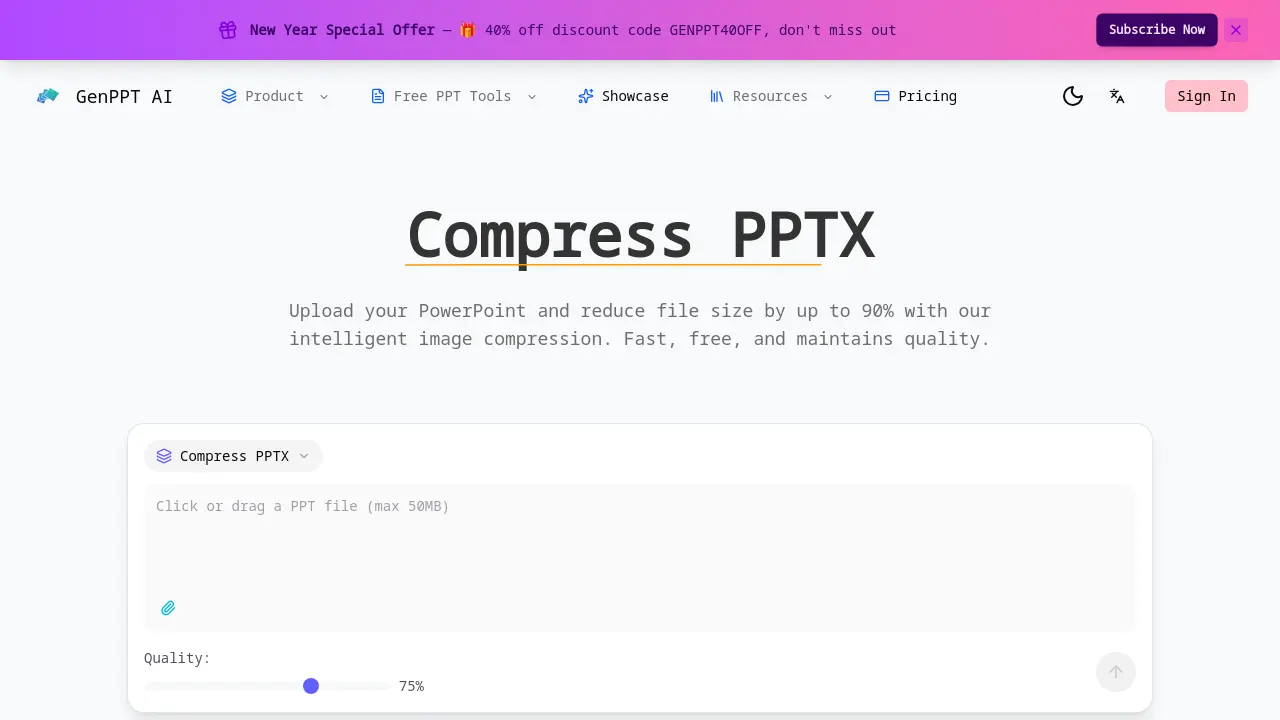
Compress PPTX is an online tool designed to significantly reduce PowerPoint file sizes through intelligent image compression. It achieves reductions of up to 90% while preserving presentation formatting, including animations and slide layouts. The tool offers adjustable quality settings from 20% to 100%, allowing users to balance file size and visual clarity according to specific needs. Processing is fast, typically completing in under 30 seconds, and files are automatically deleted from servers after compression for security. A key differentiator is its built-in compression capability, which many AI presentation generators like Gamma or Beautiful.AI lack, often requiring separate external tools for file size optimization. The service is free to use without file size limits or subscriptions, making it accessible for students and professionals needing to email or share large presentations efficiently.
How does Compress PPTX work
Compress PPTX operates as a web-based tool designed to reduce PowerPoint file sizes primarily through intelligent image compression. Its algorithms analyze each image within a PPTX file, optimizing them to decrease overall size by 50–90% while allowing user-adjusted quality settings. The process preserves original slide formatting, including animations and layouts, and completes rapidly, often in under 30 seconds. Security measures include end-to-end encryption and automatic server deletion of uploaded files. As a free service with no file size limits, this PPTX compressor provides an accessible method for managing presentation files without requiring software installation.
Benefits of Compress PPTX
Compress PPTX efficiently reduces PowerPoint file sizes by 50-90% using intelligent image compression, maintaining slide animations, transitions, and layouts. The tool offers adjustable quality settings (20-100%) to balance size and clarity, processes most files in under 30 seconds, and ensures security with automatic server deletion and encryption. Unlike alternatives like Gamma or Canva, which lack native compression features, this free, no-limit solution simplifies email sharing and cloud storage without requiring external software or subscriptions.
Pros and Cons of Compress PPTX
Pros
- Reduces PPTX file size by 50-90% through image optimization.
- Completely free with no usage limits or subscriptions required.
- Fast processing completes most compressions in under 30 seconds.
- Preserves original formatting, including animations and transitions.
- Offers adjustable quality settings (20-100%) for balance control.
Cons
- Exclusively an online tool requiring a stable internet connection.
- Compression is limited to images, not other embedded elements.
- File uploads to external servers may raise privacy concerns.
- Supports only the PPTX format, not older PPT files.
- No offline access or desktop application version available.
Core Features of Compress PPTX
Intelligent Image Compression
Uses advanced algorithms to analyze and compress images within PPTX files, reducing size by 50-90% while preserving visual quality for efficient sharing and storage.
Fast Processing
Employs a high-speed compression engine that processes most presentations in under 30 seconds, enabling quick file size reduction without user delays or bottlenecks.
Quality Control
Allows users to adjust compression quality from 20% to 100%, providing precise control to balance file size reduction against desired image clarity and detail.
Secure & Private
Ensures file security with end-to-end encryption and automatic deletion from servers after compression, maintaining confidentiality and protection of sensitive presentations.
Maintains Formatting
Preserves all original presentation elements such as animations, transitions, and slide layouts during compression, ensuring the output file remains fully functional and compatible.
Unlimited Free Compression
Offers unrestricted, no-cost compression without file size limits or subscription requirements, making the tool accessible for all user types and use cases.
Use Cases of Compress PPTX
- Students: Compress PowerPoint assignments for email submission, reducing file size by up to 90% while preserving slide formatting and transitions.
- Professionals: Optimize business PPTX files for cloud storage using intelligent image compression, maintaining visual quality and animations.
- Businesses: Batch process multiple presentation files to save storage space, with secure deletion and no file size limits.
- Educators: Shrink lecture PowerPoints for online courses, ensuring fast uploads and downloads without compromising content clarity.
FAQs of Compress PPTX
How do I compress a PPTX file?
To compress a PPTX file, upload your presentation to the Compress PPTX web tool. You can adjust the compression quality slider if needed, then click the compress button. The server processes the file, reducing image sizes within the PPTX archive, and provides a download link for the smaller file within seconds.
Will compression reduce PPT quality?
Compression reduces the file size of images inside the PPTX, which may slightly affect image clarity at lower quality settings. Choosing a higher quality percentage preserves visual fidelity while still achieving a significant reduction in overall file size for easier sharing.
What causes large PowerPoint file sizes?
Large PowerPoint file sizes are primarily caused by high-resolution images, embedded videos or audio, custom fonts, and complex animations. The PPTX format is a compressed archive, but uncompressed media elements quickly increase the total data stored.
What is the best free PPT compressor?
Compress PPTX is a free, online PPT compressor that reduces file sizes by up to 90% without requiring registration or a subscription. It provides adjustable quality control and maintains slide formatting, making it a practical tool for students and professionals.
Can I compress multiple PPT files at once?
Yes, Compress PPTX supports batch processing. You can upload multiple PPTX files simultaneously and compress them all in one go. This feature improves efficiency when you need to reduce the file size of several presentations quickly.
How much can I reduce PPT file size?
File size reduction typically ranges from 50% to 90%, depending on the original content and the compression quality selected. Presentations with many high-resolution images see the most dramatic reductions in size after using the PPT compressor.
Is it safe to compress PowerPoint online?
Yes, it is safe. Compress PPTX uses end-to-end encryption for file transfers and automatically deletes all uploaded files from its servers immediately after processing. This ensures your presentation data remains private and is not stored or misused.
What's the difference between PPT and PPTX compression?
PPT is an older binary format, while PPTX is a zipped XML-based format. Compression for PPTX specifically targets and optimizes embedded image and media files within the archive. PPT compression may involve different techniques due to the distinct file structure.
Can I undo PPTX compression?
Once a PPTX file is compressed and downloaded, the original file cannot be restored through the tool. It is advisable to keep a backup copy of your uncompressed presentation before using the compressor to avoid permanent quality loss.
Should I compress PPT before or after editing?
You should compress after finalizing all edits. Compressing an unfinished file may lead to quality degradation if you later add or modify high-resolution images, requiring another compression cycle and potentially compounding the quality reduction.
What image formats are optimized during compression?
The intelligent compression algorithm targets common image formats embedded in PPTX files, such as JPEG, PNG, and GIF. It re-encodes these images efficiently to reduce their individual file sizes while striving to maintain acceptable visual quality.
Is an internet connection required to use the compressor?
Yes, an internet connection is required because Compress PPTX is an online-only tool. You must upload your PPTX file to the server for processing and then download the compressed result. The tool does not offer an offline desktop version.
Does compression affect embedded fonts or hyperlinks?
No, compression only processes image and media files within the PPTX. It does not alter embedded fonts, hyperlinks, text content, slide masters, or other structural elements. All functional and design components remain unchanged.
What is the typical compression speed?
The high-speed compression engine processes most presentations in under 30 seconds. Processing time can vary based on file size and the number of images, but the system is optimized for rapid turnaround without manual intervention.
Can compressed files be edited normally in PowerPoint?
Yes, the compressed PPTX file remains a fully editable PowerPoint presentation. You can open it in Microsoft PowerPoint or compatible software to add, remove, or modify content, though further edits may increase file size again.
How to use Compress PPTX
Compress PPTX is an online utility designed to reduce PowerPoint file sizes through intelligent image compression, achieving reductions of up to 90% while maintaining visual quality and slide formatting. The tool operates via a web browser, requiring no software installation.
- The user accesses the Compress PPTX tool via the GenPPT website, an online utility for reducing PowerPoint file sizes through image optimization. No installation is required, as it functions entirely within a web browser.
- The user selects a PPTX file from their device for upload. The tool accepts standard PowerPoint formats and processes files securely with encryption, ensuring data privacy during the transfer.
- A compression quality slider allows adjustment from 20% to 100%. Lower settings reduce file size more aggressively but may affect image clarity. Users select a balance based on their specific sharing needs.
- Upon clicking the compress button, the tool's algorithms analyze and optimize embedded images. Processing typically completes within seconds, leveraging high-speed servers for rapid PPTX file size reduction.
- The compressed presentation downloads automatically. All original slide layouts, animations, and transitions remain intact, as only image data is modified during the compression process.
- Users should inspect the downloaded file to confirm acceptable quality and reduced size. The original file is deleted from servers after processing, maintaining security for sensitive presentations.
After compression, the user verifies the new file size in their device properties. Opening the presentation confirms that animations, transitions, and layouts are preserved. Effective PPTX compression facilitates easier email sharing, faster cloud uploads, and more efficient storage management without compromising presentation integrity. This process directly supports goals of improving workflow efficiency and meeting platform-specific file size limits.
Compress PPTX Website Traffic Analysis
Latest traffic information
- Monthly Visits4.83K
- Bounce Rate36.37%
- Pages Per Visit1.36
- Visit Duration00:00:07
- Global Rank4.1M
- Country/Region Ranking646.3K
Visits Over Time
Top Keywords
| Keyword | Traffic | Volume | Cost Per Click |
|---|---|---|---|
| html转ppt | 180 | 1.18K | -- |
| pdf转ppt ai | 170 | -- | -- |
| text to ppt generator | 110 | 180 | -- |
| genppt ai | 100 | 550 | -- |
| genppt | 10 | 3.71K | -- |
Top Regions
| Region | Percentage |
|---|---|
| India | 46.46% |
| United States | 21.95% |
| United Arab Emirates | 15.66% |
| Italy | 9.01% |
| Spain | 6.91% |
