
Cartoon2Real AI turns cartoons into realistic portraits.

What is Cartoon2Real
Cartoon2Real is an AI-powered web tool that transforms cartoon, anime, or sketch-style character images into realistic human portraits. The service operates directly in a browser, requiring users to simply upload an image, select a visual style, and generate a result within seconds.
The underlying AI model adapts to various source art styles, producing lifelike outputs suitable for multiple applications. Key features include a credit-based system for image generation, a commitment to user privacy (uploaded images are not used for model training and are deleted post-processing), and the ability to create both still images and transformation videos. Primary use cases encompass creating realistic profile avatars, visualizing character concepts for creative projects, and generating unique social media content. The tool is designed for accessibility, requiring no specialized design or technical skills from the user.
How does Cartoon2Real work
Cartoon2Real functions as a browser-based AI image generator that converts cartoon or anime visuals into realistic human portraits. Users initiate the process by uploading an image file, such as JPG or PNG, via a web interface. The underlying AI model, trained on extensive human facial datasets, processes the input to generate a lifelike output, adapting to diverse cartoon styles including anime or sketches. Transformations occur rapidly, with results delivered in high resolution and without watermarks. The service employs a credit-based system for resource allocation, ensuring scalable access for personal or commercial use in areas like profile creation and character design, while maintaining user privacy through data deletion after processing.
Benefits of Cartoon2Real
Cartoon2Real is a web-based AI tool that transforms cartoon or anime-style images into realistic human portraits. Users simply upload an image, select a style, and receive a lifelike transformation within seconds. The AI automatically adapts to various source styles, including anime and sketches, and offers multiple output options from soft realism to high detail. Operating entirely in the browser, it requires no installation or design skills. User privacy is protected, as uploads are deleted after processing. This service is suitable for creating profile pictures, visualizing character concepts, or generating unique social media content.
Pros and Cons of Cartoon2Real
Pros
- Web-based tool accessible from any browser.
- Fast transformation within seconds.
- Automatically adapts to diverse cartoon styles.
- Does not store or train on uploaded images.
- User-friendly interface requires no design skills.
Cons
- Credit system requires purchase after free trial.
- Only 10 free credits available for testing.
- Output quality varies with original image quality.
- No dedicated mobile application.
- Video generation capabilities are not clearly defined.
Core Features of Cartoon2Real
Cartoon to Realistic Image Transformation
Converts cartoon, anime, or sketch-style images into photorealistic human portraits using AI technology for profile pictures, character design, and content creation.
Multiple Visual Style Options
Provides various photorealistic output styles such as soft realism and high-detail, enabling users to customize the aesthetic of transformed images for different applications.
Fully Web-Based Processing
Operates entirely within the browser without downloads or installations, offering instant access and fast processing for immediate results on any internet-connected device.
Strict Privacy Protection
Ensures uploaded images are used only for processing and deleted immediately; no storage or model training occurs with user data, maintaining confidentiality.
Comprehensive Format Compatibility
Accepts JPG, PNG, WEBP, HEIC, GIF and other common image formats, facilitating easy uploads from diverse sources like screenshots or digital illustrations.
Transformation Video Generation
Creates video clips that animate the cartoon-to-real conversion process, providing engaging visual content for social media, marketing, or entertainment purposes.
Use Cases of Cartoon2Real
- Social media users: Generate realistic profile portraits by transforming cartoon avatars using the AI conversion tool.
- Character designers: Visualize cartoon-style characters as lifelike humans for game development and narrative design.
- Content creators: Produce distinctive social media visuals through cartoon to photorealistic human image conversions.
- Friends and family: Create entertaining comparisons by turning cartoon character images into realistic portraits.
- Pet owners: Transform cartoon pet illustrations into lifelike animal portraits with the AI-powered tool.
FAQs of Cartoon2Real
What is a credit?
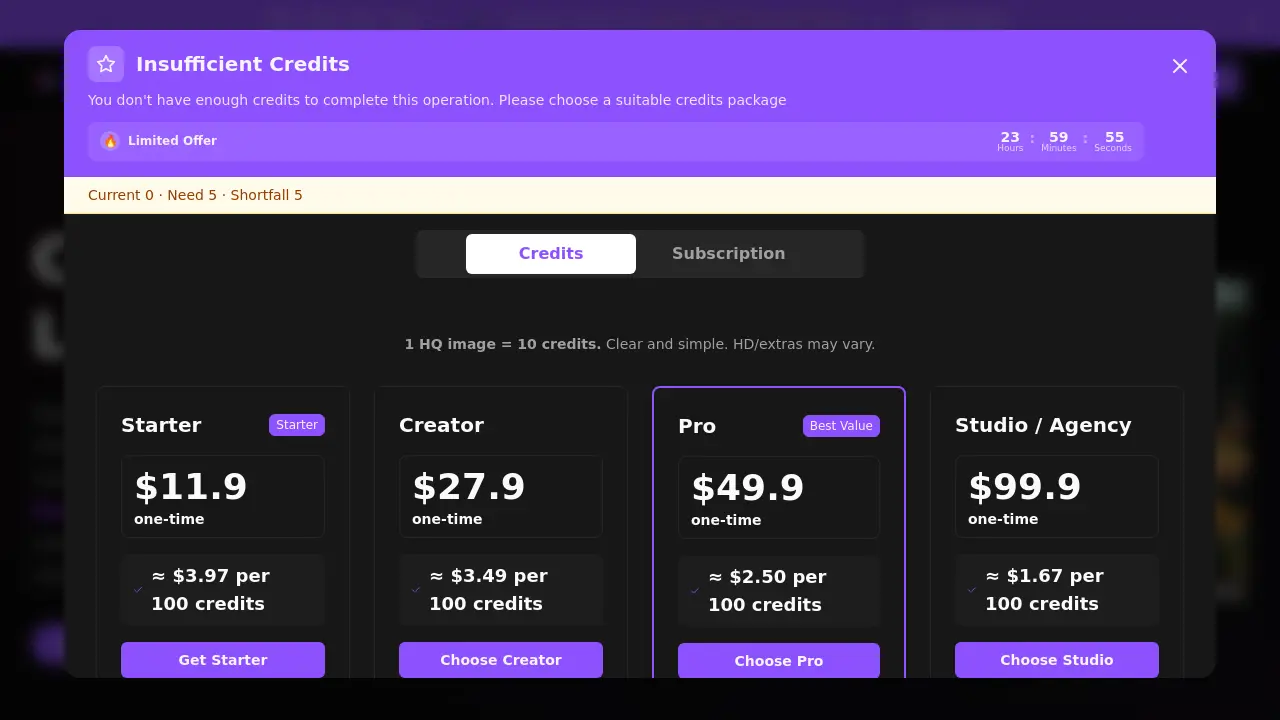
A credit is the unit of currency used on Cartoon2Real to generate transformed images. Each generation consumes a set number of credits based on output quality and selected style options. Credits can be purchased in one-time packs or through subscription plans, with pricing details available on the pricing page.
How many credits per image?
The standard rate is one high-quality (HQ) image per 10 credits. producing higher-definition outputs, adding watermarks, or using batch processing may require additional credits. The exact cost for specific features is displayed before confirming a generation.
Credit packs vs subscriptions?
Credit packs are one-time purchases suitable for occasional use, providing a fixed credit balance valid for 12 months. Subscriptions offer regular credit replenishment along with benefits like priority processing, HD outputs without watermarks, batch transformation capabilities, and access to premium styles for frequent creators.
Do you train on my uploads?
No, Cartoon2Real does not utilize uploaded images to train its artificial intelligence models. User uploads are processed solely to fulfill the specific transformation request and are automatically deleted from servers immediately after the generated output is delivered.
How do I turn anime or cartoons into real people?
Users upload a supported cartoon or anime image file, select a preferred realistic style from the available options, and initiate the generation. The AI processes the request within seconds directly in the web browser, requiring no software installation or design expertise.
Commercial use?
Commercial utilization of generated images is allowed under the condition that the user holds the rights to or is properly licensed for the original cartoon source material. Users remain responsible for verifying the licensing status of any input content before commercial application.
Which image formats are accepted?
The tool accepts JPG, PNG, JPEG, WEBP, HEIC, and GIF file formats. Uploads can include screenshots, digital illustrations, or other cartoon-style artworks, with a maximum file size limit of 10 megabytes per image.
Can I upload anime characters or cartoon pets?
Yes, the AI is capable of transforming anime-style characters, stylized human figures, and cartoon representations of pets. The system's training encompasses diverse artistic styles to accommodate various source materials while aiming for realistic human or animal feature adaptation.
How realistic are the generated images, and what factors influence quality?
The output realism stems from AI training on large datasets of human facial features and artistic styles. Result quality is influenced by the clarity and detail of the input cartoon, the simplicity of the character design, and the selected visual style. Well-defined, high-contrast sources typically yield the most lifelike transformations.
What are the system requirements for using Cartoon2Real?
Cartoon2Real functions as a fully web-based application, requiring only a contemporary internet browser such as Chrome, Firefox, or Safari and a stable network connection. No local software installation or high-performance computing hardware is necessary, allowing use on most desktops, laptops, and mobile devices.
Can the AI transform images with multiple characters or complex scenes?
The AI can process images containing multiple cartoon characters, but optimal accuracy is achieved when individual faces are clear, well-framed, and not overlapping. Complex backgrounds or scenes with numerous subjects may reduce the transformation precision for each character, so isolated portraits produce the best results.
What visual styles are available, and how do they affect the output?
Several visual styles are provided, ranging from soft, natural realism to high-detail photographic renditions. Each style adjusts elements like lighting, skin texture, and fine facial features to alter the final aesthetic. Users can preview style examples to select the one that best matches their desired realism level for the source cartoon.
What customer support options are available for technical issues?
Primary support is accessible via email at support@cartoontoreal.com for account, billing, or technical inquiries. The website also offers a searchable FAQ section and a blog with usage guides. Email responses are typically provided during standard business hours, and no telephone support is currently offered.
How to use Cartoon2Real
Cartoon2Real is a web-based AI application that transforms cartoon or anime-style images into photorealistic human portraits, operating entirely within a browser without requiring software installation.
- Users must first visit the Cartoon2Real website and log into an account to verify available credits for processing images.
- Locate the upload interface, then drag a cartoon image file into the designated area or click to select a file from local storage.
- Optionally, select a specific realistic visual style from the available options; the default style applies automatically if no choice is made.
- Initiate the transformation by clicking the "Transform to Real Life" button, which sends the image to the AI model for analysis.
- The AI typically processes the image within seconds, after which the resulting realistic portrait is displayed on the screen.
- Download the generated realistic image by clicking the download button, or use sharing options to post directly to social platforms.
- The output serves practical purposes such as creating profile pictures, visualizing character concepts, or generating unique marketing visuals.
- Monitor credit consumption, as each high-quality image generation deducts approximately 10 credits from the user's balance.
Cartoon2Real Website Traffic Analysis
Latest traffic information
- Monthly Visits1.09K
- Bounce Rate39.3%
- Pages Per Visit1.31
- Visit Duration00:00:00
- Global Rank13.56M
- Country/Region Ranking--
Top Keywords
| Keyword | Traffic | Volume | Cost Per Click |
|---|---|---|---|
| anime to real life ai free generator no sign up | 110 | -- | -- |
| i make carrtoon charachters realistic | -- | 10 | -- |
| turn cartoon real life ai | -- | -- | -- |
Cartoon2Real Alternatives
Browser workspace for AI image generation, reference photo editing, and short video drafts, aimed at creators, marketers, and product teams.
AI design studio for architects and designers: turn sketches, model views, and room photos into rendering concepts, material studies, and staged interiors.
An AI cartoon video generator that turns a script or prompt into an animated video with the same character in every scene, AI voiceover and soundtrack, and commercial rights included.
Upload one selfie to preview 120+ cuts, colors and bangs rendered on your own face in about 20 seconds, then take the reference sheet to your barber.
Pet to Art is a free AI pet portrait generator that turns one clear pet photo into custom digital artwork across 170+ styles, canvas ratios, and 2K downloads.

Create and edit images with Image 2.5 by GPT. Sunburst for precision, Flare for speed, up to 4K, 6 quality modes, and transparent PNG/WebP output.
Free unlimited image to prompt generator. Upload any image and get a detailed, accurate AI prompt for Midjourney, Stable Diffusion, FLUX and more in seconds.
Create professional AI headshots from your selfies. Train a personal model, generate 7 to 20 styles, and download up to 2048×2048 photos.
Turn JPG, PNG, and WebP images into editable PowerPoint slides. Upload up to 10 images, set the order, and let AI rebuild each image as a real slide.
AI Clothes Changer is an online tool that replaces the clothing in a person photo using either a reference image or a text description.
AI Gazou removes image backgrounds for free using AI. Upload photos, products, or logos to get transparent PNGs with clean edges and customizable margins.
Turn product photos into clean line drawings, numbered assembly steps, and IFU panels for manuals, inserts, and support pages. Export PNG or SVG.