
BestPhoto AI transforms photos into professional headshots
| Added on: | Feb 7, 2026 |
| Monthly Visits: | 29.33K |
| Social & Email: | -- |

What is BestPhoto
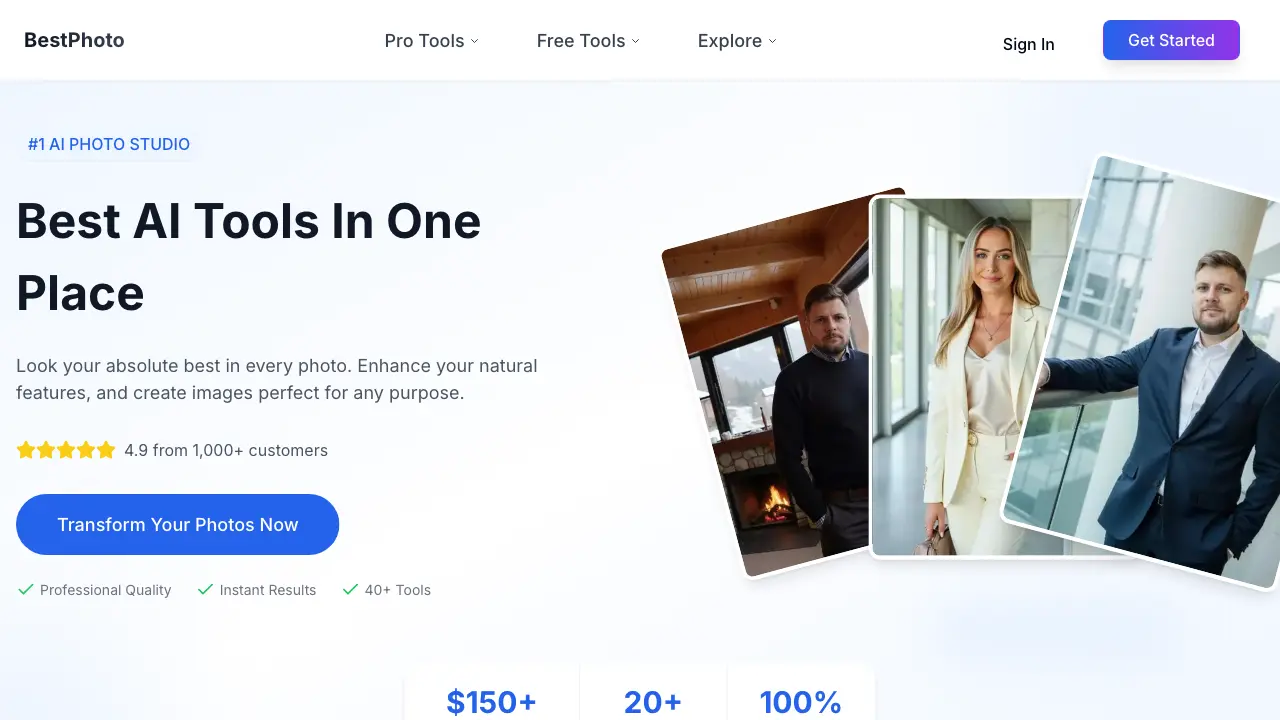
BestPhoto is an AI photo studio providing over 40 tools for image generation, editing, and video creation. The platform enables users to generate professional headshots, dating photos, and marketing visuals from existing images or text prompts, delivering results in under an hour. Key benefits include significant cost savings compared to traditional photography (averaging $150+ per shoot), commercial usage rights, and secure image processing. Use cases highlight proven outcomes, such as LinkedIn profiles receiving up to 21x more views with professional headshots. Supported by a 4.9/5 rating from 25,000+ customers, BestPhoto positions itself as an accessible solution for creating high-quality, versatile visual content without requiring photography expertise.
How does BestPhoto work
BestPhoto operates as an AI-powered photo and video editing platform. Users upload existing images or provide text prompts to access over 40 automated tools. Core functions include AI-driven image generation, style transfer, face swapping, and video creation from static photos. The system processes inputs using trained models to enhance features, apply effects, or animate content, delivering results within minutes. Commercial usage rights and secure data handling are standard. This approach eliminates traditional photography costs, serving professionals and creators seeking efficient, customizable visual content for headshots, dating profiles, and social media.
Benefits of BestPhoto
BestPhoto is an AI photo studio delivering professional-quality images without traditional photography costs. Its suite of over 40 tools, including generators and editors, enables quick creation of headshots, dating photos, and creative portraits from existing images or text prompts, with results typically delivered in under an hour. The service provides commercial usage rights and ensures user privacy through secure processing. This approach offers significant savings compared to professional shoots while helping users achieve tangible outcomes, such as increased profile visibility, making high-quality visual content accessible for networking, personal branding, and business use.
Pros and Cons of BestPhoto
Pros
- Saves $300+ per professional photoshoot.
- Delivers results in under an hour.
- Offers over 40 AI tools and 20+ photo packs.
- Provides free tools without registration.
- Includes full commercial usage rights.
Cons
- Output quality depends heavily on input photos.
- Privacy concerns remain despite security claims.
- AI-generated images can look artificial or staged.
- Credit-based pricing may become costly.
- Technology limitations cause inconsistent results.
Core Features of BestPhoto
AI Image Generation
Produces original images from textual descriptions, allowing users to generate professional-quality visuals for various applications without needing cameras or design skills.
AI Image Editing
Modifies existing images using text-based commands, enabling users to adjust styles, remove backgrounds, or enhance elements efficiently, simplifying the editing process for non-professionals.
AI Video Generation
Animates still images or generates videos from text, empowering users to create engaging short-form content like talking avatars, animated historical photos, and viral clips for social platforms.
Face Swap
Replaces faces in photographs with other faces using artificial intelligence, facilitating creative face swaps for entertainment, social media content, or professional projects with realistic output.
Use Cases of BestPhoto
- Job Seekers: Create professional headshots using AI image generator for LinkedIn profiles and corporate websites.
- Online Daters: Enhance dating profile photos with AI editing tools to increase matches on apps like Tinder.
- Content Creators: Produce AI talking videos and podcast clips for social media platforms without camera equipment.
- Small Businesses: Generate custom AI stock videos for marketing content and product demonstrations on demand.
- Family Members: Animate historical family photos into POV videos using AI video technology for preservation.
FAQs of BestPhoto
What is BestPhoto and how does it work?
BestPhoto is an AI-powered photo studio that transforms user-uploaded images using generative artificial intelligence. Users select a tool or style pack, upload their photos, and the AI processes them to enhance features, change backgrounds, or generate entirely new images based on text prompts. The system delivers revised photos typically within minutes, eliminating the need for traditional photography shoots.
How is this different from traditional photography?
Unlike traditional photography, BestPhoto does not require a photographer, studio, or scheduling. It uses AI to edit or generate professional-quality images from existing photos or text descriptions. This approach significantly reduces cost and time, making professional results accessible without specialized equipment or technical skills. The output is digital and instantly available.
Can I try BestPhoto for free?
Yes, BestPhoto offers free credits to new users upon registration, allowing them to try the tools without a credit card. Additionally, the platform provides a selection of permanently free tools, such as background removal and certain style effects, which do not require a signup. Access to premium tools and higher-resolution outputs typically requires purchasing credits or a subscription.
How realistic are the AI-generated photos?
The AI-generated photos are designed to produce realistic, professional-quality results suitable for profiles, marketing, and personal use. The system leverages advanced models to maintain natural skin textures, lighting, and proportions. While results vary based on source image quality and selected style, user reviews and the platform's gallery indicate high realism, particularly for headshots and portrait-style images.
What kind of photos do I need to upload?
For best results, users should upload clear, well-lit photos where their face is visible and unobstructed. Front-facing portraits with neutral expressions and good resolution are recommended for tools like professional headshots or face swaps. Specific requirements for each tool, such as recommended dimensions or file formats, are detailed in individual tool guides available on the platform.
Can I use the photos commercially?
Yes, BestPhoto grants users full commercial usage rights for images generated with their account. This means the photos can be used for business websites, marketing materials, social media, and other commercial purposes without additional licensing fees. Users retain ownership of the content they create through the service, as stated in the platform's terms.
How long does it take to get my photos?
Processing times vary by tool and queue but are generally fast. Most transformations, such as applying a style or generating a headshot, are completed within minutes. More complex operations, like training a custom model for a specific face or generating video content, may take longer, often under an hour. Users receive a notification when their results are ready.
Is my data safe and private?
BestPhoto states that user images are processed securely and are not shared with third parties. The platform emphasizes data privacy, with control over content remaining with the user. Detailed data handling practices are outlined in the privacy policy, which specifies encryption methods and storage protocols to protect personal information and uploaded photos.
How do credits work?
Credits are the platform's currency for accessing paid features. Users purchase credit packs or subscribe to a plan that provides a monthly credit allowance. Each tool or output consumes a certain number of credits based on resolution, complexity, and type (image vs. video). Free credits are also provided at sign-up. Credits do not expire on some plans, but users should review the specific pricing page for terms.
What AI models power BestPhoto's tools?
BestPhoto utilizes various generative AI models, including diffusion-based networks for image synthesis and editing. The exact models differ by tool; for instance, the AI Image Generator may use a model like SDXL or Flux, while video tools employ specialized motion-generation architectures. The platform continuously updates its model suite to improve quality and speed, with technical details available in the tool info guides.
Are there file size or dimension restrictions for uploads?
Yes, there are practical limits to ensure processing efficiency. Uploaded source photos typically have maximum file size constraints, often around 10MB, and recommended dimensions for optimal results, such as a minimum of 1024x1024 pixels for high-quality outputs. Specific limits are listed in each tool's documentation, as requirements can differ between image generation, editing, and video creation features.
Can I process multiple photos simultaneously?
Many BestPhoto tools support batch processing, allowing users to upload multiple images in a single session. This is particularly useful for generating a series of headshots or applying a style to several photos at once. The number of images that can be processed concurrently may depend on the user's subscription tier or available credits, with higher tiers offering greater batch capacity.
Is BestPhoto accessible on mobile devices?
BestPhoto is a web-based platform accessible via mobile browsers on smartphones and tablets. The interface is responsive, adapting to smaller screens for on-the-go use. While there is no dedicated mobile application, all core functionalities, including uploading photos, applying AI tools, and downloading results, work through the mobile web version, though a desktop may offer a more convenient experience for detailed work.
Does BestPhoto integrate with other software or platforms?
BestPhoto does not currently offer direct integrations with external software or social media platforms for automatic posting. Users must manually download generated images or videos from BestPhoto and upload them elsewhere. However, the platform provides full ownership and commercial rights, allowing unrestricted use of outputs in any other application, editor, or website the user chooses.
How to use BestPhoto
BestPhoto is an AI photo studio offering tools for image generation, editing, and video creation. It enables users to produce professional-quality photos without traditional photography, covering use cases like headshots and social media content.
- Navigate to the BestPhoto website and create an account; new users receive free credits to explore AI photo tools.
- Select the appropriate tool from the dashboard, such as AI Generator for new images or AI Image Editor for modifications.
- For generative tools, provide a detailed text prompt; for editing tools, upload a source photograph for AI processing.
- Customize output settings like style, resolution, and variation count to align with your specific project requirements.
- Initiate the AI process; results for professional headshots or creative portraits typically generate within minutes.
- Review the output images, download suitable ones, and regenerate if necessary to achieve desired quality and realism.
- Apply the photos to intended use cases, including LinkedIn profiles, dating apps, or marketing materials with commercial rights.
- Access the free tools section for additional features like background removal, age progression, or basic video effects.
BestPhoto Website Traffic Analysis
Latest traffic information
- Monthly Visits29.33K
- Bounce Rate49.33%
- Pages Per Visit4.01
- Visit Duration00:01:49
- Global Rank772.61K
- Country/Region Ranking218.15K
Top Keywords
| Keyword | Traffic | Volume | Cost Per Click |
|---|---|---|---|
| free ai repair your photos | 270 | -- | -- |
| free ai beard | 200 | -- | -- |
| online photo restoration | 80 | 660 | $3.41 |
| clothes changer online | 70 | 90 | $0.18 |
| best ai to restore photos without hallucinating the face | 50 | -- | -- |
Top Regions
| Region | Percentage |
|---|---|
| United States | 75.77% |
| Canada | 9.7% |
| India | 5.86% |
| United Kingdom | 4.6% |
| Malaysia | 2.84% |
BestPhoto Alternatives
A browser collection of 13 free creative editors for photos, vector art, PDFs, documents, video, audio, and CAD, opening without an account or install.

An online AI photo editor that removes image backgrounds, erases people, objects and text, and upscales photos 4x. Preview every photo free before paying per image.
Meta Image: browser AI studio powered by Muse Image. Edit photos with prompts, remove backgrounds, restore old photos, generate new images.
Remove image backgrounds, video watermarks, burned-in subtitles and video backgrounds with Rmark AI. Upload a file, preview, then download a clean copy.
Create professional AI headshots from your selfies. Train a personal model, generate 7 to 20 styles, and download up to 2048×2048 photos.
OmniEnhancer is an AI image enhancer and photo editor that improves photo quality, clarity, color, and resolution online, with free daily credits.
TranslateImage AI translates images to 70+ languages while preserving font, layout, and style. Free online AI image translator for photos and manga.
AI Clothes Changer is an online tool that replaces the clothing in a person photo using either a reference image or a text description.
AI Gazou offers free AI-powered image upscaling to enhance photos, product images, and illustrations. Upscale 2x or 4x with natural detail preservation.
PixMira AI is a free AI photo editor and image generator. Use text prompts for precise edits, style changes, and high-quality results in seconds.
AI Gazou removes image backgrounds for free using AI. Upload photos, products, or logos to get transparent PNGs with clean edges and customizable margins.
AI Image Text Editor lets users replace, remove, translate, and redact text inside finished images while preserving the original font, background, and layout.