
AI Video Translator FAQs
AI Video Translator is a web tool that converts videos into 30+ languages with lip‑sync and subtitles, letting creators publish multilingual content instantly.

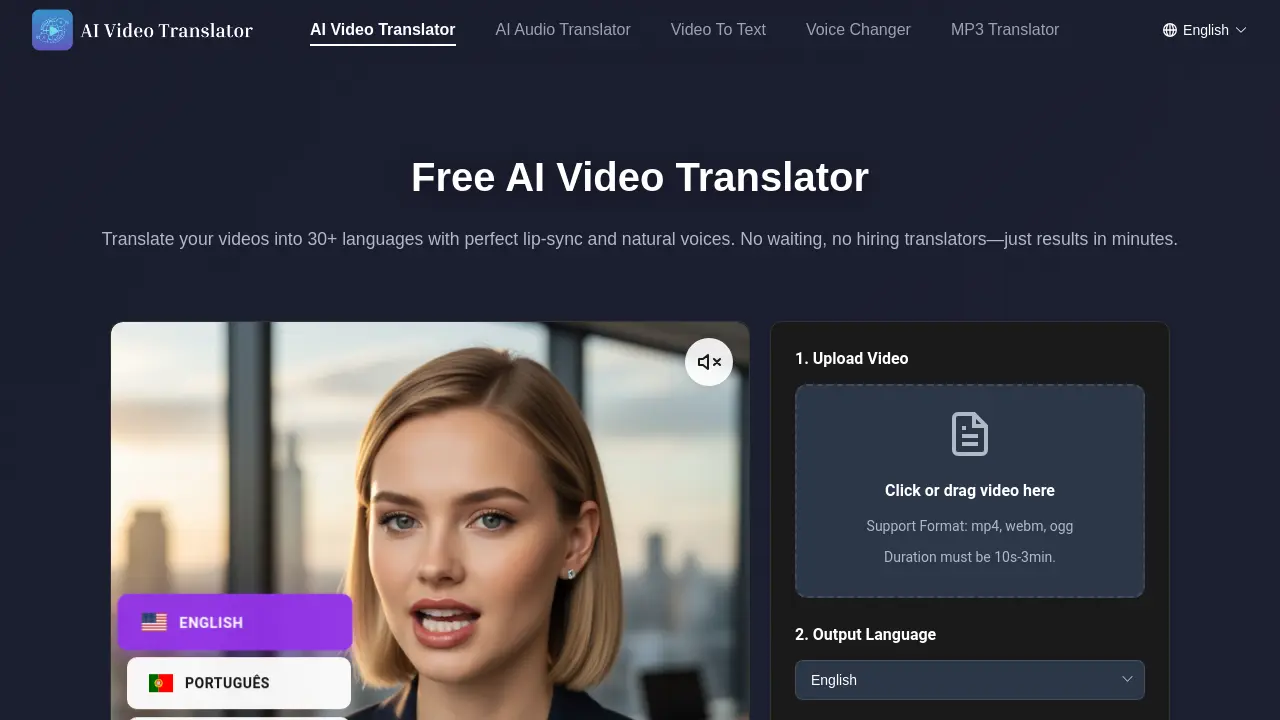
FAQs of AI Video Translator
What is AI Video Translator?
AI Video Translator is a cloud‑based translation platform that transcribes, translates, and re‑dubs videos, simultaneously synchronising lip movements to produce natural, multilingual video content with high user satisfaction.
What video formats and languages does AI Video Translator support?
AI Video Translator accepts MP4, WebM, and OGG video files within 10‑to‑3‑minute durations, and translates into over 30 languages, including English, Spanish, French, Hindi, Japanese, and more.
Can I import videos directly from platforms like YouTube?
The current AI Video Translator version requires direct local uploads; it does not yet fetch videos from YouTube, Vimeo or other hosting services.
How accurate is the AI Video Translator?
The system achieves 99.9 % lip‑sync precision and over 95 % voice naturalness, thanks to a deep‑learning model trained on millions of hours of multilingual video data.
How long does it take for the AI Video Translator to process a video?
Processing time depends on duration; a 1‑minute clip typically completes in 2–3 minutes, while the longest supported 3‑minute file may take around 4½ minutes.
How many voice options are available?
Users can choose from more than 100 high‑quality voice styles, spanning different genders, ages, accents, and emotional tones, all generated by AI.
Is my video data secure with AI Video Translator?
All uploaded videos are encrypted during transfer and storage, and the service complies with GDPR and other global privacy regulations to protect user data and intellectual property.
How can I get technical support?
Technical assistance is provided via email at aivideotranslatorai@gmail.com, with response times typically under 48 hours for most inquiries.
Is the AI Video Translator free to use?
Yes; the platform offers a fully functional free tier with no hidden fees, credit limits, or mandatory signup, allowing unlimited uploads within the file‑size constraints.
Why does AI Video Translator claim 100x faster translation than traditional dubbing?
AI Video Translator automates transcription, translation, voice synthesis, and lip‑sync in a single neural‑network pipeline, eliminating manual recording and editing, thereby reducing turnaround from days to minutes.
How to use AI Video Translator
- AI Video Translator converts video content into localized language tracks with accurate lip‑sync and natural voices, supporting over 30 languages in a free, browser‑based environment.
- Begin by uploading a video in MP4, WebM, or OGG format using the drag‑and‑drop area; file size must be under 30 MB and duration 10 s‑3 min.
- Choose the target language from the drop‑down list that displays 30+ options, including Hindi, Spanish, French, and Arabic, to generate subtitles and speech.
- Toggle the subtitle option to auto‑generate captions in the selected language; the system delivers 99 % accuracy, ensuring accessibility and quick review.
- Press the “Generate” button; the AI engine processes audio, re‑creates lip motions, and blends voices in under 2–3 minutes, depending on video length.
- After processing, view the preview with synchronized dialogues; use the download options to save a video, separate audio track, or subtitle file for platforms like YouTube.
- The output shows a frame‑by‑frame lip‑sync score; a value above 95 % indicates near‑perfect alignment, while captions can be edited for cultural nuance or accuracy.
- Incorporate the localized clip into social‑media campaigns; the free AI video translator guarantees no extra cost and expands reach to 95 % of global users instantly.
- All uploaded footage is encrypted and processed on secure servers compliant with GDPR; videos are automatically deleted after export, ensuring data privacy for educational or corporate use.
- Leverage the downloadable subtitle file to create multilingual captions for platforms lacking AI dubbing, maximizing accessibility and SEO visibility across international search engines.
