
AIPhotoEditor.io – Free AI Photo Editor with Multiple Models

What is AIPhotoEditor.io
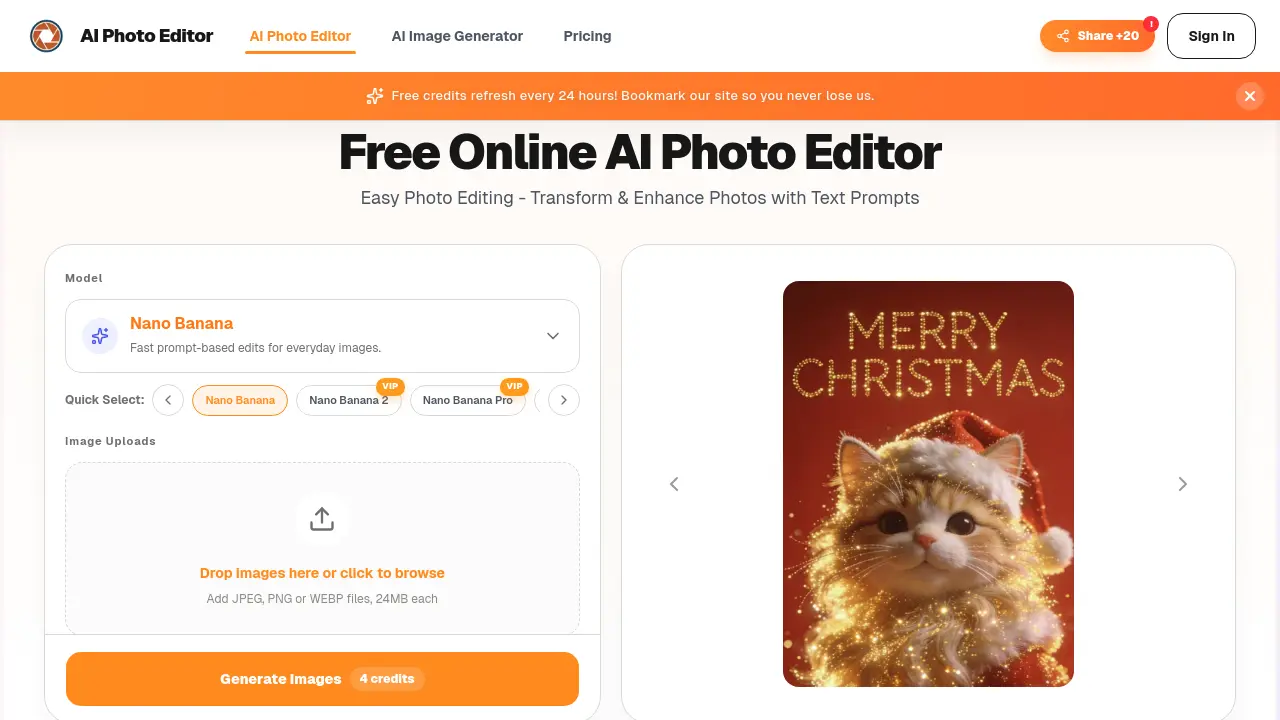
AIPhotoEditor.io is a browser‑based AI photo editor that enables rapid, text‑driven edits without requiring traditional design tools. Users upload JPG, PNG, or WebP files (up to 24 MB), describe the desired change, and the Nano Banana model suite rewrites the image in seconds—removing objects, swapping backgrounds, enhancing lighting, or sharpening details. The multi‑image workflow allows compositing references to create new variations, making it useful for travel clean‑up, ecommerce product shots, and portrait polishing. All operations are performed online, so no software installation is needed and the interface works on desktop and mobile devices. The service preserves image quality, maintains privacy through a streamlined upload‑edit‑download flow, and offers a free credit system refreshed daily, with paid plans available for higher‑volume usage.
How does AIPhotoEditor.io work
AIPhotoEditor.io processes an uploaded JPEG, PNG, or WebP file by passing it to one of its Nano Banana models, which analyze the image and generate a latent representation. The user’s short text prompt is then interpreted by a diffusion‑based engine, guiding the model to modify pixels—removing objects, swapping backgrounds, or enhancing details—while reconstructing missing areas to preserve natural texture. The edited latent is decoded back into a high‑resolution output, which can be reviewed and downloaded directly from the browser. This workflow enables fast, prompt‑driven edits without manual masking, supporting e‑commerce, portrait, and travel photography use cases.
Benefits of AIPhotoEditor.io
AIPhotoEditor.io provides a browser‑based AI photo editor that lets users upload JPG, PNG, or WebP files and apply changes through short text prompts. The tool can remove unwanted objects, replace backgrounds, sharpen details, and enhance lighting without manual masking, preserving image quality while saving time. Multiple models (Nano Banana, Nano Banana 2, Nano Banana Pro) balance speed and detail, supporting single‑image and multi‑image workflows for product photos, portraits, and travel shots. Free credits refresh daily, and edited images may be used commercially, making the service practical for students, marketers, and e‑commerce operators.
Pros and Cons of AIPhotoEditor.io
Pros
- Free credits refresh daily.
- Prompt‑based edits remove objects instantly.
- No software installation; works in browser.
- Supports JPG, PNG, WebP up to 24 MB.
- Multiple AI models for speed‑detail balance.
Cons
- Requires account creation to edit.
- Limited to 24 MB file size.
- Advanced retouching features absent.
- Free tier caps daily edit volume.
- Dependency on internet connectivity.
Core Features of AIPhotoEditor.io
Prompt‑Based Object Removal
Removes unwanted items by interpreting short text prompts, automatically reconstructing background without manual brushing, delivering clean images suitable for travel, street, or daily photography.
Text‑Driven Background Replacement
Swaps existing backgrounds with brighter, on‑brand, or stylistic scenes using a single prompt, preserving the main subject’s integrity for product listings or marketing assets.
AI‑Powered Portrait and Product Enhancement
Sharpens details, optimizes lighting, and refines skin or surface textures through prompt commands, producing polished headshots and ecommerce images ready for commercial use.
Multi‑Image Composition and Style Transfer
Combines several input photos, transfers styles, or builds new compositions in a single workflow, enabling creative experiments and blended visual outputs.
Browser‑Based Editing Across Devices
Runs entirely in a web browser, allowing uploads, prompt entry, and downloads on desktop or mobile without installing software, ensuring accessible, platform‑agnostic editing.
Use Cases of AIPhotoEditor.io
- E‑commerce managers: Quickly replace backgrounds and enhance lighting for product listings, improving conversion rates.
- Travel photographers: Remove tourists, signage, and debris from landscape shots to produce clean, share‑ready images.
- Professionals updating profiles: Use text prompts to smooth skin, adjust lighting, and refine headshots for LinkedIn or resumes.
- Social media marketers: Generate multiple stylistic variations of a single visual for A/B testing across campaigns.
- Content creators: Combine several reference images into a cohesive composition without manual masking or layer work.
FAQs of AIPhotoEditor.io
How does AI Photo Editor work?
AI Photo Editor processes an uploaded image by analysing the visual content and then applies the user‑provided text prompt. The system uses generative AI models such as Nano Banana, Nano Banana 2, or Nano Banana Pro to remove objects, replace backgrounds, or enhance details, delivering a new image within seconds without manual brushing or layer masks.
Is AI Photo Editor free to use?
Yes, the platform offers a free tier that refreshes credits every 24 hours, allowing users to perform basic edits without payment. When the free credit limit is reached, users can purchase additional credits or subscribe to a paid plan for higher‑volume or premium‑quality generations.
Why is AI Photo Editor suitable for beginners?
The interface is deliberately simple: users only need to upload a JPG, PNG, or WEBP file, type a concise prompt, and click generate. No knowledge of Photoshop, masking, or complex toolsets is required, making it ideal for students, freelancers, or anyone needing quick, professional‑looking edits without a steep learning curve.
Do I need an account to use AI Photo Editor?
Yes, creating a free account is required to track credit usage, store edit history, and manage downloaded results. The registration process is straightforward, and once logged in, users can access their credit balance and revisit previous projects from any device.
Which file formats are supported for upload and download?
AI Photo Editor accepts common raster formats including JPEG, PNG, and WEBP, each up to 24 MB. After editing, the resulting image can be downloaded in the same high‑quality format, ensuring compatibility with websites, social media platforms, and ecommerce listings.
Which AI models power the editor and how do they differ?
The service provides three model options: Nano Banana (fast, suitable for everyday edits), Nano Banana 2 (balanced speed and detail), and Nano Banana Pro (higher fidelity for complex transformations). Users can switch models depending on the desired trade‑off between generation speed and image precision.
Can edited images be used for commercial purposes?
Yes, images generated with AI Photo Editor may be employed in commercial contexts such as product listings, marketing campaigns, social media ads, and website graphics. The licensing terms grant users the right to publish and sell the edited outputs, provided they comply with the platform’s overall terms of service.
How does AI Photo Editor maintain photo quality after edits?
The underlying models are trained to preserve key visual details while applying the requested changes. This approach minimizes artifacts, retains sharpness, and keeps colour fidelity, so the final output remains suitable for both online publishing and print‑ready applications.
Is my uploaded data safe and private?
The platform processes uploads through encrypted connections and limits data access to the services necessary for editing. Uploaded files are not permanently stored beyond the editing session unless the user chooses to download them, aligning with the stated privacy policy and industry‑standard security practices.
How to use AIPhotoEditor.io
AIPhotoEditor.io serves as an online AI photo editor that enables prompt‑based object removal, background replacement, portrait enhancement, and multi‑image composition directly in a web browser.
Upload a JPEG, PNG, or WEBP file by dragging it onto the drop zone or clicking “Browse”; ensure the image is clear to maximize AI‑driven edit quality.
Enter a concise text prompt describing the desired change—e.g., “remove street sign” or “brighten product background”—which the Nano Banana model interprets for fast processing.
Click “Generate” and allow the AI to reconstruct the scene; the tool automatically rebuilds occluded areas while preserving original detail and resolution.
Review the output in the preview pane; if adjustments are needed, modify the prompt and regenerate until the result meets the intended visual standards.
Download the edited image using the “Download” button; the file retains its original format, ready for e‑commerce listings, social media, or marketing assets.
For advanced workflows, repeat the upload‑prompt‑generate cycle with additional images to blend styles or create composite compositions, leveraging the multi‑image feature.
Manage credits and edit history through the user dashboard, ensuring continuous access to free daily credits or paid plans for higher‑volume projects.
AIPhotoEditor.io Website Traffic Analysis
Latest traffic information
- Monthly Visits797
- Bounce Rate37.31%
- Pages Per Visit1.02
- Visit Duration00:00:00
- Global Rank10.9M
- Country/Region Ranking--
Top Keywords
| Keyword | Traffic | Volume | Cost Per Click |
|---|---|---|---|
| 免费 ai 在线照片编辑器 | 140 | -- | -- |
| restaurer gratuitement une vieille image en ligne | 70 | -- | -- |
| ai photo editor | 50 | 108.44K | $0.47 |
| photoeditorai | -- | 1.55K | $2.44 |
| image editor ai io | -- | 130 | -- |
Top Regions
| Region | Percentage |
|---|---|
| Italy | 53.81% |
| India | 46.19% |
AIPhotoEditor.io Alternatives
A browser collection of 13 free creative editors for photos, vector art, PDFs, documents, video, audio, and CAD, opening without an account or install.

An online AI photo editor that removes image backgrounds, erases people, objects and text, and upscales photos 4x. Preview every photo free before paying per image.
Meta Image: browser AI studio powered by Muse Image. Edit photos with prompts, remove backgrounds, restore old photos, generate new images.
Remove image backgrounds, video watermarks, burned-in subtitles and video backgrounds with Rmark AI. Upload a file, preview, then download a clean copy.
Koozee turns a single clothing image into AI product photos, model try-on images, and marketing videos for apparel sellers, cutting costs by up to 99%.
OmniEnhancer is an AI image enhancer and photo editor that improves photo quality, clarity, color, and resolution online, with free daily credits.
TranslateImage AI translates images to 70+ languages while preserving font, layout, and style. Free online AI image translator for photos and manga.
AI Clothes Changer is an online tool that replaces the clothing in a person photo using either a reference image or a text description.
AI Gazou offers free AI-powered image upscaling to enhance photos, product images, and illustrations. Upscale 2x or 4x with natural detail preservation.
PixMira AI is a free AI photo editor and image generator. Use text prompts for precise edits, style changes, and high-quality results in seconds.
AI Gazou removes image backgrounds for free using AI. Upload photos, products, or logos to get transparent PNGs with clean edges and customizable margins.
AI Image Text Editor lets users replace, remove, translate, and redact text inside finished images while preserving the original font, background, and layout.