
MotionControlAI FAQs
MotionControlAI offers professional video creators advanced motion control via Kling 3.0 and 2.6 for character consistency, nuanced expressions, and dynamic cameras.

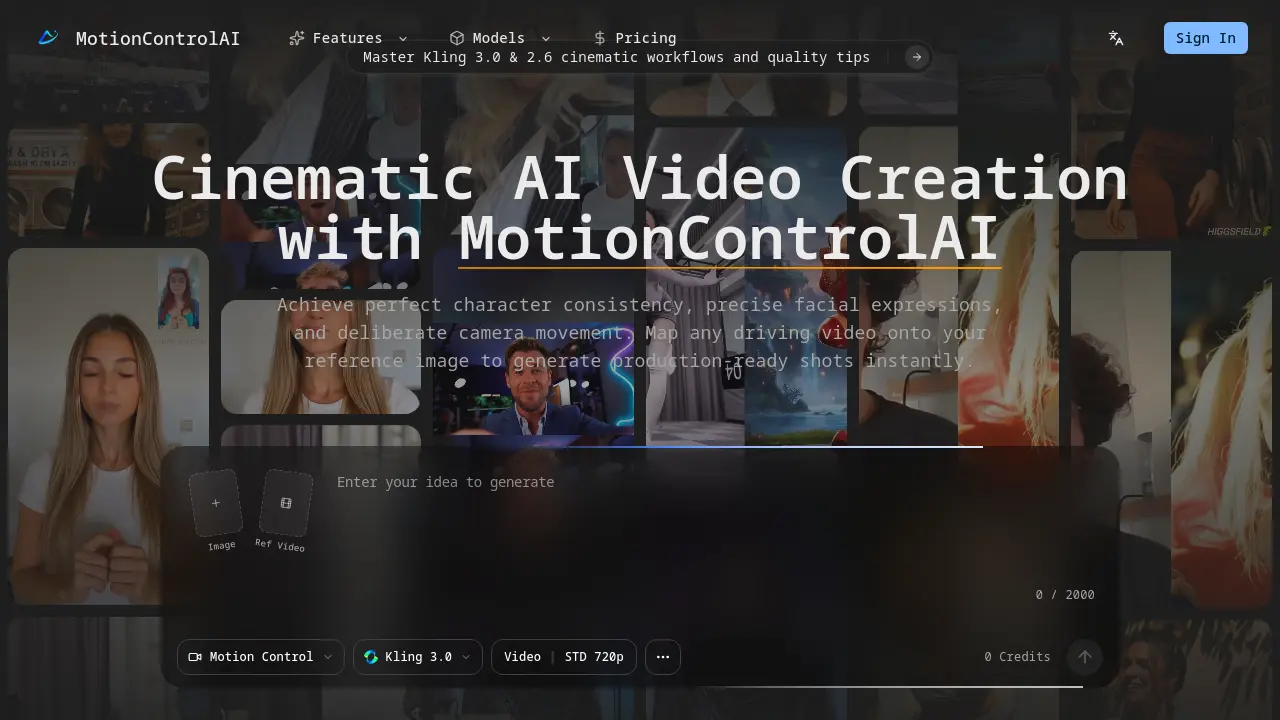
FAQs of MotionControlAI
What is motion control and how does it transform AI video generation?
Motion control in AI video generation applies techniques to achieve precise manipulation of movement, camera behavior, and character consistency. It transforms the field by replacing unpredictable, stochastic outputs with deterministic, repeatable results. This allows creators to produce specific cinematic effects, maintain identity across sequences, and integrate authentic human action into stylized subjects reliably.
How do I choose between Kling 3.0 and Kling 2.6 for my workflows?
The choice depends on project complexity and required features. Kling 3.0 supports advanced element binding and pre-calibrated camera presets for intricate cinematic sequences. Kling 2.6 may suffice for simpler motion transfer tasks or maintaining compatibility with legacy projects. Evaluate based on needs like nuanced facial expression handling or dynamic body movement synthesis.
What is the process for executing AI motion control successfully?
The process follows a four-step pipeline: source a high-fidelity reference portrait, acquire a clean driving motion video, enable element binding with textual prompts for camera language, then render and iteratively calibrate. This methodical approach ensures temporal smoothness, identity lock, and predictable camera behavior while isolating creative variables for troubleshooting.
Which input assets guarantee the highest quality outputs?
Optimal inputs include a high-resolution reference portrait with clear, unobstructed facial features and a driving video free of motion blur or occlusions. The reference should exhibit stable identity and texture detail, while the driving source must convey intended action and expression clearly. Proper lighting and minimal background clutter in both assets reduce synthesis artifacts.
What is element binding, and why is it crucial for video generation?
Element binding locks core identity components from the reference image to the generated subject during motion transfer. It is crucial because it prevents identity drift during dynamic movements, severe angle shifts, and long sequences. Without it, character fidelity deteriorates as the AI misattributes features from the driving source, compromising narrative consistency.
How should I integrate camera presets within my workflow?
Camera presets should be specified in the prompt stage to inject deliberate zoom, tilt, pan, or tracking logic. They align the output with cinematic visual grammar and directorial intent. Using pre-calibrated presets minimizes trial-and-error, ensuring camera movement complements the action rather than distracting, and guarantees adherence to the planned shot composition.
How do these systems handle severe edge cases and occlusions?
The system uses advanced spatial synthesis algorithms to manage complex scenarios. For clothing and accessories, it preserves elaborate details during posture transfer. For occlusions like limb intersections, it leverages spatial understanding to map body dynamics without anatomical hallucination. Case studies confirm fidelity in micro-expression capture and high-occlusion motion scenarios.
Is this framework viable for commercial SEO content operations?
The framework supports commercial SEO operations by enabling scalable production of consistent, high-quality video content. Features like parameter archiving and centralized databases allow teams to maintain brand consistency across campaigns. However, viability depends on specific SEO goals, volume needs, and resource allocation, which should be assessed against the free launch tier and available pricing plans.
What are the costs associated with using MotionControlAI?
MotionControlAI offers a free launch tier for initial exploration. Additional usage, such as higher resolutions or extensive rendering, may consume credits or require paid subscriptions. Detailed pricing structures, including credit packs and team plans, are available on the official pricing page. Users should review these options based on projected production volume and feature requirements.
How can users access support or learning resources for MotionControlAI?
Support is accessible via email at support@ai-motion-control.org. Learning resources include the official motion control user guide covering Kling 3.0 and 2.6 workflows, along with community inspiration videos. These materials provide step-by-step instructions, cinematic tips, and troubleshooting advice to help users master the framework's capabilities effectively.
What video output formats and resolutions does MotionControlAI produce?
The standard output format is STD 720p video, as indicated in the interface. Higher resolutions may be available through different model integrations or premium plans. Outputs are production-ready clips optimized for integration into professional editing software. Specific format details, such as codec or frame rate standards, are typically documented in the technical specifications section.
How does MotionControlAI facilitate collaboration in scalable production teams?
The framework centralizes generation databases, enabling teams to sort assets by campaign and temporal intent. It archives exact motion control parameters, including prompts and element binding settings, which ensures consistency across contributors. This reduces redundant retries, supports editorial handoffs, and maintains a unified asset library for large-scale productions.
What learning curve is associated with mastering MotionControlAI workflows?
Mastering the workflow requires familiarity with the four-step process and parameters like element binding thresholds. Beginners can start using the quickstart guide and inspiration examples. Proficiency develops through iterative practice, isolating variables during calibration, and experimenting with camera presets. The system rewards methodical approach over rapid guessing, making it accessible but demanding of deliberate practice.
How to use MotionControlAI
- MotionControlAI generates cinematic AI videos by mapping a driving video onto a reference image, ensuring character consistency, precise facial expressions, and deliberate camera movement through element binding.
- Upload a high-fidelity portrait reference image with clean anatomy and unobstructed facial features to establish a stable identity anchor for the sequence.
- Provide a driving motion video containing the desired action, rhythm, and expressions; this source drives the character's performance in the final output.
- Enable element binding to lock core identity fidelity, then input text prompts specifying cinematic camera language such as zoom, tilt, or tracking movements.
- Render the initial video clip, then inspect for temporal smoothness, identity consistency during movement, and adherence to the specified camera logic.
- Calibrate by iteratively adjusting one variable at a time, such as binding thresholds or prompt specificity, to refine output quality and resolve artifacts.
- Archive successful parameter sets—including prompt structures and element binding configurations—to accelerate future iterations and ensure team scalability.
