
Adobe Podcast - AI Audio Recording and Editing, All on the Web
| Added on: | Apr 17, 2024 |
| Monthly Visits: | 10.99M |
| Social & Email: | -- |

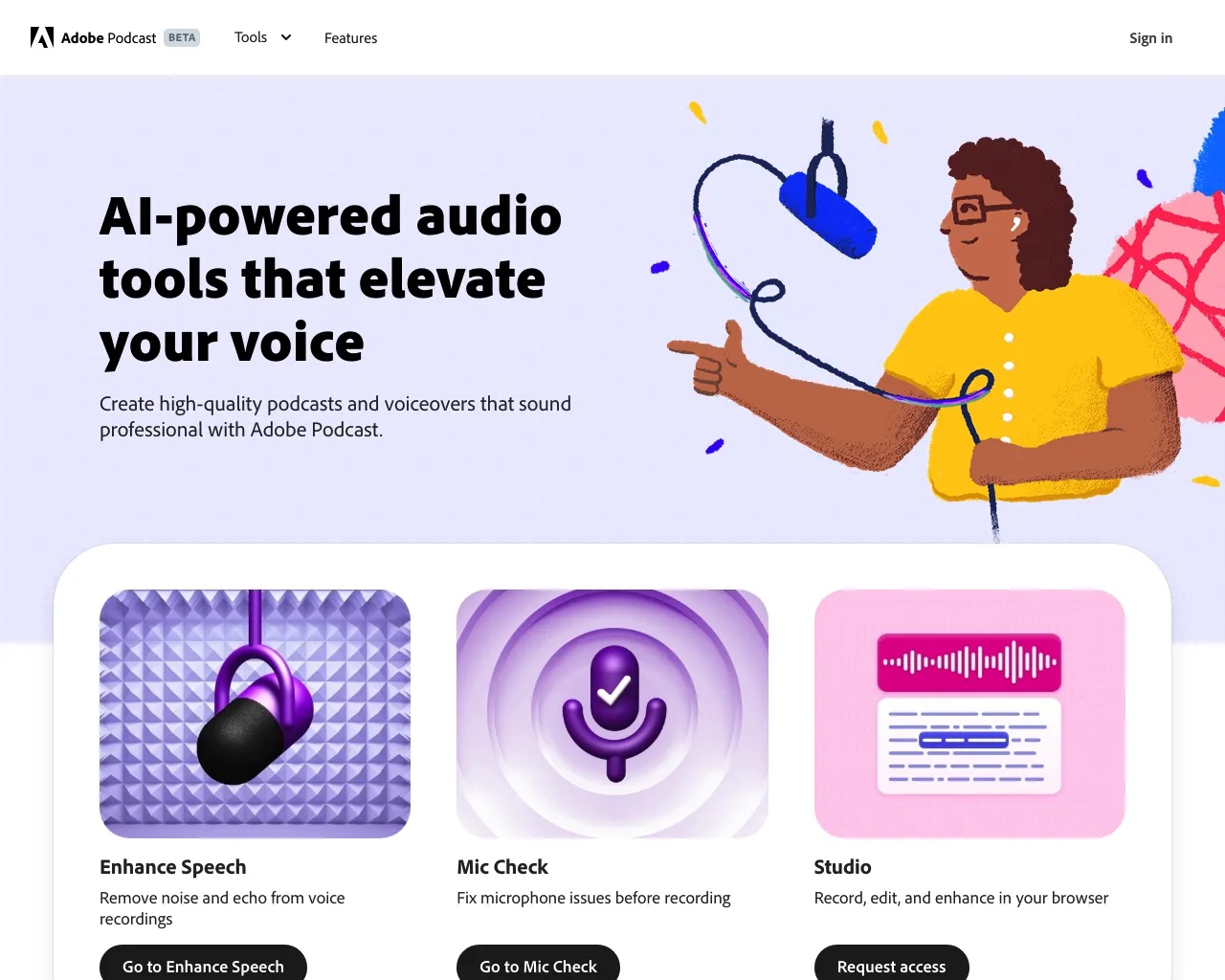
What is Adobe Podcast
Adobe Podcast is a web-based AI audio recording and editing tool that aims to empower podcasters of all levels. It's designed for those who want to create professional-sounding podcasts without the hassle of complex audio software. The tool offers a range of features, including AI-powered transcription, editing, and noise reduction, helping podcasters create clear and engaging content. A particularly unique feature is the ability to transcribe audio and edit the transcript directly, allowing for quick adjustments to the audio. This innovative approach makes podcasting accessible to more people, offering a streamlined and efficient way to produce high-quality content.
Core Features of Adobe Podcast
Record
Adobe Podcast offers a web-based platform that allows users to record audio directly within their browser, eliminating the need for additional hardware or software.
Transcribe
The tool provides automatic transcription capabilities, converting audio into text for easier editing and searching.
Edit
Adobe Podcast provides a suite of editing tools that allow users to refine their recordings, including noise reduction, audio equalization, and the ability to add music and sound effects.
Share
Once edited, users can easily share their podcasts across multiple platforms through built-in sharing features.
FAQs of Adobe Podcast
What is Adobe Podcast?
Adobe Podcast is an online tool that lets you record, transcribe, edit and share your podcasts. It's designed to help you create high-quality podcasts easily, even if you're a beginner.
How do I use Adobe Podcast?
You can sign up for a free Adobe Podcast account and start creating your podcast right away. You can record your podcast using your computer's microphone, or you can import audio files from other sources. Adobe Podcast also offers a variety of editing tools, so you can clean up your audio, add music and sound effects, and more. Once you're happy with your podcast, you can share it on your website or on popular podcast platforms like Spotify and Apple Podcasts.
What are some of the benefits of using Adobe Podcast?
Adobe Podcast offers a number of features that can help you create high-quality podcasts, including:
- AI-powered audio transcription : This feature helps you create accurate transcripts of your audio recordings, which can be used for creating show notes, promoting your podcast on social media, or even creating subtitles for your podcast.
- Easy to use editing tools : Adobe Podcast's editing tools are designed to be user-friendly, so you can easily edit your audio and create a professional-sounding podcast.
- Direct sharing to popular podcast platforms : Once you're finished editing your podcast, you can share it directly to platforms like Spotify and Apple Podcasts, without having to upload it to other websites.
How does Adobe Podcast compare to other podcasting tools?
Adobe Podcast offers a comprehensive set of features, making it a great choice for both beginners and experienced podcasters. It's also very affordable, especially considering the number of features it offers.
If you're looking for a powerful and easy-to-use podcasting tool, Adobe Podcast is a great option.
Adobe Podcast Website Traffic Analysis
Latest traffic information
- Monthly Visits10.99M
- Bounce Rate45.06%
- Pages Per Visit3.19
- Visit Duration00:02:58
- Global Rank--
- Country/Region Ranking--
Top Keywords
| Keyword | Traffic | Volume | Cost Per Click |
|---|---|---|---|
| adobe podcast | 1.66M | 886.4K | $0.9 |
| adobe podcast enhance | 135.7K | 91.02K | $0.83 |
| adobe audio enhancer | 103.27K | 63.56K | $1.29 |
| adobe enhance | 71.42K | 54.48K | $1.18 |
| audio enhancer | 51.9K | 47.95K | $0.6 |
Top Regions
| Region | Percentage |
|---|---|
| United States | 16.15% |
| India | 13.39% |
| Brazil | 9.25% |
| Mexico | 5.22% |
| Colombia | 4.52% |
Adobe Podcast Alternatives
Free AI caption and subtitle generator that transcribes speech in 100+ languages, styles every word and exports MP4, SRT, VTT or TXT files in the browser.
MusicDesk offers AI vocal removal, stem splitting, reference-based mastering and noise cleanup in the browser, plus free trim, join, convert and speed tools.

Translate Now is a browser-based AI voice translator for real-time speech translation, live transcription, and replayable bilingual audio transcripts.
PodcastorAI turns PDFs, URLs, notes, and audio into studio-quality video podcasts with AI hosts, voices, and scripts for YouTube, Spotify, and TikTok.
OpenSubs is a free in-browser AI subtitle generator that transcribes speech with Whisper, translates into 20 languages and burns captions into video.
talat transcribes meetings, dictation and recordings locally on your Mac or Windows PC, with private AI notes, summaries and speaker identification.
Viblo AI YouTube MP3 Downloader inspects public videos and lists available M4A or WebM audio formats with size, duration, and temporary direct links.
Turn public Instagram Reels and videos into clean transcripts with NanoPhoto.AI. Copy, read, and download spoken text with one credit.
VoiceScriber turns speech into text in 100+ languages using on-device AI on your iPhone. Works completely offline with no uploads for total privacy.
Free to start · Search any podcast, read full transcripts with timestamps, get AI summaries, key takeaways, mind maps and chat every episode.
Voicss is an online AI vocal remover that separates vocals and instrumentals, creates karaoke backing tracks, and isolates vocals for remixing, serving singers and creators with a fast, no‑download interface.
This AI transcription tool converts video and audio files into text with speaker labels, timestamps, and support for 99 languages, ideal for subtitles, meetings, and content creation.