
VEO 4 AI Video Generator for cinematic 8-second videos with native audio.

What is VEO 4
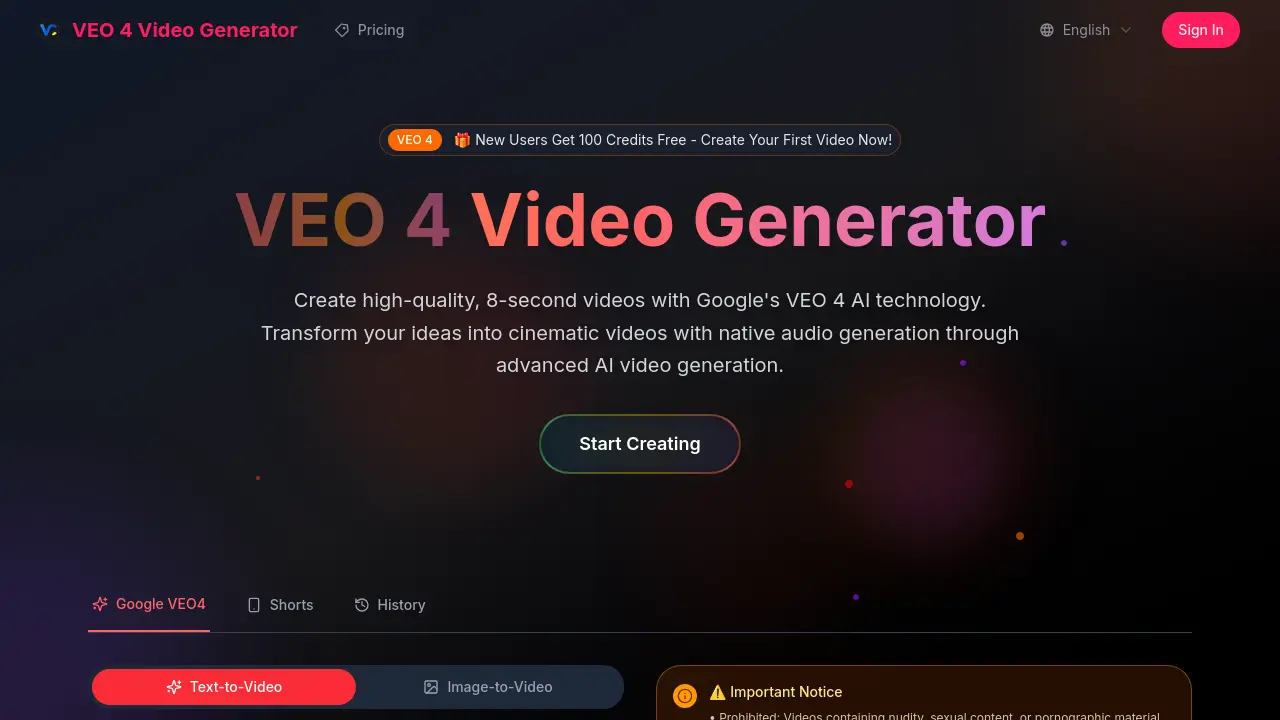
VEO 4 Video Generator is an AI-powered platform that creates high-quality, 8-second videos with native audio generation. Built on Google's advanced VEO 4 model, it transforms text descriptions into cinematic videos featuring realistic physics, professional lighting, and smooth camera movements. The tool excels at interpreting complex, narrative-driven prompts and automatically integrates environmental sounds, dialogue, and atmospheric audio. Users can create content through Google AI Studio with no technical experience required. VEO 4 offers commercial usage rights, high-resolution downloads without watermarks, and supports various applications from creative projects to professional productions. The platform includes safety guidelines prohibiting harmful content and provides 100 free credits for new users to start creating immediately.
How does VEO 4 work
VEO 4 Video Generator is an advanced AI-powered platform that creates high-quality, 8-second videos using Google's VEO 4 model through Google AI Studio. The system transforms text descriptions into cinematic videos with native audio generation, including environmental sounds, dialogue, and atmospheric effects that are automatically synchronized with the visual content. Users simply input prompts describing their desired scenes, and the AI interprets complex, narrative-driven instructions to produce cohesive video clips with realistic physics, professional lighting, and smooth camera movements. The platform offers multiple generation modes, quality settings, and aspect ratios while maintaining strict content guidelines to ensure compliance with payment platform requirements. VEO 4 Video Generator excels at multimodal understanding, connecting visual, motion, and audio elements to create immersive, professionally produced content without requiring technical expertise.
Benefits of VEO 4
VEO 4 Video Generator leverages Google's advanced AI technology to create high-quality, 8-second videos with native audio generation. This powerful AI video generator excels at cinematic quality, realistic physics, and professional lighting, transforming simple text descriptions into stunning visual content. VEO 4's multimodal understanding seamlessly integrates visual, motion, and audio elements, producing cohesive videos with synchronized dialogue and environmental sounds. With Google AI Studio access, users can easily generate professional-grade videos without technical expertise, making it ideal for both beginners and experienced creators seeking advanced AI video generation capabilities.
Pros and Cons of VEO 4
Pros
- Native audio generation with synchronized sound.
- Advanced prompt understanding for detailed scenes.
- Cinematic quality with realistic physics.
- Easy to use with natural language input.
- Suitable for commercial projects.
Cons
- 8-second video duration limit.
- Requires Google AI Studio access.
- Potential content restrictions apply.
- Limited to 16:9 aspect ratio.
- New user credits may be temporary.
Core Features of VEO 4
Text-to-Video Conversion
Transform written descriptions into high-quality, 8-second cinematic videos using Google's VEO 4 AI technology, enabling creative expression without technical expertise.
Native Audio Generation
Automatically generate and integrate environmental sounds, dialogue, and atmospheric audio into videos, creating immersive and realistic content with synchronized lip-syncing.
Advanced Prompt Understanding
Interpret complex, narrative-driven prompts with high accuracy, translating detailed scene descriptions and character actions into cohesive video clips.
Cinematic Quality Output
Produce movie-quality videos featuring realistic physics, professional lighting, and smooth camera movements, ensuring visually stunning results.
Google AI Studio Integration
Utilize Google AI Studio's big model engine for rapid generation of high-quality videos, leveraging advanced AI capabilities through a user-friendly platform.
Use Cases of VEO 4
- Content Creators: Generate engaging 8-second video clips with native audio for social media platforms using VEO 4's AI video generation.
- Marketing Professionals: Create cinematic promotional videos with integrated sound effects and dialogue to enhance brand storytelling.
- Educators: Develop educational video content with synchronized audio explanations using VEO 4's advanced prompt understanding capabilities.
FAQs of VEO 4
What is VEO 4 and how does it work?
VEO 4 Video Generator is powered by Google's advanced AI video generation model. It creates high-quality, 8-second videos with native audio generation from simple text descriptions. VEO 4 excels at physics, realism, and cinematic quality, making it a powerful tool for creating professional videos.
Do I need technical experience to use VEO 4?
Not at all! VEO 4 is designed for everyone from complete beginners to seasoned professionals. Simply describe what you want to create in everyday language, and the AI handles the technical aspects for you. No prior video editing or technical knowledge is required.
What makes VEO 4 different from other video generators?
VEO 4 features native audio generation, exceptional prompt adherence, and state-of-the-art cinematic quality. It can create and integrate audio directly into videos, including sound effects, ambient noises, and character dialogue with synchronized lip-syncing. This addresses a major limitation in previous AI video tools that lacked integrated sound.
Can I download my creations?
Subscribers receive unwatermarked, high-resolution downloads with full usage rights for all content created with VEO 4. This allows you to use the videos for various purposes, including commercial projects, without any restrictions.
Is VEO 4 suitable for commercial use?
Yes! Videos created with VEO 4 through Google AI Studio can be used for commercial projects. The platform provides full usage rights for the generated content, making it suitable for marketing materials, advertisements, and other commercial applications.
What audio capabilities does VEO 4 offer?
VEO 4 features native audio generation, creating environmental sounds, character dialogue, and atmospheric audio that's automatically synchronized with your video content. This makes the videos more immersive and realistic, eliminating the need for separate audio editing or post-production work.
How long are the videos generated by VEO 4?
VEO 4 generates 8-second video clips. This duration is ideal for social media content, short-form videos, and quick demonstrations of concepts or scenes. The platform focuses on creating high-quality, impactful content within this timeframe.
What types of content can I create with VEO 4?
You can create a wide variety of content with VEO 4, including cinematic scenes, animated characters, product demonstrations, and more. The AI can interpret complex, narrative-driven prompts and translate them into cohesive video clips. From futuristic cityscapes to historical settings, the possibilities are extensive.
Is there a free trial available for VEO 4?
New users get 100 free credits to start creating videos with VEO 4. This allows you to test the platform and experience its capabilities before committing to a paid subscription. The free credits provide an excellent opportunity to explore the features and quality of the AI video generator.
How does VEO 4 handle user privacy and content restrictions?
VEO 4 has strict content guidelines prohibiting videos containing nudity, sexual content, violent, hateful, or discriminatory material, as well as any illegal or harmful content. These rules are in place to ensure payment platform compliance and maintain a safe environment for all users. Violating content may result in account restrictions.
How to use VEO 4
- Access VEO 4 Video Generator through the provided link to start creating videos.
- Input your text description into the prompt field, ensuring it's within the 2000-character limit.
- Select your preferred generation mode, such as Super Fast, and adjust quality settings as needed.
- Choose the video duration (8 seconds) and aspect ratio (16:9) for your desired output.
- Click the "Generate Video" button to initiate the video creation process with VEO 4 technology.
VEO 4 Website Traffic Analysis
Latest traffic information
- Monthly Visits4.63K
- Bounce Rate39.23%
- Pages Per Visit1.86
- Visit Duration00:00:35
- Global Rank3.72M
- Country/Region Ranking1.73M
Visits Over Time
Top Keywords
| Keyword | Traffic | Volume | Cost Per Click |
|---|---|---|---|
| veo 4 | 510 | 15.05K | $1.44 |
| veo4 | 150 | 5.76K | $1.23 |
| veo 4? | 130 | 210 | -- |
| veo 4 update | 100 | 140 | -- |
| google veo 4 | 60 | 2.09K | $4.23 |
Top Regions
| Region | Percentage |
|---|---|
| United States | 54.78% |
| India | 20.92% |
| Brazil | 20.09% |
| Pakistan | 2.64% |
| Japan | 1.57% |