
Veo 3.2 AI generates 4K videos with world-model physics.

What is Veo 3.2 AI
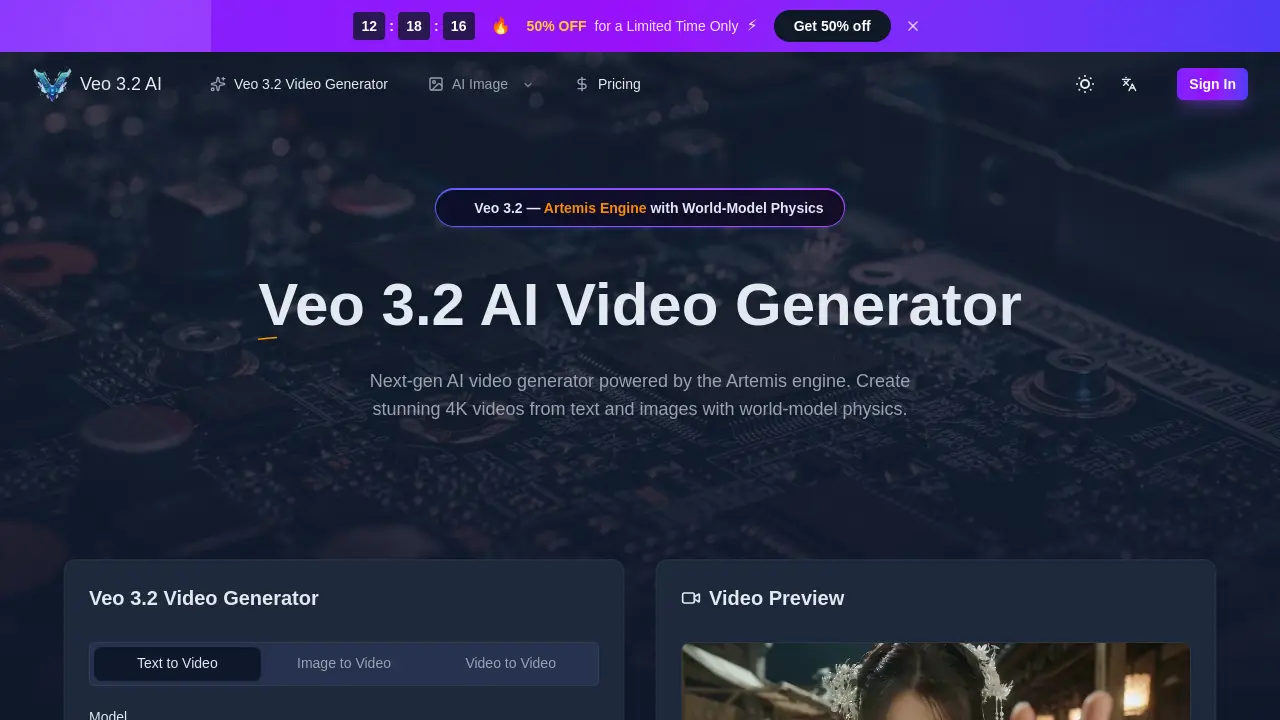
Veo 3.2 AI is a next-generation AI video generator powered by the Artemis engine, specializing in creating 4K cinematic videos from text and image prompts. Its world-model physics engine ensures realistic simulations of gravity, fluid dynamics, and object permanence, preventing common AI artifacts. The model supports native generation of up to 30-second clips at true 4K resolution through AI Detail Reconstruction, avoiding simple upscaling. Features like Ingredients 2.0 maintain character consistency across shots, while material-aware audio and phoneme-level lip-sync in 8+ languages enhance realism. Built for creators, filmmakers, and marketers, Veo 3.2 AI enables efficient production with commercial rights, significantly reducing time and cost for professional video content.
How does Veo 3.2 AI work
Veo 3.2 AI operates as a cloud-based AI video generator utilizing its proprietary Artemis engine to produce cinematic content. The system accepts text, image, or video inputs to generate clips up to 30 seconds at true 4K resolution. Core to its operation is a world-model physics simulation, which applies realistic dynamics for elements like gravity and fluid motion. Technical mechanisms such as Spacetime Patches and Global Reference Attention ensure fluid movement and character consistency across shots via the Ingredients 2.0 system. The platform also generates material-aware audio and performs phoneme-level lip-sync in multiple languages. Users configure parameters like aspect ratio and resolution before the engine renders the final video, which includes native audio synchronization. This AI video generator is designed for professional content creation workflows.
Benefits of Veo 3.2 AI
Veo 3.2 AI leverages its Artemis engine to simulate world-model physics, enabling realistic gravity and fluid dynamics in generated videos. The model produces true 4K resolution through AI Detail Reconstruction, avoiding simple upscaling. Ingredients 2.0 ensures character consistency across shots using reference photos. Material-aware audio and phoneme-level lip-sync support over eight languages. Native generation of up to 30-second clips facilitates longer storytelling. These features support professional video creation for marketing, film prototyping, and content production without traditional resource constraints.
Pros and Cons of Veo 3.2 AI
Pros
- Artemis engine simulates real-world physics dynamics.
- Generates native 30-second 4K video clips.
- Ensures character consistency across multiple shots.
- Produces context-aware material-sound audio.
- Includes commercial use rights with subscriptions.
Cons
- High computational cost for true 4K generation.
- Video quality heavily depends on prompt precision.
- Limited free tier restricts initial testing.
- Advanced features require paid subscription tiers.
- Web platform requires stable internet connection.
Core Features of Veo 3.2 AI
Text-to-Video Generation
Converts natural language prompts into cinematic videos up to 30 seconds at 4K resolution, enabling rapid content creation from textual ideas without manual filming.
Image-to-Video Conversion
Animates still images into dynamic video clips with realistic motion, using AI Detail Reconstruction to enhance details to true 4K for professional-quality outputs.
World-Model Physics Simulation
Utilizes the Artemis engine to simulate real-world physics like gravity and fluid dynamics, ensuring accurate object behavior and preventing visual artifacts in generated videos.
True 4K Resolution Output
Produces native 4K video quality through AI Detail Reconstruction, redrawing each frame for broadcast-standard clarity instead of simple upscaling techniques.
Character Consistency Across Shots
Preserves character identity throughout videos by creating a 3D map from reference images, locking facial features and proportions across all generated scenes.
Material-Aware Audio and Lip-Sync
Generates context-appropriate sound effects matching scene materials and precise phoneme-level lip synchronization in over 8 languages for immersive audiovisual results.
Use Cases of Veo 3.2 AI
- Filmmakers: Maintain character identity across scenes using Ingredients 2.0 for consistent storyboarding with the AI video generator.
- Marketing teams: Launch multilingual ad campaigns via phoneme-level lip-sync in eight languages for localized content.
- Product designers: Create realistic demo videos by simulating physics with the Artemis engine for accurate material behavior.
- Animation studios: Speed up prototyping by converting image concepts to 4K video through AI Detail Reconstruction.
- Musicians: Pre-visualize music videos by syncing material-aware audio to generated scenes with world-model physics.
FAQs of Veo 3.2 AI
What is Veo 3.2 AI and who should use it?
Veo 3.2 AI is a next-generation AI video generator powered by the proprietary Artemis engine. It is designed for content creators, filmmakers, marketing teams, and studios who need to produce high-quality, cinematic video content efficiently. The tool converts text or image prompts into 4K resolution videos with simulated real-world physics.
What are the main features of the Veo 3.2 model?
Key features include the Artemis engine with world-model physics for realistic motion, native generation of up to 30-second continuous clips, and true 4K output via AI Detail Reconstruction. It also offers Ingredients 2.0 for character consistency across shots, material-aware audio generation, and phoneme-level multilingual lip-sync for over eight languages.
What video specifications does Veo 3.2 support?
Veo 3.2 supports video generation up to 30 seconds in duration at true 4K resolution. Users can select from multiple aspect ratios including 16:9, 9:16, 1:1, 4:3, 3:4, and 21:9. The standard output format is MP4, with optional native audio synthesis included.
Is Veo 3.2 AI free to use?
New users receive free credits to test the platform. Beyond the trial, access requires purchasing credit packs or subscribing to a monthly/annual plan. A limited-time promotion offers 50% off annual subscriptions. There is no permanently free tier with unlimited generation.
Can I use Veo 3.2 videos for commercial work?
Yes, all generated videos include a full commercial use license. Subscribers and credit pack purchasers can use the output for advertising, social media content, e-commerce, film projects, and any other professional or monetized applications without owing additional royalties to Veo 3.2.
What is the Artemis engine in Veo 3.2?
The Artemis engine is the core computational model that powers Veo 3.2. It functions as a world-model physics simulator, accurately modeling gravity, fluid dynamics, and object permanence. This simulation prevents common AI video artifacts like object deformation or disappearance, resulting in more physically plausible scenes.
What makes Veo 3.2 different from other AI video generators?
Veo 3.2 distinguishes itself through its combination of native 30-second generation, true 4K resolution without simple upscaling, and a dedicated physics simulator. Unique features like Ingredients 2.0 for maintained character identity and material-aware audio, which adapts sound to the visual environment, are not commonly found in competing tools.
Is Veo 3.2 AI compatible with mobile devices?
The Veo 3.2 platform is web-based and accessible via modern browsers like Chrome, Safari, Firefox, and Edge on mobile devices. Since all video processing occurs on cloud servers, the output quality and generation speed are not dependent on the user's local device hardware specifications.
How does the credit system work for video generation?
Video generation consumes credits based on factors like resolution, duration, and model complexity. Different subscription tiers (Starter, Premium, Advanced) provide a monthly or annual allotment of credits. The cost per 100 credits decreases with higher-tier plans, making longer or higher-resolution videos more cost-effective on Premium and Advanced subscriptions.
What is the typical video generation processing time?
Generation time varies depending on server queue length, video duration, resolution, and the user's subscription tier. Standard priority queue times range from a few minutes to longer periods during high demand. Advanced tier subscribers receive the fastest generation speed priority, significantly reducing wait times for large batches or 4K renders.
Which languages are supported for the lip-sync feature?
The material-aware audio and lip-sync system supports phoneme-level synchronization for over eight languages. This allows for accurate mouth movements matching spoken dialogue in languages such as English, Spanish, French, German, Mandarin, Japanese, Korean, and others, enabling localized content creation for global audiences.
What output file formats are available?
The primary output format is MP4 video, which is widely compatible with editing software and online platforms. The generated files include the synthesized visual track and, if enabled, the material-aware audio track. There is no option for separate audio-only or image sequence exports directly from the generator interface.
What should I do if a video generation fails or produces poor results?
If a generation fails or yields unsatisfactory output, users can retry with the same prompt, adjust the prompt for clarity, or modify parameters like aspect ratio or resolution. Subscribers have access to customer support via email. The platform's privacy policy protects generated content, and failed attempts typically do not consume credits, depending on the failure type.
How does character consistency work across multiple shots?
Veo 3.2's Ingredients 2.0 feature builds a 3D character map from one or more reference photos provided by the user. Using Global Reference Attention, the model locks facial features, body proportions, and styling, ensuring the character remains visually identical across different scenes, angles, and multiple generated video clips within a single project.
Can I use my own image or video as a precise reference?
Yes, the image-to-video and video-to-video modes allow users to upload a source file. The model uses this as a structural and stylistic reference, applying AI Detail Reconstruction to redraw and animate details at the target resolution. This is particularly useful for animating character illustrations, product mockups, or existing footage with new motion and physics.
How to use Veo 3.2 AI
- Access the Veo 3.2 AI platform via the web and sign in to your account to ensure credit availability for generation.
- Enter a detailed natural language prompt in the input field, or upload reference images or videos for image-to-video or video-to-video modes.
- Configure video settings including duration up to 30 seconds, aspect ratio such as 16:9 or 9:16, and resolution up to true 4K.
- Activate the audio generation option to produce context-aware sound effects and precise lip-sync, supporting over eight languages for authentic dialogue.
- Initiate generation by clicking the generate button; the Artemis engine will then apply world-model physics to simulate realistic dynamics during rendering.
- Examine the video output for realistic physics simulations, consistent character appearance across shots using Ingredients 2.0, and proper audio-visual alignment.
- Download the final video in MP4 format at your chosen resolution, ready for editing or direct upload to social media platforms.
- If the output is unsatisfactory, refine your prompt or settings and regenerate to improve cinematic quality and achieve your creative goals.
