
Transcriptly: Free online audio and video to text converter.

What is Transcriptly
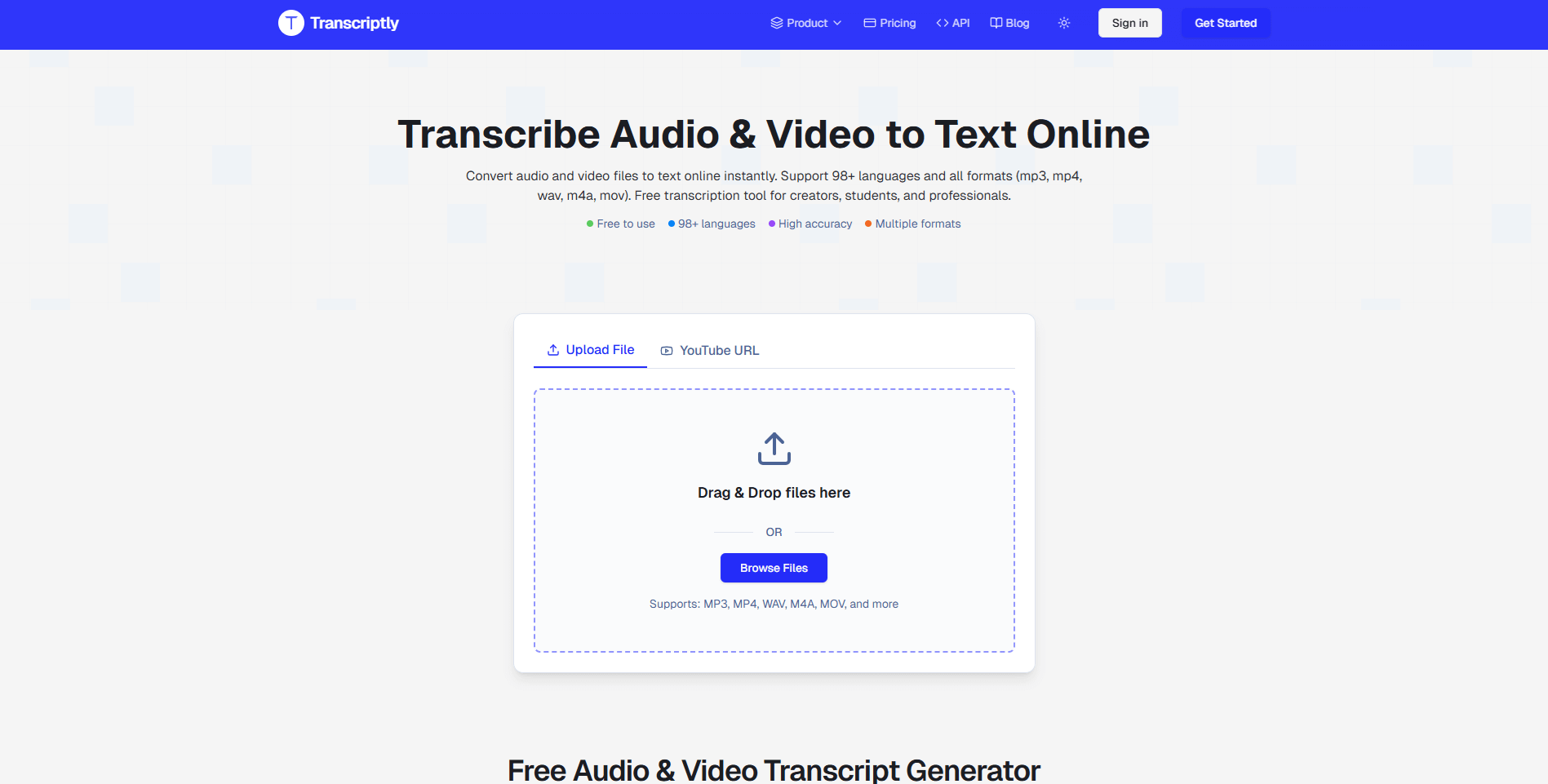
Transcriptly is an online tool designed to convert audio and video into text. It offers high-accuracy transcriptions with AI-powered features like proper punctuation and speaker detection. The platform supports over 98 languages and various formats, including MP3, MP4, WAV, M4A, and MOV. Users can generate transcripts from YouTube videos or local files, making it suitable for students, content creators, and professionals needing to transcript lyrics or extract information from YouTube videos to text. The service also provides an API for developers and multiple download options like SRT, VTT, and TXT for versatile use.
How does Transcriptly work
Transcriptly operates as an AI-powered platform designed to convert audio and video into text online. Users can obtain a transcript by either providing a YouTube URL or uploading local files, including various formats like MP3, MP4, and WAV. The system leverages advanced AI for high accuracy, punctuation, and speaker detection, facilitating YouTube videos to text conversion. It supports over 98 languages and offers multiple download formats (SRT, VTT, TXT, PDF), enabling comprehensive transcript lyrics and content summarization. An API is available for developers needing to batch process transcriptions.
Benefits of Transcriptly
Transcriptly offers a versatile online tool to convert audio and video to text, supporting over 98 languages and various formats like MP3, MP4, and MOV. This free transcription service provides high-accuracy, AI-powered transcriptions with punctuation and timestamps, making it ideal for students and professionals. Users can extract, edit, and download transcripts from YouTube videos or local files, utilizing features like multi-language support and interactive AI analysis for summarizing content. The platform also includes API support for developers needing to batch process transcriptly tasks.
Pros and Cons of Transcriptly
Pros
- Supports 98+ languages.
- Offers high AI-powered transcription accuracy.
- Processes audio/video files rapidly.
- Provides multiple download formats.
- Features API support for batch processing.
Cons
- Limited free plan usage per month.
- Local file size/duration limits exist.
- No refunds after subscription starts.
- Accuracy depends on original audio quality.
- Commercial use rights depend on video license.
Core Features of Transcriptly
AI-Powered Audio and Video Transcription
Converts diverse audio and video formats to text online instantly, leveraging AI for high accuracy and processing speed.
YouTube Transcript Generation
Extracts and processes subtitles from YouTube videos, supporting auto-generated and manual captions across various languages.
Multi-Language Support
Provides transcription services in over 98 languages, facilitating international content analysis and language learning for global users.
Interactive Transcript Analysis
Enables AI-powered conversational analysis of transcripts to summarize content, identify key points, and derive actionable insights.
Multiple Export Formats
Allows downloading transcripts in various formats, including SRT, VTT, TXT, CSV, PDF, and DOCX, ensuring compatibility with diverse workflows.
API for Developers
Offers dedicated APIs for developers to batch process YouTube video transcripts, catering to professional users requiring high-volume data extraction.
Use Cases of Transcriptly
- Students: Convert YouTube lectures and tutorials into text for efficient note-taking and research with Transcriptly.
- Content Creators: Generate accurate subtitles and repurpose video content for blogs, improving accessibility and SEO using Transcriptly.
- Journalists: Extract precise quotes and insights from interviews and press conferences for articles using Transcriptly's transcript generator.
- Businesses: Analyze market trends and competitor content by transcribing webinars and demos to enhance content strategy with Transcriptly.
FAQs of Transcriptly
How does the Transcriptly YouTube transcription service work?
Transcriptly utilizes YouTube's public API to extract and process video subtitles. Users simply paste the YouTube video URL, select the desired language, and accurate transcriptions are generated within seconds. Both auto-generated captions and manually uploaded subtitles are supported by the platform.
What languages are supported by Transcriptly for YouTube and local file transcription?
Transcriptly supports over 98 languages for both YouTube videos and local files. This extensive support includes major global languages such as English, Spanish, Chinese, Japanese, French, and German. The platform's AI can automatically detect the language, or users can manually specify it for precise transcription.
Is there a limit on video length for YouTube text extraction or local file size?
For YouTube videos, there is no imposed limit on video length, allowing users to transcribe videos of any duration. For local files, Transcriptly supports files up to 2 GB in size and up to 10 hours in duration for both audio and video content. However, for optimal performance, splitting large local files into smaller segments (under 500MB or 2 hours) is recommended.
What file formats are supported for local transcription by Transcriptly?
Transcriptly supports a broad range of audio and video formats for local transcription. Supported audio formats include AAC, AIFF, FLAC, MP3, M4A, OGG, OPUS, WAV, and WebM Audio. Supported video formats include MP4, MOV, AVI, MKV, WMV, FLV, WebM Video, MPEG, and 3GP. High-quality audio files are recommended for optimal transcription accuracy.
How accurate are Transcriptly's transcriptions, and what factors influence accuracy?
Transcriptly's AI-powered transcription system achieves up to 99% accuracy for clear audio. For YouTube videos, accuracy is dependent on the quality of the source subtitles provided. For local files, accuracy can vary based on factors such as audio clarity, speaker distinctness, background noise levels, and the original audio format. Utilizing high-quality audio files generally yields the best results.
Can Transcriptly transcribe content with multiple speakers?
Yes, Transcriptly's system is designed to handle audio and video files containing multiple speakers. For enhanced accuracy, it is beneficial for each speaker's voice to be clear and distinct. Speaker diarization, which involves labeling different speakers, is available for select languages and is often included in premium user plans.
What are the commercial usage rights for transcriptions generated by Transcriptly?
For YouTube content, the commercial usage rights for transcriptions are dependent on the original video's license. Users are advised to review the specific licensing terms of the YouTube content. For files uploaded by the user, full rights to the generated transcriptions are retained by the user, allowing for commercial use as desired.
How to use Transcriptly
Transcriptly facilitates the conversion of audio and video content into text, supporting over 98 languages and various file formats for enhanced accessibility and content repurposing. This tool provides accurate transcriptions for YouTube videos and local files.
- Navigate to the Transcriptly website to begin the transcription process.
- For YouTube content, paste the video's URL into the designated input field on the platform.
- To transcribe local files, select the "Browse Files" option and upload your audio or video content directly.
- Choose your preferred output language from the available options to ensure an accurate transcript.
- Initiate the transcription; the AI-powered engine will process the media and generate the text.
- Review the generated transcript for accuracy, utilizing features like punctuation and timestamps.
- Export the transcript in a desired format, such as SRT, VTT, TXT, CSV, PDF, or DOCX, for diverse applications.
- Utilize the interactive AI analysis feature to summarize content, extract key points, or gain insights from the transcript.
Transcriptly Website Traffic Analysis
Latest traffic information
- Monthly Visits121.66K
- Bounce Rate38.93%
- Pages Per Visit2.24
- Visit Duration00:00:22
- Global Rank318.05K
- Country/Region Ranking97.56K
Top Keywords
| Keyword | Traffic | Volume | Cost Per Click |
|---|---|---|---|
| transcript | 1.56K | 167.9K | $1.21 |
| youtube transcript | 1.48K | 630.61K | $0.36 |
| video to srt | 480 | 1.15K | $1.91 |
| video to srt converter | 330 | 940 | $0.57 |
| mp3 to csv | 290 | 980 | -- |
Top Regions
| Region | Percentage |
|---|---|
| India | 15.4% |
| United States | 7.56% |
| Vietnam | 5.02% |
| Canada | 4.39% |
| Indonesia | 3.61% |
Transcriptly Alternatives
Free AI caption and subtitle generator that transcribes speech in 100+ languages, styles every word and exports MP4, SRT, VTT or TXT files in the browser.
Translate Now is a browser-based AI voice translator for real-time speech translation, live transcription, and replayable bilingual audio transcripts.

OpenSubs is a free in-browser AI subtitle generator that transcribes speech with Whisper, translates into 20 languages and burns captions into video.
talat transcribes meetings, dictation and recordings locally on your Mac or Windows PC, with private AI notes, summaries and speaker identification.
Viblo AI YouTube MP3 Downloader inspects public videos and lists available M4A or WebM audio formats with size, duration, and temporary direct links.
Turn public Instagram Reels and videos into clean transcripts with NanoPhoto.AI. Copy, read, and download spoken text with one credit.
VoiceScriber turns speech into text in 100+ languages using on-device AI on your iPhone. Works completely offline with no uploads for total privacy.
Free to start · Search any podcast, read full transcripts with timestamps, get AI summaries, key takeaways, mind maps and chat every episode.
Petti Chat is an AI-powered web tool that lets pet owners capture short pet sounds, interpret likely intent in human language, and reply with calm, pet‑friendly audio, ensuring privacy and real‑time interaction.
GPT Realtime 2 is an AI voice generator for developers and product teams, offering realtime speech‑to‑speech interaction, low‑latency audio, prompt control, tool handoffs and downloadable session recordings.
GPT Realtime is an AI voice generator platform for developers and product teams, offering low‑latency speech‑to‑speech, image‑aware prompts, SIP call support, API workflow planning and reusable cache for rapid voice‑app prototyping.
Mumble AI is a Mac voice‑first app that captures meeting recordings, voice notes and dictation, offering on‑device privacy or cloud AI for fast transcription, live speaker‑labeled transcripts and automatic summaries.