
Sora2 AI generates cinematic videos from text in seconds.
| Added on: | Mar 13, 2026 |
| Monthly Visits: | 312 |
| Social & Email: | -- |

What is Sora2
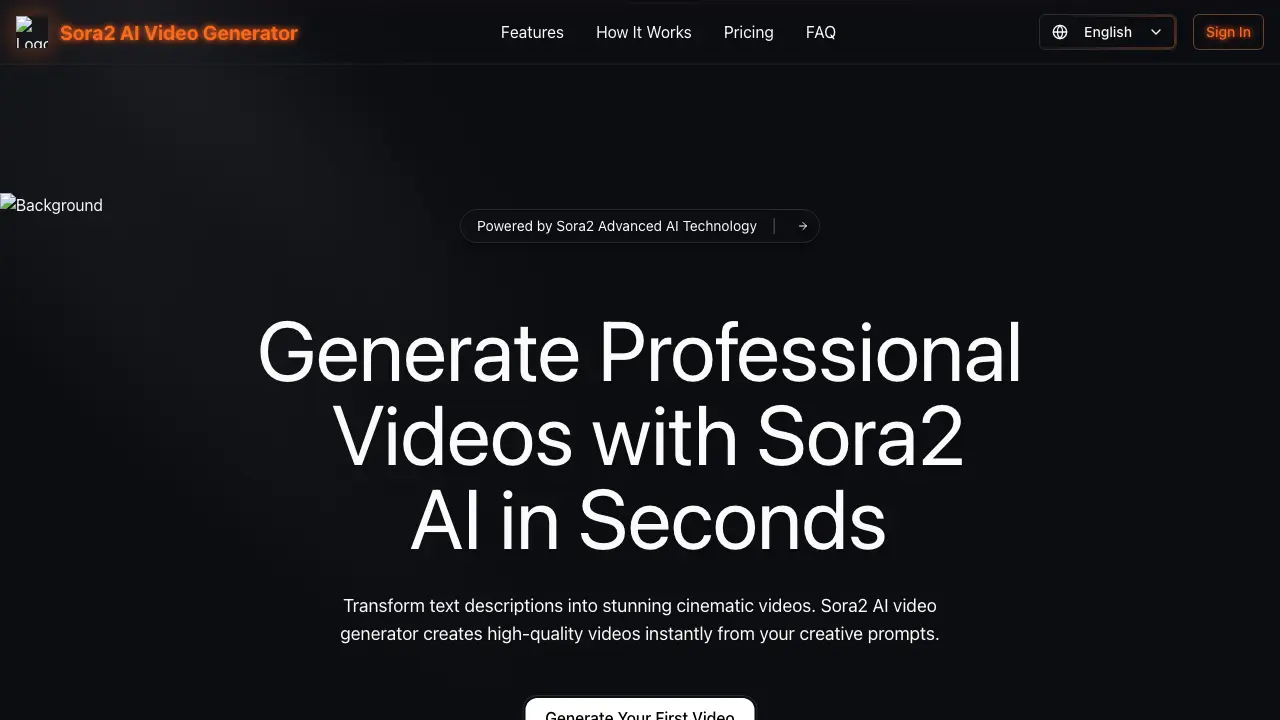
Sora2 AI video generator transforms text descriptions into high-quality cinematic videos in seconds. The tool operates through a simple three-step process: prompt input, style selection, and generation. Users can upload reference images for additional guidance and choose from multiple resolutions and aspect ratios, including landscape, portrait, and square formats. Designed for video creators and production teams, Sora2 offers scalable solutions with features like priority generation, API access, and commercial licenses. Transparent annual pricing plans provide credit-based access, supporting workflows from casual content creation to professional production. The platform eliminates the need for traditional video editing skills, enabling rapid production of polished videos for marketing, social media, and cinematic projects.
How does Sora2 work
Sora2 operates as a cloud-based AI video generator that transforms textual prompts and optional reference images into short video clips. Users input a descriptive text prompt up to 500 characters, with an option to upload a visual reference. The system's AI model processes these inputs to generate video content, with parameters like duration, resolution, and aspect ratio configurable by the user. Video generation consumes a credit-based system. The platform serves individual creators and production teams, offering an API for integration and supporting various output formats. This text-to-video workflow automates initial video concept creation and scaling.
Benefits of Sora2
Sora2 is an AI video generator that streamlines video creation by transforming text prompts into professional, cinematic videos in seconds. Its core workflow involves describing a vision, selecting a style, and generating downloadable content in multiple resolutions and aspect ratios. The platform supports optional reference images and offers rapid production suitable for individual creators and production teams. Key benefits include scalable credit-based plans with commercial licenses, priority support, and API access for enterprise integration, enhancing creative workflow efficiency and output customization.
Pros and Cons of Sora2
Pros
- Fast AI video generation from text prompts.
- Intuitive interface for non-technical users.
- Multiple aspect ratios and resolutions supported.
- Commercial use license included in paid plans.
- API access for workflow integration.
Cons
- Credit-based model increases costs for heavy usage.
- No free tier available for testing.
- Fixed AI model lacks customization options.
- Style control limited without reference images.
- Quality tiers restrict high-resolution outputs to premium plans.
Core Features of Sora2
AI-Powered Text-to-Video Generation
Sora2 converts user text prompts into cinematic videos using advanced AI, producing high-quality outputs instantly for fast and efficient content creation across various creative and professional applications.
Cinematic Style and Reference Image Integration
The platform enables selection from multiple cinematic styles and optional reference image uploads to guide the AI, ensuring generated videos align with specific visual aesthetics and brand guidelines for personalized results.
Adjustable Video Output Parameters
Users can customize duration, resolution, and aspect ratio to tailor videos for different platforms, devices, and project requirements, enhancing versatility and control over the final output.
Multi-Format Video Download and Export
Generated videos are downloadable in various formats and resolutions, facilitating seamless integration into editing workflows, social media, presentations, and distribution channels for broad usability.
API Access and Ecosystem Integration
Sora2 provides API access and integrations for production teams, allowing automated video generation and embedding into custom tools or large-scale creative pipelines to scale content production efficiently.
Use Cases of Sora2
- Filmmaker: Generate cinematic storyboard scenes from script text using AI video generation for pre-production visualization.
- Marketing Specialist: Create campaign videos by describing concepts to the AI video generator, eliminating the need for costly video shoots.
- Social Media Content Creator: Produce high-quality, short-form videos for platforms like Instagram Reels directly from descriptive text prompts.
- UX Designer: Visualize user journey narratives and interactive prototype flows with dynamically generated video elements for stakeholder presentations.
- Startup Founder: Quickly produce product demo and pitch videos using the AI tool, enabling rapid iteration without a dedicated production team.
FAQs of Sora2
How does Sora2 AI video generation work?
Sora2 AI video generation operates by converting user-provided text prompts into video content. Users begin by describing their desired scene in a prompt field, with an optional reference image upload in JPG, PNG, WebP, or GIF formats up to 5MB. The system then processes this input to produce a video, allowing selections for duration, resolution (e.g., 480p), and aspect ratio (such as 16:9, 1:1, or 9:16). The generation cost is fixed at 10 credits per video, and the final output can be downloaded upon completion.
Can I use Sora2 generated videos commercially?
Yes, Sora2 generated videos can be used commercially, but this capability is restricted to specific paid subscription tiers. The Pro and Premium annual plans explicitly include a commercial use license, permitting users to employ the videos for business or client projects. The Starter plan does not grant commercial rights, limiting usage to personal or non-commercial purposes. Users should verify their plan's terms to ensure compliance with commercial application requirements.
What video formats are supported by Sora2?
Sora2 supports the generation and download of videos in common digital formats suitable for various platforms. While the source specifies resolution options like 480p, it indicates videos are downloadable in "multiple formats." Based on standard industry practices for AI video generators, this typically includes MP4, which is widely compatible. Users can select their preferred aspect ratio during generation, ensuring the output matches platform specifications for social media or presentations.
How long does it take to generate a video with Sora2?
Sora2 advertises lightning-fast video generation, with the process completing in seconds after a prompt is submitted. The exact duration may vary based on factors such as the complexity of the text description, selected resolution, and current system load. The platform's infrastructure is designed for efficiency, enabling quick iterations for creators. This speed supports dynamic workflows where multiple video concepts can be tested rapidly without significant waiting periods.
Is there a refund policy for Sora2?
The provided source material does not specify a refund policy for Sora2 subscriptions or credit purchases. Refund terms are typically outlined in the platform's Terms of Service or Pricing page, which are not detailed in the given context. Prospective users should review the official website's legal sections or contact customer support directly for clarification on eligibility, timeframes, and conditions for any potential refunds before committing to a paid plan.
How does the Sora2 credit system work?
Sora2 uses a credit-based system where each video generation consumes a fixed amount of credits. The base cost is 10 credits per video, regardless of duration or aspect ratio selections. Credits are allocated annually through subscription plans: Starter provides 1,200 credits/year, Pro offers 2,400, and Premium grants 6,000. Unused credits generally do not roll over between years, and additional credits can likely be purchased separately, though specific overage pricing is not detailed in the context.
What aspect ratios and resolutions can I select for my video?
Sora2 allows users to choose from several standard aspect ratios including Landscape (16:9), Square (1:1), and Portrait (9:16). Resolution options are tiered, with the context mentioning 480p as a baseline. Higher-quality generation, available on Pro and Premium plans, presumably supports higher resolutions like 720p or 1080p, though exact specifications beyond 480p are not enumerated. These settings help tailor videos for different display contexts, from social media feeds to widescreen presentations.
What are the file size and format limits for reference images?
When uploading an optional reference image to guide the AI, Sora2 imposes specific constraints. Supported formats include JPG, PNG, WebP, and GIF. The maximum allowable file size is 5MB per image. This limit ensures efficient processing and prevents system overload. Users should prepare their images accordingly, compressing or converting files to meet these specifications before upload to avoid errors during the video generation workflow.
What customer support options are available?
Sora2 provides tiered customer support channels depending on the user's subscription plan. All users have access to 24/7 email and chat support for general inquiries. The Pro plan includes dedicated email support, while the Premium plan offers priority email assistance, ensuring faster response times for urgent issues. Additionally, community support forums or documentation may be accessible, though the context emphasizes direct support channels for plan-specific benefits.
Does Sora2 offer API access for developers?
API access is a feature reserved for the Premium subscription tier. The Premium plan explicitly includes "API access," enabling developers and technical teams to integrate Sora2's video generation capabilities into custom applications, workflows, or third-party services. This allows for automation and scaling of video production within existing software ecosystems. Lower-tier plans (Starter and Pro) do not include API functionality, restricting usage to the web platform interface.
How to use Sora2
Sora2 is an AI video generator that converts text prompts into cinematic videos. Key features include reference image upload, customizable aspect ratios and resolutions, and a credit-based usage model.
- Access the Sora2 platform at sorashorts.org and navigate to the video generation dashboard after logging in. Ensure your account has sufficient credits.
- Enter a detailed text prompt in the input field, up to 500 characters. Specify subjects, actions, and visual style for optimal AI interpretation and output quality.
- Optionally upload a reference image (JPG, PNG, WebP, GIF, max 5MB) to guide the video's aesthetic and composition, aligning the result with your creative vision.
- Configure video settings: select duration, resolution (e.g., 480p), and aspect ratio (16:9, 1:1, or 9:16) according to your project's technical requirements and display context.
- Initiate video generation by clicking the appropriate button. The system deducts credits (e.g., 10 for 480p) and processes the request, with speed varying by server load.
- Preview the generated video in the interface player. If the result meets your criteria, download it in your selected format, typically MP4, for external use.
- Integrate the downloaded video into your projects, such as social media or presentations. Confirm your subscription plan's commercial usage rights before any monetized distribution.
Sora2 Website Traffic Analysis
Latest traffic information
- Monthly Visits312
- Bounce Rate46.39%
- Pages Per Visit1.16
- Visit Duration00:00:00
- Global Rank14.47M
- Country/Region Ranking--
Visits Over Time
Top Regions
| Region | Percentage |
|---|---|
| United Kingdom | 100% |