
Sora2 provides free AI video generation with fast, watermark-free output.

What is Sora2
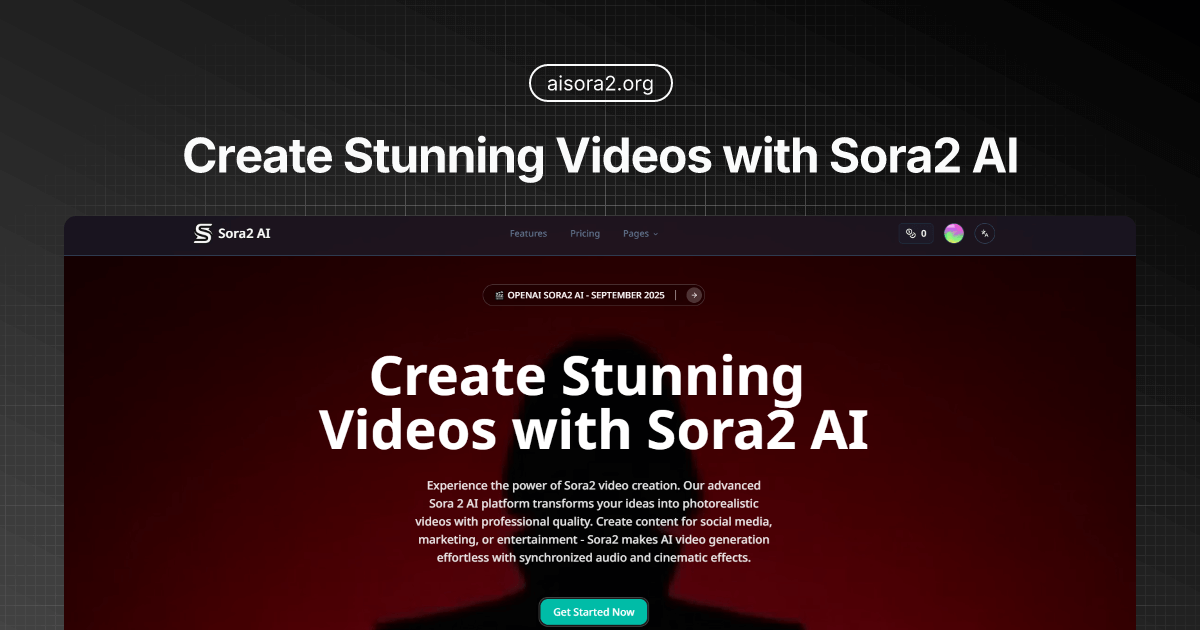
Sora2 AI is an advanced AI video generation platform powered by OpenAI technology. This tool enables users to create photorealistic videos from text or image prompts, complete with synchronized audio and cinematic effects. Sora2 offers both a standard version, optimized for speed and everyday content creation, and Sora 2 Pro, which delivers higher fidelity, longer durations, and professional-grade output for cinematic and commercial projects. Key features include multimodal generation, physics simulation, and temporal consistency, making it a robust solution for diverse video production needs.
How does Sora2 work
Sora2 operates as an advanced AI video generation platform, converting text or images into photorealistic videos with integrated audio and cinematic effects. Users describe their desired video via a text prompt, specifying actions, settings, and mood. The Sora 2 AI model then processes this input, generating video content with synchronized audio. Features include multimodal generation, physics simulation, and temporal consistency. Sora2 offers various AI models, including a Pro version for higher fidelity and longer durations, supporting resolutions up to 1080p and multiple aspect ratios for diverse professional applications.
Benefits of Sora2
Sora2 AI empowers users to create photorealistic videos with advanced AI video generation technology, transforming text or images into professional-quality content. This sora ai tool offers synchronized audio, cinematic effects, and various aspect ratios, making AI video generation efficient for social media, marketing, and entertainment. Users can choose between Sora 2 for speed or Sora 2 Pro for higher fidelity and longer, high-definition videos, utilizing sora 2 invite code access for enhanced features.
Pros and Cons of Sora2
Pros
- Generates photorealistic videos with synchronized audio.
- Offers text-to-video and image-to-video generation.
- Provides different AI models (Sora 2, Sora 2 Pro).
- Supports various aspect ratios and video lengths.
- Suitable for diverse content creation needs.
Cons
- Watermark on standard output without extra cost.
- Pro features require higher credit consumption.
- Video generation can take significant time.
- Credit-based system may limit extensive use.
- Pricing varies for different quality and duration.
Core Features of Sora2
Text-to-Video Generation
Sora2 converts textual descriptions into photorealistic videos with synchronized audio and cinematic effects, offering advanced AI video creation from prompts.
Image-to-Video Transformation
The platform enables users to transform static images into dynamic, animated videos with realistic motion effects, enhancing visual content creation.
AI-Powered Audio Integration
Sora2 generates synchronized audio, including dialogue, sound effects, and ambient soundscapes, seamlessly matching them to the visuals in the generated videos.
Video Customization and Control
Users can adjust video duration, aspect ratios (16:9, 9:16, 1:1), and choose between standard or high-definition quality, accommodating diverse creative and professional needs.
Watermark Removal
The product provides an option to remove watermarks from generated videos, allowing for cleaner, professional-grade output suitable for various applications.
Use Cases of Sora2
- Film & TV Production Studios: Utilize Sora2 for pre-visualization and rapid prototyping of complex scenes in AI video generation workflows.
- Advertising Agencies: Generate compelling AI video content for campaigns with enhanced speed and creative control using Sora2.
- Game Developers: Create cinematic cutscenes and promotional trailers that match game visual styles with Sora2's AI capabilities.
- Social Media Content Creators: Produce quick, engaging videos for various platforms using Sora2's text-to-video and image-to-video features.
FAQs of Sora2
What is Sora2 and how does it differ from Sora 1?
Sora2 is an advanced AI video generation platform powered by OpenAI's Sora-2 technology. It allows users to create photorealistic videos from text or images with professional quality. The core difference from previous iterations, implicitly Sora 1, lies in enhanced realism, improved temporal consistency, synchronized audio generation, and the introduction of advanced features for professional-grade output. Sora2 offers both a standard model and a 'Pro' version with higher fidelity and longer video durations.
How much does Sora2 cost?
Sora2 offers various pricing tiers, including monthly and yearly subscriptions, and credit packages. Monthly plans start at $8.33, billed annually, for the Basic package, which includes 200 user credits. There are also Pro and Enterprise plans with more credits and features. Additionally, credit packages are available, starting at $4.9 for 80 credits, valid for 30 days. Specific model usage consumes credits, with different rates for Sora 2, Sora 2 Pro, Veo 3.1 Fast, and Veo 3.1 Quality, and options for watermark removal.
What is the Sora2 cameo feature?
The Sora2 cameo feature enables users to integrate their likeness and voice into the generated videos. This advanced capability allows for personalized content creation, making it possible to produce videos where the user appears or speaks within the AI-generated scenes, enhancing the customization and impact of the video output.
Can Sora2 generate audio along with video?
Yes, Sora2 possesses robust audio generation capabilities. It can produce synchronized audio, including dialogue and sound effects, perfectly matched to the visuals. The platform also generates realistic background ambient soundscapes and diegetic sounds that correspond to actions within the video, such as footsteps or impacts. This unified generation ensures that audio and video are created simultaneously for a cohesive output.
What types of videos can Sora2 create?
Sora2 can create a wide array of video types suitable for social media, marketing, and entertainment. This includes cinematic landscapes, character animations, product showcases, urban scenes, abstract art, and transformations of static images into dynamic videos. The platform supports various styles, such as cinematic, anime, and documentary, catering to diverse content creation needs.
Is Sora2 suitable for professional video production?
Sora2 is designed for both everyday content creation and professional video production. The Sora 2 Pro model, in particular, is focused on higher fidelity, longer duration (up to 25 seconds), and professional-grade output at up to 1080p resolution, making it ideal for cinematic, commercial, and complex professional projects. Features like synchronized native audio and temporal consistency further support professional use cases.
How long does it take to generate a video?
The video generation time with Sora2 varies depending on the chosen AI model and video settings. For instance, a standard 10-second Sora 2 (Speed) video can take between 30 and 60 seconds. Professional Sora 2 videos of 15 seconds may take 10 to 15 minutes, while a 15-second Sora 2 Pro (High Definition) video can take approximately 30 minutes.
What aspect ratios are supported?
Sora2 supports multiple aspect ratios to accommodate various platforms and content needs. Users can generate videos in 16:9 (widescreen), 9:16 (vertical, suitable for mobile and social media stories), and 1:1 (square, commonly used on platforms like Instagram). This flexibility ensures creators can tailor their output to specific viewing environments.
What is Sora 2 Pro, and how does it compare to the standard Sora 2 model?
Sora 2 Pro is the professional-grade offering of the Sora2 platform, designed for higher fidelity and more complex scenes compared to the standard Sora 2 model. While Sora 2 is tuned for speed and everyday content with video lengths up to 10 seconds at 720p, Sora 2 Pro extends video duration to 25 seconds, offers up to 1080p resolution, and focuses on superior stability, resolution, and synchronized native audio, making it ideal for cinematic and commercial projects.
How to use Sora2
Sora2 AI is an advanced platform utilizing OpenAI's Sora-2 technology for generating photorealistic videos. It offers features like synchronized audio, cinematic effects, and various AI models to transform text or images into professional-quality video content for diverse applications.
- Access the Sora2 AI platform by navigating to the designated Sora2 website or application.
- Log in or sign up to gain access to the video generation interface and your allotted credits for Sora2 video creation.
- Input your video description in the "Describe Your Sora2 Video" field, being specific about the desired actions, settings, and mood for the AI video.
- Select your preferred aspect ratio (16:9, 9:16, or 1:1) to determine the video's orientation for the AI video generation.
- Choose an AI model: Sora-2 (Economy) for speed or Sora 2 Pro (Professional) for higher fidelity, crucial for cinematic AI video output.
- Specify the desired video duration, selecting either 10 seconds or 15 seconds, impacting the final Sora2 video length.
- Decide whether to remove the watermark; this option may incur additional credits for a clean Sora2 video.
- Initiate the video generation process; the Sora2 AI will then process your prompt and create the video.
- Review the generated AI video in the preview section and access your generation history to manage past Sora2 creations.
- Utilize the video's insights for further refinement, download the generated Sora2 content, or share it as needed.
